Geekzone: technology news, blogs, forums
Guest
Welcome Guest.
You haven't logged in yet. If you don't have an account you can register now.


beenz

644 posts

Ultimate Geek
+1 received by user: 32

ID Verified

#291884 11-Dec-2021 13:48
Send private message

I have just got myself a new phone...Xiaomi 11t.

In my old phone ...Oppo I could use Uber or Ola driver maps opened externally with Google maps and it would show on my car display when the phone was plugged in.

Now the maps only display on my phone not on the car display.
How can I get it to display on the car display ?
Thanks


Create new topic
Linux
12181 posts

Uber Geek
+1 received by user: 8473

Trusted
Lifetime subscriber

  #2830391 11-Dec-2021 13:51
Send private message

Are you going to provide Make / model of car?


beenz

644 posts

Ultimate Geek
+1 received by user: 32

ID Verified

  #2830392 11-Dec-2021 13:53
Send private message

2015 Nissan bluebird

Stu

Stu
Hammered
8742 posts

Uber Geek
+1 received by user: 2400

Moderator
ID Verified
Trusted
Lifetime subscriber

  #2830447 11-Dec-2021 17:02
Send private message

If the head unit in the car supports Android Auto, then make sure Android Auto is installed on your new phone. If the head unit in the car supports screen mirroring of some form, and not Android Auto, you'll need to install a supporting app on your phone.


People often mistake me for an adult because of my age.


Keep calm, and carry on posting.


Referral Links: Sharesies


Are you happy with what you get from Geekzone? If so, please consider supporting us by subscribing.


No matter where you go, there you are.


beenz

644 posts

Ultimate Geek
+1 received by user: 32

ID Verified

  #2830448 11-Dec-2021 17:11
Send private message

It supports Android auto and the app is installed on my phone.
I don't think that is is the problem

Stu

Stu
Hammered
8742 posts

Uber Geek
+1 received by user: 2400

Moderator
ID Verified
Trusted
Lifetime subscriber

  #2830452 11-Dec-2021 17:20
Send private message

Have you set up Android Auto properly on the new phone, or just installed it? Also check the cable you're using to connect the phone to the head unit.


People often mistake me for an adult because of my age.


Keep calm, and carry on posting.


Referral Links: Sharesies


Are you happy with what you get from Geekzone? If so, please consider supporting us by subscribing.


No matter where you go, there you are.


beenz

644 posts

Ultimate Geek
+1 received by user: 32

ID Verified

  #2830459 11-Dec-2021 17:38
Send private message

Thanks what do you mean by set up Android auto ? what setting should I be looking at ?


Shop now for Dyson appliances (affiliate link).

Stu

Stu
Hammered
8742 posts

Uber Geek
+1 received by user: 2400

Moderator
ID Verified
Trusted
Lifetime subscriber

  #2830462 11-Dec-2021 17:47
Send private message

Make sure you've at least run the app and allowed any permissions it might require. While the app is running, plug it in to the car (after ensuring the head unit is also up and running). If there is no sign of connection from either the head unit or phone, try changing cables.


People often mistake me for an adult because of my age.


Keep calm, and carry on posting.


Referral Links: Sharesies


Are you happy with what you get from Geekzone? If so, please consider supporting us by subscribing.


No matter where you go, there you are.


ANglEAUT
altered-ego
2436 posts

Uber Geek
+1 received by user: 842

Trusted
Lifetime subscriber

  #2830528 11-Dec-2021 23:11
Send private message

beenz: I have just got myself a new phone. ...


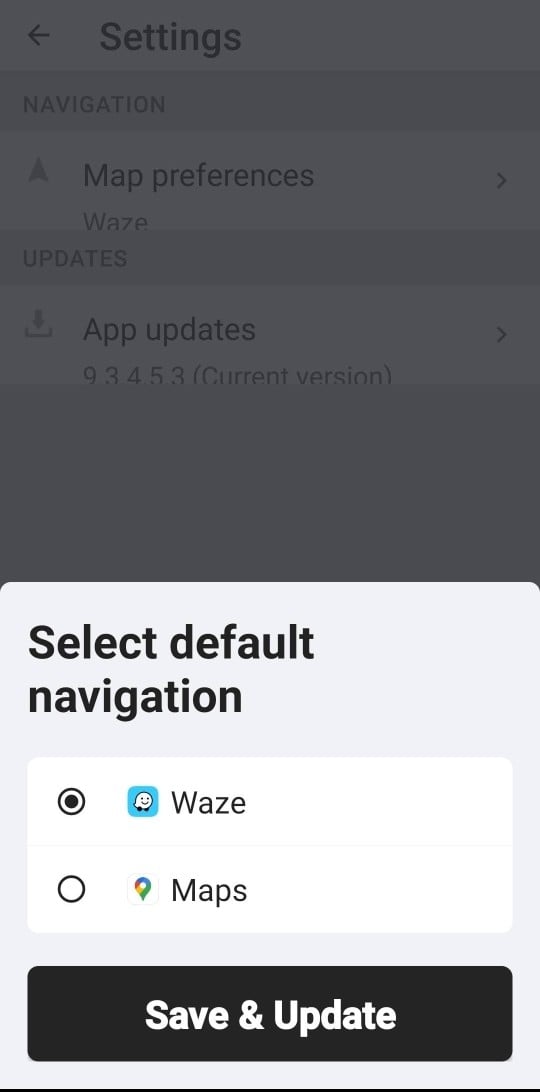
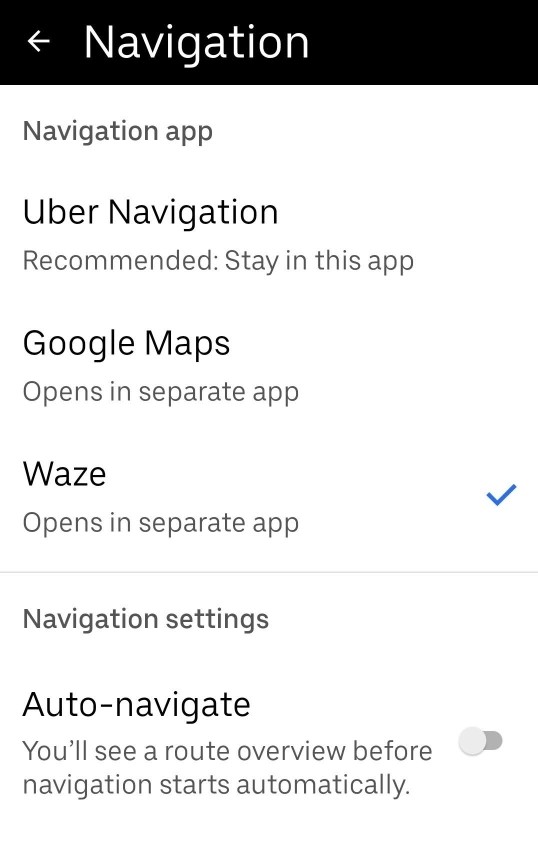
Check you app settings. Have you set Google Maps as your preferred navigation app?


Please keep this GZ community vibrant by contributing in a constructive & respectful manner.


Create new topic


Geekzone Live »

Try automatic live updates from Geekzone directly in your browser, without refreshing the page, with Geekzone Live now.


Are you subscribed to our RSS feed? You can download the latest headlines and summaries from our stories directly to your computer or smartphone by using a feed reader.