Geekzone: technology news, blogs, forums
Guest
Welcome Guest.
You haven't logged in yet. If you don't have an account you can register now.


MikeFly

192 posts

Master Geek
+1 received by user: 140
Inactive user


#312555 27-Apr-2024 09:02
Send private message

Hi


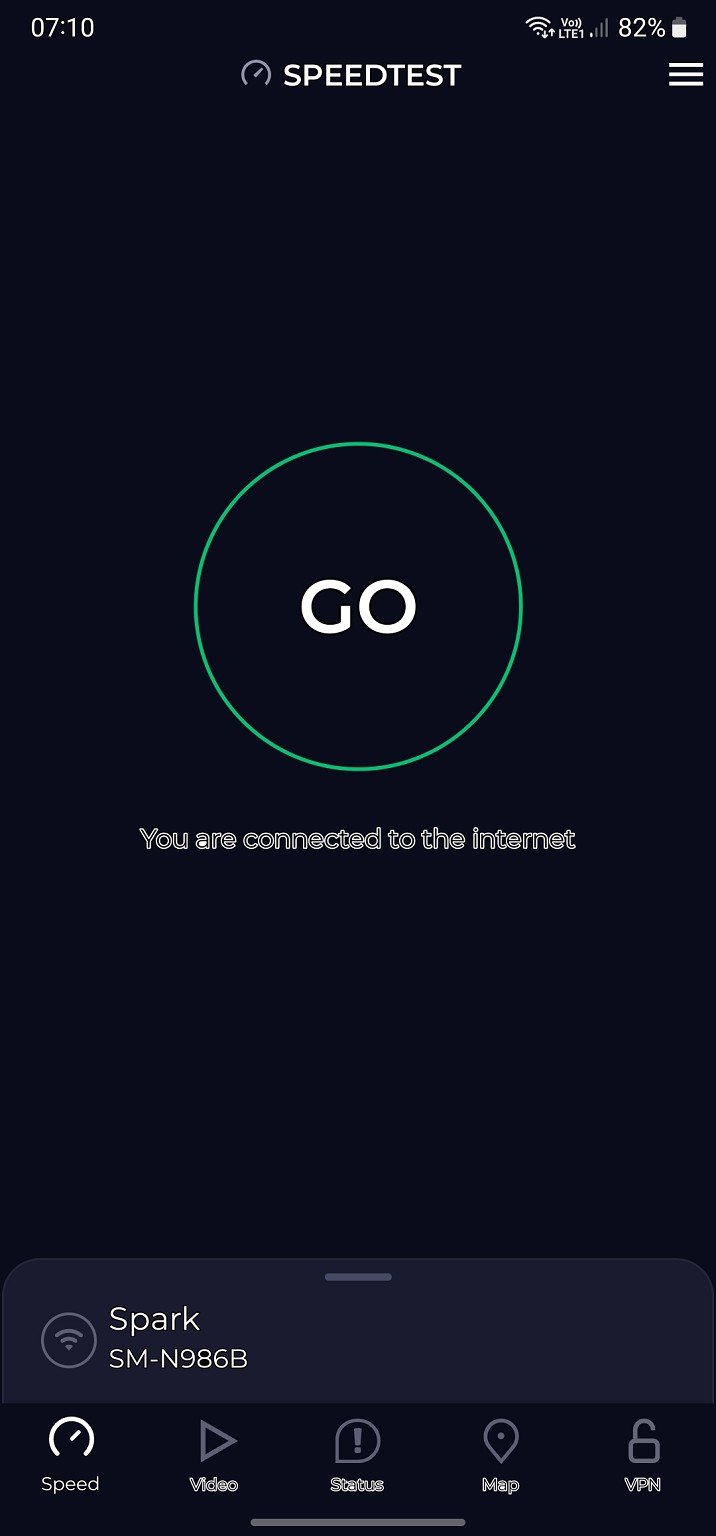
I have a weird font change on my Note 20. Its not all fonts but just some, in certain apps. I have tried settings, display fonts but it makes no difference, scoured the web but obviously not asking the right question?


On the attached image, the font I am referring to is the one that says, you are connected to the internet.


Any ideas on changing it to default?


Filter this topic showing only the reply marked as answer Create new topic
robjg63
4161 posts

Uber Geek
+1 received by user: 1426

Subscriber

  #3223270 27-Apr-2024 09:49
Send private message

Anything in this video that is helpful?


Nothing is impossible for the man who doesn't have to do it himself - A. H. Weiler


MikeFly

192 posts

Master Geek
+1 received by user: 140
Inactive user


  #3223272 27-Apr-2024 09:55
Send private message

robjg63:


Anything in this video that is helpful?


No it doesnt make any difference.


If you look at the bottom of my screen shot you will see Speed is in the standard font, but the rest are in the crazy double line font. So I get a mixture of fonts within apps.


systemd
32 posts

Geek
+1 received by user: 22

Trusted

  #3223273 27-Apr-2024 09:56
Send private message

That looks like high contrast fonts were enabled, I think there is a button combination that enables it? Double check under Settings > Accessibility > Visibility enhancements > High contrast fonts


Very odd that it is only affecting parts of apps though.


MikeFly

192 posts

Master Geek
+1 received by user: 140
Inactive user


  #3223275 27-Apr-2024 10:00
Send private message

systemd:


That looks like high contrast fonts were enabled, I think there is a button combination that enables it? Double check under Settings > Accessibility > Visibility enhancements > High contrast fonts


Very odd that it is only affecting parts of apps though.


Thats it!


Thanks, doh and it was me who turned them on the other night but didnt notice at the time any font changes.


Cheers!


Filter this topic showing only the reply marked as answer Create new topic


Geekzone Live »

Try automatic live updates from Geekzone directly in your browser, without refreshing the page, with Geekzone Live now.


Are you subscribed to our RSS feed? You can download the latest headlines and summaries from our stories directly to your computer or smartphone by using a feed reader.