Geekzone: technology news, blogs, forums
Guest
Welcome Guest.
You haven't logged in yet. If you don't have an account you can register now.


aim

aim

247 posts

Master Geek
+1 received by user: 4


#66932 25-Aug-2010 17:34
Send private message

Thought it'd be quite a good idea to see what themes/modified apps people are running etc

Try include a quick description of what you're running.

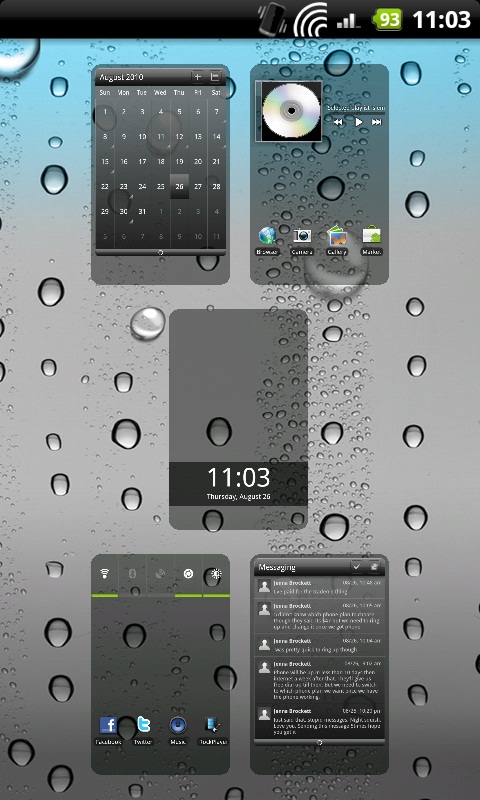
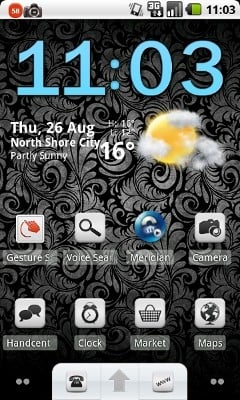
Here is my Work Home screen, I won't post the others, as the e-mail widgets have sensitive information and the other widgets are just the stock sense UI weather widget and the music widget.


Here are my Home, Home screens;


The quality isn't great :/

But yeah it's Launcher Pro Plus with Music Mod, Agenda Widget, BattStatt, Digital Clock Widget. All avaliable from the market.

Icons are from here; http://forum.xda-developers.com/showthread.php?p=7459783


View this topic in a long page with up to 500 replies per page Create new topic
 1 | 2 | 3 | 4 | 5 | 6 | ... | 13
michaelmurfy
meow
13579 posts

Uber Geek
+1 received by user: 10910

Moderator
ID Verified
Trusted
Lifetime subscriber

  #372796 25-Aug-2010 18:21
Send private message

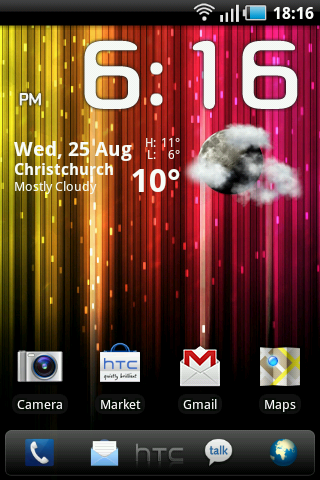
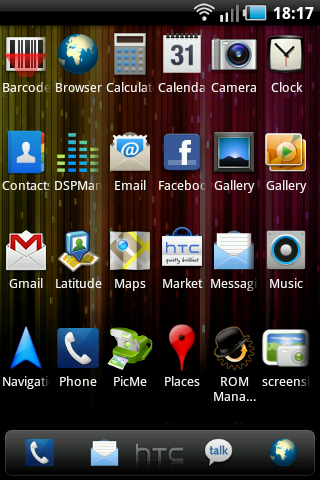
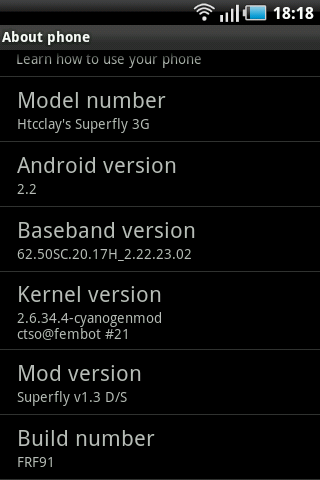
This is mine, it's a HTC Magic running Android 2.2 :)


Michael Murphy | https://murfy.nz
Referral Links: Quic Broadband (use R122101E7CV7Q for free setup)

Are you happy with what you get from Geekzone? Please consider supporting us by subscribing.
Opinions are my own and not the views of my employer.


eXDee
4033 posts

Uber Geek
+1 received by user: 1070

Trusted

  #372927 26-Aug-2010 03:36
Send private message

Just posting my main screen, the rest of the home screens are simply apps for easy access.

HTC Desire running LeeDroid 1.9a, Blue Carbon Fibre mod, Super Circle battery life


Linuxluver
5833 posts

Uber Geek
+1 received by user: 1639

Trusted
Subscriber

  #372942 26-Aug-2010 07:45
Send private message

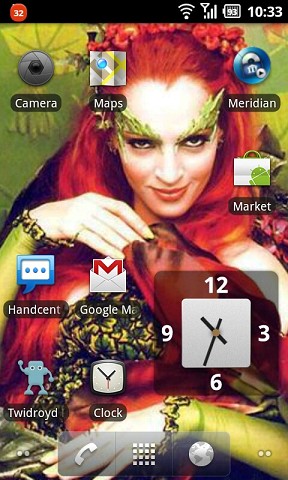
I change my phone's appearance frequently, but I like this combo: 

Poison Ivy Home screen

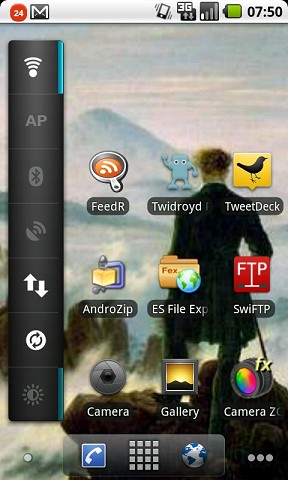
...and I like this one, too. Note the configurable / orientable Power Control widget in CyanogenMod 6. You can have about 15 items on there if you want. 

CM6 home


_____________________________________________________________________

I've been on Geekzone over 16 years..... Time flies.... 


boby55
1539 posts

Uber Geek
+1 received by user: 38

Trusted

  #372944 26-Aug-2010 07:50
Send private message

Pretty Basic, But Ive only had it for 2 days.


Click For Full Size Image

Linuxluver
5833 posts

Uber Geek
+1 received by user: 1639

Trusted
Subscriber

  #372945 26-Aug-2010 07:56
Send private message

boby55: Ugly... ;-)

(as penance for that I'll make my Nexus One look iPad-ish today with the "Skies" theme for the ADW Launcher).

Skies Theme on ADW Launcher


_____________________________________________________________________

I've been on Geekzone over 16 years..... Time flies.... 


androidmnz
178 posts

Master Geek


  #372965 26-Aug-2010 08:25
Send private message

Welcome to the world of London weather ;).

Loving some of your home screens!

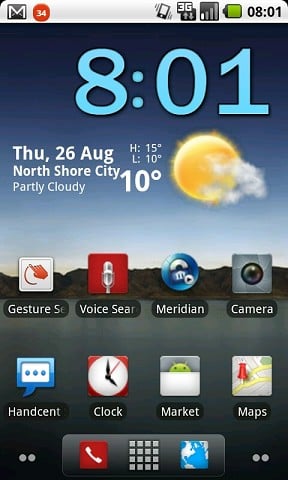
Mine is Samsung Galaxy S. Pretty standard but clock is "Beautiful Widget". Also standard power management widget. Only running 3 screens rather than the 7. I don't like clutter ;)


Android New Zealand

Phone: Galaxy S3
Tablet: Asus Eee Pad Transformer


Move to New Zealand's best fibre broadband service (affiliate link). Free setup code: R587125ERQ6VE. Note that to use Quic Broadband you must be comfortable with configuring your own router.
androidmnz
178 posts

Master Geek


  #372982 26-Aug-2010 09:20
Send private message

Just found rare black wallpaper app. It's on the market. Has some styly black wallpapers to customise your home screen. It's by Hero Planet.


Android New Zealand

Phone: Galaxy S3
Tablet: Asus Eee Pad Transformer

kiwijunglist
2983 posts

Uber Geek
+1 received by user: 135

ID Verified

  #373006 26-Aug-2010 09:52
Send private message

Cool home screens, if possible can people spend a bit more time listing the mods they are using to achieve the look.  THANKS!  Also - how do u take a home screen screenshot in android?


HTPC / Home automation (home assistant) enthusiast.


Dingbatt
6804 posts

Uber Geek
+1 received by user: 3694

Lifetime subscriber

  #373010 26-Aug-2010 09:57
Send private message

kiwijunglist: Cool home screens, if possible can people spend a bit more time listing the mods they are using to achieve the look.  THANKS!  Also - how do u take a home screen screenshot in android?


Download 'screenshot' from Market.  Must have Root tho'.


“We’ve arranged a society based on science and technology, in which nobody understands anything about science technology. Carl Sagan 1996


michaelmurfy
meow
13579 posts

Uber Geek
+1 received by user: 10910

Moderator
ID Verified
Trusted
Lifetime subscriber

  #373016 26-Aug-2010 10:05
Send private message

I have come to this conclusion.
Android is so much more prettier than iOS


Michael Murphy | https://murfy.nz
Referral Links: Quic Broadband (use R122101E7CV7Q for free setup)

Are you happy with what you get from Geekzone? Please consider supporting us by subscribing.
Opinions are my own and not the views of my employer.


Linuxluver
5833 posts

Uber Geek
+1 received by user: 1639

Trusted
Subscriber

  #373037 26-Aug-2010 10:55
Send private message

kiwijunglist: Cool home screens, if possible can people spend a bit more time listing the mods they are using to achieve the look.  THANKS!  Also - how do u take a home screen screenshot in android?


There are three ways. 

1. Screenshot on the phone of anything and everything - ROOT REQUIRED. 

The best screenshot apps require root. I use Drocap2 and Shootme!.

2. If you haven't rooted your phone and you still want to take screenshots of whatever is on your screen, then you need to install the Android SDK. You can use "ddms" to capture screenshots of your phone via the USB cable to the PC running the Android SDK.   This works like Drocap2 and Shootme! (captures everything) with the only drawback being you must have the SDK installed and the phone must be USB-connected to the PC. (Risks: On Windows the SDK's USB drivers can be problematic and on Linux you'll likely have to configure UDEV permissions - easy when you know how. Google is ya frend.)

3. "Sort of" screenshots on the phone for non-root users: 

Some of the alternate Home apps will let you take a screenshot of the Home screen (without the Notification bar). Open Home does this for sure. You can see here (scroll down - it's on the right) a slideshow of Open Home and aHome theme screenshots I took on my HTC Magic prior to rooting it. So that's an option for non-root users....but it does limit you to screenshots of that home app only....and only the home screen. It doesn't support screenshots in other apps. You need root for that.   


_____________________________________________________________________

I've been on Geekzone over 16 years..... Time flies.... 


Want to support Geekzone and browse the site without the ads? Subscribe to Geekzone now (monthly, annual and lifetime options).
teihoata
100 posts

Master Geek
+1 received by user: 6


  #373051 26-Aug-2010 11:13
Send private message

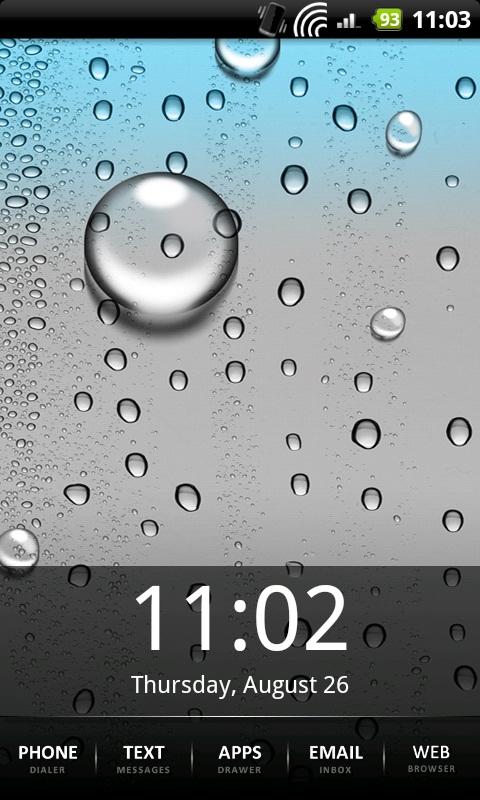
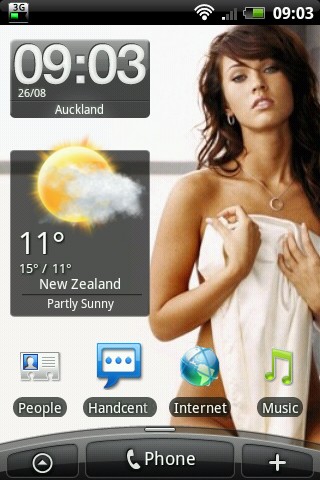
Here's mine, I like the whole minimal look. Running launcherpro plus and the iphone background lol


Linuxluver
5833 posts

Uber Geek
+1 received by user: 1639

Trusted
Subscriber

  #373053 26-Aug-2010 11:23
Send private message

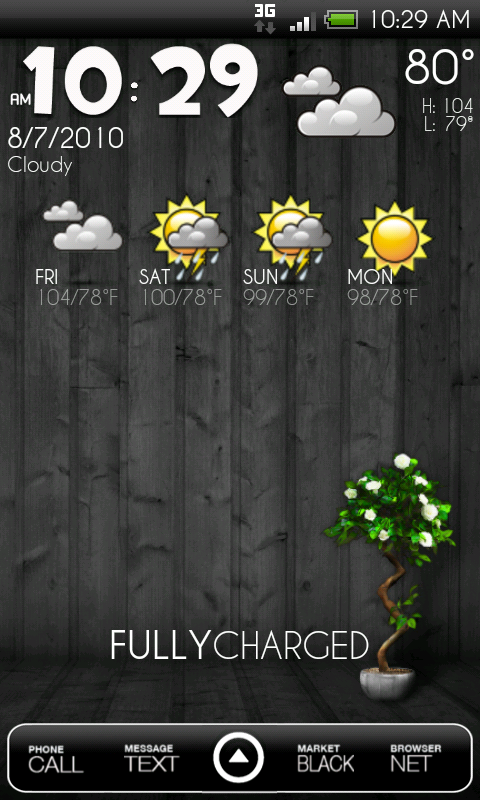
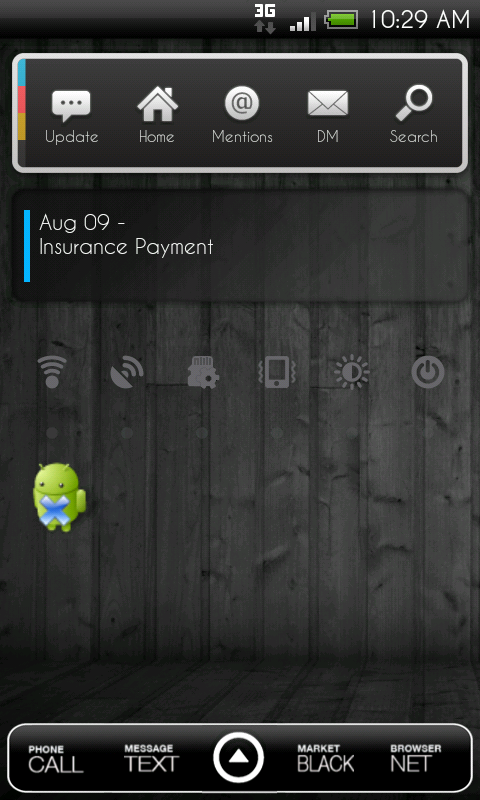
Having too much fun. 

Context: CyanogenMod 6.0 RC3 (Froyo) on Google Nexus One. 

This Home screen is:

ADW Launcher with "ADW.white" theme,
Beautiful Widgets (with Cyanogen skin - widget background opacity set to zero)
A dark wallpaper via the (excellent) Flikie Wallpaper app. I searched on "black". 

Another acreenshot


_____________________________________________________________________

I've been on Geekzone over 16 years..... Time flies.... 


Dingbatt
6804 posts

Uber Geek
+1 received by user: 3694

Lifetime subscriber

  #373058 26-Aug-2010 11:28
Send private message

SenseUI on VillainRom12.0.


“We’ve arranged a society based on science and technology, in which nobody understands anything about science technology. Carl Sagan 1996


kiwijunglist
2983 posts

Uber Geek
+1 received by user: 135

ID Verified

  #373061 26-Aug-2010 11:32
Send private message

Not my screens, but some of the ones I like along with links to the post


^ above uses launcher pro


Retro clock widget for above screenshot,
which includes the date widget too

http://www.appbrain.com/app/nl.jsource.retroclock.android


^ Above 2x screenshots using ADW.Launcher with the Alt Dark Free Theme (for the dockbar),
Beautiful Widgets Smaller Home Weather, Weather Forecast (donate) and
BattStatt on the main page, Twicca, Smooth Calendar, and SwitchPro on
the second page.

Pulling up on the dock also reveals my most used applications (Facebook, Endaget, XDA, etc..
Text icons in dock: Manup's Simple Word Icons. Got them from XDA.


^ LauncherPro w/default icons (at the moment) and this dock.

AudioManager w/ this skin.

Apps Organizer w/icons from here.

Beautiful Smaller Home Weather

FlightTrack

SwitchPr


^ battery circle indictator -> [MOD]Fightspit's Super Circle Battery with % - xda-developers


^ small icons are achieved using multicon widget and it's free on the market


^ snow storm weather widget / battstat widget


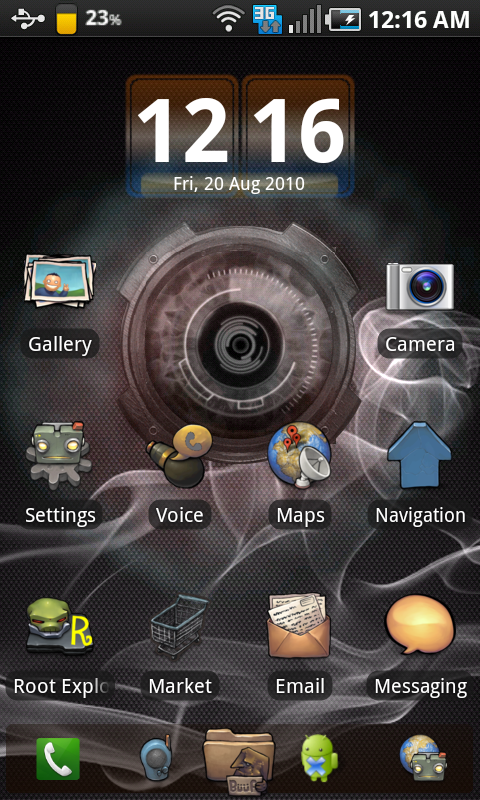
^ above uses widget locker, you can add widgets to lock screen, and have multi function unlock sliders, eg slide to call, slide to camera etc...


^ above using. Beautiful Widgets Home Small / SwitchPro Widget / Launcher Pro Plus


^ BuuF icon pack in the market


^ time/day app is called "tajm" in the market

None of these screens are mine, but thought it would be good to have some samples with references to all the mods.


HTPC / Home automation (home assistant) enthusiast.


 1 | 2 | 3 | 4 | 5 | 6 | ... | 13
View this topic in a long page with up to 500 replies per page Create new topic


Geekzone Live »

Try automatic live updates from Geekzone directly in your browser, without refreshing the page, with Geekzone Live now.


Are you subscribed to our RSS feed? You can download the latest headlines and summaries from our stories directly to your computer or smartphone by using a feed reader.