Geekzone: technology news, blogs, forums
Guest
Welcome Guest.
You haven't logged in yet. If you don't have an account you can register now.


aaristotle

161 posts

Master Geek
+1 received by user: 37


#92201 28-Oct-2011 16:19
Send private message

I have just run the LG Mobile Support tool and I am advised there is an update for the New Zealand LGP500H from V10B to V20d.  I assume this is a new update as I have checked before and there have not been updates available. Has anyone already upgraded to V20d or to 2.3.3 (which I think V20d is) on this phone and are there any benefits or downsides to doing this?

Create new topic
l43a2
1784 posts

Uber Geek
+1 received by user: 591

ID Verified
Trusted

  #538785 28-Oct-2011 16:30
Send private message

its GREAT!!!!!! i done it on my P500 and its awesome. its 2.3.3 as you said


garvani
1873 posts

Uber Geek
+1 received by user: 83

Trusted

  #538791 28-Oct-2011 16:47
Send private message

holy heck! i never thought this day would come! So it wipes your phone clean i imagine? Is it an actual improvement and worth doing? I have MASSIVE lag when writing txts, it can be 2-3 words behind. Also rotating the screen can take a second or two for it to realise. Are these fixed by chance?  Also has the problem with the touchscreen been fixed, holding your finger on the screen at the moment brings the phone to a standstill, which is no good for some games.

rscole86
4999 posts

Uber Geek
+1 received by user: 462

Moderator
Trusted
Lifetime subscriber

  #538792 28-Oct-2011 16:52
Send private message

I have had it on mine for around a month now, and do not experience the problems mentioned above.


Linuxluver
5833 posts

Uber Geek
+1 received by user: 1639

Trusted
Subscriber

  #538795 28-Oct-2011 16:56
Send private message

I best check for the LG Optimus 3D as well.....Might be god news on that front, too. Fingers crossed.

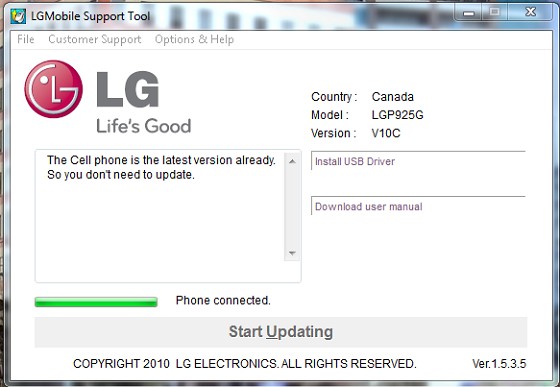
Update: Not yet for the Optimus 3D LG-P925G


_____________________________________________________________________

I've been on Geekzone over 16 years..... Time flies.... 


garvani
1873 posts

Uber Geek
+1 received by user: 83

Trusted

  #538797 28-Oct-2011 16:56
Send private message

sounds good to me then! Ill be doing this in the weekend Laughing

dafman
4054 posts

Uber Geek
+1 received by user: 2652

Trusted

  #538862 28-Oct-2011 19:57
Send private message

Does it wipe all user data from the phone? If yes, are apps stored on the SD card safe? Previous updates didn't wipe data, but they were froyo updates, I guess moving to gingerbread is a whole different story?


Shop now for Dell laptops and other devices (affiliate link).
l43a2
1784 posts

Uber Geek
+1 received by user: 591

ID Verified
Trusted

  #538871 28-Oct-2011 20:18
Send private message

when i done the update, nothing was removed that i could see txts apps contacts etc, just incase backup your stuff


dafman
4054 posts

Uber Geek
+1 received by user: 2652

Trusted

  #538872 28-Oct-2011 20:21
Send private message

l43a2: when i done the update, nothing was removed that i could see txts apps contacts etc, just incase backup your stuff


Ok, thanks. About to pull the pin! 

dafman
4054 posts

Uber Geek
+1 received by user: 2652

Trusted

  #538893 28-Oct-2011 21:40
Send private message

dafman:
l43a2: when i done the update, nothing was removed that i could see txts apps contacts etc, just incase backup your stuff


Ok, thanks. About to pull the pin! 


7 mins 46 secs, update completed.

All user apps and user settings retained, though did lose some home screen short cuts. Does seem to take longer to load all apps than previously - now up to 5 mins for all to fully load. Also, shortage of space warning appeared in notification bar which wasn't showing on previous version. Had to delete several apps to get rid of it.

Apart from this, how does gingerbread look on the P500? Well, there's a new notification bar and the settings screen has updated, but not much else looks to have changed. Too early to call regarding performance impact.

All in all, not too much to crow about (yet).

Would be interested in hearing from any other P500 users on what differences they have noticed. 

kirstcam
3 posts

Wannabe Geek


  #538933 29-Oct-2011 03:03
Send private message

Updated to V20C  approx 3 weeks ago, and have suffered several screen freezes requiring rebooting. No apps or files were lost in the upgrade but am having major problems trying to sync phone with pc calendar , lg pc suite not connecting with phone.

Johnk
837 posts

Ultimate Geek
+1 received by user: 192

ID Verified
Trusted
Lifetime subscriber

  #539041 29-Oct-2011 16:57
Send private message

Just upgraded wife's Phone, program just sat there idle on downloading software for over an hour, killed it. Reopened and started again, whole process 2nd time round only took 6mins20sec.

She's very pleased with update, phone definitely feels quicker. No data or settings were lost.


Move to New Zealand's best fibre broadband service (affiliate link). Free setup code: R587125ERQ6VE. Note that to use Quic Broadband you must be comfortable with configuring your own router.
dafman
4054 posts

Uber Geek
+1 received by user: 2652

Trusted

  #539064 29-Oct-2011 18:15
Send private message

Ok, after a day of use, the phone does seem a little more responsive/faster with the gingerbread update. The new text selection tool when using the keyboard is also a great addition. Otherwise, the phone is pretty much the same it was. Not quite the new phone I was hoping for!

garvani
1873 posts

Uber Geek
+1 received by user: 83

Trusted

  #540651 3-Nov-2011 11:13
Send private message

Finally got around to do upgrading.. Cant say ive noticed any improvement in speed, i still get lag, its most likely due to the large amount of messages i have, might be time for a cleanup! Like the new icons etc though.

Create new topic


Geekzone Live »

Try automatic live updates from Geekzone directly in your browser, without refreshing the page, with Geekzone Live now.


Are you subscribed to our RSS feed? You can download the latest headlines and summaries from our stories directly to your computer or smartphone by using a feed reader.