Geekzone: technology news, blogs, forums
Guest
Welcome Guest.
You haven't logged in yet. If you don't have an account you can register now.


View this topic in a long page with up to 500 replies per page Create new topic
1 | 2 | 3 | 4 | 5 | 6 | 7 | 8 | 9 | ... | 12
dafman
4054 posts

Uber Geek
+1 received by user: 2652

Trusted

  #1195645 11-Dec-2014 16:56
Send private message

KiwiNZ: So is it worth it or is it just another half baked half stymied dust collector in waiting?


I'm starting to discover how much great stuff there is on you tube. It's worth it for that alone (ps. and it's so much easier to use than Apple TV for youtube).


MikeB4
MikeB4
18775 posts

Uber Geek
+1 received by user: 12766

ID Verified
Trusted
Subscriber

  #1195667 11-Dec-2014 17:02
Send private message

it's as cheap as chips so I might give it whirl, may be handy when we are travelling 


Here is a crazy notion, lets give peace a chance.


Killerkiwi2005
374 posts

Ultimate Geek
+1 received by user: 85

Trusted

  #1195692 11-Dec-2014 17:06
Send private message

dafman:
KiwiNZ: So is it worth it or is it just another half baked half stymied dust collector in waiting?


I'm starting to discover how much great stuff there is on you tube. It's worth it for that alone (ps. and it's so much easier to use than Apple TV for youtube).


http://youtube.com/leanback works in chrome on a desktop...


freitasm

BDFL - Memuneh
80653 posts

Uber Geek
+1 received by user: 41045

Administrator
ID Verified
Trusted
Geekzone
Lifetime subscriber

  #1195812 11-Dec-2014 20:07
Send private message

I received one today and will install as soon as B goes to bed.


Referral links: Quic Broadband (free setup code: R587125ERQ6VE) | Samsung | AliExpress | Wise | Sharesies 


Support Geekzone by subscribing (browse ads-free), or making a one-off or recurring donation through PressPatron.



freitasm

BDFL - Memuneh
80653 posts

Uber Geek
+1 received by user: 41045

Administrator
ID Verified
Trusted
Geekzone
Lifetime subscriber

  #1195841 11-Dec-2014 20:58
Send private message

NzBeagle:
KiwiNZ: So is it worth it or is it just another half baked half stymied dust collector in waiting?


So far so good for me. Google Play Music & Movies, YouTube & Plex are my main uses. Occasionally viewing photos as well. I have one in every TV in the house. 

Others use them for Netflix as well. Using an existing device, tablet or phone, to navigate and select media is ideal for me.


I have just installed the Chromecast I was sent. I can confirm that it plays Quickflix without a hitch... And it plays Netflix if you have it correctly configured.

Basically I just have my router configured to use UnoTelly (our entire network can benefit then) and to block outgoing requests to the Google DNS.

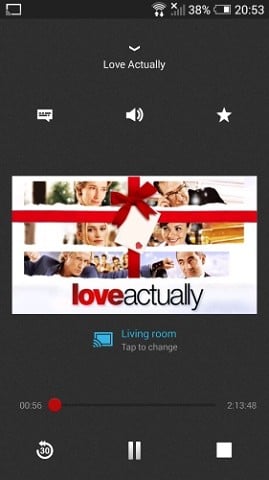
Started the Netflix app on my Android smartphone, cast to Chromecast and it just played - no other configuration changes needed:


Referral links: Quic Broadband (free setup code: R587125ERQ6VE) | Samsung | AliExpress | Wise | Sharesies 


Support Geekzone by subscribing (browse ads-free), or making a one-off or recurring donation through PressPatron.


oxnsox
1923 posts

Uber Geek
+1 received by user: 138


  #1195917 11-Dec-2014 22:19
Send private message

NL offered a Quickflix gift card (1mth subscription + $10 credit) with purchase..... and extra FlyBuys (ends tomorrow). FWIW


Shop now at Mighty Ape (affiliate link).
fahrenheit
757 posts

Ultimate Geek
+1 received by user: 33


  #1195954 12-Dec-2014 00:30
Send private message

I've just recently discovered that tinyCam Monitor PRO on my android phone supports casting (IP camera monitoring), so I can cast the camera to the TV and free-up the phone for other things. Handy if you are waiting for a courier.

sonyxperiageek
2984 posts

Uber Geek
+1 received by user: 397

Trusted

  #1195962 12-Dec-2014 01:30
Send private message

freitasm:
NzBeagle:
KiwiNZ: So is it worth it or is it just another half baked half stymied dust collector in waiting?


So far so good for me. Google Play Music & Movies, YouTube & Plex are my main uses. Occasionally viewing photos as well. I have one in every TV in the house. 

Others use them for Netflix as well. Using an existing device, tablet or phone, to navigate and select media is ideal for me.


I have just installed the Chromecast I was sent. I can confirm that it plays Quickflix without a hitch... And it plays Netflix if you have it correctly configured.

Basically I just have my router configured to use UnoTelly (our entire network can benefit then) and to block outgoing requests to the Google DNS.

Started the Netflix app on my Android smartphone, cast to Chromecast and it just played - no other configuration changes needed:


What router are you using that supports this feature?


Sony


robjg63
4161 posts

Uber Geek
+1 received by user: 1427

Subscriber

  #1196001 12-Dec-2014 08:03
Send private message

All routers should let you set the DNS for unotelly or other unblock services. The ability to block or route google DNS servers probably requires reading the manual.


Nothing is impossible for the man who doesn't have to do it himself - A. H. Weiler


freitasm

BDFL - Memuneh
80653 posts

Uber Geek
+1 received by user: 41045

Administrator
ID Verified
Trusted
Geekzone
Lifetime subscriber

  #1196032 12-Dec-2014 08:55
Send private message

sonyxperiageek: What router are you using that supports this feature?


The Audiocodes MP264 as distributed by WxC (although being used on a Vodafone cable connection).


Referral links: Quic Broadband (free setup code: R587125ERQ6VE) | Samsung | AliExpress | Wise | Sharesies 


Support Geekzone by subscribing (browse ads-free), or making a one-off or recurring donation through PressPatron.


hairy1
3352 posts

Uber Geek
+1 received by user: 644

ID Verified
Trusted
Lifetime subscriber

  #1196034 12-Dec-2014 08:58
Send private message

In the Vodafone routers it is called Parental controls....


My views (except when I am looking out their windows) are not those of my employer.


Stream your favourite shows now on Apple TV (affiliate link).
freitasm

BDFL - Memuneh
80653 posts

Uber Geek
+1 received by user: 41045

Administrator
ID Verified
Trusted
Geekzone
Lifetime subscriber

  #1196124 12-Dec-2014 10:48
Send private message

Played Thor: Dark World last night via Quickflix on Chromecast.

Without a hitch, no buffering, all good. Except that resolution wasn't great at times, with some pixelated content. We all know WiFi is the enemy of good looking movies though...


Referral links: Quic Broadband (free setup code: R587125ERQ6VE) | Samsung | AliExpress | Wise | Sharesies 


Support Geekzone by subscribing (browse ads-free), or making a one-off or recurring donation through PressPatron.


old3eyes
9158 posts

Uber Geek
+1 received by user: 1364

Subscriber

  #1196278 12-Dec-2014 13:29
Send private message

freitasm: Played Thor: Dark World last night via Quickflix on Chromecast.

Without a hitch, no buffering, all good. Except that resolution wasn't great at times, with some pixelated content. We all know WiFi is the enemy of good looking movies though...


Was it in HD??


Regards,

Old3eyes


freitasm

BDFL - Memuneh
80653 posts

Uber Geek
+1 received by user: 41045

Administrator
ID Verified
Trusted
Geekzone
Lifetime subscriber

  #1196281 12-Dec-2014 13:30
Send private message

Nope.


Referral links: Quic Broadband (free setup code: R587125ERQ6VE) | Samsung | AliExpress | Wise | Sharesies 


Support Geekzone by subscribing (browse ads-free), or making a one-off or recurring donation through PressPatron.


MurrayM
2502 posts

Uber Geek
+1 received by user: 742

ID Verified
Trusted
Lifetime subscriber

  #1196392 12-Dec-2014 15:49
Send private message

I just popped up to the Glenfield Mall and both The Warehouse and Dick Smith had Chromecasts in stock for $59.00

I'm still debating if I should get one.  I have a Raspberry Pi hooked up to my TV running Raspbmc and that plays all my locally stored movies and also does a good job of YouTube too.  It won't do TVNZ and TV3 on-demand though, which would be very handy as I hate watching on-demand videos on PC's.  If someone can confirm that the Chromecast can handle the local on-demand TV then it would be worth getting.

One question: I understand how you navigate with your phone / tablet and that then passes a token to the Chromecast for watching, and you then put your phone / tablet to sleep.  Is this also how it works if you load a video page in the Chrome browser on a laptop and cast the Chrome tab?  After the video has started playing can I turn my laptop off?  Or does it stream from my router to my laptop, back to my router and down to the Chromecast?  All my devices are using wireless so if it worked like that then I can imagine my wifi would struggle.

1 | 2 | 3 | 4 | 5 | 6 | 7 | 8 | 9 | ... | 12
View this topic in a long page with up to 500 replies per page Create new topic


Geekzone Live »

Try automatic live updates from Geekzone directly in your browser, without refreshing the page, with Geekzone Live now.


Are you subscribed to our RSS feed? You can download the latest headlines and summaries from our stories directly to your computer or smartphone by using a feed reader.