|
|
|
Oblivian: Do you have a certified device, or are you disabling screen lock or anything like that in between.
Im on an S20 but I think I may have worked it out. My lock screen had a smart lock so that when I was home it would disable it. Turned that off and it hasn't disappeared since.
People often mistake me for an adult because of my age.
Keep calm, and carry on posting.
Referral Links: Sharesies -
Are you happy with what you get from Geekzone? If so, please consider supporting us by subscribing.
No matter where you go, there you are.
Stu: The shortcut has disappeared on my wife's S21 5G this morning. Pretty sure she's not set up any smart locking/unlocking on her phone.
hah, just happened on mine. was ok this morning - guessing there was some update or something that causes this?
just checked and saw a GPay update had come through via google play.
People often mistake me for an adult because of my age.
Keep calm, and carry on posting.
Referral Links: Sharesies -
Are you happy with what you get from Geekzone? If so, please consider supporting us by subscribing.
No matter where you go, there you are.
Decided to wait until the dust settled before downloading my pass. Covid Tracer app > MyHealth acc > Request pass. Whole process through to receiving the email with the pass took little more than a couple of minutes as others have noted.
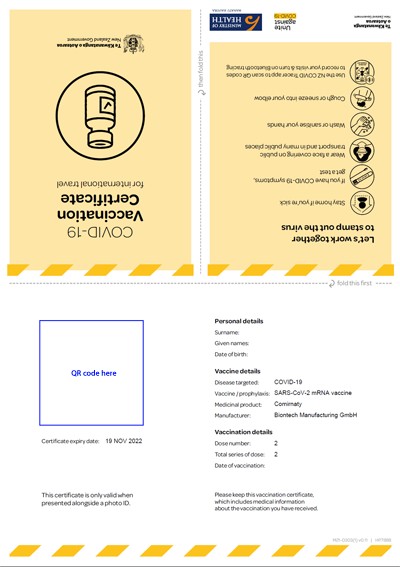
One question though. I downloaded both the domestic and international versions. The domestic one came with a link to add to GPay, which worked fine.
No such link in the email for the international version though. Not able to load a version of that into GPay?
A few other points about the international certificate
Or is it OK to print and laminate without the cover?

DS248:
Decided to wait until the dust settled before downloading my pass. Covid Tracer app > MyHealth acc > Request pass. Whole process through to receiving the email with the pass took little more than a couple of minutes as others have noted.
Sorry to hijack - where in the NZ Covid Tracer app is the MyHealth acc section?
tdgeek:
tanivula:
iPhone users - is there a way to add the 'card'/pass to the homescreen? My friend doesn't use Apple pay, so can't use the double 'side key' feature to open the wallet from the lock screen.
I don't use Apple Pay either nor had ever opened Wallet. I added to My Vaccine pass to Wallet, moved Wallet to the first screen and left it at that. For me Wallet will only be used for this app
How do you do that? I've been trying to help a friend with his iPhone 13. The only way he could find his vaccine pass was to go to the wallet via "Settings".
There was no wallet app icon anywhere that I could find and thus no way to add it to any screen. As it is at the moment for him to use the Apple Wallet he has to go through "Settings" which is a bit convoluted.
With Google Pay it adds a dedicated Covid Pass icon to the home screen which is handy.
He had Stocard installed, (which he was unaware of) and I've added to to Stocard in the meantime to allow easy access.
Sony Xperia XA2 running Sailfish OS. https://sailfishos.org The true independent open source mobile OS
Samsung Galaxy Tab S6
Dell Inspiron 14z i5
Go to the App Library, which is the last page on the home screen. Locate Wallet under the Productivity & Finance section. From there you can open it, or a long press on the icon will allow you to add it to the other home screen pages.
I should add that if you can't find Wallet in the App Library then it will need to be downloaded from the App Store.
alasta:
I should add that if you can't find Wallet in the App Library then it will need to be downloaded from the App Store.
Went looking through a few of those app libraries though I couldn't swear we looked on the Productivity & Finance one though I think we did.
Wouldn't the fact that he can access the pass in the wallet via "Settings" indicate he already has the Wallet downloaded?
Sony Xperia XA2 running Sailfish OS. https://sailfishos.org The true independent open source mobile OS
Samsung Galaxy Tab S6
Dell Inspiron 14z i5
alasta: I should add that if you can't find Wallet in the App Library then it will need to be downloaded from the App Store.
Once it is in Apple Wallet you should be able to double tap on the power button or home button depending on the age of your iPhone (Wallet is not supported on iPads) and it should bring it up the pass even when the phone is locked.
@Kookoo:
DS248:
Decided to wait until the dust settled before downloading my pass. Covid Tracer app > MyHealth acc > Request pass. Whole process through to receiving the email with the pass took little more than a couple of minutes as others have noted.
Sorry to hijack - where in the NZ Covid Tracer app is the MyHealth acc section?
Perhaps I should have been a little more explicit!
Covid Tracer App > Dashboard > More Info > My Covid Record > which takes you to mycovidrecord.health.nz > Login > My Health Account
(at 'Login' stage, logged in with My Health Account login in details)
That all takes less than a minute.
You can also use the Shortcuts app to create a home screen shortcut that takes you directy to the pass. Useful if you have multiple cards in Apple Wallet.
BarTender:
Once it is in Apple Wallet you should be able to double tap on the power button or home button depending on the age of your iPhone (Wallet is not supported on iPads) and it should bring it up the pass even when the phone is locked.
It seems you need to use Apple pay before the double side key shortcut works.
tehconz:
You can also use the Shortcuts app to create a home screen shortcut that takes you directy to the pass. Useful if you have multiple cards in Apple Wallet.
Cool, will have a nosey. Guessing that's a 3rd party app rather than a Apple supplied one?
Covid passes are not allowed to be in the tracer apps due to Apple and Google T&Cs of their tech in them.
CPU: AMD 5900x | RAM: GSKILL Trident Z Neo RGB F4-3600C16D-32GTZNC-32-GB | MB: Asus X570-E | GFX: EVGA FTW3 Ultra RTX 3080Ti| Monitor: LG 27GL850-B 2560x1440
Quic: https://account.quic.nz/refer/473833 R473833EQKIBX
|
|
|