|
|
|
Understand that Sky is available - with subscription.
Is Sky Sports Now available on the Vodafone TV - or would I have to use my AppleTV
Lightbulb:
Understand that Sky is available - with subscription.
Is Sky Sports Now available on the Vodafone TV - or would I have to use my AppleTV
No, you would have to get Sky Starter then Sky Sport
Is there any possibility of getting Ted Talks App added to the Vodafone Gen2 Set Top Box please. I also I suggest there should be a way of selecting in settings from a list of apps that are to be displayed by way of a list with tick boxes.
Ivan Piacun CITPNZ
Just wondering if anyone can give an idea of picture quality and framerate for Sky Sports on the new Vodadone TV. Is it the same as Sky Satellite? I'm planning on moving over once my Sky Sports Now pass runs out.
Sky Sport channels are 1080p50 on Voda TV.
Spyware:
Sky Sport channels are 1080p50 on Voda TV.
Can you access beinsports connect with your sky sports package from Vodafone TV?
Will any new software updates include fixes to the stability of the unit? I've had to pull the power plug on it a few times in the past week to get it going
DjShadow:
Will any new software updates include fixes to the stability of the unit? I've had to pull the power plug on it a few times in the past week to get it going
Plus 1. Had the remote fail to turn it on, light at front remained Red even when pointing remote at it.
Unplugged and plugged box back in, after it booted and screen went back to blank pressed remote power button, a red light flashed behind power button on remote, pressed it a second time and box powered up normally. Happened a couple of times.
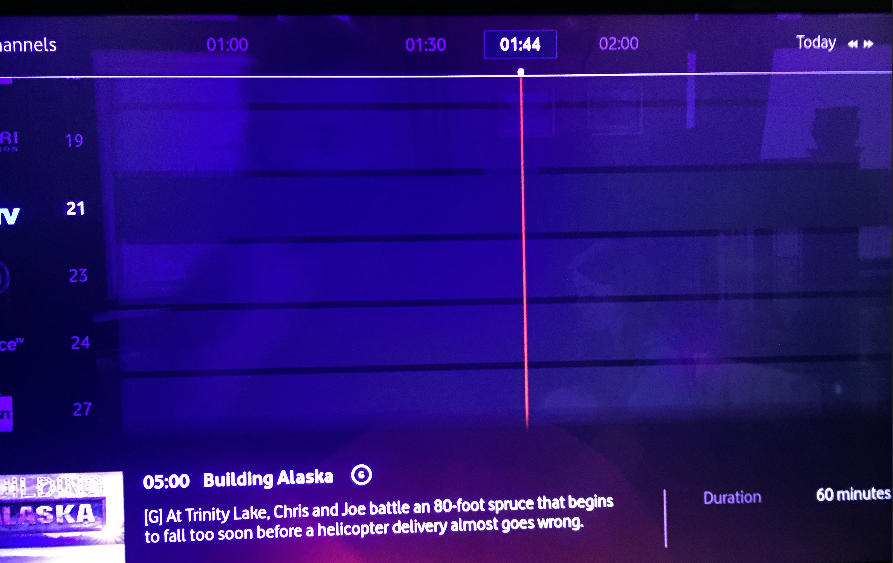
I've also had the guide not load, but think know what's causing this.
It's in the early hours of mourning when the infomercials are on, i.e 4 hour length plus programs.
Pressing the button next to ok, it actually either jumps a few days ahead or goes backwards. It has program name at bottom, but the grid itself is blank so can't go find catch up stuff to watch, it's blank even when move to different times in grid when shorter programs on.
I had hide Sky channels on, I turned off hide Sky channels and the programs returned in grid. Sky 5 etc having shorter program on at time, probably what made it work, looks like it can't handle in guide all programs on screen being hours long at same time.
We were watching Netflix with the VTV box this morning and the wife noted the audio appeared to be out of sync.
I've changed the cables around so its plugged directly into my soundbar and audio appears to be resetting every so often, can tell as the little LED display on the soundbar suddenly flashes up which HDMI port its currently set to, when it resets there is a notable "skip" in the audio. The audio sync so far seems a bit better as a result.
I'm using a Samsung Q90R Atmos soundbar
rugrat:
DjShadow:
Will any new software updates include fixes to the stability of the unit? I've had to pull the power plug on it a few times in the past week to get it going
Plus 1. Had the remote fail to turn it on, light at front remained Red even when pointing remote at it.
Unplugged and plugged box back in, after it booted and screen went back to blank pressed remote power button, a red light flashed behind power button on remote, pressed it a second time and box powered up normally. Happened a couple of times.
Had similar issues, had to "power reset" the unit 3 times last week. Doesn't want to switch on or it's on but only have a black screen.
Will wait and see for another week before going back to Noel Lemming and ask for a replacement unit if it keeps happening.
I think its just normal behaviour from current firmware, i.e., swapping box won't help. I've had the black screen too.
I changed mine to instant on, i.e., power saving crap off, and has been all good since (over 2 weeks).
Spyware:
I think its just normal behaviour from current firmware, i.e., swapping box won't help. I've had the black screen too.
I changed mine to instant on, i.e., power saving crap off, and has been all good since (over 2 weeks).
Instant on was on with my one. I’ve changed to to power saving see if makes a difference.
Just adds about 4 seconds with Vodafone logo at start with power saving on.
Agree don’t think swapping box will help, hopefully a software fix.
rugrat:
Spyware:
I think its just normal behaviour from current firmware, i.e., swapping box won't help. I've had the black screen too.
I changed mine to instant on, i.e., power saving crap off, and has been all good since (over 2 weeks).
Instant on was on with my one. I’ve changed to to power saving see if makes a difference.
Just adds about 4 seconds with Vodafone logo at start with power saving on.
Agree don’t think swapping box will help, hopefully a software fix.
Same issue here. Looks like a dark background image only. Needs a full unplug to get it back to normal. We need that update :)
I'm not a complete idiot, I still have some parts missing.
If you have the sound muted on the Vodafone Gen2 Set Top Retail Cloud PVR Box when you turn it off with the remote then when you turn it back on again with the remote the sound remains muted and cannot be unmuted. You then have to pull the power cord from the box after turning it off with the remote, wait 5 seconds put the power back into the box, wait about 30-60 seconds and then turning it on with the remote restores the sound. I believe this is a bug.
Ivan Piacun CITPNZ
|
|
|