Geekzone: technology news, blogs, forums
Guest
Welcome Guest.
You haven't logged in yet. If you don't have an account you can register now.


Finch

2862 posts

Uber Geek
+1 received by user: 195


#300828 7-Oct-2022 16:07
Send private message

Hi everyone. Went to use my laptop earlier today, all is fine as usual. Then around midday drama struck. I noticed Steam (Gaming) was doing an update but it was paused. Went to move the mouse and what not, nothing was working, laptop had frozen. Held power button down, turned back on, steam update happened, again same thing froze. Repeated the process again, this time I clicked cancel on the update, everything froze. I clicked cancel within seconds of booting up, and like wise it froze within seconds of the update popping up.

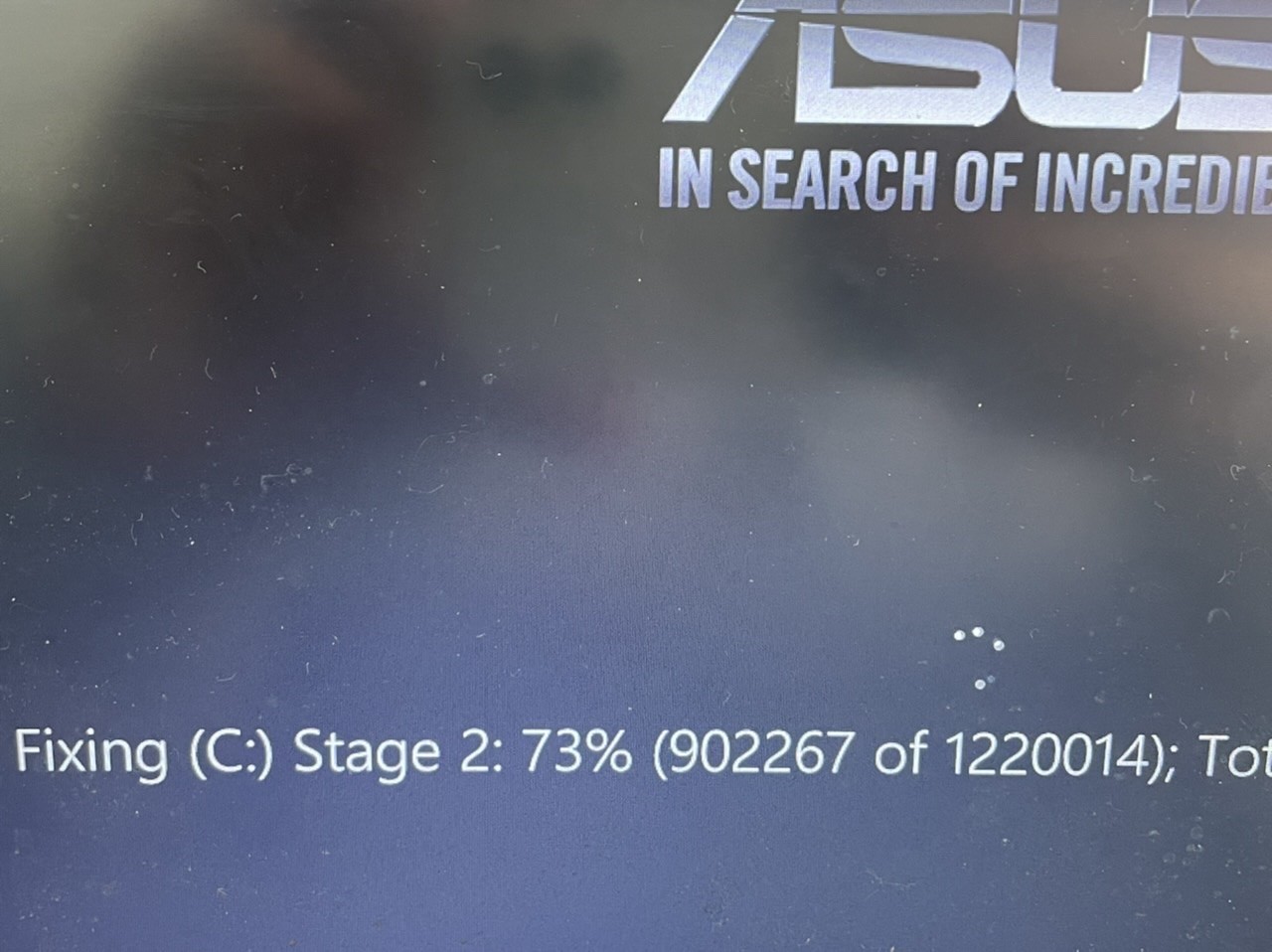
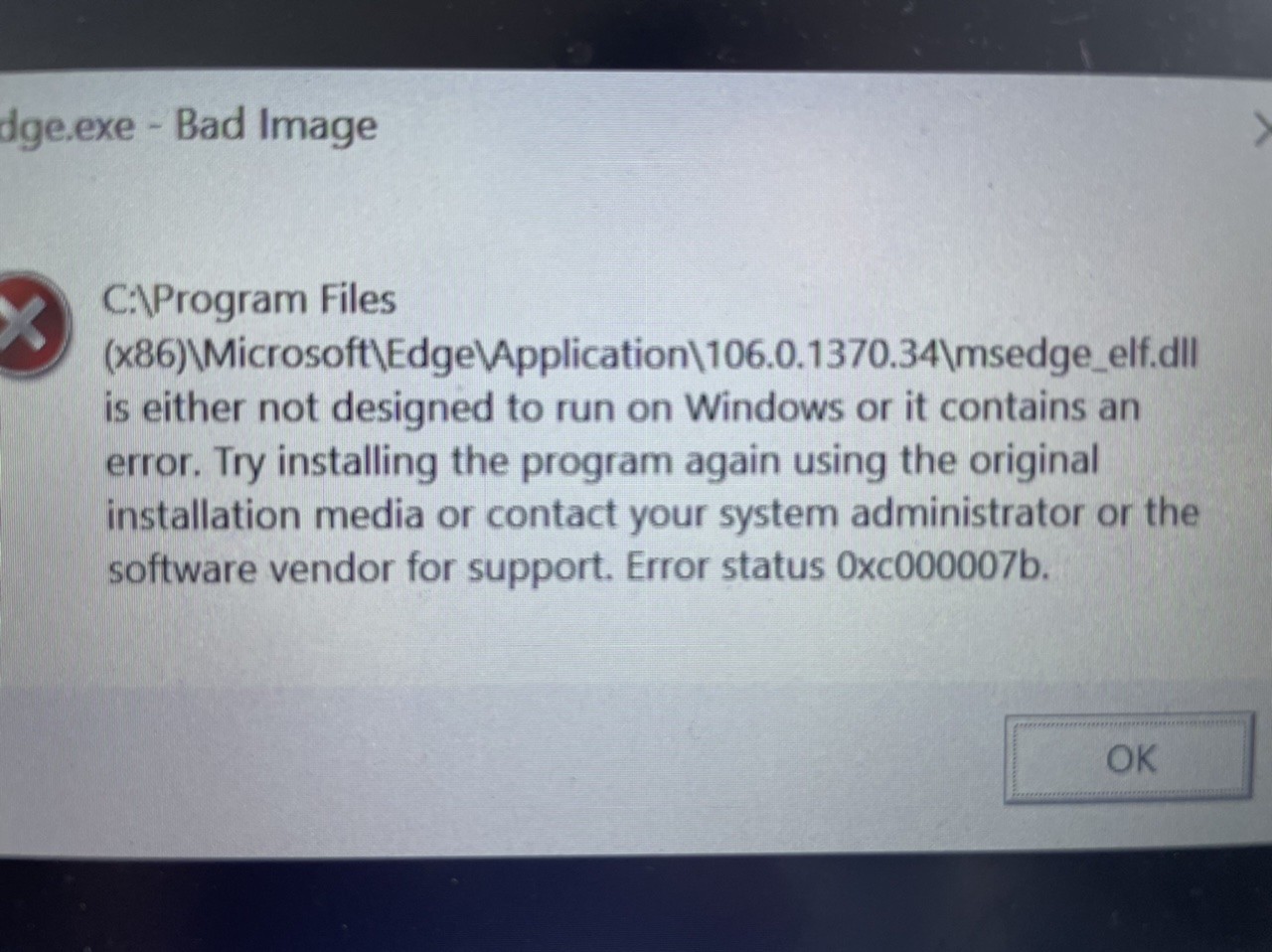
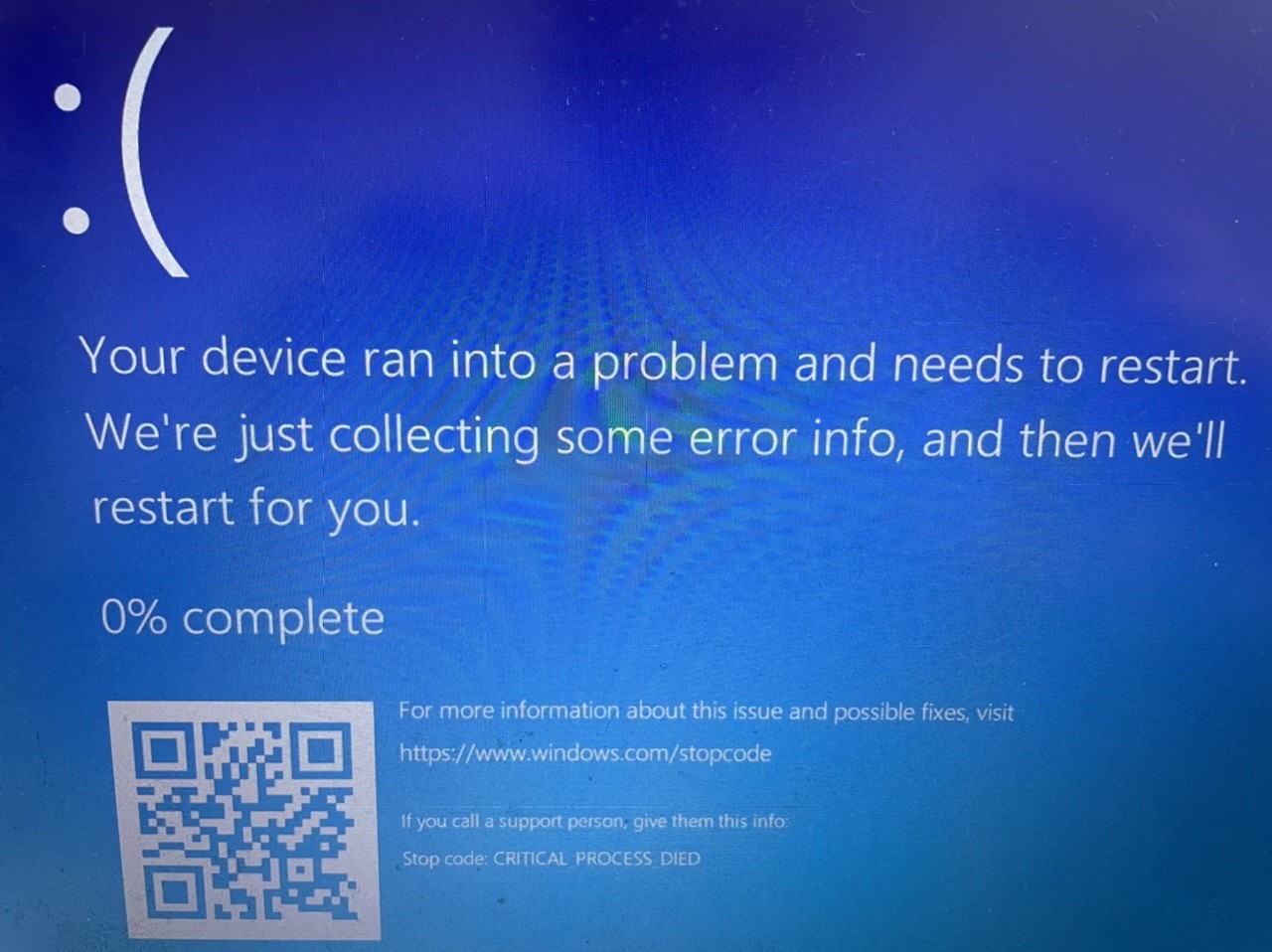
So turned PC back on (powering on/off) done by holding down power button, remember everything is frozen I can’t select anything. I then encountered these messages, absolutely no idea what they mean or why they popped up. Everything is now moving at an absolute snail pace, however I’ve now loaded Chrome (which took 5 minutes to load, I’m surprised it loaded at all) and pages are loading fine. I’ve been signed out of lots of things, but not the end of the world.

Just wondering if anyone knows what might be happening?

Thanks.


View this topic in a long page with up to 500 replies per page Create new topic
 1 | 2 | 3
Finch

2862 posts

Uber Geek
+1 received by user: 195


  #2978726 7-Oct-2022 16:08
Send private message

I don’t even use Microsoft Edge either (If that’s what the error is referring to)


wratterus
1687 posts

Uber Geek
+1 received by user: 678


  #2978774 7-Oct-2022 16:14
Send private message

Does this notebook have a hard drive, or a SSD? Do you have the ability to remove the drive & test it from a desktop PC?


Finch

2862 posts

Uber Geek
+1 received by user: 195


  #2978784 7-Oct-2022 16:36
Send private message

wratterus:


Does this notebook have a hard drive, or a SSD? Do you have the ability to remove the drive & test it from a desktop PC?


SSD. Can't remove it AFAIK. Everything pretty sealed tight.


It's actually working fine now (Minus the logging out from websites), however the popup about edge not being installed is popping up every so often.


lNomNoml
1840 posts

Uber Geek
+1 received by user: 521

ID Verified

  #2978788 7-Oct-2022 16:47
Send private message

Given the symptoms and age of your laptop I would say that the SSD is failing, or there is bad corruption on the filesystem, backup your files to an external drive and/or online service like Google Drive or Dropbox or OneDrive ect and look at running https://crystalmark.info/en/download/ the standard zip version is fine and see what it says.


Finch

2862 posts

Uber Geek
+1 received by user: 195


  #2978803 7-Oct-2022 17:16
Send private message

lNomNoml:


Given the symptoms and age of your laptop I would say that the SSD is failing, or there is bad corruption on the filesystem, backup your files to an external drive and/or online service like Google Drive or Dropbox or OneDrive ect and look at running https://crystalmark.info/en/download/ the standard zip version is fine and see what it says.


Cheers mate. Yes certainly getting on in age now, just checking and purchased from MightyApe in Jan 2017. So about 5.5 years old, the listing also tells me it was released in NZ Oct 2016, so yes getting on. 


Have also got a portable drive my files are on, fairly confident I have everything on there. 


Finch

2862 posts

Uber Geek
+1 received by user: 195


  #2978816 7-Oct-2022 18:23
Send private message

Everything was running fine. Went to the supermarket, got home and saw Blue Screen of death (which I saw earlier). Have booted up again and it’s running extremely slow again, Steam trying to update as well.


Want to support Geekzone and browse the site without the ads? Subscribe to Geekzone now (monthly, annual and lifetime options).
Finch

2862 posts

Uber Geek
+1 received by user: 195


  #2978817 7-Oct-2022 18:25
Send private message


allan
2073 posts

Uber Geek
+1 received by user: 899

ID Verified
Lifetime subscriber

  #2978822 7-Oct-2022 19:16
Send private message

All the symptoms of a failing drive I'd suggest


Gordy7
gordy7
2001 posts

Uber Geek
+1 received by user: 505

ID Verified
Lifetime subscriber

  #2978848 7-Oct-2022 21:57
Send private message

On another thread I see you are looking at getting a new laptop to replace this failed one.


What will you do with this failed one?


I would be interested in trying to restore your laptop for one of my family.


TIA.


Gordy


My first ever AM radio network connection was with a 1MHz AM crystal(OA91) radio receiver.


lxsw20
3689 posts

Uber Geek
+1 received by user: 2174

Subscriber

  #2978850 7-Oct-2022 22:07
Send private message

Back up anything on that drive that is important and you don't already have backed up, now.


Finch

2862 posts

Uber Geek
+1 received by user: 195


  #2978853 7-Oct-2022 22:15
Send private message

Gordy7:

On another thread I see you are looking at getting a new laptop to replace this failed one.


What will you do with this failed one?


I would be interested in trying to restore your laptop for one of my family.


TIA.


I can certainly pencil your name on it if I can’t find a use for it myself . Although still has all my files and what not on it currently.


Stream your favourite shows now on Apple TV (affiliate link).
Finch

2862 posts

Uber Geek
+1 received by user: 195


  #2978854 7-Oct-2022 22:17
Send private message

lxsw20:

Back up anything on that drive that is important and you don't already have backed up, now.


Fairly confident I have everything I want on a portable drive. Probably too late now anyway as I can’t do anything with it, doesn’t want to load anything and is extremely slow.

lNomNoml
1840 posts

Uber Geek
+1 received by user: 521

ID Verified

  #2979078 8-Oct-2022 16:10
Send private message

If you are not sure on how to replace the SSD and you are in Auckland I can help you out with it, if you wish to just replace the SSD and not get a new laptop, recommendation would however be to get a new laptop.


Finch

2862 posts

Uber Geek
+1 received by user: 195


  #2980807 12-Oct-2022 00:37
Send private message

Hang in a minute...

https://www.reddit.com/r/Windows10/comments/xddak6/cumulative_updates_september_13th_2022/


I feel whatever I’ve updated, I’m having the same problem as some of these posters. I mentioned in my OP about Steam, someone else has also mentioned steam. Someone also mentioned it just freezes on start up and just now randomly getting BSOD messages, hey that’s me too!

How can I check my previous updates? And more importantly, how can I uninstall them/roll back? Surely this must be the problem. What do you think?

Thanks!

Gordy7
gordy7
2001 posts

Uber Geek
+1 received by user: 505

ID Verified
Lifetime subscriber

  #2980826 12-Oct-2022 08:16
Send private message

You could get a copy of Windows 10 installation media on a USB stick and try re-installing Windows keeping your settings - or  even a complete fresh install.


See if your laptop behaves better.


https://www.microsoft.com/en-us/software-download/windows10


Gordy


My first ever AM radio network connection was with a 1MHz AM crystal(OA91) radio receiver.


 1 | 2 | 3
View this topic in a long page with up to 500 replies per page Create new topic


Geekzone Live »

Try automatic live updates from Geekzone directly in your browser, without refreshing the page, with Geekzone Live now.


Are you subscribed to our RSS feed? You can download the latest headlines and summaries from our stories directly to your computer or smartphone by using a feed reader.