Geekzone: technology news, blogs, forums
Guest
Welcome Guest.
You haven't logged in yet. If you don't have an account you can register now.


alisam

890 posts

Ultimate Geek
+1 received by user: 85


#324605 3-May-2026 11:06
Send private message quote this post

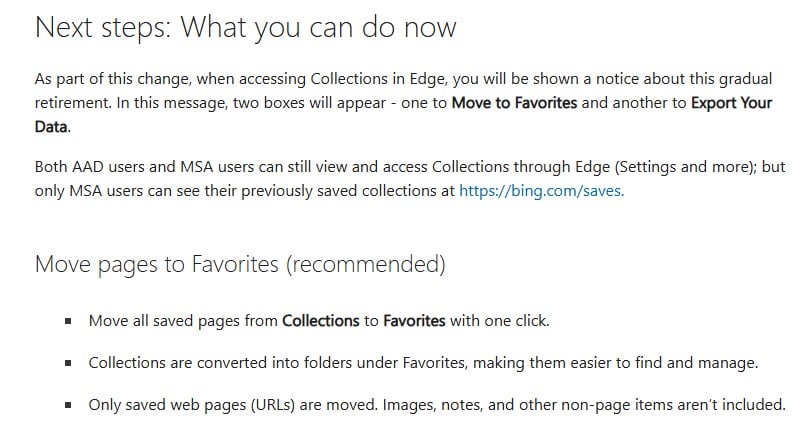
This notification popped up today
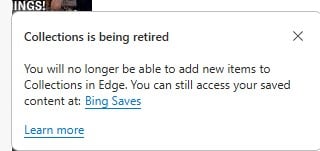


To be honest, I thought 'Collections' was the best thing (for me) Microsoft had introduced. I previously used the paid app 'pinboard' (I purchased before a yearly subscription was introduced) which I had used for years and years until Collections came along.


I have never ever been a fan of 'Favorites', so I guess I will be having to re-learn about it.



PC: Dell Inspiron 16 5640 (Windows 11 Home), Dell Inspiron 7591 2n1 (Windows 11 Pro), HP ProBook 470G1 (Windows 10 Pro), Intel NUC7I5BNH (Zorin)
Net: Grandstream 1 x GWN7062 Router, 1 x GWN7665 Access Point
Storage: Synology DS216play NAS, 2 x 6TB
Media: 3 x Amazon FireTV. Echo, Dot, Spot
TV: 2 x Samsung H6400 55" LED TV, Panasonic TH-P50G10Z 50" Plasma TV
Mobile: Samsung Galaxy A52 5G
Wearable: Gear S3 Frontier


Create new topic
Behodar
11151 posts

Uber Geek
+1 received by user: 6169

Trusted
Lifetime subscriber

  #3486985 3-May-2026 11:50
Send private message quote this post

I never even knew that was there. It sounds reminiscent of the Scrapbook feature in Internet Explorer*, another thing that I learned about after they killed it off.


*It worked mostly like Favourites, but would save the entire page instead of just its URL. You could therefore view the page at that point in time, a bit like your own personal Wayback Machine.


alisam

890 posts

Ultimate Geek
+1 received by user: 85


  #3488391 7-May-2026 12:31
Send private message quote this post

If you do use 'Collections' have you been offered the 'Move to Favorites' option yet. I haven't.


PC: Dell Inspiron 16 5640 (Windows 11 Home), Dell Inspiron 7591 2n1 (Windows 11 Pro), HP ProBook 470G1 (Windows 10 Pro), Intel NUC7I5BNH (Zorin)
Net: Grandstream 1 x GWN7062 Router, 1 x GWN7665 Access Point
Storage: Synology DS216play NAS, 2 x 6TB
Media: 3 x Amazon FireTV. Echo, Dot, Spot
TV: 2 x Samsung H6400 55" LED TV, Panasonic TH-P50G10Z 50" Plasma TV
Mobile: Samsung Galaxy A52 5G
Wearable: Gear S3 Frontier


muppet
2665 posts

Uber Geek
+1 received by user: 1681

Trusted

  #3488410 7-May-2026 14:29
Send private message quote this post

raindrop.io is what I use.


It's so good I pay $50 a year for it, but you get a lot of value from the free version.


alisam

890 posts

Ultimate Geek
+1 received by user: 85


  #3488525 7-May-2026 19:32
Send private message quote this post

Currently using 'raindrop' free version.


How can I rename the Headings for websites in 'raindrop'.


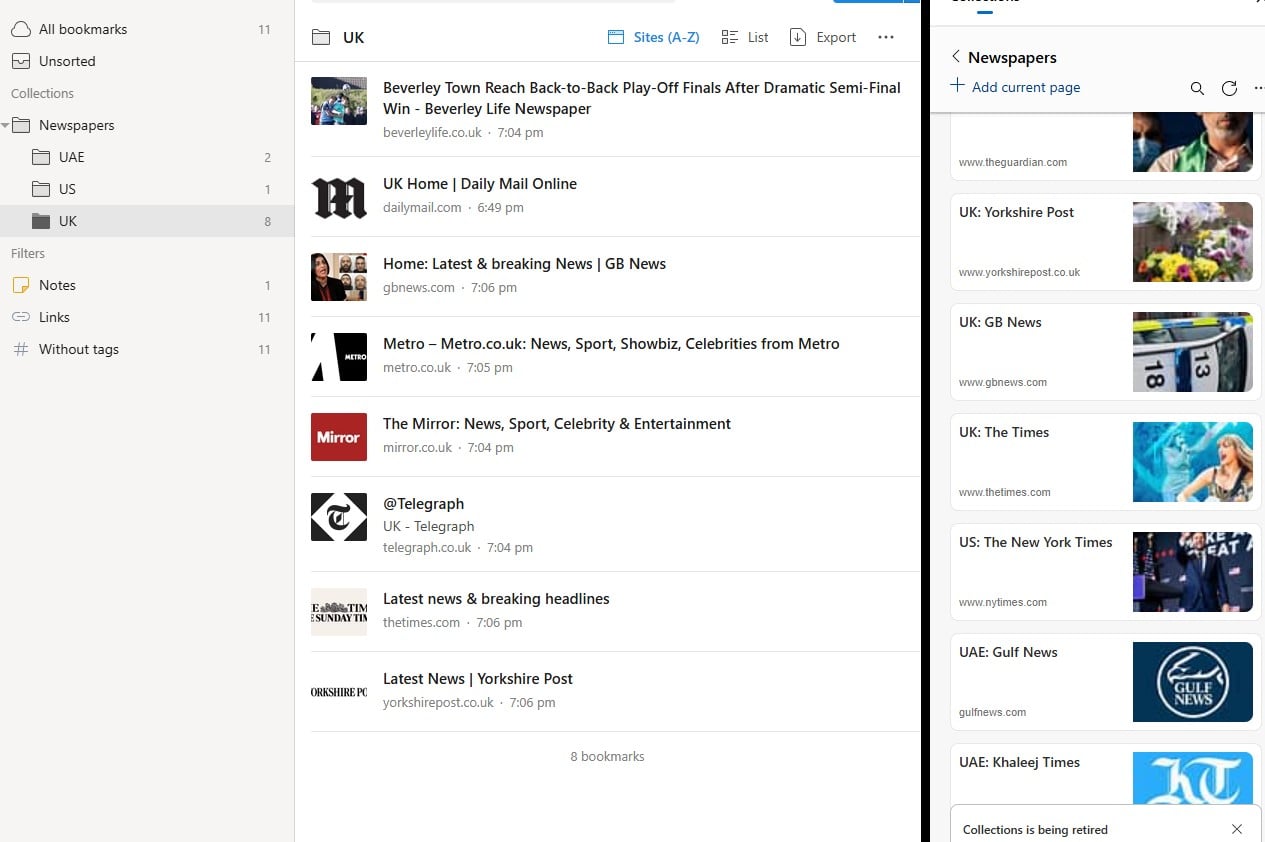
On the left are my UK sites, on the right are my Microsoft Collections web sites.


PC: Dell Inspiron 16 5640 (Windows 11 Home), Dell Inspiron 7591 2n1 (Windows 11 Pro), HP ProBook 470G1 (Windows 10 Pro), Intel NUC7I5BNH (Zorin)
Net: Grandstream 1 x GWN7062 Router, 1 x GWN7665 Access Point
Storage: Synology DS216play NAS, 2 x 6TB
Media: 3 x Amazon FireTV. Echo, Dot, Spot
TV: 2 x Samsung H6400 55" LED TV, Panasonic TH-P50G10Z 50" Plasma TV
Mobile: Samsung Galaxy A52 5G
Wearable: Gear S3 Frontier


muppet
2665 posts

Uber Geek
+1 received by user: 1681

Trusted

  #3488544 7-May-2026 20:37
Send private message quote this post

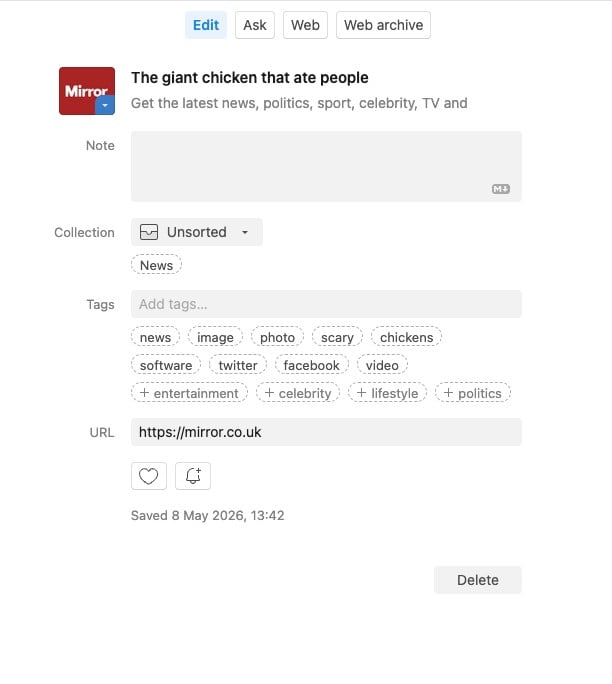
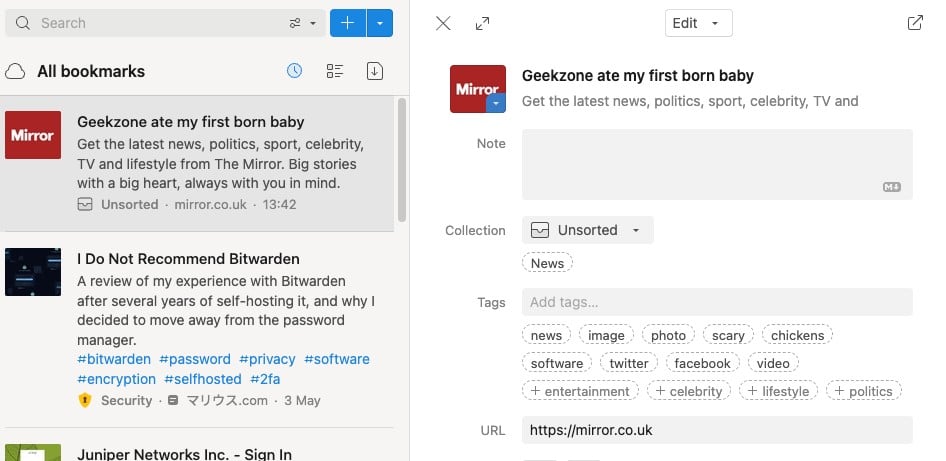
Hover over the link, hit the "Edit" button and edit it to say whatever you want.


alisam

890 posts

Ultimate Geek
+1 received by user: 85


  #3488590 8-May-2026 07:18
Send private message quote this post

muppet:


Hover over the link, hit the "Edit" button and edit it to say whatever you want.


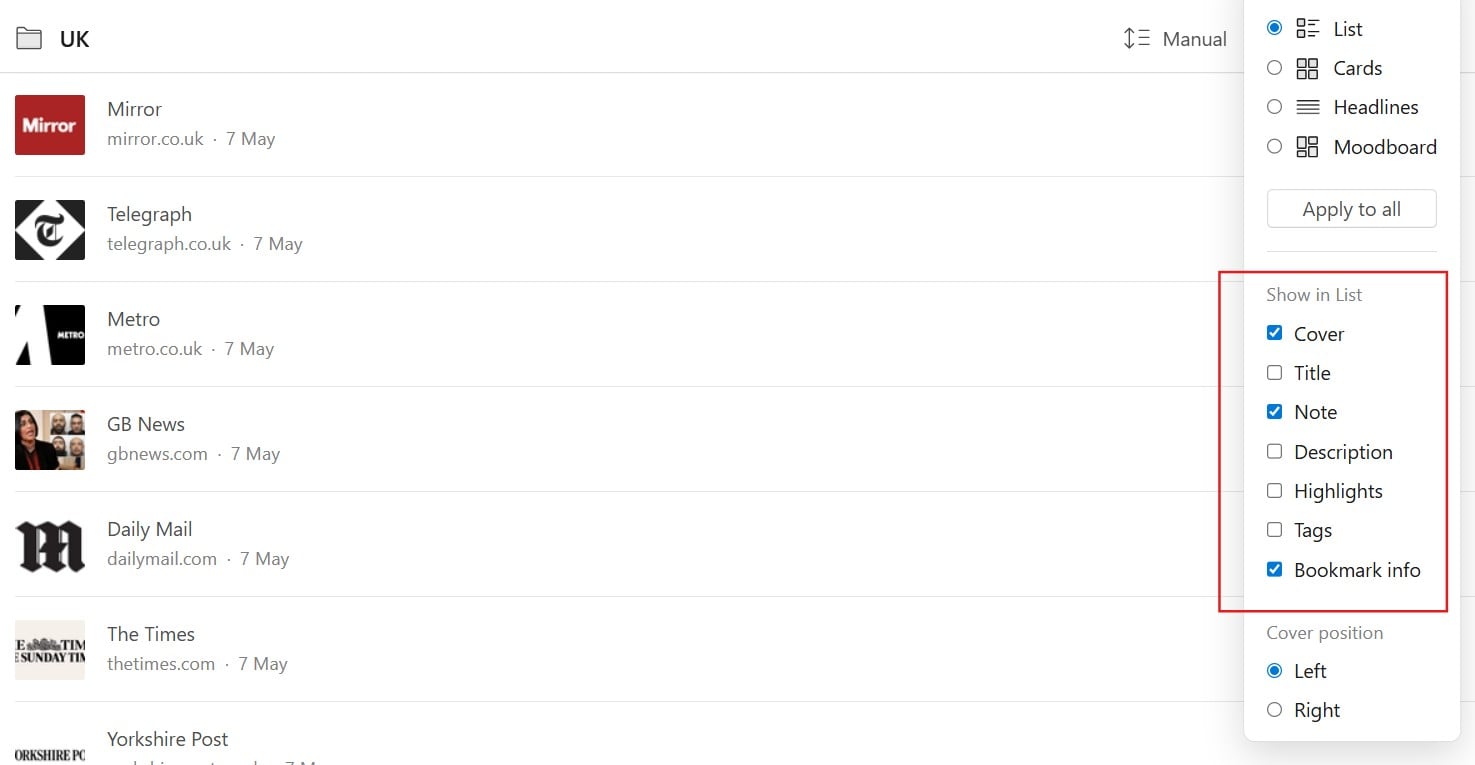
I think I have achieved what I want to see by using the 'Note' field and then only displaying fields I want in the 'List View'.


P.S. Look like the App is on USA Time as all show as '7 May' when I made them on NZ '8 May'.


I think I can work with this App.


PC: Dell Inspiron 16 5640 (Windows 11 Home), Dell Inspiron 7591 2n1 (Windows 11 Pro), HP ProBook 470G1 (Windows 10 Pro), Intel NUC7I5BNH (Zorin)
Net: Grandstream 1 x GWN7062 Router, 1 x GWN7665 Access Point
Storage: Synology DS216play NAS, 2 x 6TB
Media: 3 x Amazon FireTV. Echo, Dot, Spot
TV: 2 x Samsung H6400 55" LED TV, Panasonic TH-P50G10Z 50" Plasma TV
Mobile: Samsung Galaxy A52 5G
Wearable: Gear S3 Frontier


Shop now for Lego sets and other gifts (affiliate link).
muppet
2665 posts

Uber Geek
+1 received by user: 1681

Trusted

  #3488695 8-May-2026 13:47
Send private message quote this post

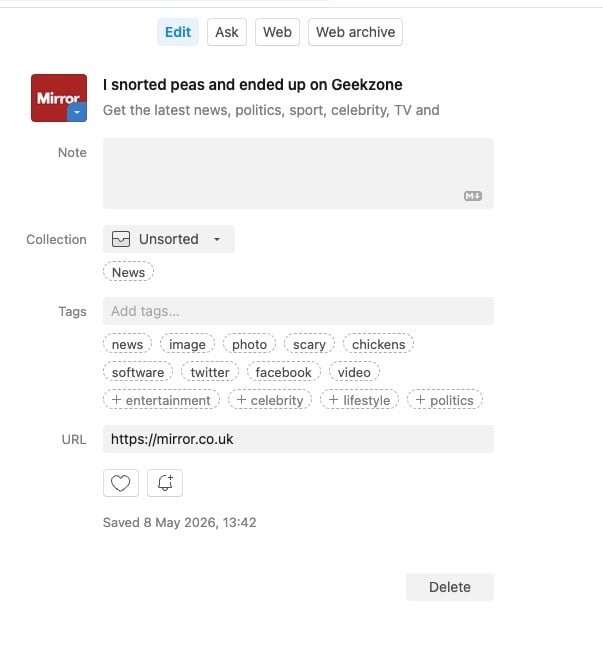
I don't understand why you don't just edit the title?
To use your first website, https://mirror.co.uk


Still long as you've got it working how you want.


I can't reproduce the timezone issue sorry, my TZ data is all correct.


alisam

890 posts

Ultimate Geek
+1 received by user: 85


  #3488757 8-May-2026 15:08
Send private message quote this post

muppet:


I don't understand why you don't just edit the title?


Because I did not understand what you had said i.e  'Hover over the link, hit the "Edit" button and edit it to say whatever you want'.


Your last post made it clear (to me). Thank you so much.


PC: Dell Inspiron 16 5640 (Windows 11 Home), Dell Inspiron 7591 2n1 (Windows 11 Pro), HP ProBook 470G1 (Windows 10 Pro), Intel NUC7I5BNH (Zorin)
Net: Grandstream 1 x GWN7062 Router, 1 x GWN7665 Access Point
Storage: Synology DS216play NAS, 2 x 6TB
Media: 3 x Amazon FireTV. Echo, Dot, Spot
TV: 2 x Samsung H6400 55" LED TV, Panasonic TH-P50G10Z 50" Plasma TV
Mobile: Samsung Galaxy A52 5G
Wearable: Gear S3 Frontier


SepticSceptic
2267 posts

Uber Geek
+1 received by user: 793

Trusted

  #3488976 8-May-2026 22:24
Send private message quote this post

Snorted peas, OMG, laughed so hard I f@rted carrots 


Create new topic


Geekzone Live »

Try automatic live updates from Geekzone directly in your browser, without refreshing the page, with Geekzone Live now.


Are you subscribed to our RSS feed? You can download the latest headlines and summaries from our stories directly to your computer or smartphone by using a feed reader.