Geekzone: technology news, blogs, forums
Guest
Welcome Guest.
You haven't logged in yet. If you don't have an account you can register now.


farcus

1626 posts

Uber Geek
+1 received by user: 437


#270268 1-May-2020 14:21
Send private message

Trying to login to my Amazon Japan account but having no end of trouble.
Enter my email address and password and the next screen says it will send a text message with an authentication code. (it displays a partially obscured hone number that it will send to which is correct)
However, the text authentication never arrives.
It used to work in the past so I'm not sure what has changed.


There is no choice to have the authentication sent by email instead.
If I follow the help prompts to contact them it immediately prompts me to log in again (which of course I can't do).
If I go into help and click on "contact us" it immediately prompts me to log in again.
No matter the method I try for contacting them it wont let me do it unless I log in.
There is even a link to follow if 2 step authentication fails - but that link asks me to log in!!!


Any ideas on how I can get out of this loop I am stuck in?

My phone is with Skinny - is it worth me contacting them to find out why I am not receiving the authentication texts?


Filter this topic showing only the reply marked as answer View this topic in a long page with up to 500 replies per page Create new topic
 1 | 2 | 3 | 4
firefuze
510 posts

Ultimate Geek
+1 received by user: 85


  #2474757 1-May-2020 14:35
Send private message

You could try this as a last resort


https://www.amazon.co.jp/-/en/a/recover/upload


just tried my login, works fine but my 2FA is email only not mobile


farcus

1626 posts

Uber Geek
+1 received by user: 437


  #2474806 1-May-2020 14:48
Send private message

firefuze:


You could try this as a last resort


https://www.amazon.co.jp/-/en/a/recover/upload


just tried my login, works fine but my 2FA is email only not mobile


when I click your link I am presented with a login screen


Gurezaemon
~HONYAKKER!~
1417 posts

Uber Geek
+1 received by user: 1565

ID Verified
Lifetime subscriber

  #2474812 1-May-2020 14:59
Send private message

farcus:


Trying to login to my Amazon Japan account but having no end of trouble.
Enter my email address and password and the next screen says it will send a text message with an authentication code. (it displays a partially obscured hone number that it will send to which is correct)
However, the text authentication never arrives.
It used to work in the past so I'm not sure what has changed.


There is no choice to have the authentication sent by email instead.
If I follow the help prompts to contact them it immediately prompts me to log in again (which of course I can't do).
If I go into help and click on "contact us" it immediately prompts me to log in again.
No matter the method I try for contacting them it wont let me do it unless I log in.
There is even a link to follow if 2 step authentication fails - but that link asks me to log in!!!


Any ideas on how I can get out of this loop I am stuck in?

My phone is with Skinny - is it worth me contacting them to find out why I am not receiving the authentication texts?


I had this exact problem a few months ago with Amazon Japan. I ended up calling them, but there was no way around the lack of 2FA notification, and we reached an impasse, where the bloke on the other end said he'd get a manager to call back (which didn't happen).


I was resigning myself to having to cancel the credit card payment method, when I tried logging in from my phone, which still (somehow) worked, and I managed to sort things out from there. 


I don't know if this will help, but if you have another device that has login details for the account, it might pay to check those.


farcus

1626 posts

Uber Geek
+1 received by user: 437


  #2474815 1-May-2020 15:04
Send private message

Gurezaemon:


I had this exact problem a few months ago with Amazon Japan. I ended up calling them, but there was no way around the lack of 2FA notification, and we reached an impasse, where the bloke on the other end said he'd get a manager to call back (which didn't happen).


I was resigning myself to having to cancel the credit card payment method, when I tried logging in from my phone, which still (somehow) worked, and I managed to sort things out from there. 


I don't know if this will help, but if you have another device that has login details for the account, it might pay to check those.


I've tried installing the amazon app on my phone but still have the same issues with login 2fa
Also unable to login using browser on phone.

Why the heck are these 2fa texts not being received though. As I said before - they used to work and still do work for my Amazon US account.


andrewNZ
2487 posts

Uber Geek
+1 received by user: 1461
Inactive user


  #2474818 1-May-2020 15:08
Send private message

have you changed phones recently?
There used to be an issue where people moving away from iPhone would have iMessage still hijacking messages.

Gurezaemon
~HONYAKKER!~
1417 posts

Uber Geek
+1 received by user: 1565

ID Verified
Lifetime subscriber

  #2474819 1-May-2020 15:09
Send private message

farcus:


I've tried installing the amazon app on my phone but still have the same issues with login 2fa
Also unable to login using browser on phone.

Why the heck are these 2fa texts not being received though. As I said before - they used to work and still do work for my Amazon US account.


I suspect that Amazon Japan is a lot more strict with use from overseas - for years, I've been using a VPN set to Japan whenever I buy Japanese content for my wife's kindle. Japanese banks have a similar mindset.
Ideally, you'd have 2FA set to email or an authenticator app, however you obviously can't get into the account to change anything 😕.

When I called them, they seemed stumped by the lack of 2FA working as well, but short of contacting their help line and trying to explain to them the problem, I don't have any suggestions...


Shop now for Dyson appliances (affiliate link).
farcus

1626 posts

Uber Geek
+1 received by user: 437


  #2474860 1-May-2020 15:18
Send private message

andrewNZ: have you changed phones recently?
There used to be an issue where people moving away from iPhone would have iMessage still hijacking messages.


no - no change in phones or phone numbers or providers or anything


farcus

1626 posts

Uber Geek
+1 received by user: 437


  #2474861 1-May-2020 15:19
Send private message

Gurezaemon:


farcus:


I've tried installing the amazon app on my phone but still have the same issues with login 2fa
Also unable to login using browser on phone.

Why the heck are these 2fa texts not being received though. As I said before - they used to work and still do work for my Amazon US account.


I suspect that Amazon Japan is a lot more strict with use from overseas - for years, I've been using a VPN set to Japan whenever I buy Japanese content for my wife's kindle. Japanese banks have a similar mindset.
Ideally, you'd have 2FA set to email or an authenticator app, however you obviously can't get into the account to change anything 😕.

When I called them, they seemed stumped by the lack of 2FA working as well, but short of contacting their help line and trying to explain to them the problem, I don't have any suggestions...


I can't even find a phone number to contact them - the only number I can find is a Japanese toll free number that doesn't work from outside Japan


surfisup1000
5288 posts

Uber Geek
+1 received by user: 2159


  #2474911 1-May-2020 16:58
Send private message

I recently experienced the same problem with Amazon USA . 


I just could not sign into my amazon US account using safari on my MacBook pro .  I never get the text message. 


My phone number is entered as 6421xxxxxxx


I'm wondering if I need the + in front? 


Amazon offers an alternative, push notification to my IOS device. But, they give no advice at all about how that works!!  Found out, you need to open the amazon app , then open up the bell icon. It doesn't actually 'popup', it is more like receiving an email than a notification. 


I checked the logs, and it looks like I am trying to sign-in from the USA -- could that be DNS4ME screwing up? I suspect so. 


The worse thing is, you cannot contact amazon until you have signed in!! How stupid if your problem is with sign in.


farcus

1626 posts

Uber Geek
+1 received by user: 437


  #2474949 1-May-2020 19:14
Send private message

farcus:

Why the heck are these 2fa texts not being received though. As I said before - they used to work and still do work for my Amazon US account.


Actually, I tell a lie here. My US account was working a couple of weeks ago when I tried it but just trying it now I do not get the 2fa text.
Looks like I am having exactly the same issue with Amazon US so I wonder if there are wider issues with Amazon or maybe Skinny / Spark?

Once I have entered my password and hit enter I get this screen . . . 


If I hit that the text doesn't ever arrive.
You can see in this image there is a link to contact Amazon customer service if mob phone not working.
However, this link points to this page . . . 

so it is even less helpful than the Amazon Japan link

Is anybody else having trouble getting text notificaitons from Amazon (on Spark/Skinny specifically?)


farcus

1626 posts

Uber Geek
+1 received by user: 437


  #2474958 1-May-2020 19:32
Send private message

I think Amazon Japan and US have just decided they are gonna mess with my head today . . .
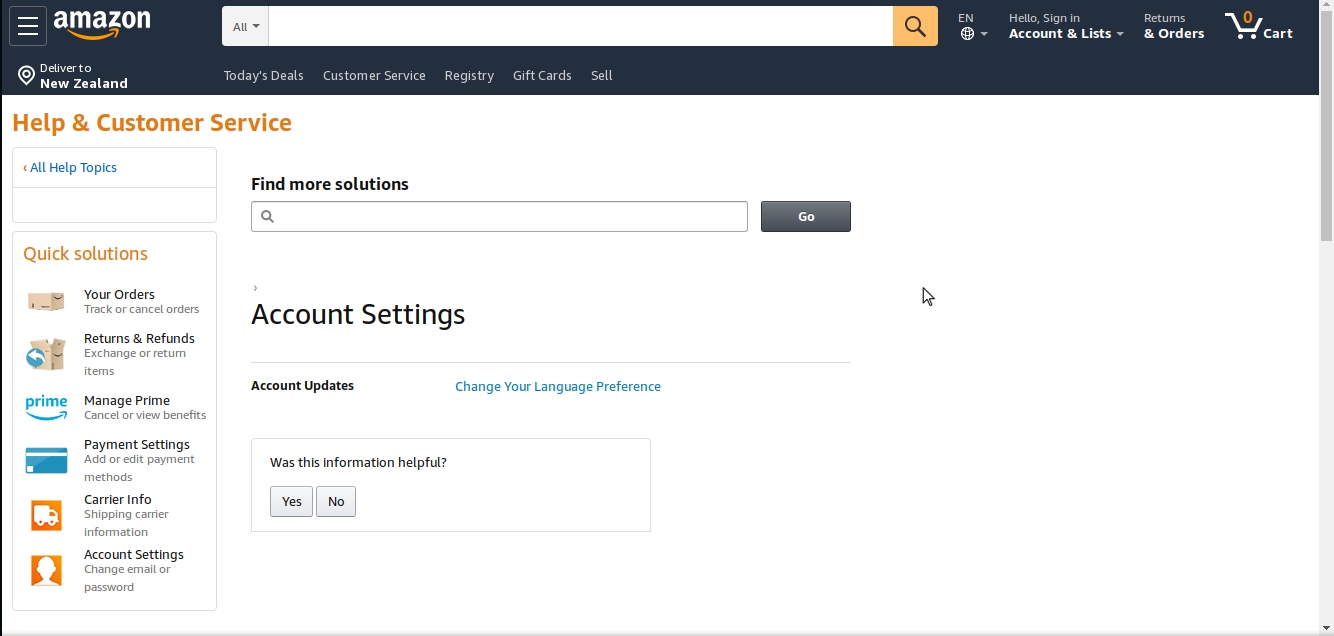
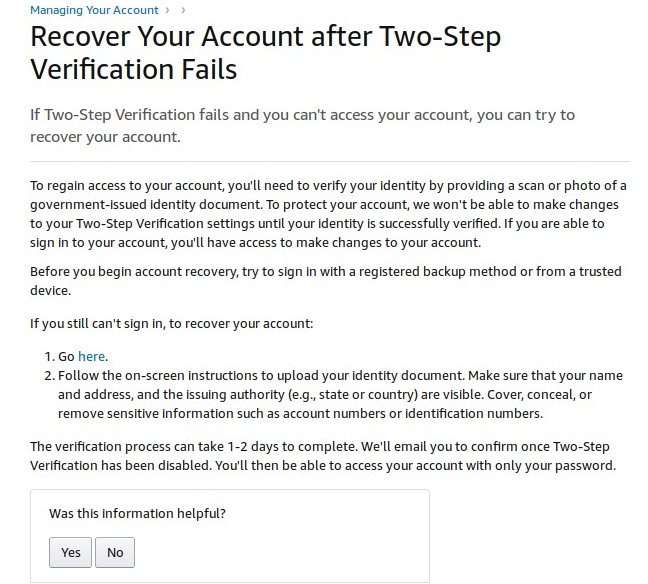
Here is their instructions (USA website) on account recovery if you can't log in using 2fa . . .


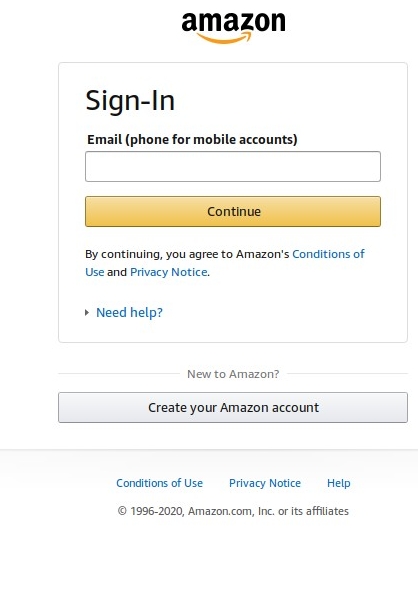
Clicking the link to recover the account goes right to here . . .


I feel like I am stuck in the twilight zone!!!


Shop now for Dell laptops and other devices (affiliate link).
firefuze
510 posts

Ultimate Geek
+1 received by user: 85


  #2475041 2-May-2020 00:48
Send private message

farcus:


when I click your link I am presented with a login screen


ahh bugger, I was already logged in when I used the link so wasn't prompted to login like in your screenshot above this post.


andrewNZ
2487 posts

Uber Geek
+1 received by user: 1461
Inactive user


  #2475078 2-May-2020 08:39
Send private message

Have you tried clearing cookies and cache for giggles?

billgates
4705 posts

Uber Geek
+1 received by user: 671

Trusted

  #2475178 2-May-2020 11:27
Send private message

Is Amazon Japan shipping to NZ? I thought Amazon has stopped shipping to NZ altogether including US store. Trying to finalise checkout cart for Amazon US or Japan results in no shipping to NZ due to COVID-19.


Do whatever you want to do man.


Behodar
11095 posts

Uber Geek
+1 received by user: 6074

Trusted
Lifetime subscriber

  #2475180 2-May-2020 11:35
Send private message

billgates:


Is Amazon Japan shipping to NZ? I thought Amazon has stopped shipping to NZ altogether including US store. Trying to finalise checkout cart for Amazon US or Japan results in no shipping to NZ due to COVID-19.


Just tried it and still nope. That 'temporary' block is still there, after ~6 months...


 1 | 2 | 3 | 4
Filter this topic showing only the reply marked as answer View this topic in a long page with up to 500 replies per page Create new topic


Geekzone Live »

Try automatic live updates from Geekzone directly in your browser, without refreshing the page, with Geekzone Live now.


Are you subscribed to our RSS feed? You can download the latest headlines and summaries from our stories directly to your computer or smartphone by using a feed reader.