Geekzone: technology news, blogs, forums
Guest
Welcome Guest.
You haven't logged in yet. If you don't have an account you can register now.


Filter this topic showing only the reply marked as answer View this topic in a long page with up to 500 replies per page Create new topic
1 | 2 | 3 
Batman
Mad Scientist
30014 posts

Uber Geek
+1 received by user: 6217

Trusted
Lifetime subscriber

  #2167971 26-Jan-2019 14:23
Send private message

Jase2985:


@Batman maybe just stop posting as you are more than likely just confusing things


I will once he's done a factory reset and reapplied the settings


shrub
790 posts

Ultimate Geek
+1 received by user: 272

ID Verified

  #2167996 26-Jan-2019 15:04
Send private message

Which port are you using on the back of the router to the fibre box?


Spyware
3818 posts

Uber Geek
+1 received by user: 1366

Lifetime subscriber

  #2168005 26-Jan-2019 15:14
Send private message

Batman:


AND Under this tab select PPPOE


Orcon don't use PPPoE.


GregorySanchez

9 posts

Wannabe Geek
+1 received by user: 1


  #2168006 26-Jan-2019 15:15
Send private message

I definitely have the connections correct no doubt about that. And I didn't do the factory reset after installing firmware I will try that when I'm home.

GregorySanchez

9 posts

Wannabe Geek
+1 received by user: 1


  #2168082 26-Jan-2019 17:43
Send private message

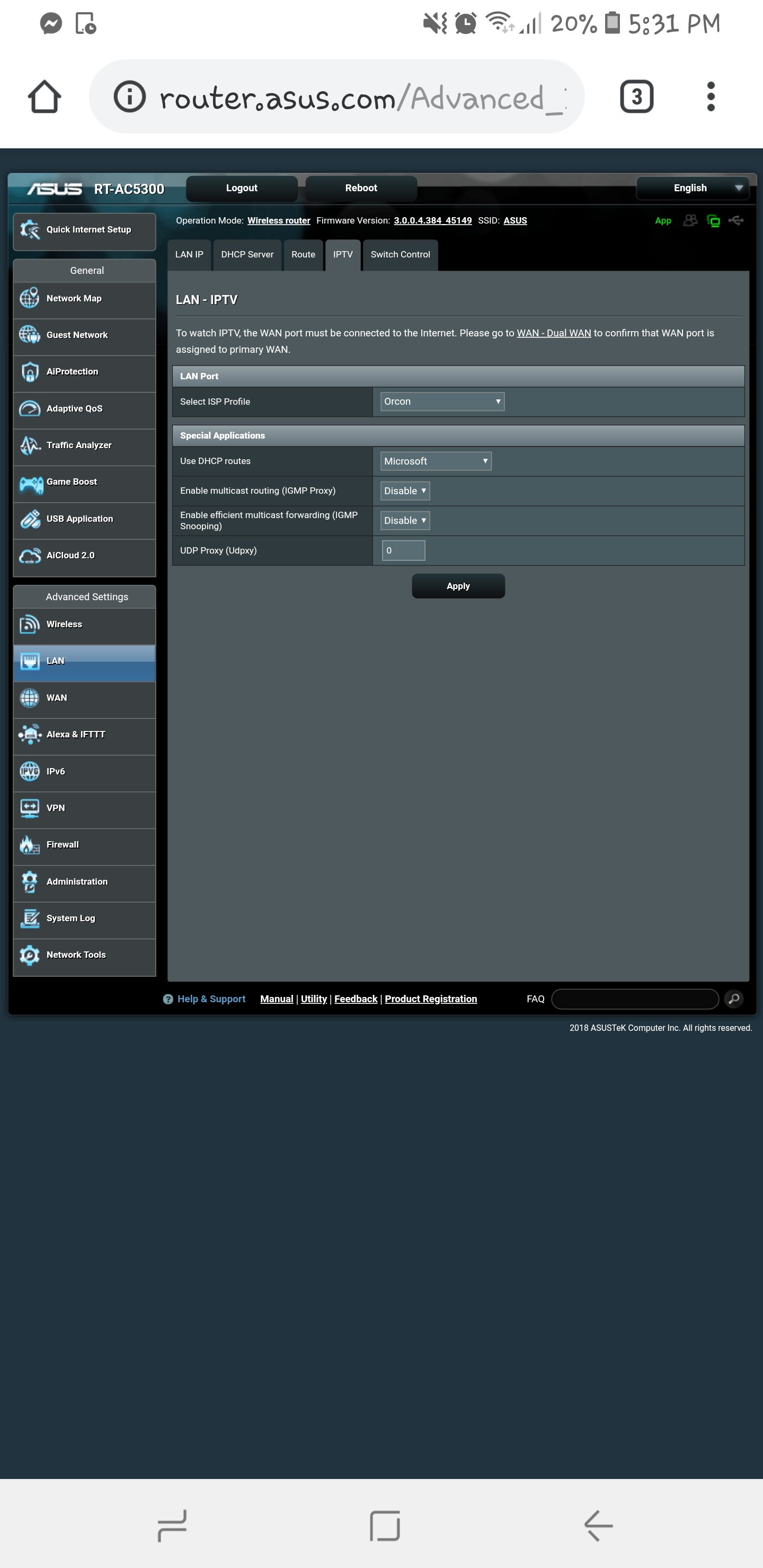
I am just writing this to say thank you to everyone who assisted me and gave their opinion on my issue. I tried for so long and nearly gave up hope, but thanks to you guys i didn't. I did a factory reset on the router, as was stated the firmware remained the same. I proceeded to set up the router the same way that was shown on the PB Tech website. However, as I went to select the ISP profile I noticed there were more options available (obviously due to the firmware update). 'Orcon' was there as one of profiles. I selected that out of hope and curiosity, and applied the setting. After that had completed I noticed the exclamation mark next to the WiFi symbol had disappeared from my phones status bar.


Once again thank you everyone, I am now a very happy man 😁

Batman
Mad Scientist
30014 posts

Uber Geek
+1 received by user: 6217

Trusted
Lifetime subscriber

  #2168093 26-Jan-2019 18:27
Send private message

Enjoy fast wifi. Minus MIMO :(

1 | 2 | 3 
Filter this topic showing only the reply marked as answer View this topic in a long page with up to 500 replies per page Create new topic


Geekzone Live »

Try automatic live updates from Geekzone directly in your browser, without refreshing the page, with Geekzone Live now.


Are you subscribed to our RSS feed? You can download the latest headlines and summaries from our stories directly to your computer or smartphone by using a feed reader.