Geekzone: technology news, blogs, forums
Guest
Welcome Guest.
You haven't logged in yet. If you don't have an account you can register now.


dualznz

18 posts

Geek
+1 received by user: 1


#259863 26-Oct-2019 17:39
Send private message

Hey all,


I have just switched over to Orcons Gigantic fibre, but their supplied modems are junk and i have a PFSense box that have been using with my previous provider "Vodafone".


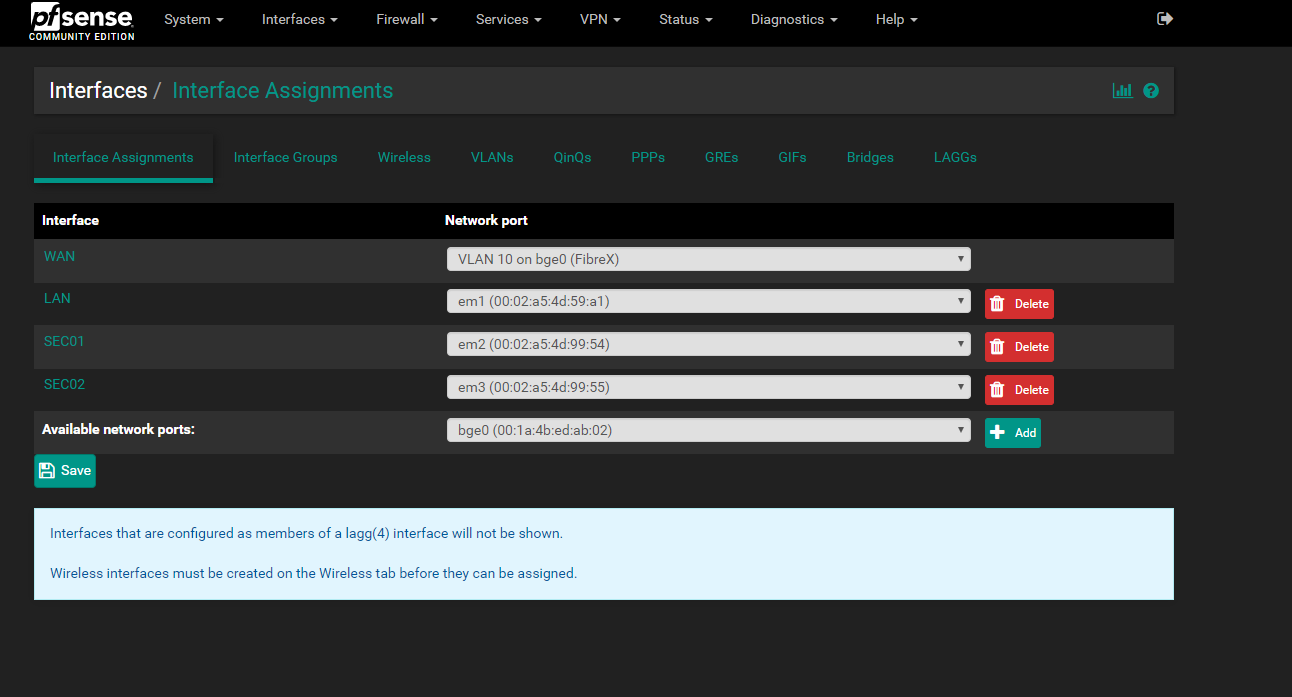
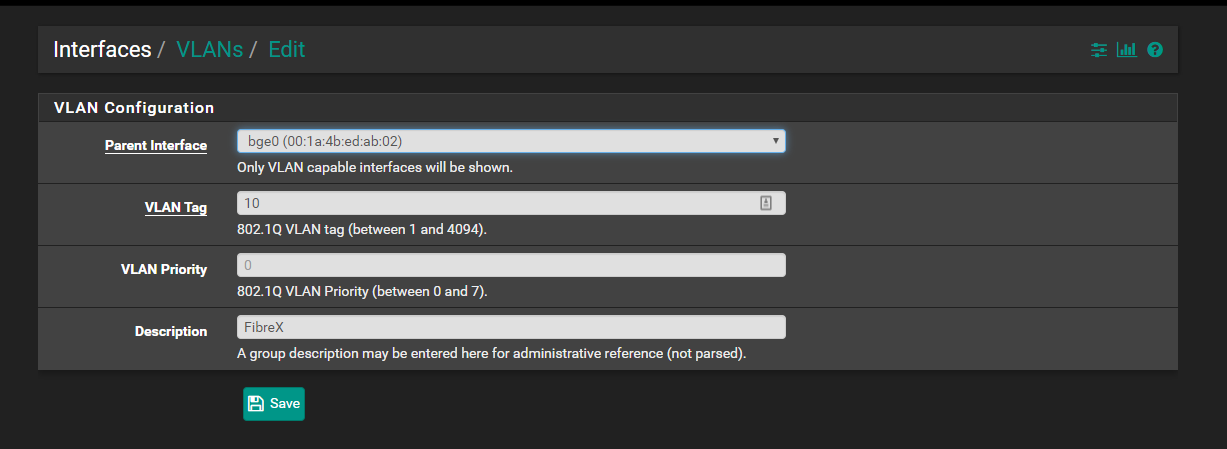
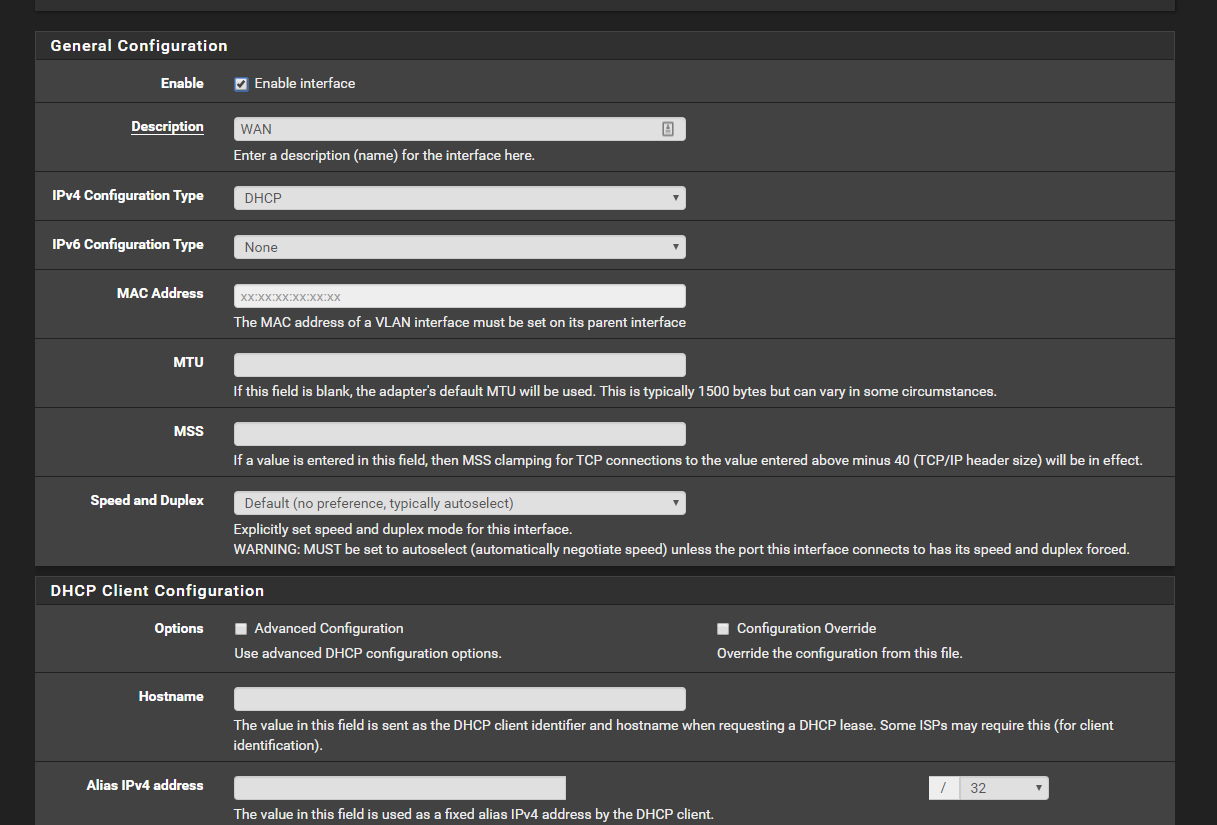
But i cannot get pfsense to get my static ip address from Orcon, i set the wan to DHCP and also set the VLAN to 10, priority 0 but it will only give me 0.0.0.0 and not my orcon connection.


I am completely confused into why this is not working and i dont want to have to use the cheap modems that will fail under all my servers, can anyone help me.


Cheers


Create new topic
SirHumphreyAppleby
2938 posts

Uber Geek
+1 received by user: 1859


  #2343840 26-Oct-2019 17:53
Send private message

Sounds like you have not assigned the WAN interface to the VLAN. I don't have pfSense available at the moment, but from memory you use Interfaces -> Assign. Change it from the network interface to VLAN 10.


dualznz

18 posts

Geek
+1 received by user: 1


  #2343844 26-Oct-2019 18:15
Send private message

thanks for the reply,


I have already done that, as my vodafone fiberX connection also used VLAN 10 tag


SirHumphreyAppleby
2938 posts

Uber Geek
+1 received by user: 1859


  #2343848 26-Oct-2019 18:29
Send private message

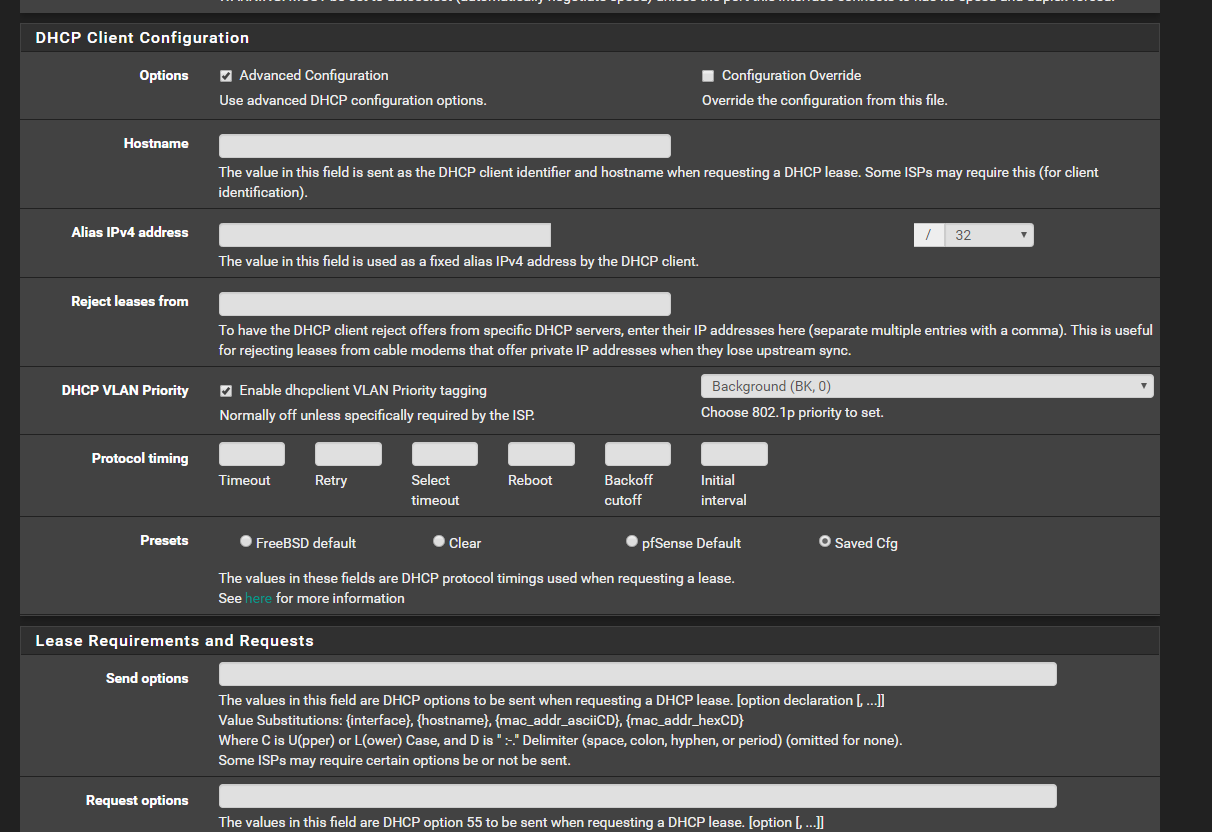
That, along with setting the WAN interface to DHCP as you have done, is typically all should be required to get the connection up and running with IPoE. There are advanced DHCP settings that may be applicable under some circumstances, but other than setting the PD option for IPv6, I've never had a need to change them.


Did you try with the supplied router? (Assuming you have one)


dualznz

18 posts

Geek
+1 received by user: 1


  #2343850 26-Oct-2019 18:34
Send private message

Yes the supplier router works with no issues right out of the box i checked its settings and it was indeed using VLAN 10


I wasnt too sure what to put in the priority 


dualznz

18 posts

Geek
+1 received by user: 1


  #2343851 26-Oct-2019 18:36
Send private message

OMG i just it working i had to set the priority 1 and then it connected


SirHumphreyAppleby
2938 posts

Uber Geek
+1 received by user: 1859


  #2343852 26-Oct-2019 18:38
Send private message

dualznz:


OMG i just it working i had to set the priority 1 and then it connected


This setting should probably be disabled. Everything else is fine as far as I can tell.


Shop now for Dell laptops and other devices (affiliate link).
dualznz

18 posts

Geek
+1 received by user: 1


  #2343854 26-Oct-2019 18:40
Send private message

yea setting it to 0 seem to have not made it work but setting the priority seemed to have got it going, oh well at least i know it works now.


Cheers


Create new topic


Geekzone Live »

Try automatic live updates from Geekzone directly in your browser, without refreshing the page, with Geekzone Live now.


Are you subscribed to our RSS feed? You can download the latest headlines and summaries from our stories directly to your computer or smartphone by using a feed reader.