|
|
|
Ok so I've got a bit of a random one and after a long time searching (and talking to Huawei) I'm at a blank.
(p30 pro)
When you answer your phone, the screen goes black as you raise it to your head (good)
However when I finish the call, my torch has turned on, i'm in the alarms menu and am about one touch away from sending my mum nudes 😲
Lots of googling gave me not much, but I've come to the conclusion that when I answer the phone and raise it to my ear, I'm dragging down the top task bar, with my ear.
And from there it just goes on a tangent every time my ear touches the display.
Any bright ideas ? I've looked at settings galore and googled my heart away to no avail, I think I just need it to black out faster, or more to the point as soon as I answer the call.
Would really appreciate any help anyone might be able to provide.
Cheers
Don’t store nudes on your phone, or don’t answer your phone.
(at least one of those answers is practical).
no idea how to stop that sorry, aside from using a headset, or wireless headphones (I’ve not experienced what you have).
Good luck!
Matt East
MattEast:Don’t store nudes on your phone, or don’t answer your phone.
(at least one of those answers is practical).
no idea how to stop that sorry, aside from using a headset, or wireless headphones (I’ve not experienced what you have).
Good luck!
My views (except when I am looking out their windows) are not those of my employer.
MattEast:
Was kinda hoping someone might know more about the proximity sensor or how to make it work faster/better.
But am guessing it's more a me problem than a we problem.
are you sure you dont actually have a faulty proxmity sensor aka its not actually doing its job correctly? wouldnt be the first phone ive seen with
a faulty proximity sensor.
hairy1: I would check the mistouch prevention setting in settings and make sure it's turned on.
Cheers, Matt
dan:MattEast:
Was kinda hoping someone might know more about the proximity sensor or how to make it work faster/better.
But am guessing it's more a me problem than a we problem.
are you sure you dont actually have a faulty proxmity sensor aka its not actually doing its job correctly? wouldnt be the first phone ive seen with
a faulty proximity sensor.
Badcf4:dan:MattEast:
Was kinda hoping someone might know more about the proximity sensor or how to make it work faster/better.
But am guessing it's more a me problem than a we problem.
are you sure you dont actually have a faulty proxmity sensor aka its not actually doing its job correctly? wouldnt be the first phone ive seen with
a faulty proximity sensor.
Definitely a consideration, but how do I test that theory ?
And the thing is it does actually work, I just manage to drag down the taskbar before it's kicked in.
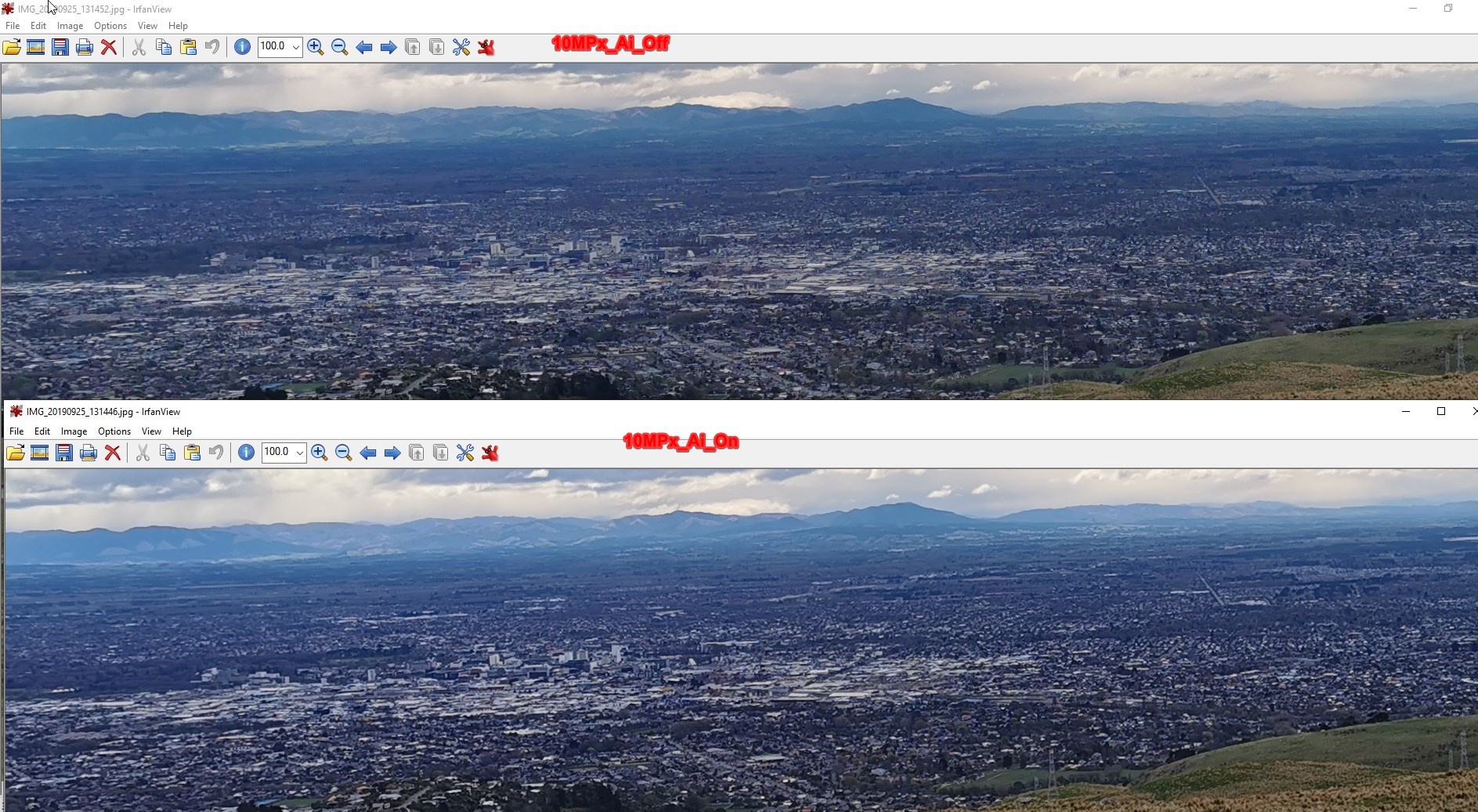
I always thought the AI was making things worse (dialing up the contrast & brightness).Found the AI Off & 40 MPixel mode way better than the 10 MPixel with AI on/Off.

Interesting, because I too think the AI is not that great. Take food for example - the AI finds "Food" and instantly the image loses colours. I wouldn't eat the food the AI presents. turn that off and colours seem more vibrant and close to reality.
Referral links: Quic Broadband (free setup code: R587125ERQ6VE) | Samsung | AliExpress | Wise | Sharesies
Support Geekzone by subscribing (browse ads-free), or making a one-off or recurring donation through PressPatron.

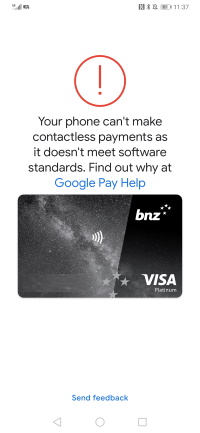
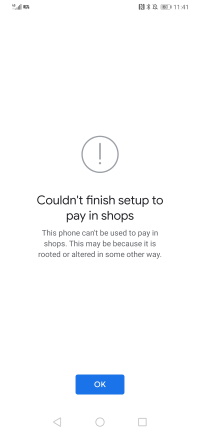
My P30 Pro completely stopped doing any Paywave transaction now. I decided to remove the card and load it again - the result was the same: the phone is not secure for Android Pay.

Referral links: Quic Broadband (free setup code: R587125ERQ6VE) | Samsung | AliExpress | Wise | Sharesies
Support Geekzone by subscribing (browse ads-free), or making a one-off or recurring donation through PressPatron.
Is this after a recent software update? I had a similar issue when I was in Hong Kong it downloaded an update and I had to factory reset my phone to restore to make it work.
|
|
|