Geekzone: technology news, blogs, forums
Guest
Welcome Guest.
You haven't logged in yet. If you don't have an account you can register now.


Username1

76 posts

Master Geek
+1 received by user: 7


#324313 26-Mar-2026 23:09
Send private message quote this post

Does anyone know of any ventilation fans that can easily have speed controlled locally in home assistant? I can't seem to find much online. The best I could find was an AC Infinity fan that can apparently be speed controlled with a Shelly Dimmer 10v. Does anyone have any suggestions for brand or something that isn't too difficult to setup?


Create new topic
Tinkerisk
4800 posts

Uber Geek
+1 received by user: 3660


  #3474203 27-Mar-2026 06:08
Send private message quote this post

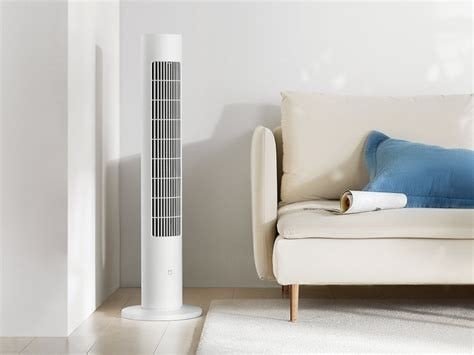
I am using a Xiaomi Smart Tower Fan 2 directly controlled by Home Assistant via WiFi.


  • Qui nihil scit, omnia credere debet.
  • Firewalls do NOT stop dragons.
  • In effect we have everything to hide from someone, and no idea who someone is.


everettpsycho
668 posts

Ultimate Geek
+1 received by user: 270


  #3474268 27-Mar-2026 09:09
Send private message quote this post

When you say ventilation fan do you mean like an extractor fan in the bathroom? 


If it's like ours when you go up in the attic they are just plugged in to a cable, you could probably use any old smart plug to turn them on and off. I've toyed with it and then putting in a sensor so they will just turn on when the humidity creeps up.


HowickDota
427 posts

Ultimate Geek
+1 received by user: 72


  #3474271 27-Mar-2026 09:30
Send private message quote this post

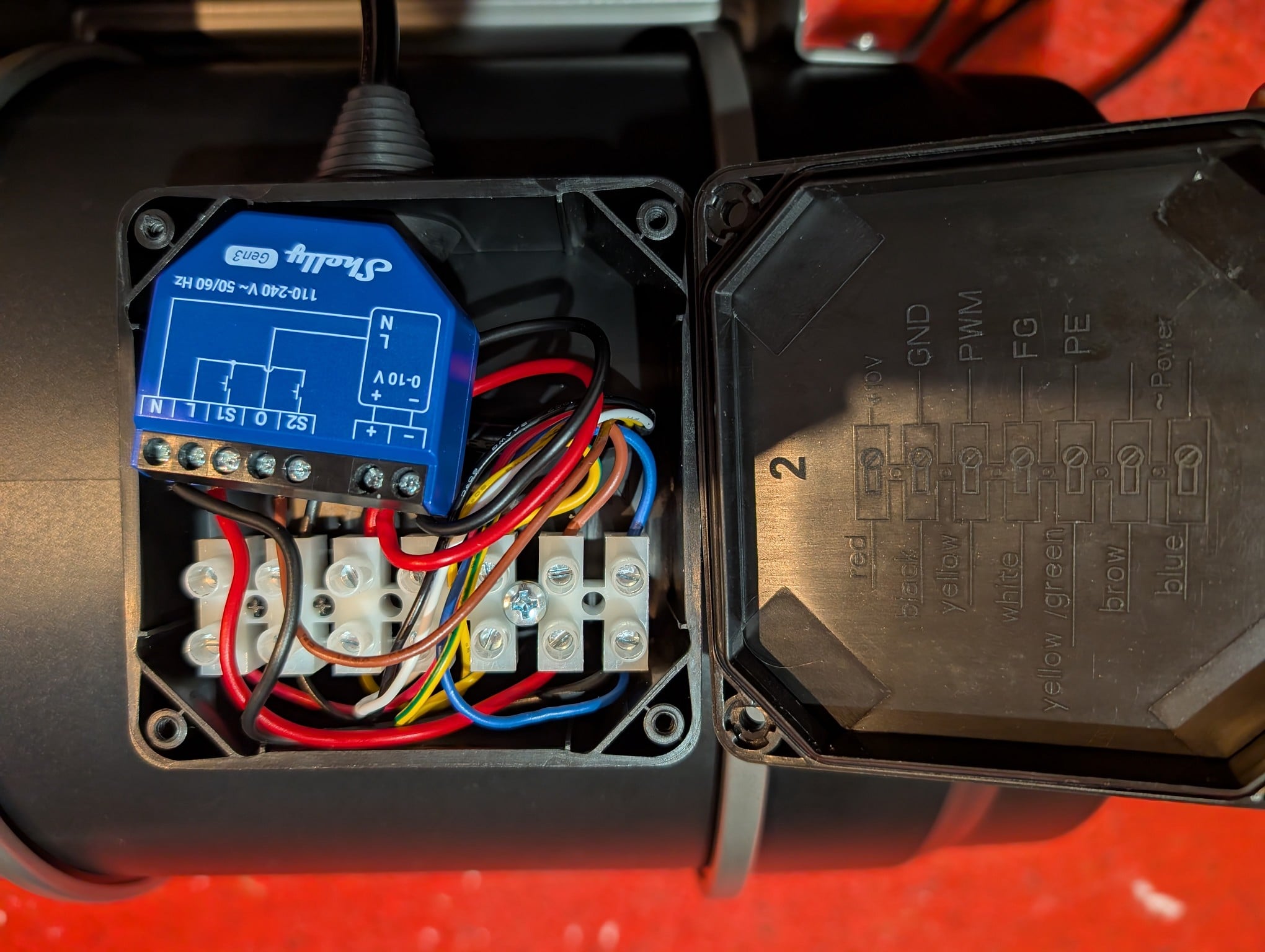
The shelly dimmer should work with any ec fan that has 0-10V speed input.


Typically the fan comes with a speed selector (potentiometer) that has connects to the fans internal 10v as input and 0v as reference and varies output between 0v (dc ground) and 10v.


You would disconnect the fans speed selector wires (10V will be unused) and connect the 0V wire to the shelly's 0V and the 0-10V input wire to the shelly's 0-10V output, typically they fan has black for 0v and yellow for 0-10v input but best to check with a multimeter. 


The shelly's power supply will connect to 230V line and neutral.


Username1

76 posts

Master Geek
+1 received by user: 7


  #3474272 27-Mar-2026 09:32
Send private message quote this post

Sorry I should have given more information, my house came with a Sayr Ventilation system and I hate it. If I turn it off at the controller it turns itself back on after some time and it is very loud on maximum speed so I am consistently having to adjust the temperature on the controller to get it to slow down. I really want a fan that I can automate and control the speed of so it isn't loud.


timmmay
20859 posts

Uber Geek
+1 received by user: 5350

Trusted
Lifetime subscriber

  #3474273 27-Mar-2026 09:51
Send private message quote this post

I got a decent ventilation fan, had it set to a medium speed, and control it with a WiFi plug. No speed settings, no screen, just on / off. Works great. I have a TPLink Kasa WiFi switch, it's been in the hot ceiling cavity for years with no issues.


Username1

76 posts

Master Geek
+1 received by user: 7


  #3475450 30-Mar-2026 11:52
Send private message quote this post

HowickDota:


The shelly dimmer should work with any ec fan that has 0-10V speed input.


Typically the fan comes with a speed selector (potentiometer) that has connects to the fans internal 10v as input and 0v as reference and varies output between 0v (dc ground) and 10v.


You would disconnect the fans speed selector wires (10V will be unused) and connect the 0V wire to the shelly's 0V and the 0-10V input wire to the shelly's 0-10V output, typically they fan has black for 0v and yellow for 0-10v input but best to check with a multimeter. 


The shelly's power supply will connect to 230V line and neutral.


Thank you, that is really helpful and doesn't sound to hard. I might give that a go first and if I fail that I'll try timmmay's idea.


How powerful of a fan would I need for ventilation? Would something like this be good enough? 


https://herbals.co.nz/products/cloudline-pro-s8-quiet-inline-duct-fan-system-with-speed-controller-8-inch


Shop now for Lego sets and other gifts (affiliate link).
nzben
44 posts

Geek
+1 received by user: 22


  #3475456 30-Mar-2026 12:08
Send private message quote this post

Why don't you just use the AC Infinity + controller. Sure it's not home assistant or whatever, but it is app based, can be accessed from anywhere once it is Wifi connected and once you set a temp/humidity based schedule it's set and forget. I have a system setup for home ventilation and I just let it do its own thing, the only adjustment I make is summer going into winter and then back into summer.


You can also restrict the max and min speed that the fans work, which I do to limit noise and probably prolong the lifespan.


Username1

76 posts

Master Geek
+1 received by user: 7


  #3476361 31-Mar-2026 23:18
Send private message quote this post

I did think about that but I would prefer something controlled by home assistant as it is so much easier not having to deal with so many different systems. 


What kind of cheap filter box would you guys recommend? And is it better to draw air from the roof space or outside?


timmmay
20859 posts

Uber Geek
+1 received by user: 5350

Trusted
Lifetime subscriber

  #3476447 1-Apr-2026 10:32
Send private message quote this post

I got this filter box with filters from AliExpress after a lot of research. It has a pre-filter, charcoal filter, and HEPA filter. I draw air from outside as my roof space is old and smelly, it will just bung up the filter faster.


tweake
2647 posts

Uber Geek
+1 received by user: 1139


  #3476736 1-Apr-2026 16:43
Send private message quote this post

a lot of the ecm fans i've seen use 0-10 volt for speed control, which is common in industry. 


outdoor air is best, but ceiling air can have some benefit. easy enough to put the motorised damper in to switch from outdoor to ceiling. 


Create new topic


Geekzone Live »

Try automatic live updates from Geekzone directly in your browser, without refreshing the page, with Geekzone Live now.


Are you subscribed to our RSS feed? You can download the latest headlines and summaries from our stories directly to your computer or smartphone by using a feed reader.