Geekzone: technology news, blogs, forums
Guest
Welcome Guest.
You haven't logged in yet. If you don't have an account you can register now.


phanw

10 posts

Wannabe Geek


#320152 11-Jul-2025 11:13
Send private message

Hey everyone


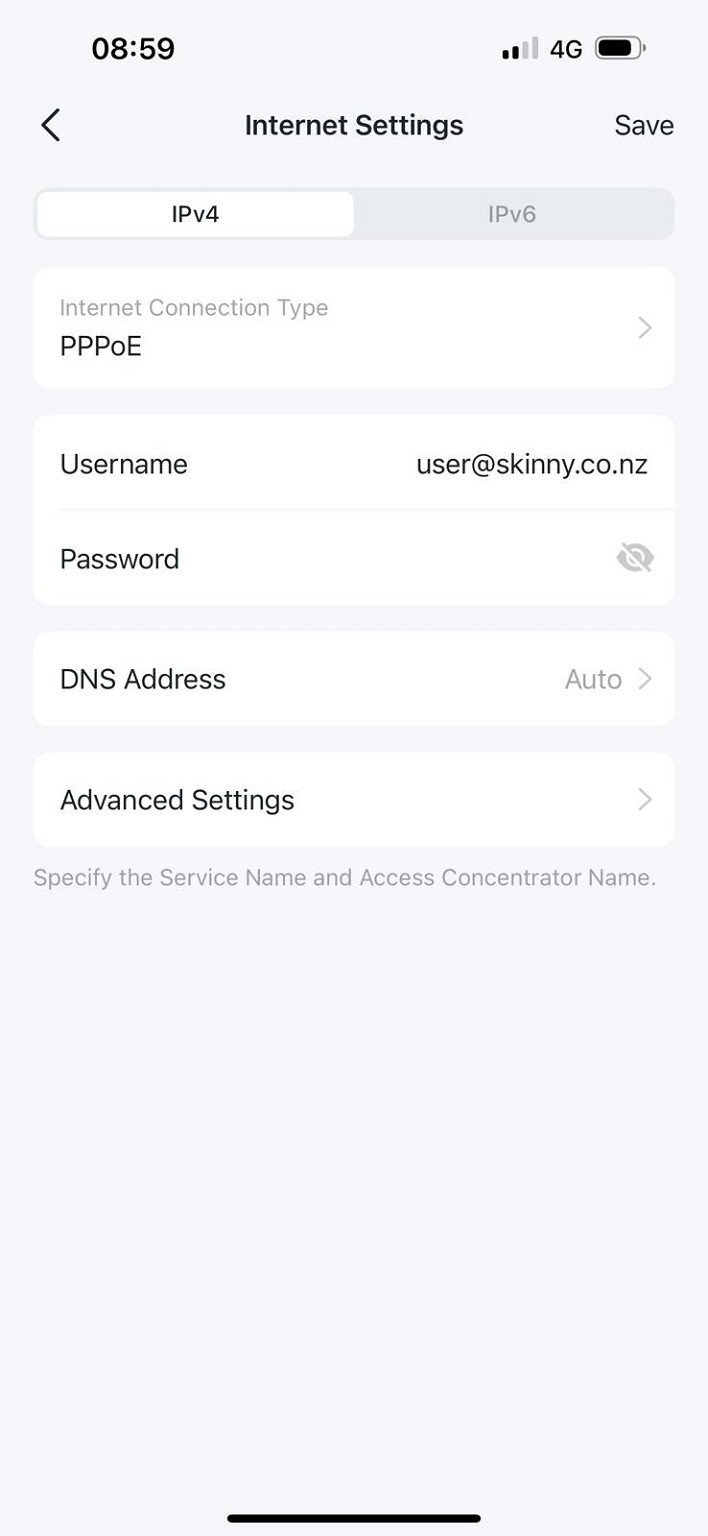
As per the title, I have recently switched to Skinny Fibre and am using a BYOD modem (TP-Link Deco mesh router).


Previously, I was with Slingshot, and everything was fine and dandy right up to this point.


I have not touched the hardware and have followed all the instructions as per their website: 


  • PPP Protocol: PPPoE
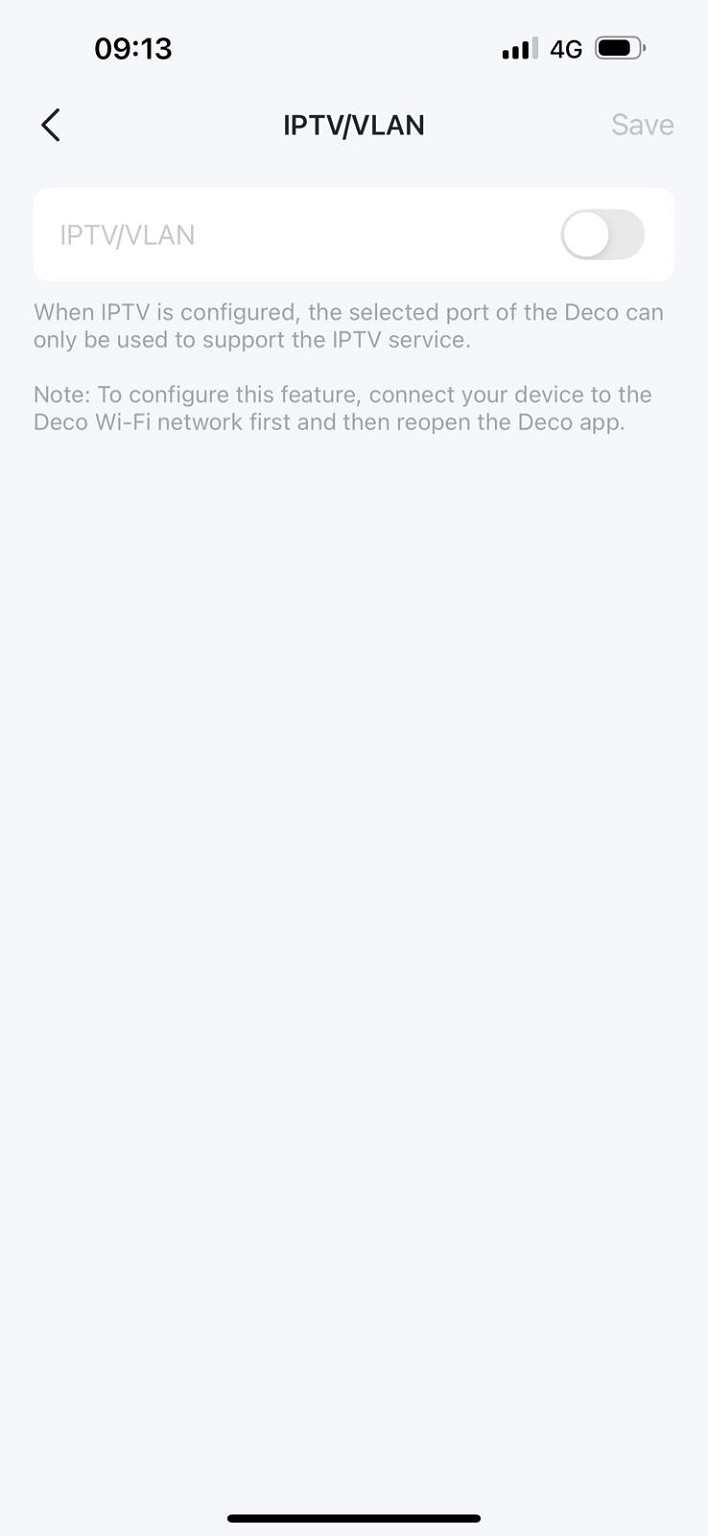
  • VLAN Tagging: Off/Disabled/No
  • PPP Username: user@skinny.co.nz
  • PPP Password: password 
  • IP Address: Obtain Automatically
  • DNS servers: Obtain Automatically
  • MTU: 1500 (Can't set the MTU)


Note - the screenshot below is from my non-IT wife using her phone and switching between wifi/4g mode. I'm currently away from home and trying to guide her through the connection setup remotely.


My connection settings:


VLAN Tagging is disabled:


Is there any other "tricks" anyone else has discovered to get a BYOD modem working with Skinny?


Create new topic
Spyware
3825 posts

Uber Geek
+1 received by user: 1374

Lifetime subscriber

  #3393234 11-Jul-2025 11:41
Send private message

Skinny now support DHCP.


Spark Max Fibre using Mikrotik CCR1009-8G-1S-1S+, CRS125-24G-1S, Unifi UAP, U6-Pro, UAP-AC-M-Pro, Apple TV 4K (2022), Apple TV 4K (2017), iPad Air 1st gen, iPad Air 4th gen, iPhone 13, SkyNZ3151 (the white box). If it doesn't move then it's data cabled.


cbrpilot
964 posts

Ultimate Geek
+1 received by user: 555

Trusted
Spark NZ

  #3393236 11-Jul-2025 11:48
Send private message

Hard to be sure with some of these app-based setups what they are actually setting when you pick a particular option.


On the surface the settings in the screenshots look ok.


Couple of suggestions:


1/ Is the Deco plugged into the correct port on the ONT?  Sometimes when you move between providers the ONT port changes.  Try plugging it into port 2 of the ONT and see if that makes a difference.


2/ If you'd like me to see what I can see from my end then please PM me your details.  Just a caveat here though - if the connection requests are not making it through the LFC network to our network there is nothing I'll be able to see.  If it is making it through to our network there isn't a huge amount you can misconfigure to break it. 


And yes as above Skinny support both DHCP (unless you are on Unison) and PPP, so you could try configure either option as suits your preference.


My views are my own, and may not necessarily represent those of my employer.


Jase2985
13755 posts

Uber Geek
+1 received by user: 6236

ID Verified
Lifetime subscriber

  #3393237 11-Jul-2025 11:51
Send private message

is there actually a password in there? doesn't it need to have something in the password box?


phanw

10 posts

Wannabe Geek


  #3393243 11-Jul-2025 12:14
Send private message

Thanks for the reply, everyone. 


The exact model of the router I'm using is TP-Link Deco X55 (AX3000) Dual-Band WiFi 6 Whole-Home Mesh System.


The router has 3 sockets:


  1. Connecting to the fibre box
  2. Connecting to my 8-port switch
  3. Empty


I'll get her to try and re-plug the Ethernet cables back into the router again and report back. If this doesn't work, I'll get her to cascade down the ether connection (Port 1-->2 and Port 2-->3)


The last option I'll try is changing the connection type from "PPPoE" back to the "Dynamic IP" option again. It was set to this when I had Slingshot. 


@Jase2985 - yes, but it's hidden and you would need to tap on the field... the value is "password" as per Skinny


@cbrpilot - PM'd


cbrpilot
964 posts

Ultimate Geek
+1 received by user: 555

Trusted
Spark NZ

  #3393261 11-Jul-2025 12:36
Send private message

If you can leave it all plugged as it is now for a few minutes I will hopefully have it sorted very soon.


My views are my own, and may not necessarily represent those of my employer.


cbrpilot
964 posts

Ultimate Geek
+1 received by user: 555

Trusted
Spark NZ

  #3393283 11-Jul-2025 14:32
Send private message

For anyone who was wondering what happened: the device was only trying DHCP - despite the screenshots above showing it configured for PPP.  I'm not sure if anyone else has seen that with one of these devices?


We had a small issue that wasn't allowing it come up on DHCP on our side - would have worked if it had come up first on PPP and then switched to DHCP.  That root cause of that issue has been fixed.


However even with that fixed the device didn't actually come up on DHCP - our network could accept the session, and then device goes silent and doesn't complete the session. 


So Phan is off to check the settings again.  Fingers crossed his device will play nicely now....


My views are my own, and may not necessarily represent those of my employer.


Create new topic


Geekzone Live »

Try automatic live updates from Geekzone directly in your browser, without refreshing the page, with Geekzone Live now.


Are you subscribed to our RSS feed? You can download the latest headlines and summaries from our stories directly to your computer or smartphone by using a feed reader.