Geekzone: technology news, blogs, forums
Guest
Welcome Guest.
You haven't logged in yet. If you don't have an account you can register now.


webkea

11 posts

Geek


#125748 18-Jul-2013 10:36
Send private message

Hi there,

Good day, recently I upgraded my adsl to Telecom Fiber and flashed my Asus RT-N66U firmware to the Tomato version 1.28 by shibby.

After any set up, I replaced the telecom PACE V5542 Gateway with Asus RT-N66U and connected WAN port. Unfortunately, N66U can't connect Fiber...

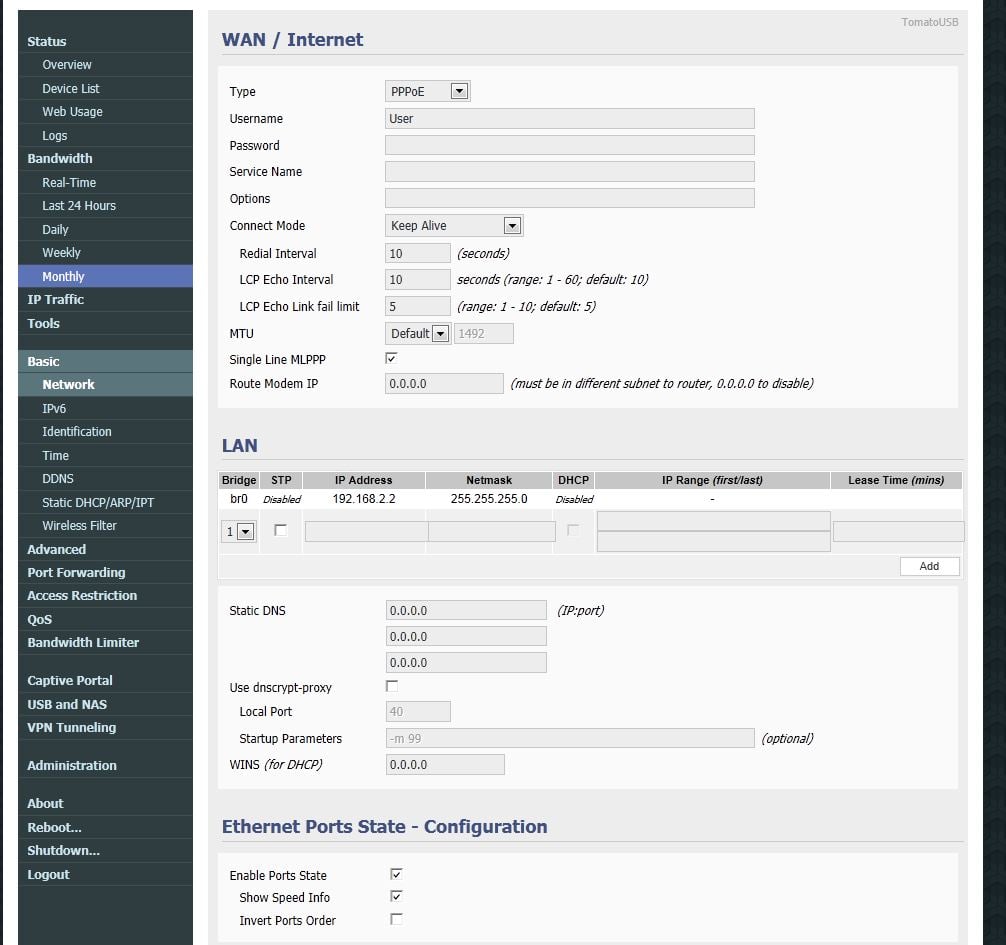
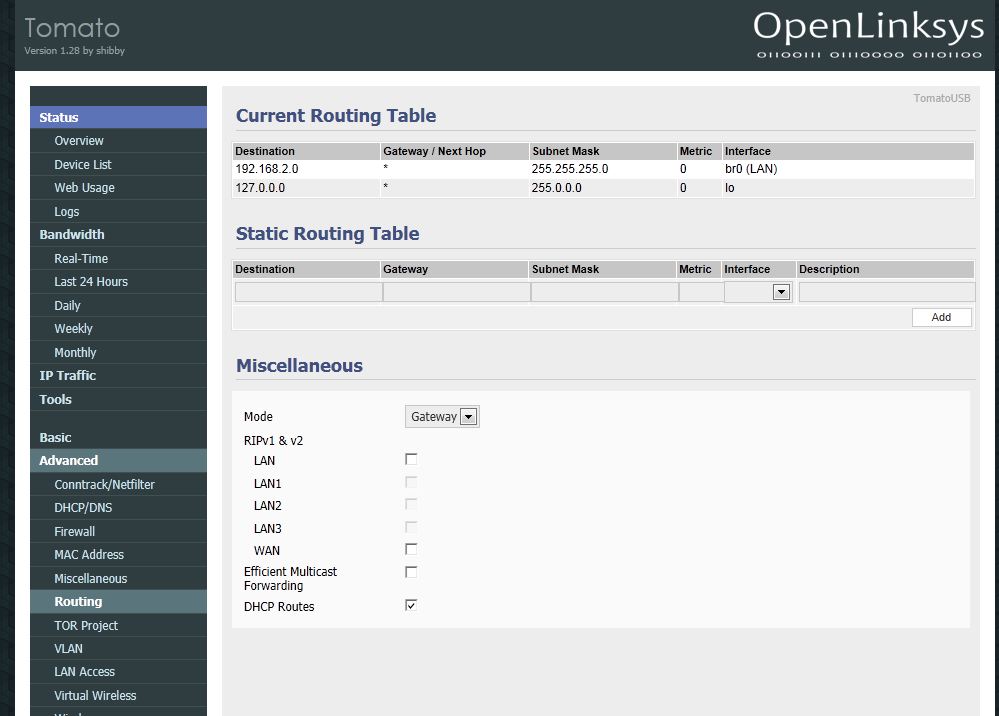
Can I have some suggestion for this issue? any N66U configurations are as below:

setup1

Create new topic
webkea

11 posts

Geek


  #858487 18-Jul-2013 10:38
Send private message


webkea

11 posts

Geek


  #858489 18-Jul-2013 10:39
Send private message


webkea

11 posts

Geek


  #858491 18-Jul-2013 10:39
Send private message


webkea

11 posts

Geek


  #858493 18-Jul-2013 10:41
Send private message

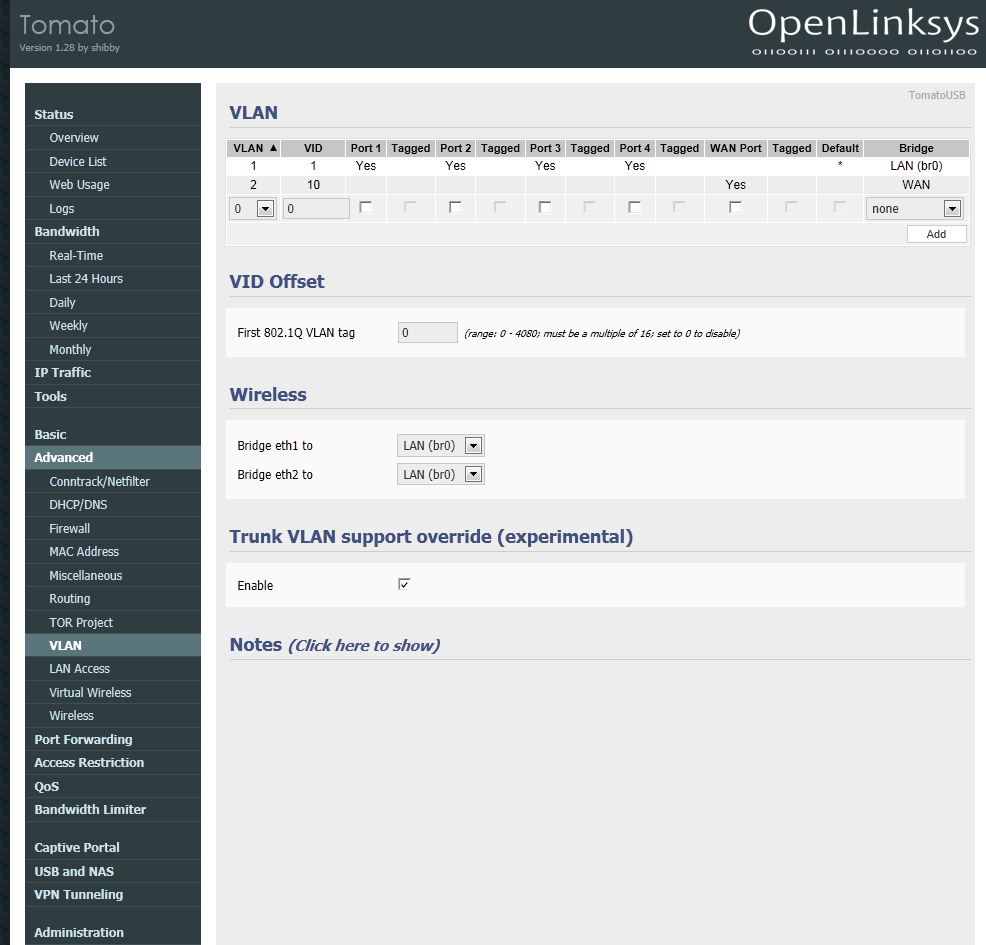
Hi there, tag vlan like as pic?

webkea

11 posts

Geek


  #858495 18-Jul-2013 10:42
Send private message


JamesL
956 posts

Ultimate Geek
+1 received by user: 342
Inactive user


  #858497 18-Jul-2013 10:45
Send private message

Use an image hosting service like iforce.co.nz so your images don't get cut off and insert multiple images per post..

Did you tick tagged?


Shop now for Lego sets and other gifts (affiliate link).
webkea

11 posts

Geek


  #858498 18-Jul-2013 10:45
Send private message

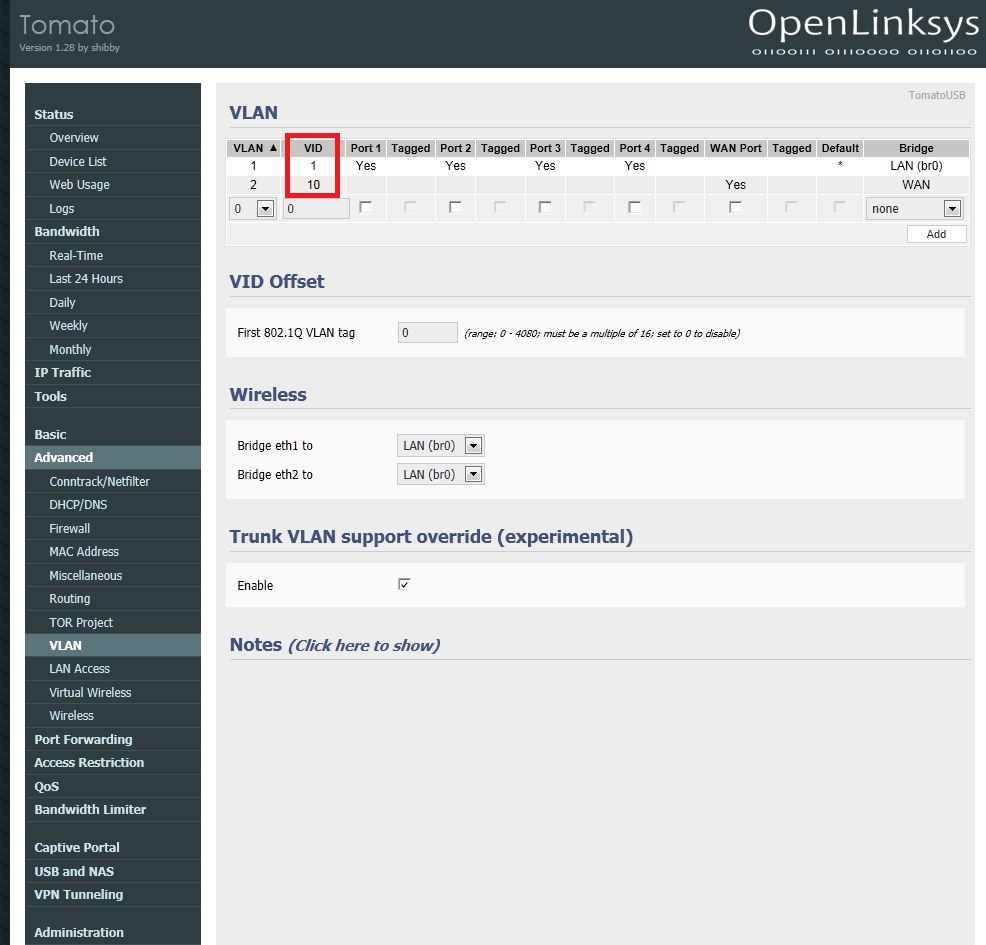
In the red frame VID should be total 10 or like as pic?

webkea

11 posts

Geek


  #858500 18-Jul-2013 10:46
Send private message


webkea

11 posts

Geek


  #858504 18-Jul-2013 10:50
Send private message

Hi James, how's the VID of Vlan1? should be 0 or 1? and how's the trunk vlan support override is enable or no?

JamesL
956 posts

Ultimate Geek
+1 received by user: 342
Inactive user


  #858614 18-Jul-2013 13:44
Send private message

No idea sorry don't think it makes a difference

I would also assume you need a valid username/password in order to authenticate

sbiddle
30853 posts

Uber Geek
+1 received by user: 9996

Retired Mod
Trusted
Biddle Corp
Lifetime subscriber

  #859619 18-Jul-2013 14:02
Send private message

This guy here got it working so it's clearly something in your setup.

As mentioned you obviously need to insert your PPPoE username and password to authenticate.


Want to support Geekzone and browse the site without the ads? Subscribe to Geekzone now (monthly, annual and lifetime options).
df2334
24 posts

Geek
+1 received by user: 1


  #861833 18-Jul-2013 20:21
Send private message

webkea:


You almost got it right,

you need set your second vlan entry to vlan10, not vlan 2

and tick the tagged box


bullpup
15 posts

Geek


  #862619 20-Jul-2013 15:21
Send private message

hmm i'm trying a similar thing but my tickbox for tagged is greyed out and I cant tick it,  any ideas?

EDIT: So Yeah I newb'd it up and didnt enable the vlan trunk option.  all good now


webkea

11 posts

Geek


  #865166 24-Jul-2013 15:42
Send private message

Hi there,

Thanks your helps. My ASUS-N66U is running on the Telecom UFB now.

Bullpup, please tick and save 'Trunk VLAN support override' first.

and two important items should be correct:

1. User name & Password must be blank.

2.the first VLAN and VID should be 1 and 1, the second VLAN and VID should be 10 and 10

webkea

11 posts

Geek


  #865171 24-Jul-2013 15:45
Send private message

Refer to this picture:


Create new topic


Geekzone Live »

Try automatic live updates from Geekzone directly in your browser, without refreshing the page, with Geekzone Live now.


Are you subscribed to our RSS feed? You can download the latest headlines and summaries from our stories directly to your computer or smartphone by using a feed reader.