Geekzone: technology news, blogs, forums
Guest
Welcome Guest.
You haven't logged in yet. If you don't have an account you can register now.


Martin_NZ

133 posts

Master Geek
+1 received by user: 26

Trusted

#271804 27-May-2020 12:22
Send private message

I am starting this thread to discuss a recurring issue with the Galaxy S20 range. In my case specifically a S20 Ultra.


There is a recurring issue where the phone drops its connection to the cellular network and then fails to receive voice calls, which go straight to voicemail or SMS messages which simply don't arrive.


Toggling Flight Mode on and then off again restores connectivity and the txt notifications including the missed call notification flood into the handset.


The issue is discussed at length on Samsung Community Forums, in various thread (links below) however Samsung NZ do not seem to have a handle on what the issue is, instead trying to point finger at the network provider. Since this appears to be occurring globally and with multiple carriers in New Zealand that clearly isn't the case.


https://us.community.samsung.com/t5/Galaxy-S20/S20-Ultra-not-receiving-calls/td-p/1190155


https://us.community.samsung.com/t5/Galaxy-S20/Samsung-S20-ultra-5G-connection-issues/td-p/1143555


Myself I'm using a dual SIM setup. I have a VodafoneNZ sim in tray 1 which I use for Calls ad TXT and a Spark NZ sim in tray 2 which I'm using for mobile data. I have tried swapping the sim locations but this makes no difference


There was some initial thoughts that it was related to Voice over LTE (VoLTE) or 5G however both have been discounted. I have disabled VoLTE and switched to 2G/3G/4G only for both sim cards. The issue still occurs.


Symptoms are that the phone stops receiving voice calls and sms messages. Toggling Flight mode or a handset restart resolves the lack of connectivity.


Swiping down the shade shows Emergency Calls Only. After toggling flight mode on and off connection is restored.


Another user has indicated Samsung seem to know this is a problem and a fix is coming but nothing specific and Samsung will not provide an official statement or problem ticket number for this.


"quote"


[(Agent):15:15:07] I see. To be honest with you, there's actually a problem on the S20 units related to the network services and our Senior Support Team are working on a software update that would fix this. 
[(Customer):15:15:24] 2 days ago I also factory reset the phone a third time to make sure I had a clean build. 
[(Agent):15:15:33] For now, we will need to get the details of the device so we can forward it to them. 
[(Customer):15:15:50] Ahh ok.  Do you have time frame when this may be available?
[(Agent):15:17:14] As of the moment, there's no further announcement but this has been reported few weeks ago and we are hoping that the update will be released early next month. 


"end quote"


Samsung want the handset returned to be "assessed" however I know the likely outcome, as others have experienced is it will be away for a couple of weeks and be returned with "no fault found". given this seems to be a fairly complex issue which occurs randomly, I feel that unless the handset is being used in a real world situation the issue is not going to occur during so called assessment. It would appear this isn't a handset specific issue more a general issue.


Attached are two images. One showing the phone at 11:41 displaying Emergency calls Only on the Voda SIM. The second at 11:42 showing three SMS messages arriving at the same time following toggling flight mode on and off again. One indicating a missed call at 11:01. 


For a $2000 flagship handset this would seem to be a very substantive and major fault.


I'd like to hear from any other S20 users who are experiencing these issues with missed calls and SMS and any information you may have found or assistance (or lack of) received from Samsung Mobile. I'm aware of at least a few others here on Geekzone so please jump onto this thread and hopefully we can get this sorted one way or another.


M

Filter this topic showing only the reply marked as answer View this topic in a long page with up to 500 replies per page Create new topic
 1 | 2 | 3 | 4 | 5 | 6 | ... | 8
ShinyChrome
1603 posts

Uber Geek
+1 received by user: 686

ID Verified
Trusted

  #2492724 27-May-2020 12:48
Send private message

It's strange, I have been running a dual 2degrees/vodafone combo in my S20+ for the past month and I have not had any issues (yet). One point of difference is I have outgoing calls/text/data running off SIM 1 (2d), SIM 2 (Voda) is only for receiving calls/text.


Se7ensyns
133 posts

Master Geek


  #2494680 29-May-2020 21:28
Send private message

Nice write up. Strange thing is the last 2 days it has been working fine for me. Though you never now when it is working or not. I haven't seen any updates arrive on the phone.

Would Samsung not give you a call number? Tell ya what though this will probably be the first and last samsung phone I will ever buy

Linux
12173 posts

Uber Geek
+1 received by user: 8469

Trusted
Lifetime subscriber

  #2494682 29-May-2020 21:38
Send private message

No issues on my S20+ as I understand it's only the Ultra


Se7ensyns
133 posts

Master Geek


  #2494721 29-May-2020 23:23
Send private message

It definitely occurs on the S20+ as that is what I have and what I logged the call on as quoted in the write for this thread.

Linux
12173 posts

Uber Geek
+1 received by user: 8469

Trusted
Lifetime subscriber

  #2494792 30-May-2020 06:05
Send private message

Ok I have never seen it on my 2degrees 20+

Se7ensyns
133 posts

Master Geek


  #2494952 30-May-2020 11:07
Send private message

Thats interesting. I am on spark. Though my phone is a vnz build. According to Samsung that doesn't matter. When I got the phone I didn't realize there were separate builds and was never asked or offered a variant. I am going to try and return it today as the problem has occurred again. I am an essential employee and need to be available 24x7 so not having phone calls and text messages arrive is not ideal.


Shop now on AliExpress (affiliate link).
Linux
12173 posts

Uber Geek
+1 received by user: 8469

Trusted
Lifetime subscriber

  #2494967 30-May-2020 11:27
Send private message

Se7ensyns: Thats interesting. I am on spark. Though my phone is a vnz build. According to Samsung that doesn't matter. When I got the phone I didn't realize there were separate builds and was never asked or offered a variant. I am going to try and return it today as the problem has occurred again. I am an essential employee and need to be available 24x7 so not having phone calls and text messages arrive is not ideal.


@Se7ensyns You should take it to the offiicial Samsung service agent and should flash the SparkNZ firmware onto the handset


Martin_NZ

133 posts

Master Geek
+1 received by user: 26

Trusted

  #2494988 30-May-2020 12:14
Send private message

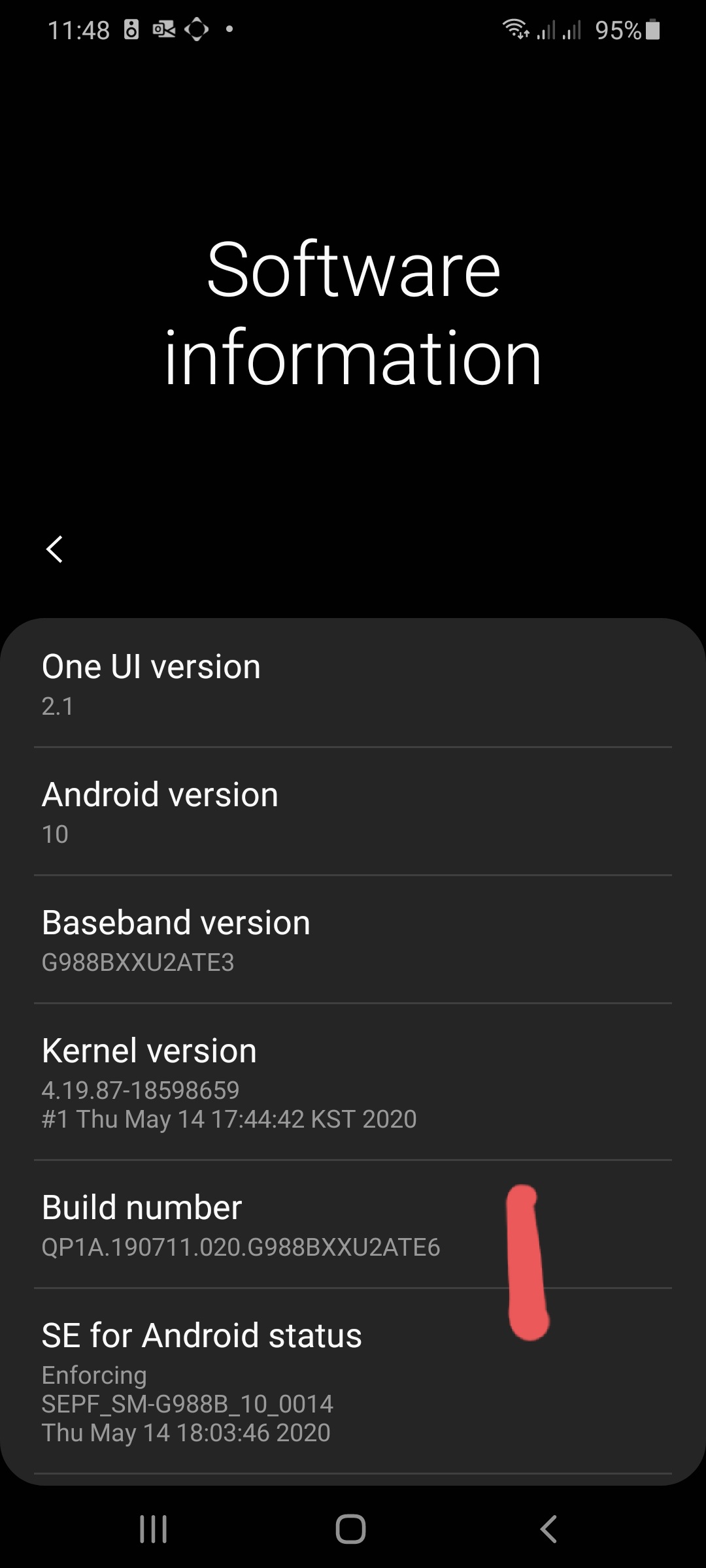
I've loaded TE6 last night with smart switch. Protip. Backup first and smarts witch has issues on osx catalina. Use Windows version.


M

hio77
'That VDSL Cat'
13036 posts

Uber Geek
+1 received by user: 3896

ID Verified
Trusted
Lizard Networks
Subscriber

  #2495058 30-May-2020 12:59
Send private message

Se7ensyns: Thats interesting. I am on spark. Though my phone is a vnz build. According to Samsung that doesn't matter. When I got the phone I didn't realize there were separate builds and was never asked or offered a variant. I am going to try and return it today as the problem has occurred again. I am an essential employee and need to be available 24x7 so not having phone calls and text messages arrive is not ideal.


in theory they should be the same, but there could be minor differences.


only the spark firmware is validated for the spark network. using another variant will more than likely work fine.


#include <std_disclaimer>


Any comments made are personal opinion and do not reflect directly on the position my current or past employers may have. 


ShinyChrome
1603 posts

Uber Geek
+1 received by user: 686

ID Verified
Trusted

  #2495060 30-May-2020 13:15
Send private message

Interesting that both @linux and I have 2degrees units with no issues. Anyone else who purchased from 2degrees having these issues?

Martin_NZ

133 posts

Master Geek
+1 received by user: 26

Trusted

  #2495091 30-May-2020 13:56
Send private message

Mine is procured via voda. From what I've established this issue primarily affects Ultra. Do you have + or ultras. I'm finger crossing the firmware updatw yields better results. Time will tell.


M


Shop now on Samsung phones, tablets, TVs and more (affiliate link).
IvanPiacun
378 posts

Ultimate Geek
+1 received by user: 70


  #2495302 30-May-2020 20:15
Send private message

Mine is the 2Degrees version and I am having trouble with it. I am on the Spark network.


Ivan Piacun CITPNZ


ShinyChrome
1603 posts

Uber Geek
+1 received by user: 686

ID Verified
Trusted

  #2495304 30-May-2020 20:21
Send private message

IvanPiacun: Mine is the 2Degrees version and I am having trouble with it. I am on the Spark network.

Interesting... well how about is there anyone not using Spark that is having issues?

Linux
12173 posts

Uber Geek
+1 received by user: 8469

Trusted
Lifetime subscriber

  #2495336 30-May-2020 21:06
Send private message

ShinyChrome: Interesting that both @linux and I have 2degrees units with no issues. Anyone else who purchased from 2degrees having these issues?


@ShinyChrome Are you on 2degrees also? I am on 2degrees with 2degrees official handset and having zero issues


Linux
12173 posts

Uber Geek
+1 received by user: 8469

Trusted
Lifetime subscriber

  #2495338 30-May-2020 21:08
Send private message

IvanPiacun: Mine is the 2Degrees version and I am having trouble with it. I am on the Spark network.


@IvanPiacun Why would you buy a 2degrees handset to use on SparkNZ?


Handsets run different software versions for different carriers


 1 | 2 | 3 | 4 | 5 | 6 | ... | 8
Filter this topic showing only the reply marked as answer View this topic in a long page with up to 500 replies per page Create new topic


Geekzone Live »

Try automatic live updates from Geekzone directly in your browser, without refreshing the page, with Geekzone Live now.


Are you subscribed to our RSS feed? You can download the latest headlines and summaries from our stories directly to your computer or smartphone by using a feed reader.