Geekzone: technology news, blogs, forums
Guest
Welcome Guest.
You haven't logged in yet. If you don't have an account you can register now.


johnrambo

12 posts

Geek
+1 received by user: 1


#196362 28-May-2016 12:59
Send private message


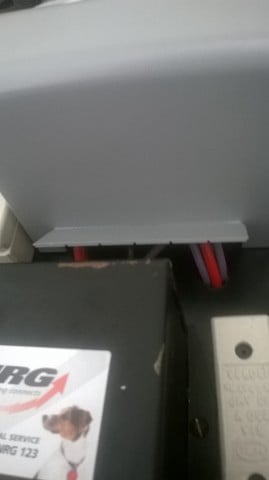
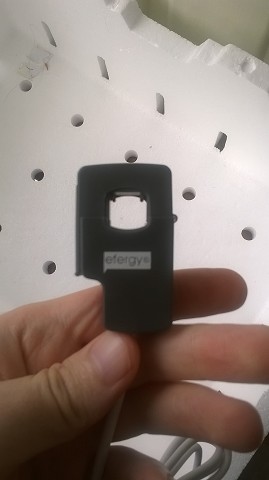
So I've finally started trying again to connect the efergy engage hub solo kit I got a year or so ago to our smart meter but the wires aren't that accessible currently. See the pic attached for an idea. If any of you have some suggestions they would be appreciated. 
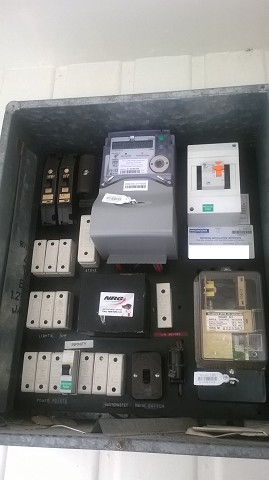


I managed to connect the CT clamp to the left wire but it was obviously not the right one. According to the documentation it's meant to be the right most wire but in my case there is just 3 wires that don't have much give there. If I managed to connect the CT clamp around all 3 would that matter? 



Create new topic

This is a filtered page: currently showing replies marked as answers. Click here to see full discussion.

gregmcc
2173 posts

Uber Geek
+1 received by user: 836

ID Verified
Trusted
Lifetime subscriber

  #1561212 28-May-2016 13:29
Send private message

not the red ones, they are screwed to the metal part that is the hinge, the right side of the board should have a screw or 2 holding it in place and it should swing out on the hinges on the left side.


looking closer I can see a hole in the bottom right corner where the screw should have been, there may even be a similar hole in the top right corner, but can't tell, if there aren't screws along the right edge, the panel should just swing out.


Looking at the meter the big red wire would be the one you need to get the clamp around


Create new topic


Geekzone Live »

Try automatic live updates from Geekzone directly in your browser, without refreshing the page, with Geekzone Live now.


Are you subscribed to our RSS feed? You can download the latest headlines and summaries from our stories directly to your computer or smartphone by using a feed reader.