Geekzone: technology news, blogs, forums
Guest
Welcome Guest.
You haven't logged in yet. If you don't have an account you can register now.
Please note this sub-forum does not provide professional finance advice. You should seek advice from a licensed financial advisor.

To post in this sub-forum you must have made 100 posts or have Trust status or have completed our ID Verification.

If investing please consider our affiliate link for new accounts: Sharesies.


OldGeek

989 posts

Ultimate Geek
+1 received by user: 409

ID Verified
Lifetime subscriber

#323756 11-Jan-2026 16:38
Send private message

Having read about the ManageMyHealth data leak and the resultant implementation of 2FA with login, it seems clear that with logins/passwords regularly being hacked - users can no longer rely on password secrecy as a fundamental protection against unauthorised access to accounts.  Enter 2FA, which requires a hacker to be able to respond with a 2FA code to get into an account where the password is known.  This is unlikely unless they also have access to the 2FA device.


Accordingly I have concluded that using 2FA at login is not just a financial security issue but a privacy issue.  I am turning on 2FA wherever I have an online account and 2FA is available.


Colour me surprised that I cannot do this with the ANZ app or web logins.  Access is purely with customer number/password on the web or customer number/PIN or fingerprint with the app (and fingerprint is an optional alternative to a PIN, not a PIN replacement).  I questioned the ANZ about this and their response is that the use of Onlinecode is a form of 2FA.  I agreed with them but this protects users against unauthorised funds transfer and is therefore not equivalent to using 2FA at login.  The fact remains that anyone who gets hold of my customer number and password/PIN has access to my data.  This is not a good thing, and 2FA at login is intended to remedy this.

Am I missing something here?  Do the banks have unbreakable password encryption perhaps?



-- 

OldGeek.


Quic referal code: https://account.quic.nz/refer/581402 and use this code for free setup: R581402E48MJA


Create new topic

This is a filtered page: currently showing replies marked as answers. Click here to see full discussion.

jamesrt
1669 posts

Uber Geek
+1 received by user: 949

ID Verified
Trusted
Lifetime subscriber

  #3451905 11-Jan-2026 16:52
Send private message

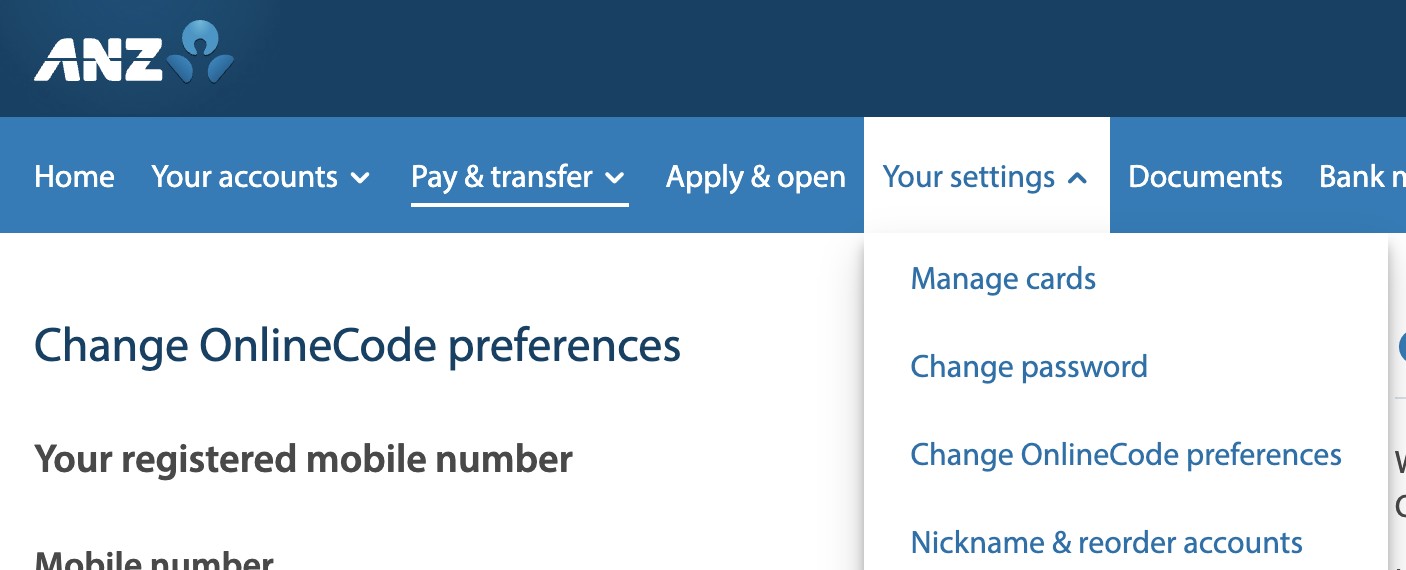
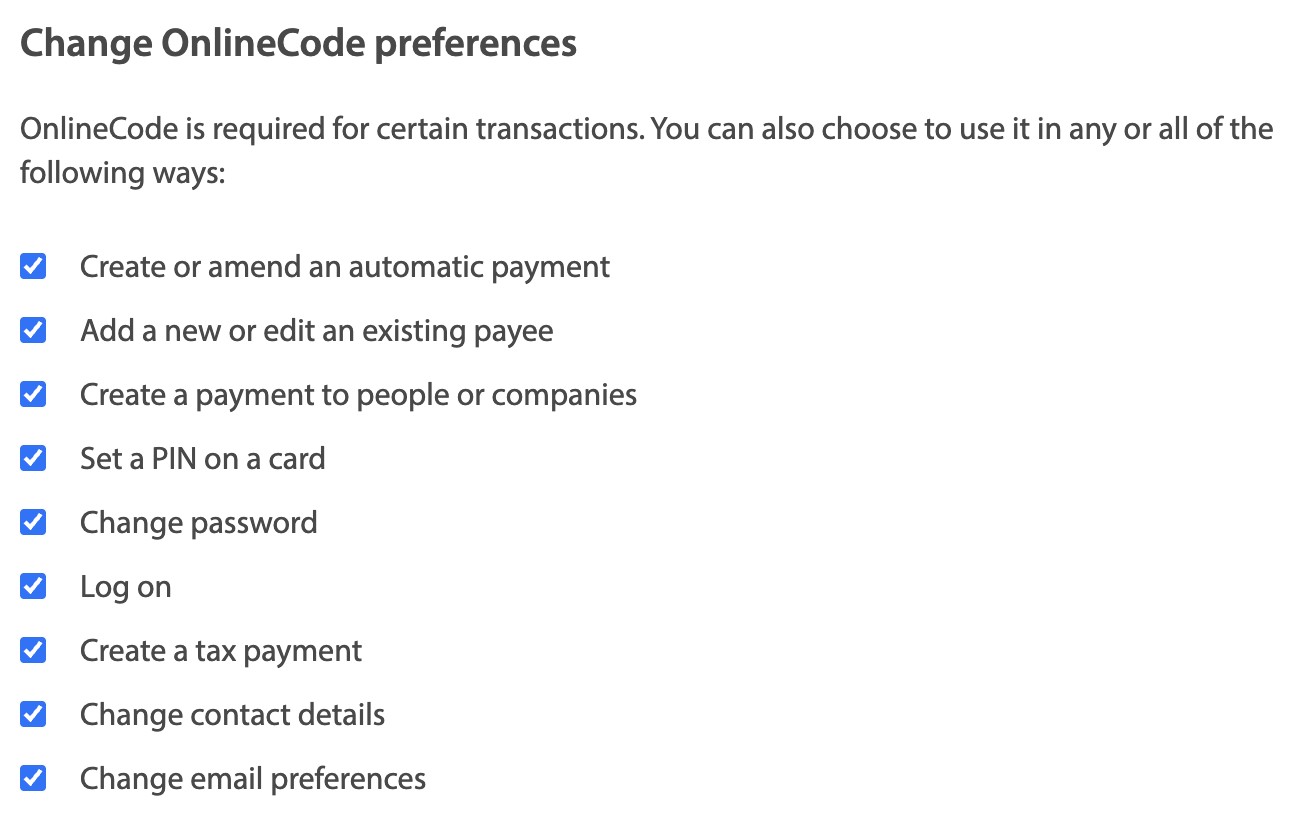
Do you perhaps NOT have "Log on" checked on the OnlineCode preferences?


The menu option:


The options:


"Log on" is clearly an option.


michaelmurfy
meow
13586 posts

Uber Geek
+1 received by user: 10931

Moderator
ID Verified
Trusted
Lifetime subscriber

  #3452037 11-Jan-2026 22:22
Send private message

OldGeek: A followup - Onlinecode can be set to be used at logon for the web and works, but you can still log on to the app with just a PIN and no 2FA.


2FA (Onlinecode) is used to authorize your app in the first instance (setting up the app) and only after that you set a pin + biometrics. Your Smartphone is seen as trusted by any app out there and 2FA past this will provide zero security benefit.

I am primarily a web user, and my recollection of Onlinecode was that it could only e used to authorise transactions.  This has since been extended but this was not mentioned when I raised the issue with the ANZ.


This option has been there for as long as I remember. It is not a new feature.


I'd also like to point out 3 things:


1) We've already established Onlinecode is used for logging into the app for the first time and can also be enabled on Online Banking.
2) Additionally, there is also some pretty sophisticated behavioral based fraud analysis running on both the website and in the app along with other things like Voice ID.
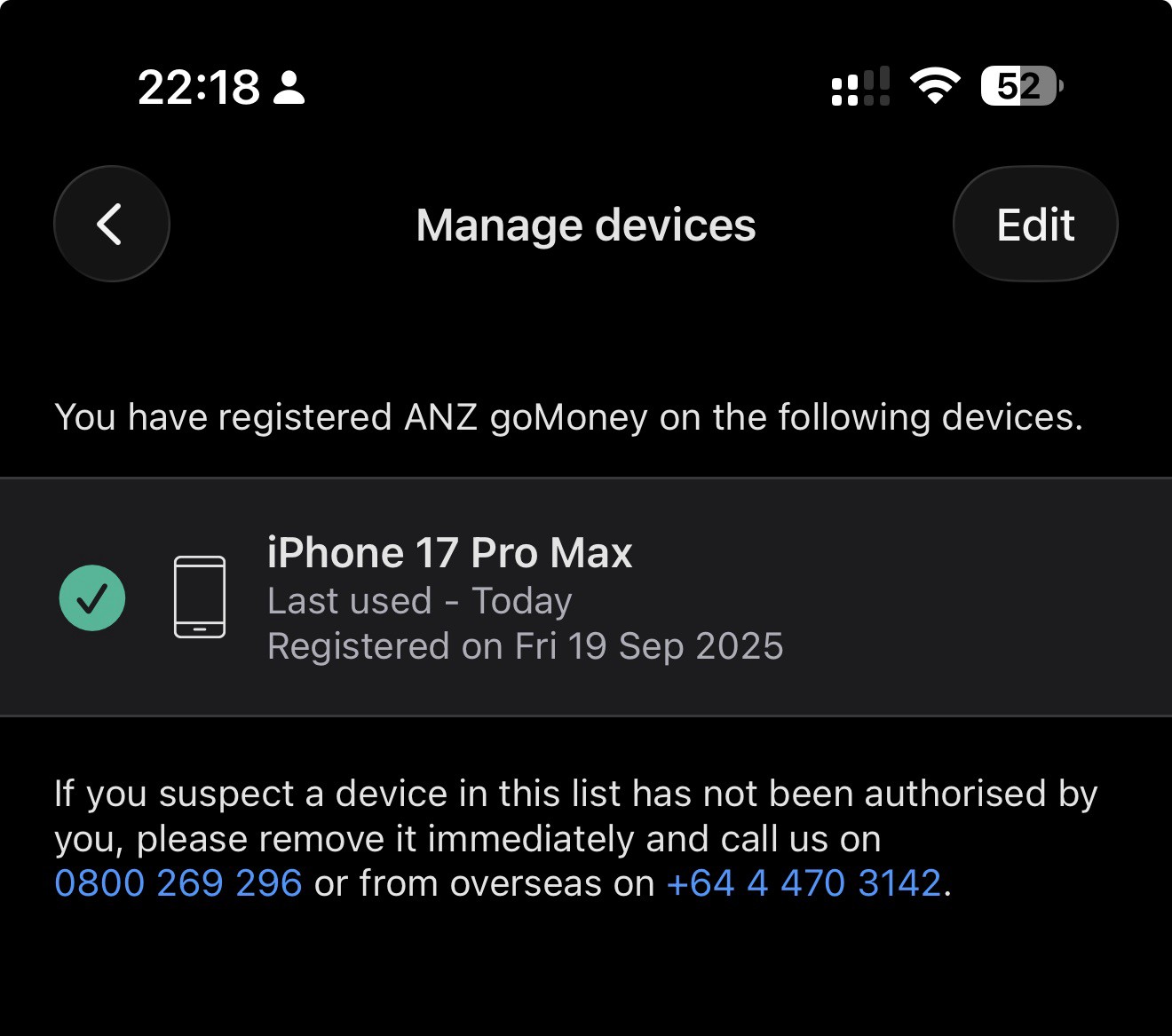
3) If you lose your mobile then contact ANZ and they can remotely log it out of the app. You can also do this from any other device logged into goMoney:


There are quite a few layers of protection behind ANZ's Internet Banking + goMoney along with security and fraud teams working behind the scenes. You can check all of this here: https://www.anz.co.nz/banking-with-anz/banking-safely/fraud-protection/


Michael Murphy | https://murfy.nz
Referral Links: Quic Broadband (use R122101E7CV7Q for free setup)

Are you happy with what you get from Geekzone? Please consider supporting us by subscribing.
Opinions are my own and not the views of my employer.


Create new topic


Geekzone Live »

Try automatic live updates from Geekzone directly in your browser, without refreshing the page, with Geekzone Live now.


Are you subscribed to our RSS feed? You can download the latest headlines and summaries from our stories directly to your computer or smartphone by using a feed reader.