Geekzone: technology news, blogs, forums
Guest
Welcome Guest.
You haven't logged in yet. If you don't have an account you can register now.


Batman

Mad Scientist
30014 posts

Uber Geek
+1 received by user: 6217

Trusted
Lifetime subscriber

#324456 12-Apr-2026 18:44
Send private message quote this post

I keep my MacBook plugged in when using it on the desk, set to 80%, to stop it from having too many discharge cycles.


After a while i will experience current leakage in the form of tingling and vibration sensation.


Internet says I need a 3 pin plug. But the plug that Apple provides is only 2 pins ...


Is this constant shocking a bad thing and should I just unplug it and accept the charge cycles?


Filter this topic showing only the reply marked as answer View this topic in a long page with up to 500 replies per page Create new topic
 1 | 2
Behodar
11101 posts

Uber Geek
+1 received by user: 6092

Trusted
Lifetime subscriber

  #3480263 12-Apr-2026 18:47
Send private message quote this post

This has been a "thing" for at least two decades. You can get a 3-pin cord that connects to the existing power brick. There's a thing that it slides into that looks like it's just an alignment guide, but it's actually the ground pin.


Aaron2222
220 posts

Master Geek
+1 received by user: 111


cddt
1970 posts

Uber Geek
+1 received by user: 1905


  #3480275 12-Apr-2026 21:06
Send private message quote this post

My wife's Mac does this too, I hate the sensation. 


Batman

Mad Scientist
30014 posts

Uber Geek
+1 received by user: 6217

Trusted
Lifetime subscriber

  #3480284 12-Apr-2026 21:58
Send private message quote this post

Aaron2222:


https://www.apple.com/nz/shop/product/mw2n3x/a/power-adapter-extension-cable


i see. pay $39 to not get gently electrocuted ... thanks.


muppet
2644 posts

Uber Geek
+1 received by user: 1662

Trusted

  #3480311 13-Apr-2026 08:25
Send private message quote this post

I hate this so much.


cddt
1970 posts

Uber Geek
+1 received by user: 1905


  #3480347 13-Apr-2026 10:05
Send private message quote this post

Any cheaper options? 


Support Geekzone with one-off or recurring donations Donate via PressPatron.
Benjip
978 posts

Ultimate Geek
+1 received by user: 524

ID Verified

  #3480350 13-Apr-2026 10:16
Send private message quote this post

That's just the power of Apple Silicon!


jamesrt
1666 posts

Uber Geek
+1 received by user: 946

ID Verified
Trusted
Lifetime subscriber

  #3480370 13-Apr-2026 11:15
Send private message quote this post

You could TRY going down the CGA route and suggesting to Apple that being continuously electrocuted by their product perhaps suggests it's not "fit for purpose".


I don't like your chances, however.


boosacnoodle
1280 posts

Uber Geek
+1 received by user: 862


  #3480372 13-Apr-2026 11:21
Send private message quote this post

Normal, I'm told. Used to experience this with an Intel MacBook Pro, but never faced the issue with the Intel-era MacBook nor an M-series MacBook Air. It must be something specific to the MBP.


networkn
Networkn
32871 posts

Uber Geek
+1 received by user: 15468

ID Verified
Trusted
Lifetime subscriber

  #3480373 13-Apr-2026 11:22
Send private message quote this post

jamesrt:


You could TRY going down the CGA route and suggesting to Apple that being continuously electrocuted by their product perhaps suggests it's not "fit for purpose".


I don't like your chances, however.


I'd suggest the chances are nearly 100% he would win that battle. Apple would send him a replacement cable long before they had to front a disputes tribunal hearing.  Problem is the fee is as much as the cable so /me shrugs


tehgerbil
1113 posts

Uber Geek
+1 received by user: 884

ID Verified
Subscriber

  #3480375 13-Apr-2026 11:30
Send private message quote this post

This is an utterly fascinating phenomenon I came across at work and even the owner of the business wasn't aware of it so we got in the electrician who'd never heard of it and they spent days testing this, testing that and basically it is 'as designed' and not a fault per se, but explicitly allowed by our with compliance and regulations. He'd been a leccy for 25 years and never heard of it/come across it. 


So it's not a fault, but a universal experience you will encounter in practically every house across New Zealand.


You can test it yourself:

Plug in a 2-pronged AC to USB adaptor into the power socket.
And a 3-pronged AC to DC adaptor into neighbouring power socket.

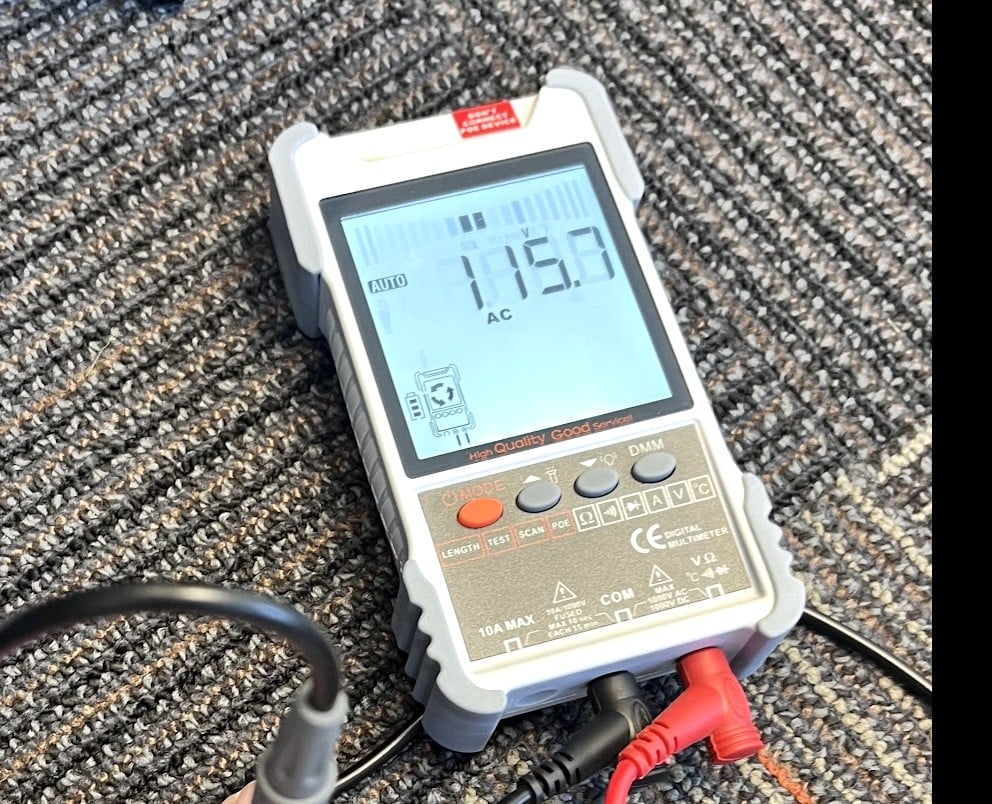
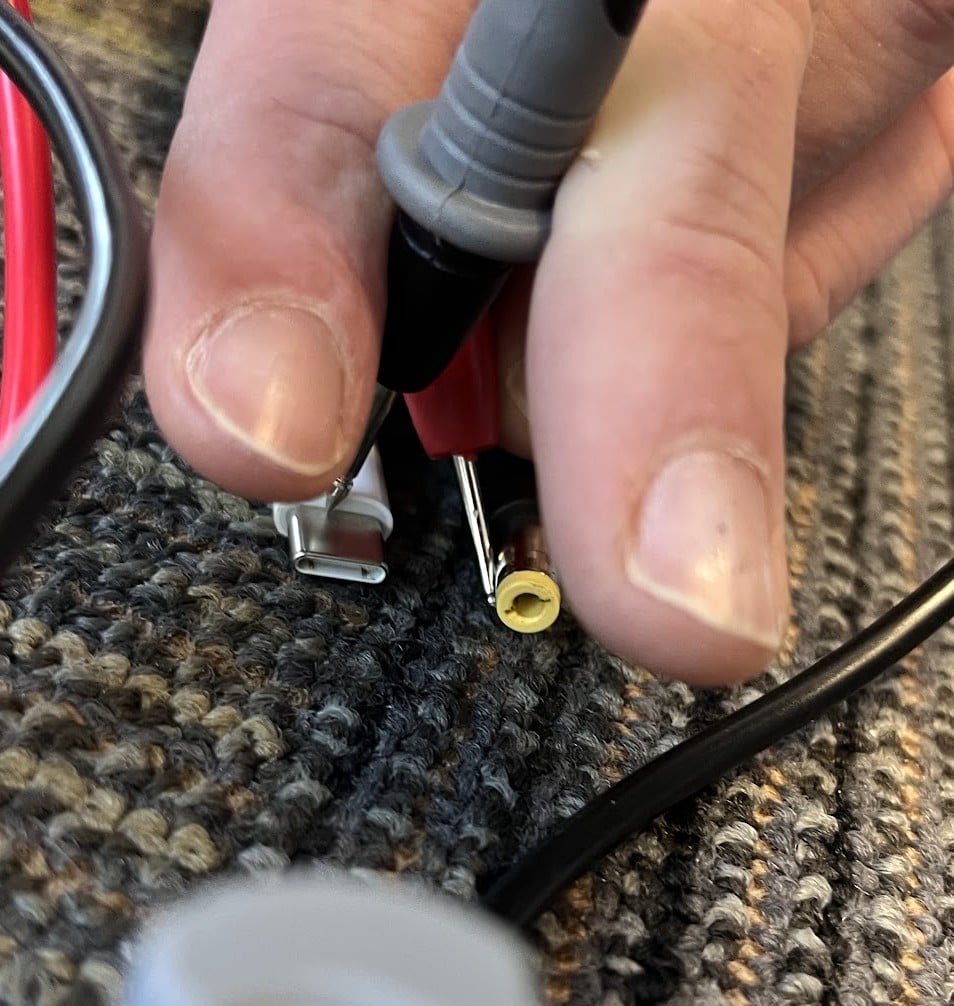
You can measure 115V AC at up to 0-1amp*(!!) when bridging the two cable shields with a multimeter.


I measured this consistently across:
2x apple USBC adaptors, 1x 20W, 1x 140W for the unearthed adaptors.
2x AC to DC adaptors, 1x 135W and 1x 230W for the earthed adaptors.
2x USB C-C cables from the Apple adaptors.


This is what you're experiencing and why it tingles.

Would love an explanation but for now it's just 'one of those' modern mysteries.


Shop now for Lego sets and other gifts (affiliate link).
Aaron2222
220 posts

Master Geek
+1 received by user: 111


  #3480376 13-Apr-2026 11:34
Send private message quote this post

jamesrt:


You could TRY going down the CGA route and suggesting to Apple that being continuously electrocuted by their product perhaps suggests it's not "fit for purpose".


I don't like your chances, however.


Considering it's not a safety hazard (just annoying), and Apple are far from the only ones with this problem, I'd say your chances are approximately zero.


Your other option is to look for a 3rd-party grounded USB-C adapter, though that's not a guarantee either (I've used one that still had a bit of a tingle). And yes, it is stupid that Apple doesn't just provide grounded duckhead plugs.


qwertee
736 posts

Ultimate Geek
+1 received by user: 259

Lifetime subscriber

  #3480381 13-Apr-2026 12:00
Send private message quote this post

I experience the same tingling and vibrating feeling when I use my Microsoft Surface Pro4 with the 2 prong power adapter.
Just lived with this as I  dont use it when its being charged.


Must try the 3 prong larger adapter and see if I get the same effect.  ( Assume the earth pin will make this leak disappear)


Shindig
1622 posts

Uber Geek
+1 received by user: 362

Trusted

  #3480390 13-Apr-2026 12:06
Send private message quote this post

I notice it if I bridge the gap, with my hand between my Mac and my work laptop.


The little things make the biggest difference.


geek3001
221 posts

Master Geek
+1 received by user: 331

ID Verified
Subscriber

  #3480392 13-Apr-2026 12:14
Send private message quote this post

I am not a sparky, however I believe that this is an issue across any and all switch mode power supplies that have only a phase and neutral connection on the mains input side, rectify mains voltage directly ahead of converting it to a lower DC output voltage, have no internal isolation and no proper earth connection to the power supply's chassis.


The output, despite being low voltage, is "floating" above mains earth as the low voltage negative connection is neither bonded nor referenced to mains earth, and thus there is a small (leakage?) current that we humans feel as a tingle when we touch any metal parts on the device being powered.


I have felt this when touching the antenna cable for TV's with said non-earthed switch mode power supplies. Powering the TV via a mains isolation transformer removes the problem, as the mains input is then isolated from ground, so no "tingle" is felt. I used to have a National Quintrix TV that had a live chassis with no earth connection. Both sides of the coaxial antenna cable were capacitively coupled to the chassis, but it was still possible to get a painful but relatively harmless zap when touching the antenna cable when the TV was on. 


A TV installer told me that back in the old days when TV's had linear power supplies with a mains transformer that effectively isolated the low voltage side from the mains, and the chassis was grounded, the chance of a shock or tingle was low, whereas as newer TV's with switch mode power supplies came along, it was vital to ensure the TV was powered OFF and ideally the antenna cable disconnected before they climbed a ladder to have a look at an antenna, lest they touch it and get a shock off it while the TV was off and in standby mode.


 1 | 2
Filter this topic showing only the reply marked as answer View this topic in a long page with up to 500 replies per page Create new topic


Geekzone Live »

Try automatic live updates from Geekzone directly in your browser, without refreshing the page, with Geekzone Live now.


Are you subscribed to our RSS feed? You can download the latest headlines and summaries from our stories directly to your computer or smartphone by using a feed reader.