Geekzone: technology news, blogs, forums
Guest
Welcome Guest.
You haven't logged in yet. If you don't have an account you can register now.


Niber

43 posts

Geek
+1 received by user: 3


#320123 8-Jul-2025 20:25
Send private message

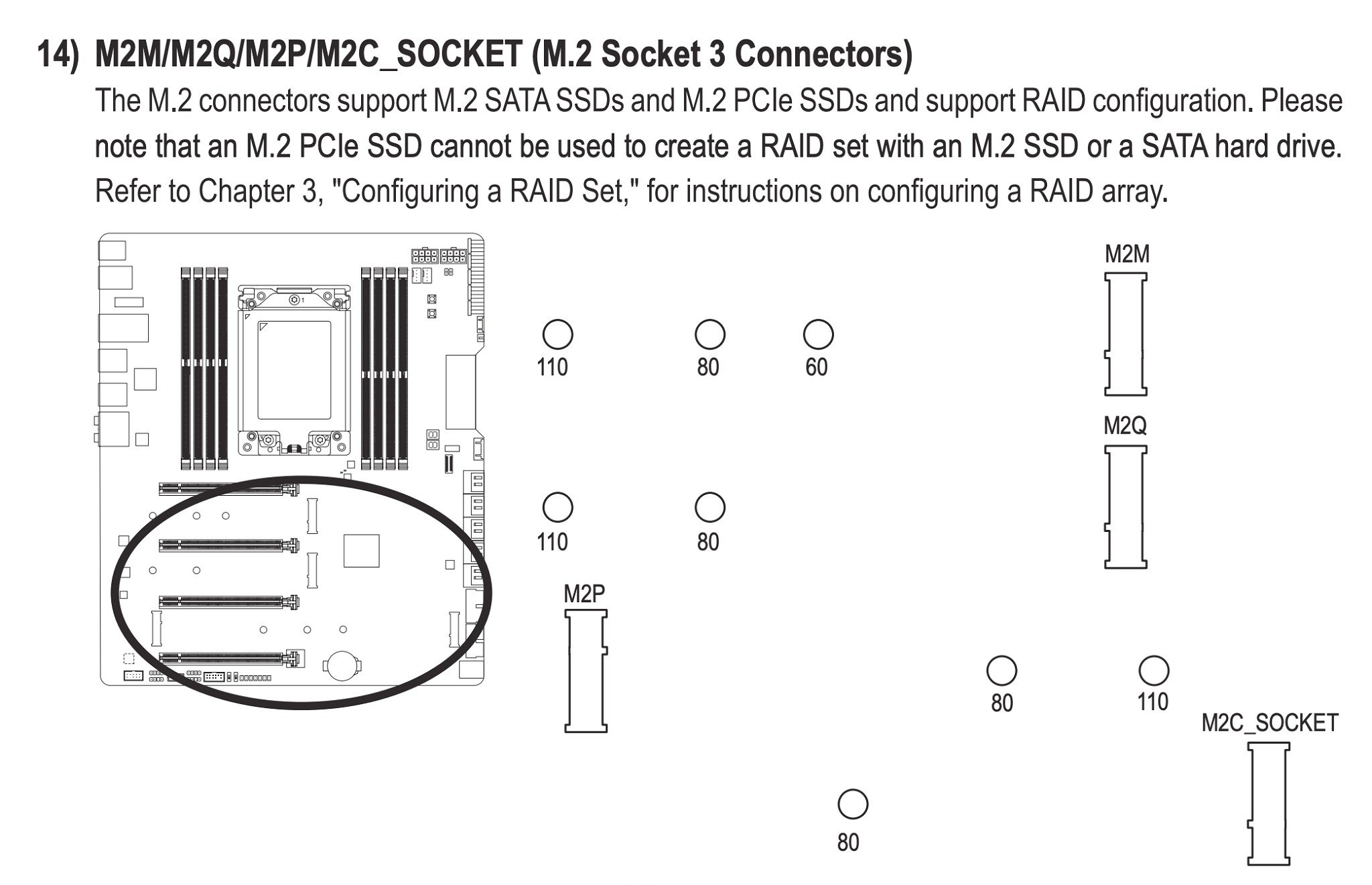
My motherboard comes with 4 m2 slots. I don't care about RAID but I very much care that my fastest m2 (990 pro) isn't being nerfed,


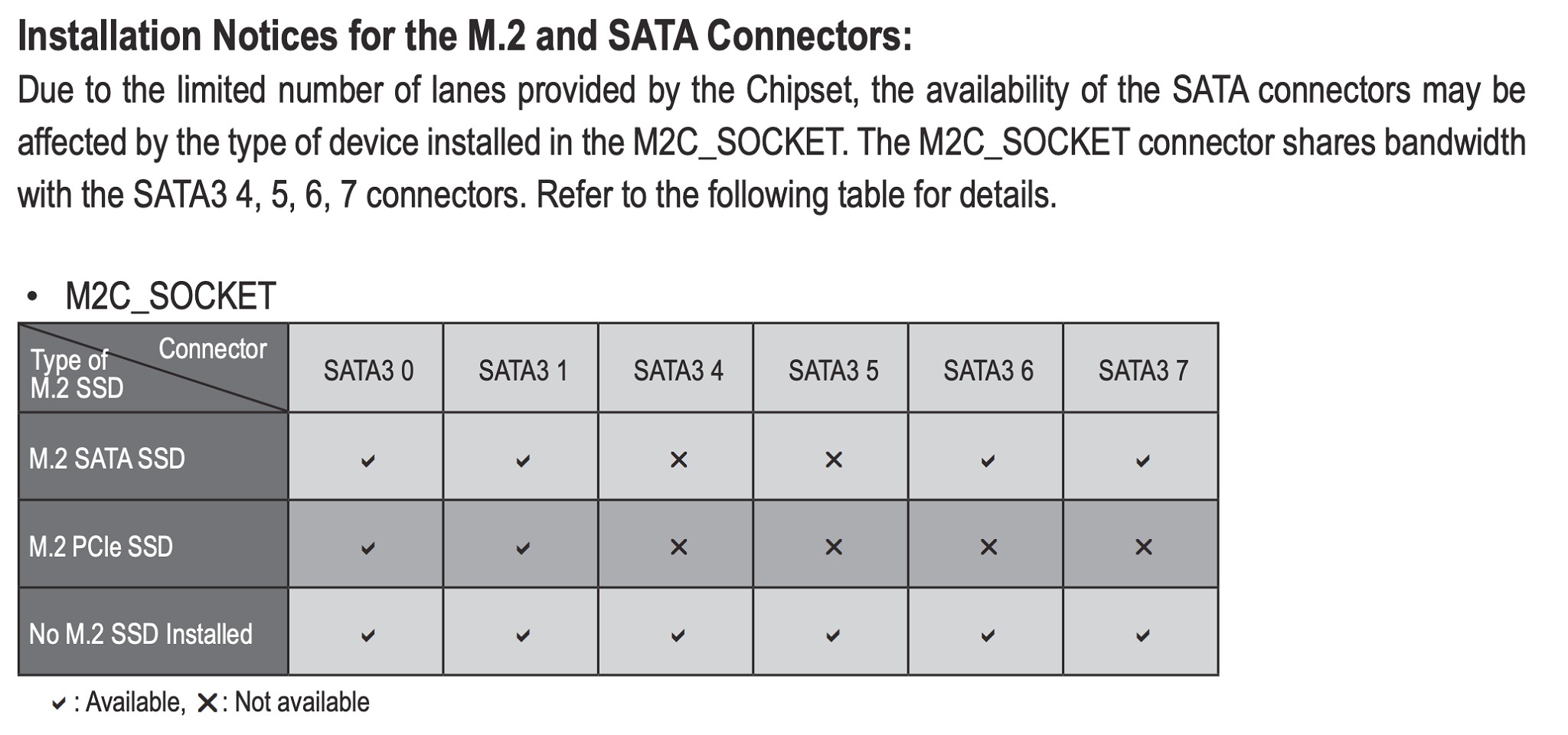
but this chart at the bottom is saying some jargon I just don't understand, do I need to understand it or can I just put my various M2 nvme drives (some fast, some super budget/slow) whereever I want?


Create new topic

This is a filtered page: currently showing replies marked as answers. Click here to see full discussion.

Jase2985
13735 posts

Uber Geek
+1 received by user: 6216

ID Verified
Lifetime subscriber

  #3392154 8-Jul-2025 21:25
Send private message

Its saying that if you have a PCIE NVME in M2C socket then you will only have SATA ports 0 and 1 available as they share bandwidth.


I would use M2M and M2Q as the primary slots then M2P and as your last resort M2C


I doubt you will notice much difference in day to day if you were yo use M2C


Create new topic


Geekzone Live »

Try automatic live updates from Geekzone directly in your browser, without refreshing the page, with Geekzone Live now.


Are you subscribed to our RSS feed? You can download the latest headlines and summaries from our stories directly to your computer or smartphone by using a feed reader.
