Geekzone: technology news, blogs, forums
Guest
Welcome Guest.
You haven't logged in yet. If you don't have an account you can register now.


PaulFNZ

20 posts

Geek


#274583 29-Aug-2020 22:32
Send private message

Hiya


My NF18ACV logs all look like this:
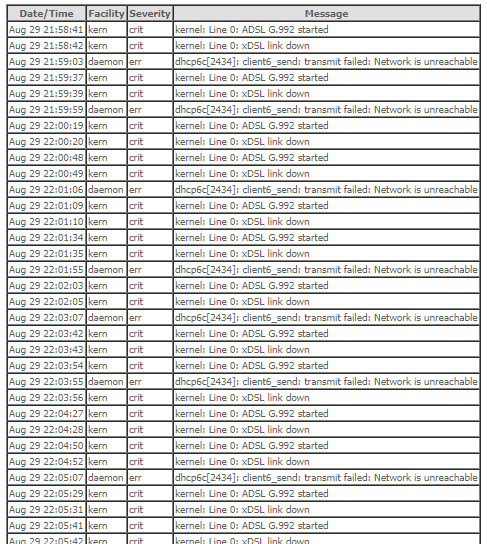


As you can see it looks like it is constantly trying to connect. Seems a bit weird, would have thought this would be off for a fibre connection, but I know nothing...


What does concern me though is it's memory graph is maxed out...
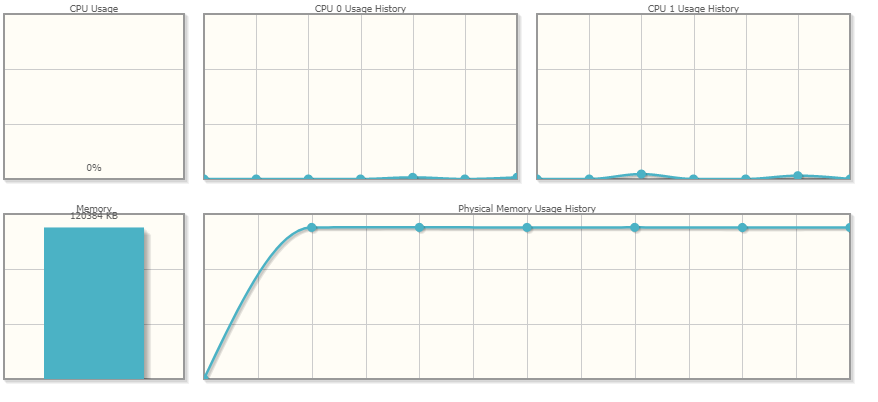


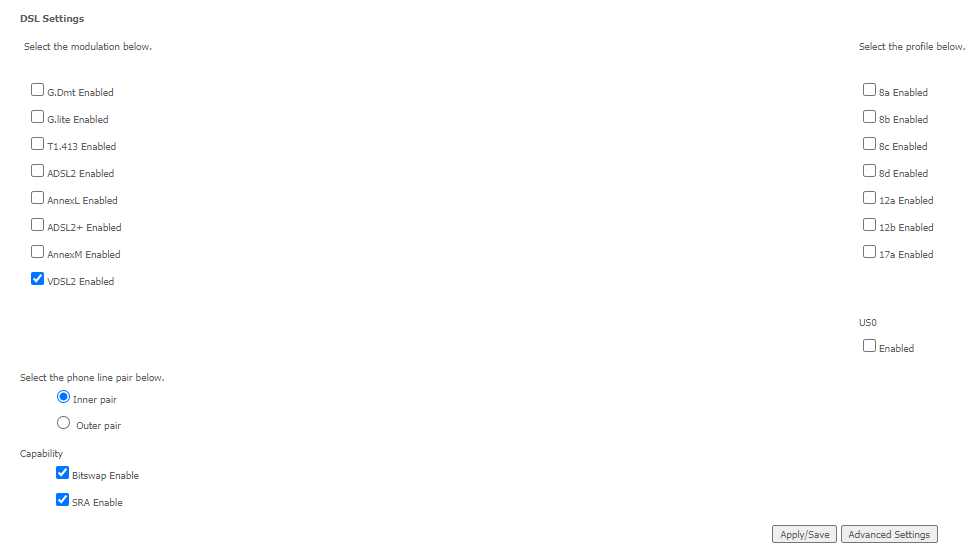
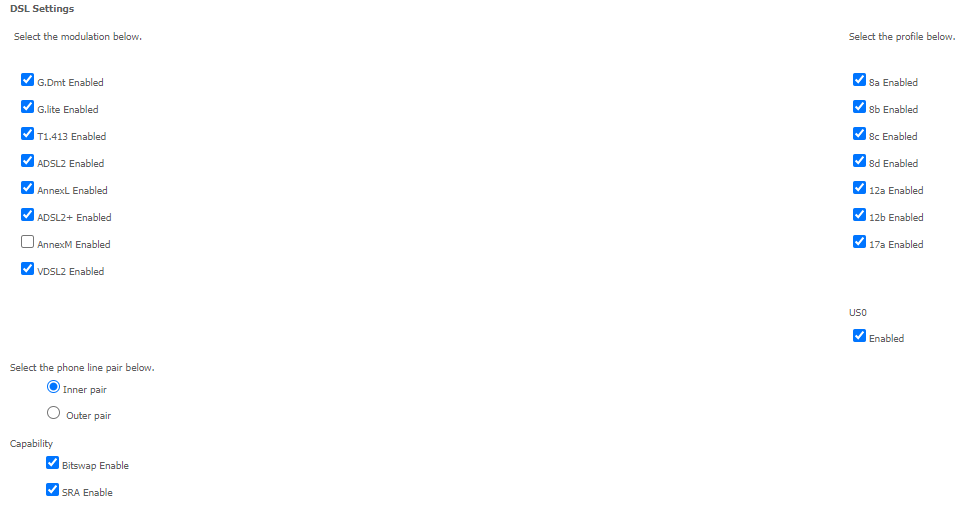
Should I be removing DSL in the settings? If so; exactly which? Just every checkbox under "DSL"?
 

I assume I should just leave the WAN service interfaces alone?


Thanks for the advice!
Paul


Filter this topic showing only the reply marked as answer View this topic in a long page with up to 500 replies per page Create new topic
 1 | 2
PaulFNZ

20 posts

Geek


  #2552167 29-Aug-2020 22:33
Send private message

Ok so I tried disabling all of those but got the message "Need to select at least one modulation mode."


So I guess there's more to it?


hio77
'That VDSL Cat'
13036 posts

Uber Geek
+1 received by user: 3896

ID Verified
Trusted
Lizard Networks
Subscriber

  #2552176 29-Aug-2020 23:04
Send private message

Unplug the dsl cable...


#include <std_disclaimer>


Any comments made are personal opinion and do not reflect directly on the position my current or past employers may have. 


PaulFNZ

20 posts

Geek


  #2552177 29-Aug-2020 23:07
Send private message

Ahh, I don't understand... This is fibre, so just ethernet to the ONT.


hio77
'That VDSL Cat'
13036 posts

Uber Geek
+1 received by user: 3896

ID Verified
Trusted
Lizard Networks
Subscriber

  #2552194 30-Aug-2020 01:10
Send private message

Seems weird that it would dial at all if it can't see a dsl signal at all.


#include <std_disclaimer>


Any comments made are personal opinion and do not reflect directly on the position my current or past employers may have. 


PaulFNZ

20 posts

Geek


  #2552248 30-Aug-2020 09:53
Send private message

Yup the DSL port is empty.

Jase2985
13735 posts

Uber Geek
+1 received by user: 6216

ID Verified
Lifetime subscriber

  #2552251 30-Aug-2020 10:00
Send private message

remove the xDSL pppoe connection profile from the interface?


Shop now for Dyson appliances (affiliate link).
Jase2985
13735 posts

Uber Geek
+1 received by user: 6216

ID Verified
Lifetime subscriber

  #2552252 30-Aug-2020 10:00
Send private message

factory reset it and run the wizard for fibre?


PaulFNZ

20 posts

Geek


  #2552257 30-Aug-2020 10:19
Send private message

Jase2985:


remove the xDSL pppoe connection profile from the interface?


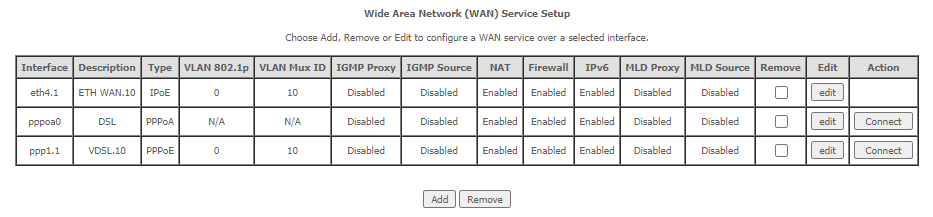
Would I just hit delete on the 2nd and 3rd line here?


l43a2
1784 posts

Uber Geek
+1 received by user: 591

ID Verified
Trusted

  #2552261 30-Aug-2020 10:47
Send private message

PaulFNZ:


Jase2985:


remove the xDSL pppoe connection profile from the interface?


Would I just hit delete on the 2nd and 3rd line here?


should do the trick


PaulFNZ

20 posts

Geek


  #2552436 30-Aug-2020 15:24
Send private message

Turns out it didn't!! Logs were still flooded with connection attempts/errors. So weird.
Went through the 'easy setup' again - still no luck.


The only way I got rid of it was to deselect all modulations except VDSL2, then deselect all of it's profiles...


Maybe it does need a factory reset.


Anyone else on fibre with this symptom? Logs clogged with DSL errors and/or high memory usage at idle?
Maybe the memory issue isn't really an issue at all.


concordnz
492 posts

Ultimate Geek
+1 received by user: 277

Trusted
EMT (R)

  #2552614 30-Aug-2020 20:32
Send private message

Did that change fix the Memory usage problem?


Shop now on Samsung phones, tablets, TVs and more (affiliate link).
PaulFNZ

20 posts

Geek


  #2552677 30-Aug-2020 22:04
Send private message

concordnz: Did that change fix the Memory usage problem?

Nope, still high as a kite!

But this is well outside my expertise; maybe they just show allocated RAM rather than in use? It'd make the graph pointless then though... So yeah ...
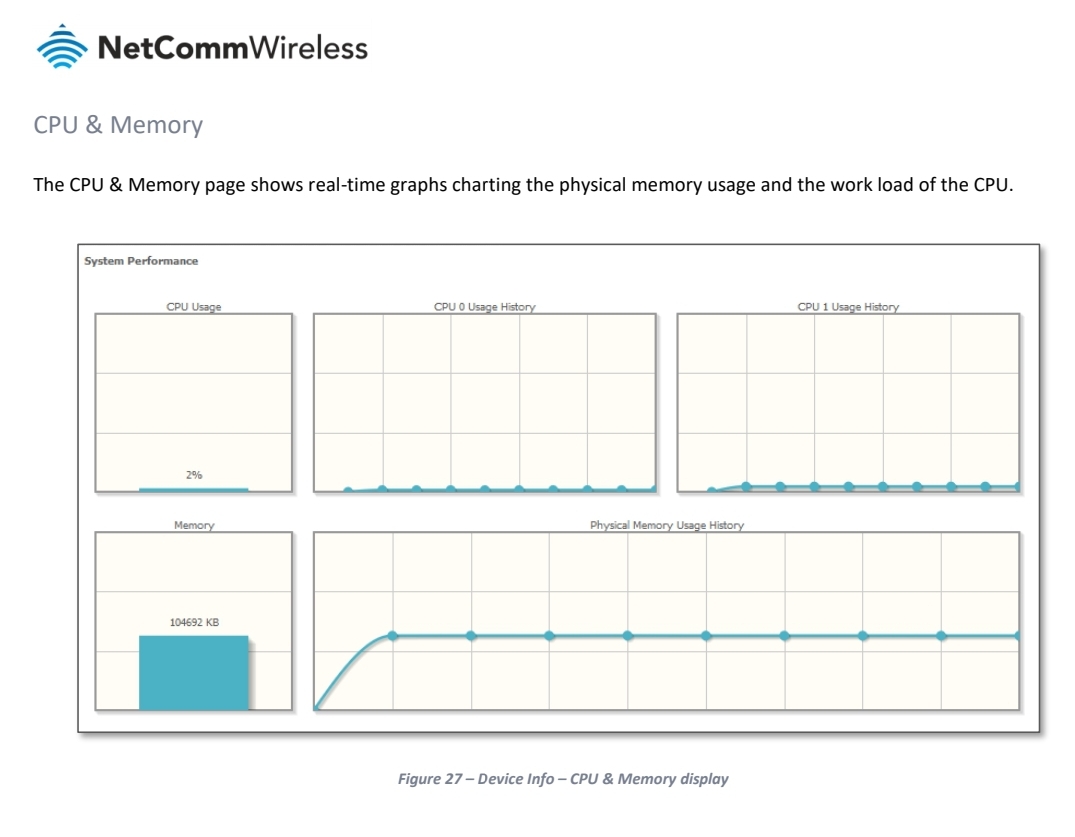
Funny as the manual shows a screenshot that's not this high!

I'd be interested in anecdotal reports from other users of this device.

PaulFNZ

20 posts

Geek


  #2552681 30-Aug-2020 22:13
Send private message

This is from the manual:

Yakcall
17 posts

Geek
+1 received by user: 6


  #2552853 31-Aug-2020 09:17
Send private message

So I have the same router/modem as you but on Trustpower, I appear to get that same high memory issue. I can't seem to get any logs though but do swear it appears like my fibre (or something else) isn't keeping a constant connection (connects/drops/connects again) which as per my own trouble posted on this forum, I'm starting to wonder is the issue with getting Google Wifi connected.


linw
2893 posts

Uber Geek
+1 received by user: 1205


  #2553160 31-Aug-2020 14:09
Send private message

Mine shows the same memory usage but why is high memory usage a problem? What is the point of having memory if it isn't used? Just maybe it likes using the memory to speed up its processes.


 1 | 2
Filter this topic showing only the reply marked as answer View this topic in a long page with up to 500 replies per page Create new topic


Geekzone Live »

Try automatic live updates from Geekzone directly in your browser, without refreshing the page, with Geekzone Live now.


Are you subscribed to our RSS feed? You can download the latest headlines and summaries from our stories directly to your computer or smartphone by using a feed reader.