Geekzone: technology news, blogs, forums
Guest
Welcome Guest.
You haven't logged in yet. If you don't have an account you can register now.


mentalinc

3384 posts

Uber Geek
+1 received by user: 1023

Trusted

#316083 15-Sep-2024 12:43
Send private message

Hey All


I'm trying to replace a failed smoke detector, the current Detector is end of life so needed to get the latest model - https://www.aap.co.nz/shop/pirs-detectors/Smoke++Heat+Detectors/NB338-4ARB.html


I've it's an Arrowhead alarm Elite S Lite.


The current detector is wired like this:
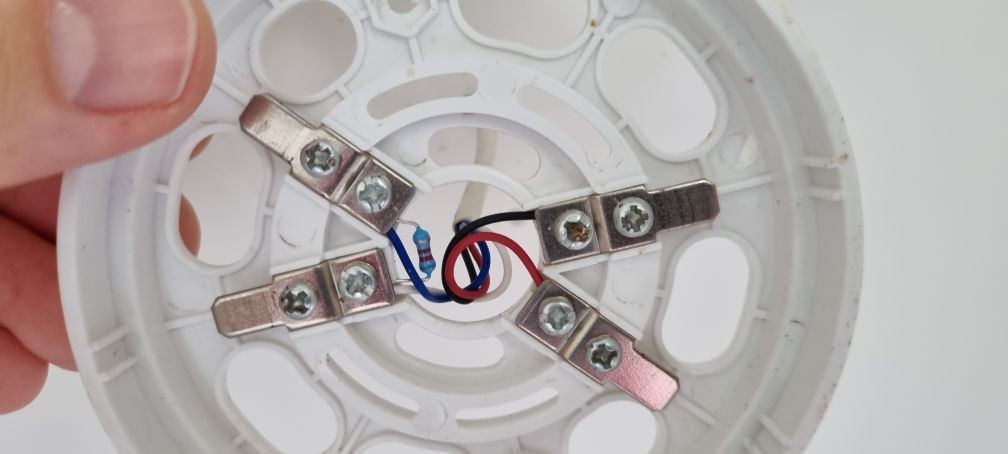


and the wiring diagram: https://www.aap.co.nz/site/aap/files/Detectors/VST-LS881AH%20SMOKE.pdf 


The wiring diagram for the new detector looks like this.
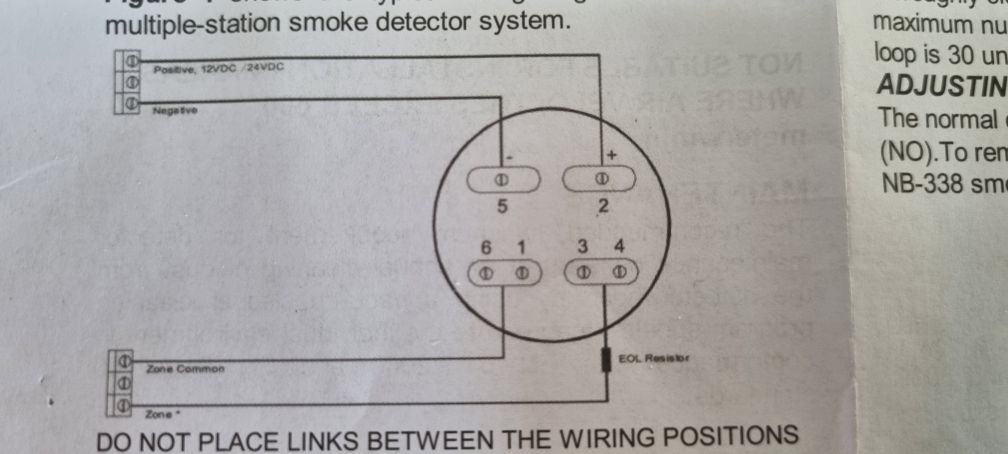


When I wire up the new detector like this one of the house alarm zones detects motion all the time, and there is no voltage to the new detector (no flashing lights)


I note that in the old detector the EOL resistor goes between the Zone Common and Zone, but new one has them on opposite sides and not connected at all.


So looking for guidance on how I should look to wire up the new detector, do I ignore the wiring diagram and bridge the EOL resistor between 3+4 and 6+1? which is how the old Detector was wired?



CPU: AMD 5900x | RAM: GSKILL Trident Z Neo RGB F4-3600C16D-32GTZNC-32-GB | MB:  Asus X570-E | GFX: EVGA FTW3 Ultra RTX 3080Ti| Monitor: LG 27GL850-B 2560x1440


Quic: https://account.quic.nz/refer/473833 R473833EQKIBX 


Create new topic

This is a filtered page: currently showing replies marked as answers. Click here to see full discussion.

Feagun
11 posts

Geek
+1 received by user: 3

ID Verified

  #3282309 15-Sep-2024 13:43
Send private message

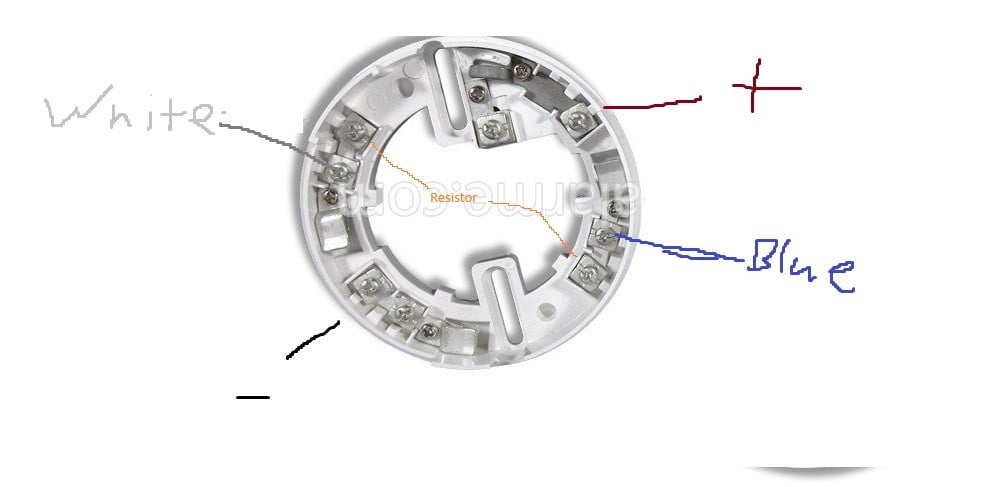
I am the worst person in the world at MS paint but if its the detector i think it is it, should be wired like this 


Create new topic


Geekzone Live »

Try automatic live updates from Geekzone directly in your browser, without refreshing the page, with Geekzone Live now.


Are you subscribed to our RSS feed? You can download the latest headlines and summaries from our stories directly to your computer or smartphone by using a feed reader.