Trusted
 Quic Broadband
hamish225:
Did you guys notice any particular brand(s) of router doing this?
Snapshot across ~23 recent requests shows ASUS standing out, but certainly a mix of vendors.
VMware, Inc.
Synology Incorporated
Intel Corporate
ASUSTek COMPUTER INC.
ASUSTek COMPUTER INC.
ASUSTek COMPUTER INC.
ASUSTek COMPUTER INC.
ASUSTek COMPUTER INC.
Ubiquiti Inc
ASUSTek COMPUTER INC.
ASUSTek COMPUTER INC.
ASUSTek COMPUTER INC.
Routerboard.com
Routerboard.com
ASUSTek COMPUTER INC.
Routerboard.com
Routerboard.com
Synology Incorporated
Routerboard.com
Apple, Inc.
Routerboard.com
ASUSTek COMPUTER INC.
Gurezaemon:
After getting support from Quic to resolve my original issue, I am now connected with DHCP, but (coincidentally...?) am having lots of trouble connecting to lots of sites that load just fine when I run the PC through tethering on my phone.
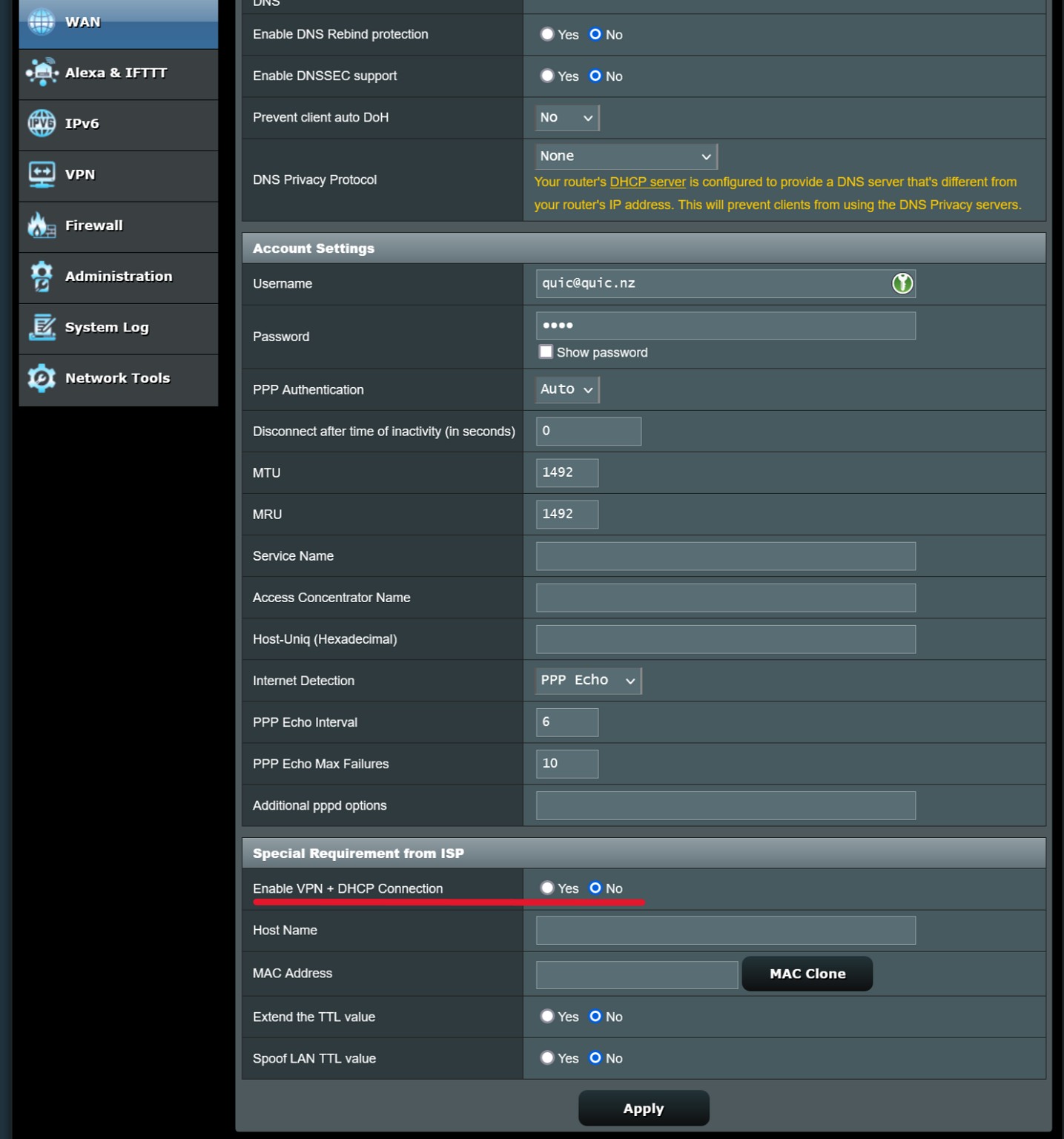
I'm on an Asus router, which doesn't make it obvious to my bird-brain how to disable DHCP, and so as per the instructions to "either disable the DHCP client or PPPoE dialer" I selected the only one I could figure out, thus disabling PPPoE by switching to Automatic IP.
To be honest, I'd like to return to PPPoE as it seemed more stable (although I know it shouldn't make any difference) but some routers make it less than intuitive... 😖
If you have IPoE/DHCP stood up and can access the internet, you shouldn't be experiencing issues at this point. I'd have a check just to see if the MTU of your router is set to 1500 bytes, which i'd imagine it probably would be.
You're absolutely able to move back to PPPoE, but will need to find where that DHCP client is hiding in your router. Once found, disable it, wait up to 30 minutes for your lease to die off on our side, and PPPoE will be available for use.
Just going a little Googling, I did see that apparently in the WAN settings of ASUS routers, there is a "DHCP query frequency" selection, which by default is set to "Aggressive mode". It could be worth changing this setting if you're wanting to swap to PPPoE (by no means am I giving support or saying this is how to disable the DHCP client/make it not so overwhelming with its requests, just something I spotted and potentially worth looking at)
As @michaelmurfy has pointed out, IPoE/DHCP authentication is currently pre-production, as we are waiting on a couple more back-office items to be completed. Making use of it now might work for you, but no guarantees. Official announcement will be coming soon which I'll put up as a new thread when the time comes. 🙂


 ID Verified