|
|
|
disabling ipv6 isn't a solution
CPU: AMD 5900x | RAM: GSKILL Trident Z Neo RGB F4-3600C16D-32GTZNC-32-GB | MB: Asus X570-E | GFX: EVGA FTW3 Ultra RTX 3080Ti| Monitor: LG 27GL850-B 2560x1440
Quic: https://account.quic.nz/refer/473833 R473833EQKIBX
mentalinc:disabling ipv6 isn't a solution
What router do you have?
Have you checked config?
CPU: AMD 5900x | RAM: GSKILL Trident Z Neo RGB F4-3600C16D-32GTZNC-32-GB | MB: Asus X570-E | GFX: EVGA FTW3 Ultra RTX 3080Ti| Monitor: LG 27GL850-B 2560x1440
Quic: https://account.quic.nz/refer/473833 R473833EQKIBX
mentalinc:
What router do you have?
Have you checked config?
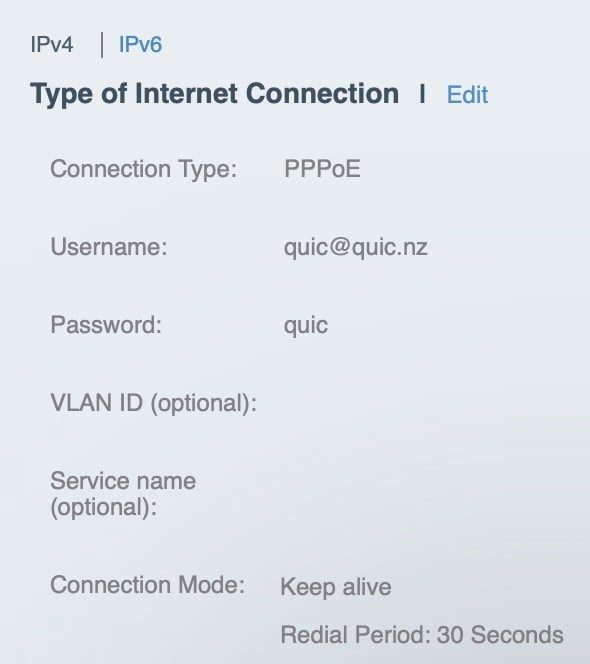
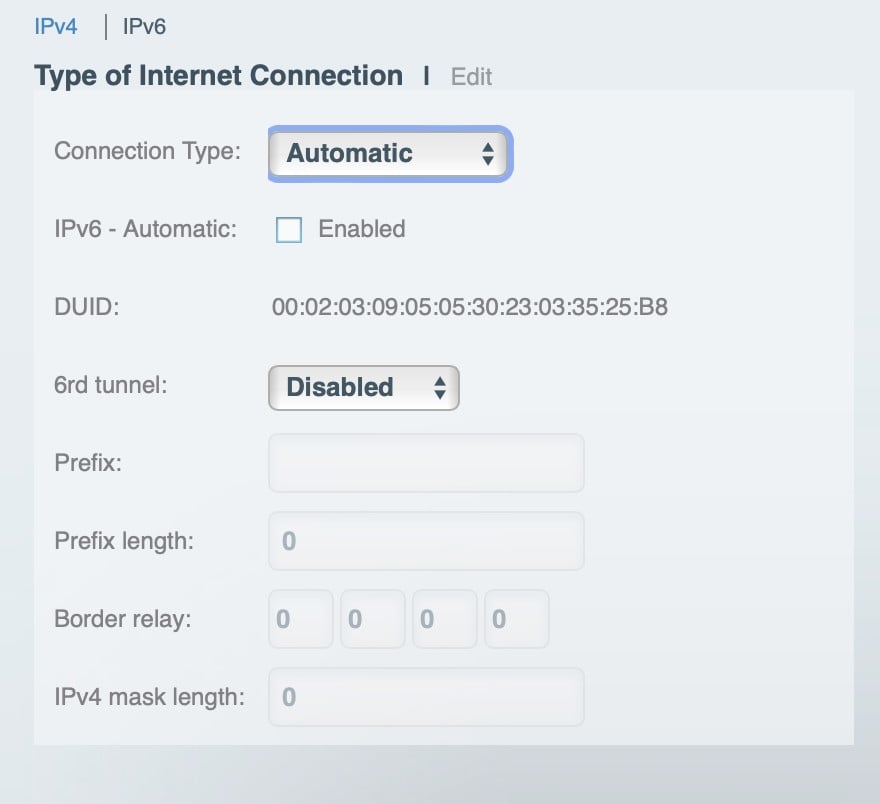
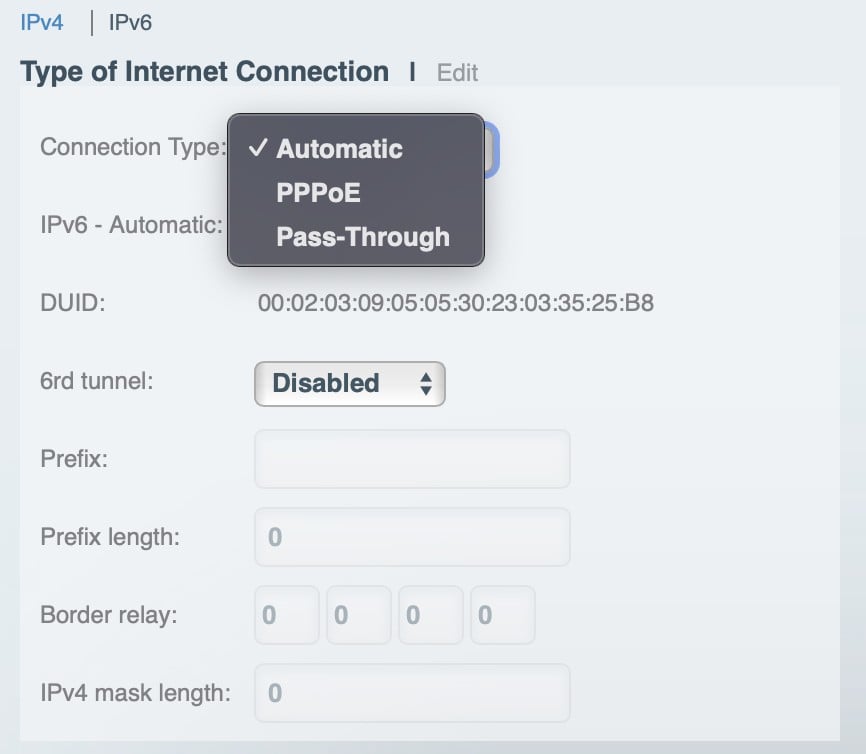
WHW0101 Linksys Velop router, these are the settings. Have tried using the pppoe option in ipv6 with no luck.


The manual says "You can choose how your Velop system connects to the internet. The default is Automatic Configuration – DHCP"
So Automatic is setting it to DHCP...
CPU: AMD 5900x | RAM: GSKILL Trident Z Neo RGB F4-3600C16D-32GTZNC-32-GB | MB: Asus X570-E | GFX: EVGA FTW3 Ultra RTX 3080Ti| Monitor: LG 27GL850-B 2560x1440
Quic: https://account.quic.nz/refer/473833 R473833EQKIBX
Dodgeyboye: Yeah I know that, but when I select pppoe for ipv6 it still tries to connect with dhcp. I wonder if the pass through mode works. Anyway Quic shouldn’t even be having this issue it’s ridiculous.
You're saying an ISP should cater and test for 100% of routers and configuration out there? This is why providers normally only suggest using their own provided router often refusing support for anything else. I know Quic is an exception here, but same thing applies, an ISP can't test every single router but instead is reliant on routers doing what they should by following standards.
It sounds like you've still got a configuration problem somewhere on your router still. As I don't personally have one of these routers I can't test but this is hardly an ISP problem. PPPoE with Automatic IPv6 should in theory work here. It might require a reboot to get it working? Not sure, but again, your router doing something incorrectly isn't your ISP's fault.
Michael Murphy | https://murfy.nz
Referral Links: Quic Broadband (use R122101E7CV7Q for free setup)
Are you happy with what you get from Geekzone? Please consider supporting us by subscribing.
Opinions are my own and not the views of my employer.
Factory reset might help as well as a full power off (not just reboot)
CPU: AMD 5900x | RAM: GSKILL Trident Z Neo RGB F4-3600C16D-32GTZNC-32-GB | MB: Asus X570-E | GFX: EVGA FTW3 Ultra RTX 3080Ti| Monitor: LG 27GL850-B 2560x1440
Quic: https://account.quic.nz/refer/473833 R473833EQKIBX
richms: If doing a DHCP request breaks your ability to connect then I would say that yes, this is an ISP issue for responding to the DHCP request in that way before they are ready to support connecting by it.
This is actually pretty standard practice. On Spark for example if you do DHCP requests while you have a PPPoE session up you'll get blacklisted for a while (see this thread: https://www.geekzone.co.nz/forums.asp?forumid=39&topicid=248813&page_no=1#2215010 ) - there are multiple examples of this occurring.
The difference here is there is no secret that Quic will be supporting DHCP soon alongside PPPoE but if you didn't know this then it is still a router misconfiguration causing an issue.
Michael Murphy | https://murfy.nz
Referral Links: Quic Broadband (use R122101E7CV7Q for free setup)
Are you happy with what you get from Geekzone? Please consider supporting us by subscribing.
Opinions are my own and not the views of my employer.
Hi all,
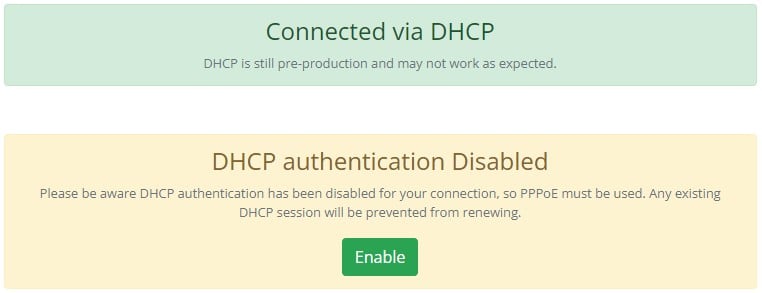
We've been busy behind the scenes building functionality to stop this situation, being rogue DHCP clients in some routers with no ability to disable while using PPPoE.
If you're in a scenario where we are receiving both DHCP & PPPoE requests from your router (and as such, you're receiving the dual-dialer warning in your account portal), first please try and stop one of the dialers in your router.
However, as we've learned, some routers simply will continue a non-functional DHCP client in the background regardless of configuration, risking service continuity if your PPPoE drops.
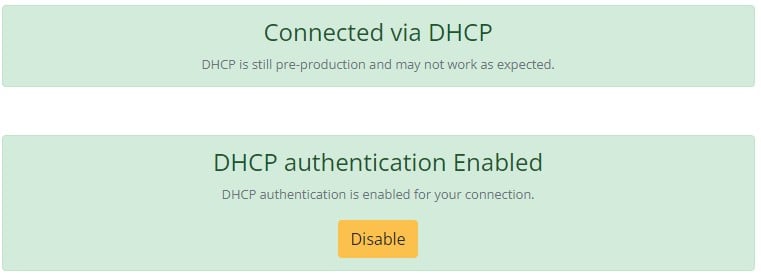
In these scenarios, we've now implemented the ability for you to disable DHCP authentication on our side. This simply sees us ignore DHCP requests from your connection. You can toggle enabling/disabling this in your account portal.

This is of course enabled by default, so both DHCP & PPPoE will be permitted by default.
Thanks for all the feedback and bringing this to our attention! 🧡
Further note: DHCP still not officially released yet, wait just a liiiittle bit longer while we continue to squash any other bugs...
Quic Broadband
quic.nz - The telco who puts you in charge!
Exclusive for Geekzone Members!
Dynamic IP & Bring Your Own Device Hyperfibre & Fibre plans & NO Contracts with Hyperline.co.nz powered by ASN 9790 Network
Chrous areas only HYPERLINE.co.nz
Keen to know if the same static IP is retained when switching pppoe / dhcp (assuming this is the plan) or a different static subnet?
And if there's a delay when switching pppoe / dhcp assuming it takes a bit of time to timeout/reconfigure?
Matt
|
|
|