Geekzone: technology news, blogs, forums
Guest
Welcome Guest.
You haven't logged in yet. If you don't have an account you can register now.


View this topic in a long page with up to 500 replies per page Create new topic
1 | 2 | 3 
squareeyes123
83 posts

Master Geek
+1 received by user: 30


  #3255410 1-Jul-2024 23:38
Send private message

@CYaBro - How did you get on with this. I'm in the same boat with my UDM Pro. Just finally decided to try IPv6 and no dice.


https://discord.com/channels/1252522948368007168/1253974164445069393/threads/1257287442461884437


I don't have IPv6 enabled on my local currently as have a bunch of firewall rules to translate. I guess I'll set up a VLAN dedicated first to test. But no WAN IP.


Edit: Working now I have set up IPv6 on the LAN side.


BlackrazorNZ
41 posts

Geek
+1 received by user: 24

ID Verified

  #3265625 28-Jul-2024 22:04
Send private message

Chalk me up as another person trying to get IPv6 working on a Dream Machine SE.

I’ve got the WAN to Quic set up for DHCPv6/PD and manually configured the Google and Cloudflare DNS’s.


I’ve also configured my default VLAN to use IPv6 via Prefix Delegation and SLAAC


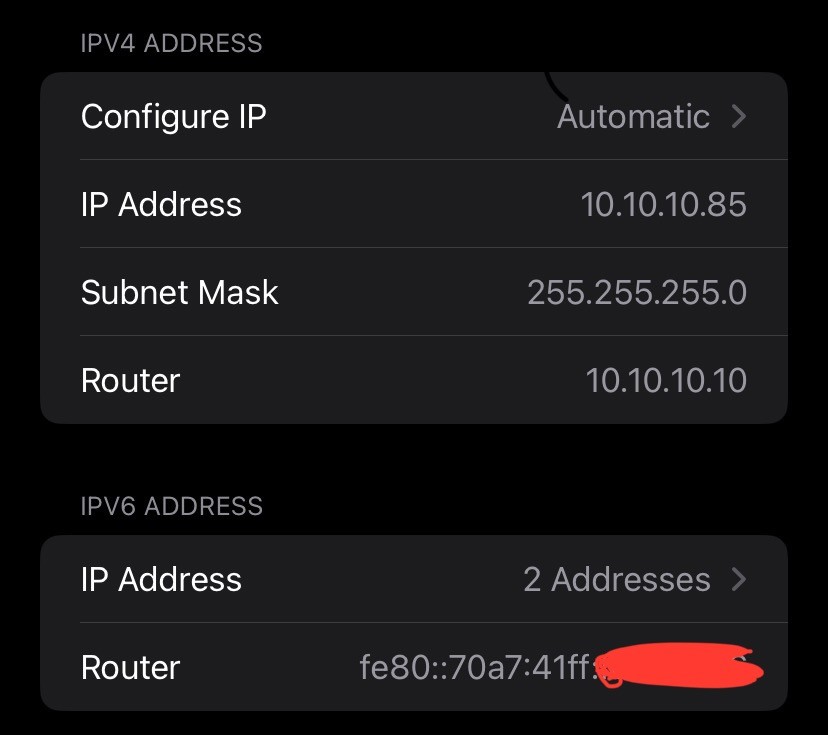
On doing so, I can see (once I reinitialised my connection) that my phone is now assigned IPv6 addresses, where it was not before.


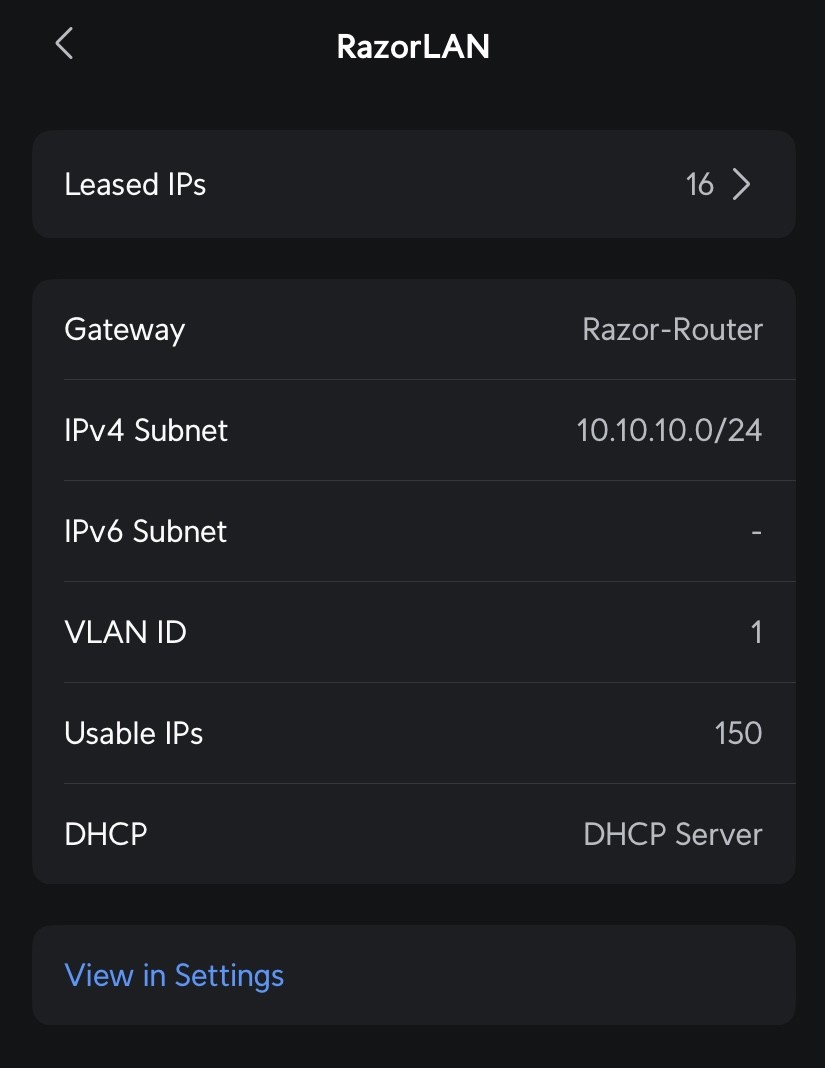
However, the Unifi client does not show an IPv6 subnet active…


… my network tool cannot see an external IPv6 address on the router…


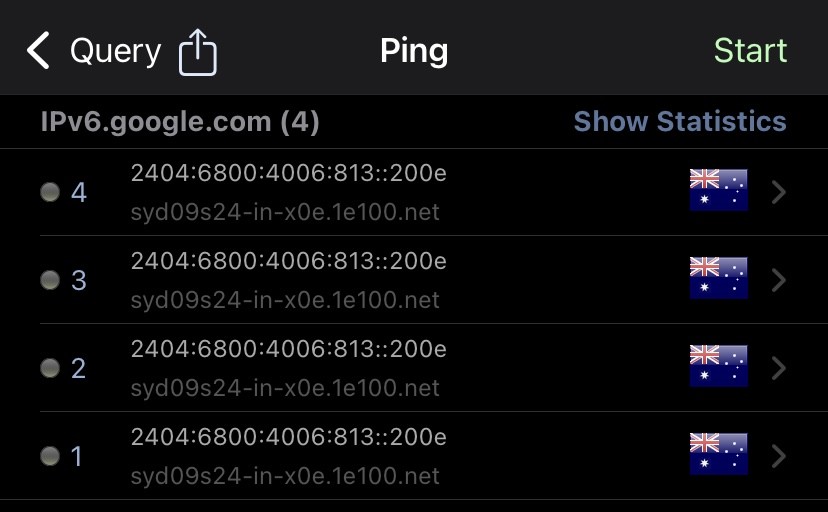
… and i cannot ping IPv6 external addresses from a LAN client device, despite the IPv4 pings working fine.


Any idea where to from here? Near as I can tell, this should be set up ‘right’ but it appears to be only half there.


EDIT : Should also mention that I still get the dreaded 0/10 on Test-IPv6.com


michaelmurfy
meow
13581 posts

Uber Geek
+1 received by user: 10914

Moderator
ID Verified
Trusted
Lifetime subscriber

  #3265653 28-Jul-2024 22:44
Send private message

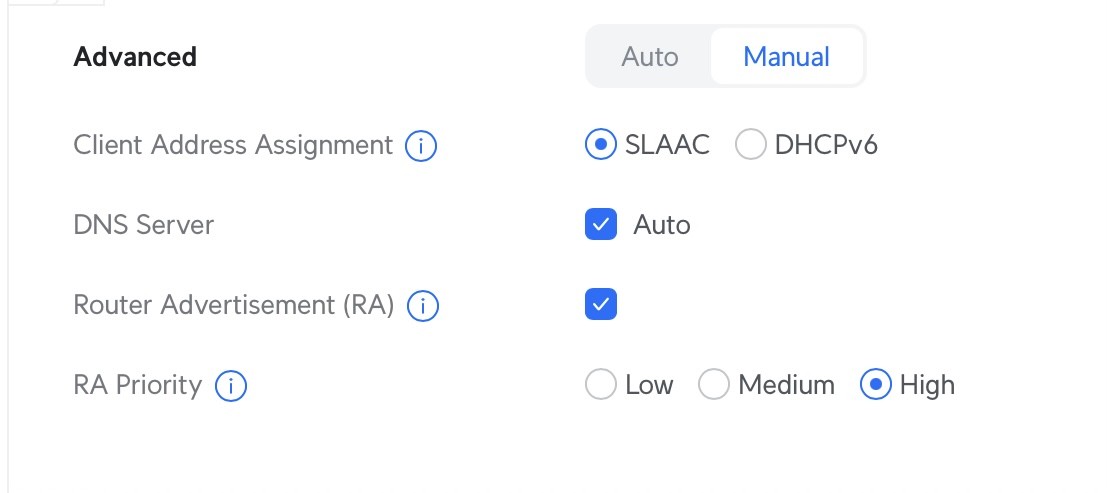
@BlackrazorNZ first screenshot, use SLAAC instead of DHCPv6. Rest looks fine. 


Michael Murphy | https://murfy.nz
Referral Links: Quic Broadband (use R122101E7CV7Q for free setup)

Are you happy with what you get from Geekzone? Please consider supporting us by subscribing.
Opinions are my own and not the views of my employer.


BlackrazorNZ
41 posts

Geek
+1 received by user: 24

ID Verified

  #3265665 29-Jul-2024 06:10
Send private message

michaelmurfy:

@BlackrazorNZ first screenshot, use SLAAC instead of DHCPv6. Rest looks fine. 


Thanks. I switched it to SLAAC, restarted the DMSE, and then renewed my client lease.

Symptoms persist as above. I get assigned an IPv6 address at the local client level that fits within the assigned Quic IPv6 PD range (per their control panel) but I do not get an externally visible IP on the connection and I:

- cannot ping ipv6.google.com, although evidently the DNS relay on the router is able to resolve the FQDN to the IPv6 address as seen above
- cannot ping the link local fe80: address of the router
- CAN ping the 2407: global IPv6 address of the router (per assigned DNS gateway)


CYaBro

4708 posts

Uber Geek
+1 received by user: 1182

ID Verified
Trusted

  #3265668 29-Jul-2024 07:23
Send private message

michaelmurfy:

@BlackrazorNZ first screenshot, use SLAAC instead of DHCPv6. Rest looks fine. 


I don’t know what I did to eventually get IPv6 working on my udm se but it is set to dhcpv6 rather than slaac and I’m not going to change it as it does seem to have been working for a while now!

I suspect it’s been working since I switched the ipv4 connection back to pppoe.
Not sure if that has any affect on the IPv6 connection though.


Opinions are my own and not the views of my employer.


BlackrazorNZ
41 posts

Geek
+1 received by user: 24

ID Verified

  #3265689 29-Jul-2024 08:40
Send private message

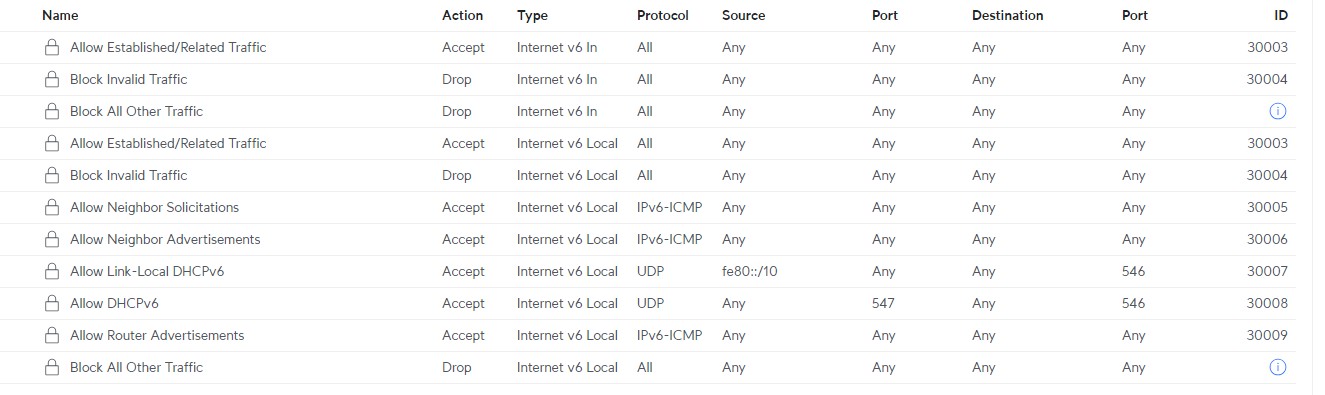
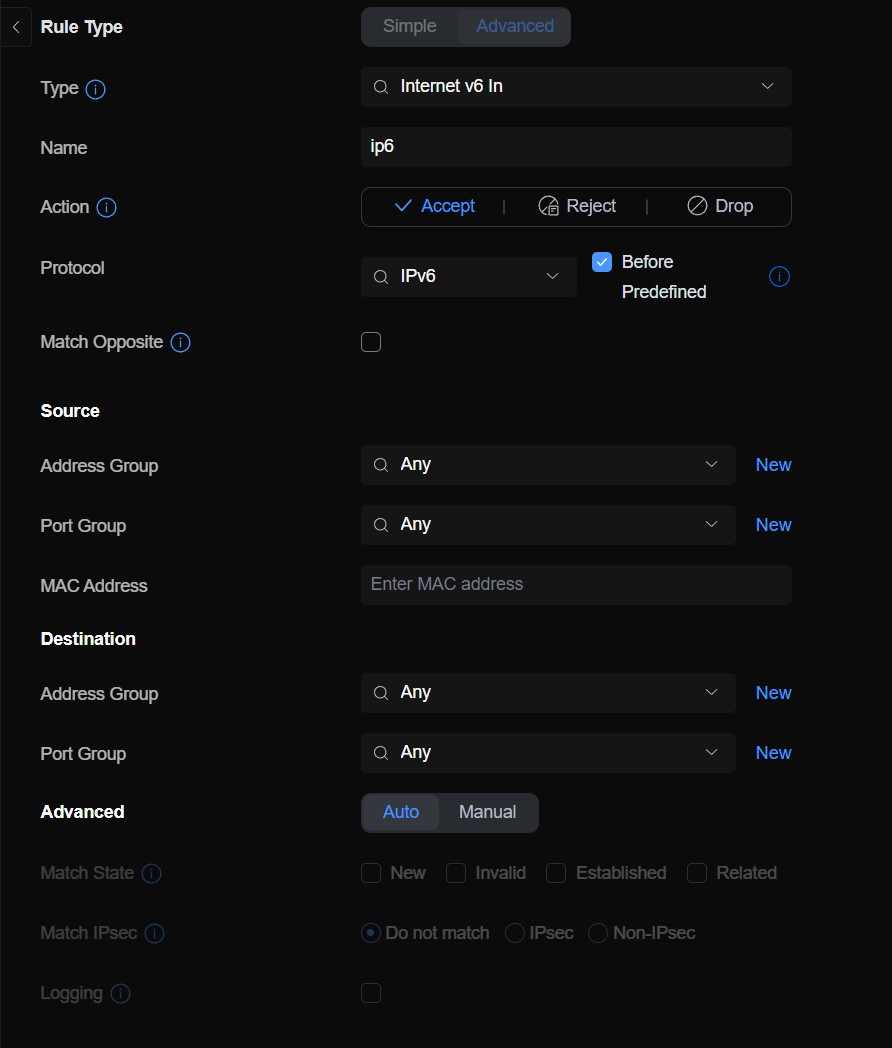
This is unlikely to be the cause of the issue as others with DMSE's on this thread have their IPv6 networks working fine and these are all default rules, but for completeness, below are the default firewall rules applicable to IPv6 just to check if any could cause any issue with connectivity.


I have now enabled IPv6 on the NICs on multiple devices on my default VLAN, all are assigned the correct global IPv6 and also an fe80: link-local address, however all of them remain unable to ping external IPv6 IP's.


As a further data point : I can ping devices just fine on the IPv6 address assigned via Tailscale to those on my Tailscale network which includes two devices (iPhone and NAS) that both cannot ping normal external IPv6 addresses.


Want to support Geekzone and browse the site without the ads? Subscribe to Geekzone now (monthly, annual and lifetime options).
SumnerBoy
2079 posts

Uber Geek
+1 received by user: 306

ID Verified
Lifetime subscriber

  #3265692 29-Jul-2024 08:43
Send private message

This has been working fine on my UDM Pro, after following MM's advice on how to set it up, for the last few months. However I just checked this morning and it is no longer working. I wonder if a Unifi update has changed something, or has something on Quics end changed? I tried a few different things but nothing seems to work now, no IPV6 indicator on Geekzone and all the IPv6 test sites are failing.


I have disabled for now.


BlackrazorNZ
41 posts

Geek
+1 received by user: 24

ID Verified

  #3265873 29-Jul-2024 15:46
Send private message

Yes likewise I've disabled IPv6 for the moment - I can get IP's assigned etc internal to the network and it aligns with the prefix delegated, but the ability to ping across clients is patchy (I can ping from my PC to the NAS and from Home Assistant to the NAS, but not from PC to Home Assistant or vice versa) and any ability to connect to any external IPv6 host is completely non existent.


Plus I can connect to AdGuard Home LXC but it can't itself resolve IPv6 DNS upstreams, without which it's useless for IPv6 resolution, and therefore I can't really use DNS rewrites for internal HTTPS connections to my personal domain.


I'll fight the battle at a later date when the Unifi IPv6 technology is more mature.


BlackrazorNZ
41 posts

Geek
+1 received by user: 24

ID Verified

  #3271271 14-Aug-2024 07:05
Send private message

Left this for a little bit and then came back to give it another go. Still not working, driving me a bit bananas tbh.


IPv6 connection on the WAN is set up to be configured correctly (FYI have tried both SLAAC and DHCPv6, no difference, I left it on DHCPv6 since that's what Quic's router config says to do).


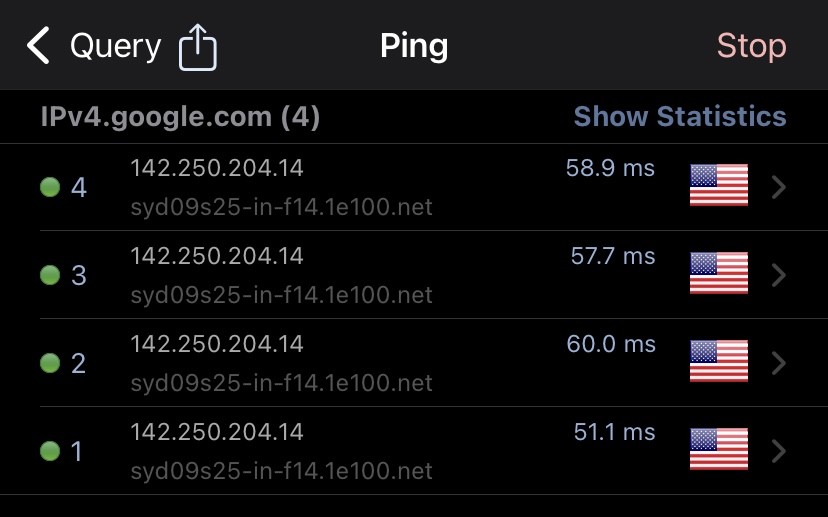
SSHing into the router, I can ping 8.8.8.8 (Google DNS IPv4) directly from the router, but I cannot ping 2001:4860:4860:8888 (Google DNS IPv6).


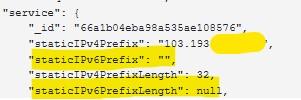
The 'Active Sessions' payload dump in the Quic portal shows a delegated IPv6 prefix:


... but no static IPv6 (not sure if this matters):


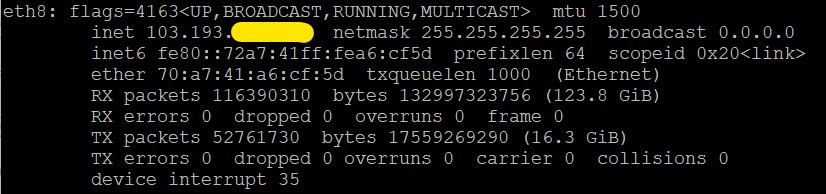
And finally, despite having configured the DHCPv6 cofig correctly as above, the WAN port on the router shows no IPv6 global address (only link local) on the WAN.


Any suggestions? Or am i just stuck working without IPv6? (which makes Matter based home automation a pain since it relies on IPv6...)


Thanks.


SanchoNZ
15 posts

Geek
+1 received by user: 13

Trusted

  #3271291 14-Aug-2024 08:32
Send private message

I had to create a firewall rule before mine worked, could be incorrect but it's what fixed mine personally.


BlackrazorNZ
41 posts

Geek
+1 received by user: 24

ID Verified

  #3271293 14-Aug-2024 08:43
Send private message

... I dont think I want IPv6 so badly that I'm prepared to create an 'accept any traffic from the internet to/from IPv6 addresses' firewall rule to make it work, but thank you regardless.


Shop on-line at New World now for your groceries (affiliate link).
CYaBro

4708 posts

Uber Geek
+1 received by user: 1182

ID Verified
Trusted

  #3271322 14-Aug-2024 09:41
Send private message

My UDM SE seems to have been working for some time now and I'm not sure what I did to make it work!


I think it could be when I switched back to PPPoE.


I didn't have to create any firewall rules, I know that much, as they are created automatically when you enable IPv6.


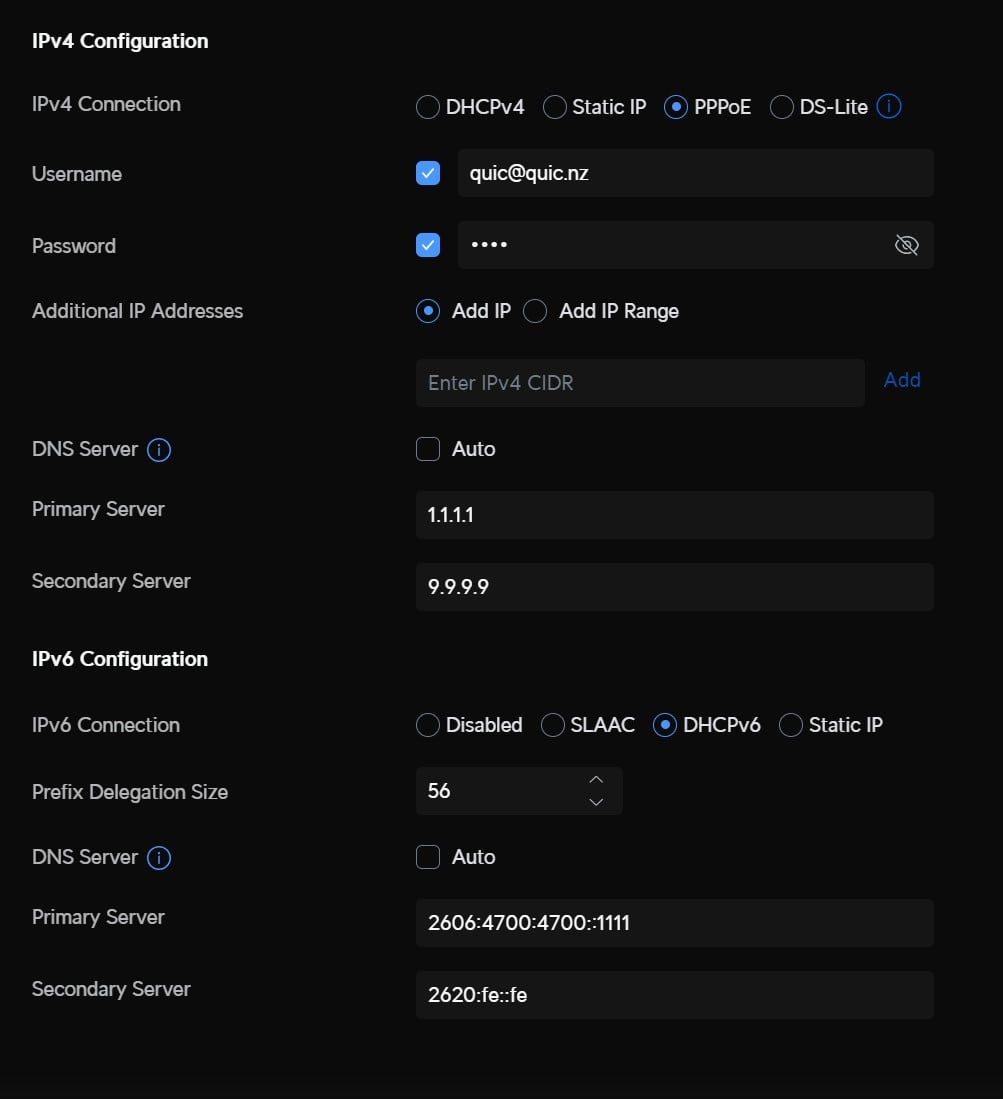
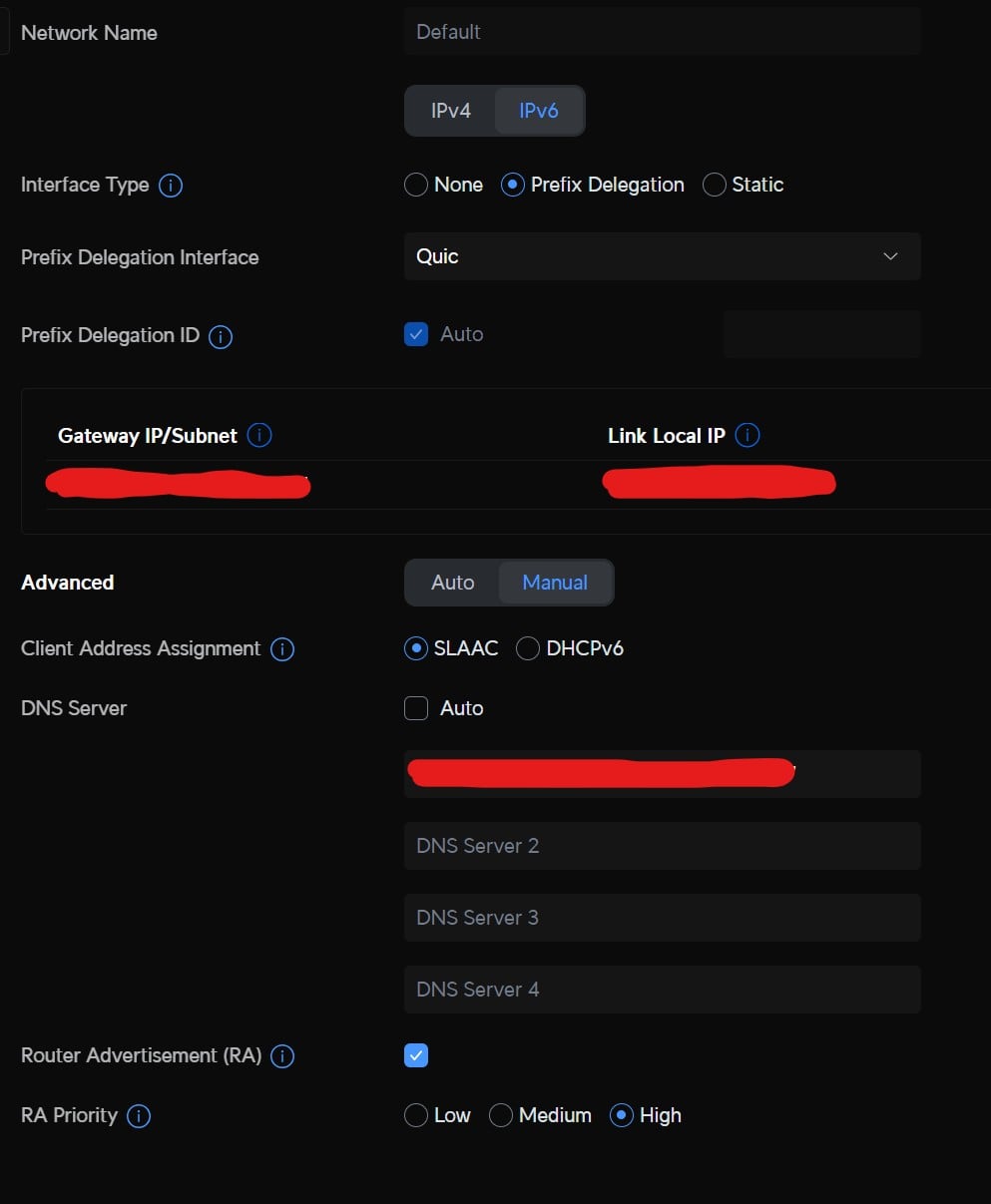
This is what my config looks like.


Internet Page: (as you can see no IPv6 address shows there)


The Quic config: (The IPv6 DNS servers are Cloudflare and quad9, same as IPv4)


Default Network IPv6 config: (DNS Server is my local DNS Server IPv6 address)


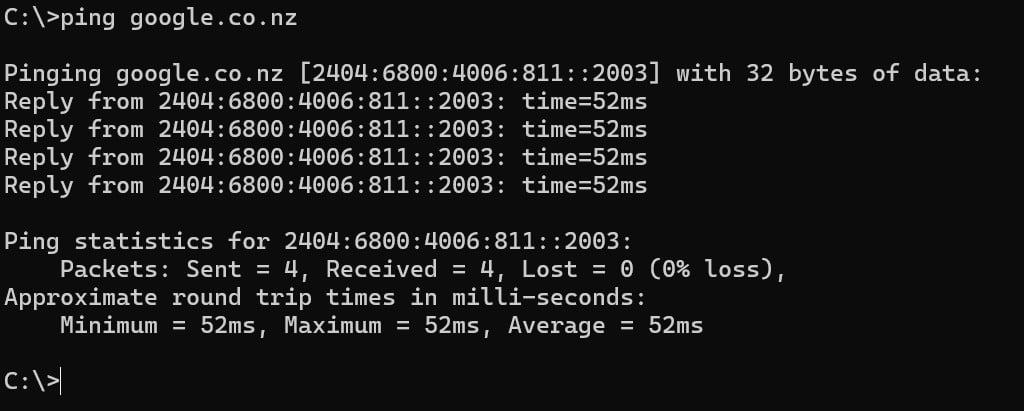
Devices on the default network are currently working and don't seem to have lost IPv6 intermittently like it was doing originally.


Opinions are my own and not the views of my employer.


jrdobbs
106 posts

Master Geek
+1 received by user: 73


  #3271672 15-Aug-2024 06:55
Send private message

BlackrazorNZ:


... I dont think I want IPv6 so badly that I'm prepared to create an 'accept any traffic from the internet to/from IPv6 addresses' firewall rule to make it work, but thank you regardless.


You could try dropping your firewall briefly just to test if (or if not) your ipv6 connection works. I'm no expert with ipv6 but it might be that the ipv6 router advertisements might be being blocked by your firewall, hence no ipv6 connection.


Just a thought...


I don't practice what I preach because I'm not the kind of person I'm preaching to.


1 | 2 | 3 
View this topic in a long page with up to 500 replies per page Create new topic


Geekzone Live »

Try automatic live updates from Geekzone directly in your browser, without refreshing the page, with Geekzone Live now.


Are you subscribed to our RSS feed? You can download the latest headlines and summaries from our stories directly to your computer or smartphone by using a feed reader.