Geekzone: technology news, blogs, forums
Guest
Welcome Guest.
You haven't logged in yet. If you don't have an account you can register now.


turtleattacks

1008 posts

Uber Geek
+1 received by user: 305

Trusted

#324219 13-Mar-2026 14:34
Send private message quote this post

Hi guys, 

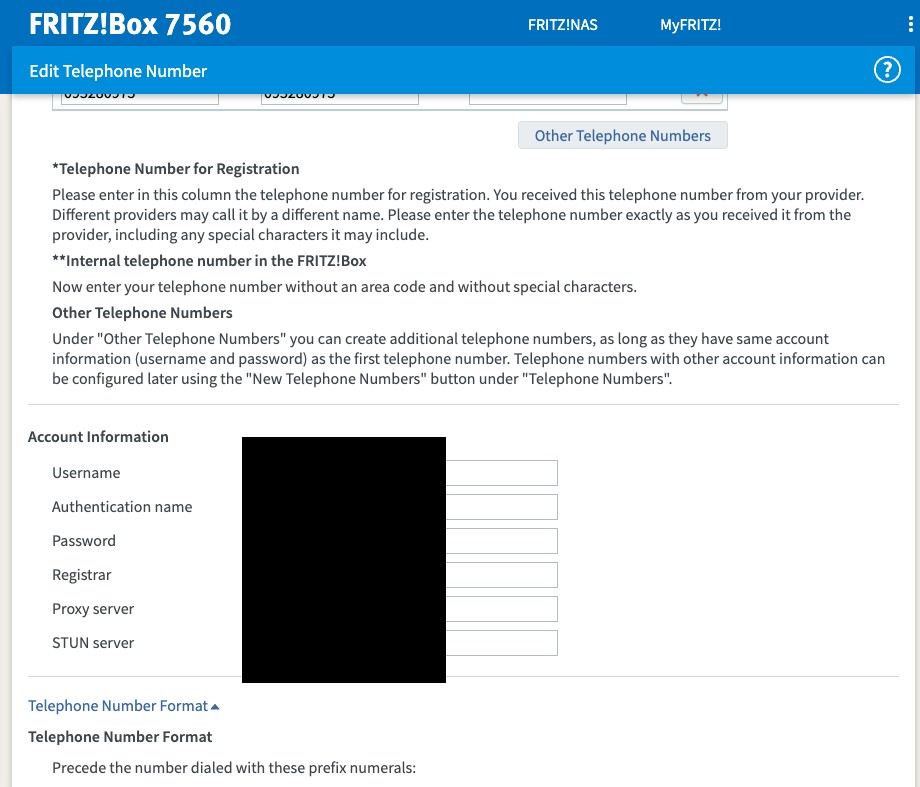
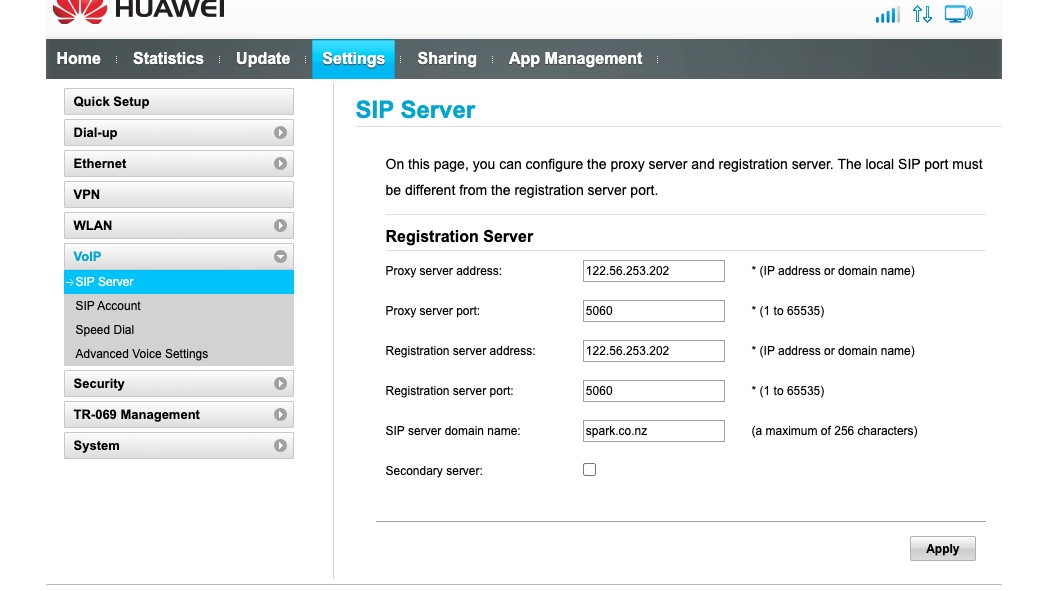
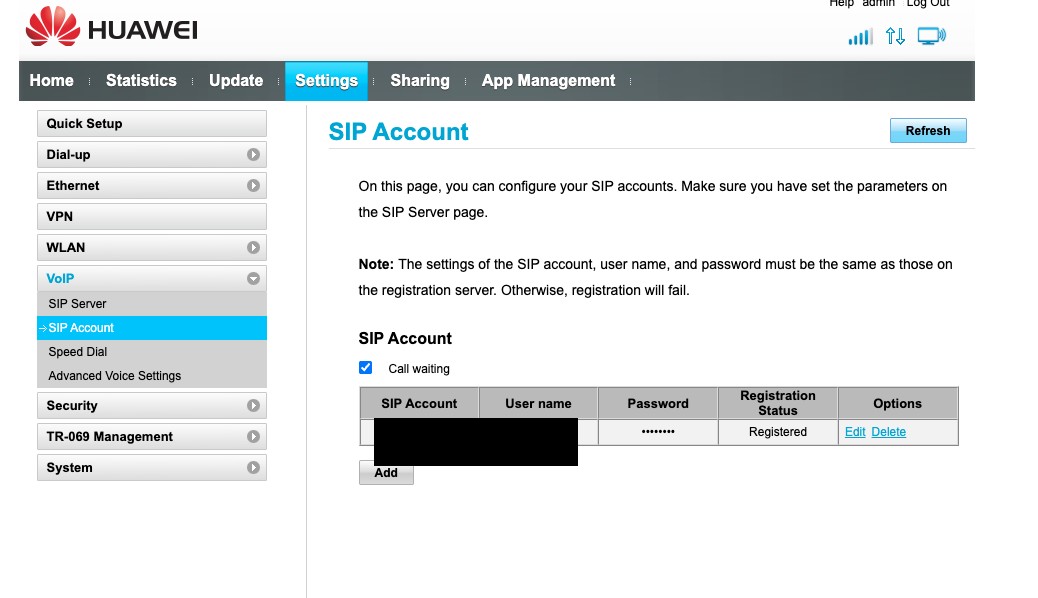
I'm having issues with setting up a VOIP landline that used to be connected to a wireless 4G router. 

Not too sure what the settings are, and even the password. 

Is this something I need to call up helpdesk with? 


Filter this topic showing only the reply marked as answer Create new topic
turtleattacks

1008 posts

Uber Geek
+1 received by user: 305

Trusted

  #3469766 13-Mar-2026 15:49
Send private message quote this post

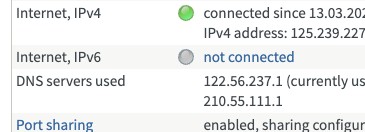
Just trying to find out what the settings are: 


Linux
12185 posts

Uber Geek
+1 received by user: 8478

Trusted
Lifetime subscriber

  #3469767 13-Mar-2026 16:04
Send private message quote this post

@turtleattacks As I understand I don't think SparkNZ will share any of the settings with you or even support you as you are using a 3rd party router


The SN / MAC of the hardware needs to be registered on the Spark VoIP platform as well


turtleattacks

1008 posts

Uber Geek
+1 received by user: 305

Trusted

  #3469768 13-Mar-2026 16:05
Send private message quote this post

Linux:


@turtleattacks As I understand I don't think SparkNZ will share any of the settings with you or even support you as you are using a 3rd party router


The SN / MAC of the hardware needs to be registered on the Spark VoIP platform as well


Arg, so in order to have a Spark VoIP line via the broadband service - one needs have a Spark router? 


Linux
12185 posts

Uber Geek
+1 received by user: 8478

Trusted
Lifetime subscriber

  #3469770 13-Mar-2026 16:13
Send private message quote this post

turtleattacks:


Linux:


@turtleattacks As I understand I don't think SparkNZ will share any of the settings with you or even support you as you are using a 3rd party router


The SN / MAC of the hardware needs to be registered on the Spark VoIP platform as well


Arg, so in order to have a Spark VoIP line via the broadband service - one needs have a Spark router? 


Correct


yitz
2239 posts

Uber Geek
+1 received by user: 594


  #3469772 13-Mar-2026 16:25
Send private message quote this post

8 character password try 'sparkims' 😁


turtleattacks

1008 posts

Uber Geek
+1 received by user: 305

Trusted

  #3469780 13-Mar-2026 17:00
Send private message quote this post

I was just told to connect the landline TEL cable directly to the ONT? Is this how it works now?


Shop now at Mighty Ape (affiliate link).
yitz
2239 posts

Uber Geek
+1 received by user: 594


  #3469783 13-Mar-2026 17:10
Send private message quote this post

Spark Fibre landline is ONT voice so yes connect to TEL port on ONT if on UFB/fibre.


https://www.geekzone.co.nz/forums.asp?forumid=49&topicid=174969 


turtleattacks

1008 posts

Uber Geek
+1 received by user: 305

Trusted

  #3469785 13-Mar-2026 17:17
Send private message quote this post

yitz:


Spark Fibre landline is ONT voice so yes connect to TEL port on ONT if on UFB/fibre.


https://www.geekzone.co.nz/forums.asp?forumid=49&topicid=174969 


Any setup at all required on the router? Or just connect directly to the ONT. 


yitz
2239 posts

Uber Geek
+1 received by user: 594


  #3469787 13-Mar-2026 17:21
Send private message quote this post

turtleattacks:


Any setup at all required on the router? Or just connect directly to the ONT. 


No need to set anything on the router to get the landline working as that is already separated out. For internet, just set to PPPoE with dummy username/password (basic alphanumeric) or DHCP. Connect router to one of the ETH ports on the ONT (usually ETH1).


turtleattacks

1008 posts

Uber Geek
+1 received by user: 305

Trusted

  #3469804 13-Mar-2026 17:28
Send private message quote this post

yitz:


turtleattacks:


Any setup at all required on the router? Or just connect directly to the ONT. 


No need to set anything on the router to get the landline working as that is already separated out. For internet, just set to PPPoE with dummy username/password (basic alphanumeric) or DHCP. Connect router to one of the ETH ports on the ONT (usually ETH1).


Internet/router works already. Do I just need to wait for Spark to activate the line on the ONT?


yitz
2239 posts

Uber Geek
+1 received by user: 594


  #3469806 13-Mar-2026 17:32
Send private message quote this post

Does the TEL light come on or start flashing when you plug in your analogue phone and use it?


What do you hear when you pick up the phone?


If not provisioned it's usually a sequence of 3 fast beeps/tones. You'll need to call Spark if that's the case.


https://www.spark.co.nz/help/landline/set-up/fibre-landline/ 


Filter this topic showing only the reply marked as answer Create new topic


Geekzone Live »

Try automatic live updates from Geekzone directly in your browser, without refreshing the page, with Geekzone Live now.


Are you subscribed to our RSS feed? You can download the latest headlines and summaries from our stories directly to your computer or smartphone by using a feed reader.