Geekzone: technology news, blogs, forums
Guest
Welcome Guest.
You haven't logged in yet. If you don't have an account you can register now.


freitasm

BDFL - Memuneh
80665 posts

Uber Geek
+1 received by user: 41106

Administrator
ID Verified
Trusted
Geekzone
Lifetime subscriber

#288356 23-Jun-2021 13:26
Send private message

I was working on my desktop via RDP, when I noticed a NVIDIA driver update available. I hit the button to install it.


After installation, the RDP window looks like this - local session on the desktop is just fine:
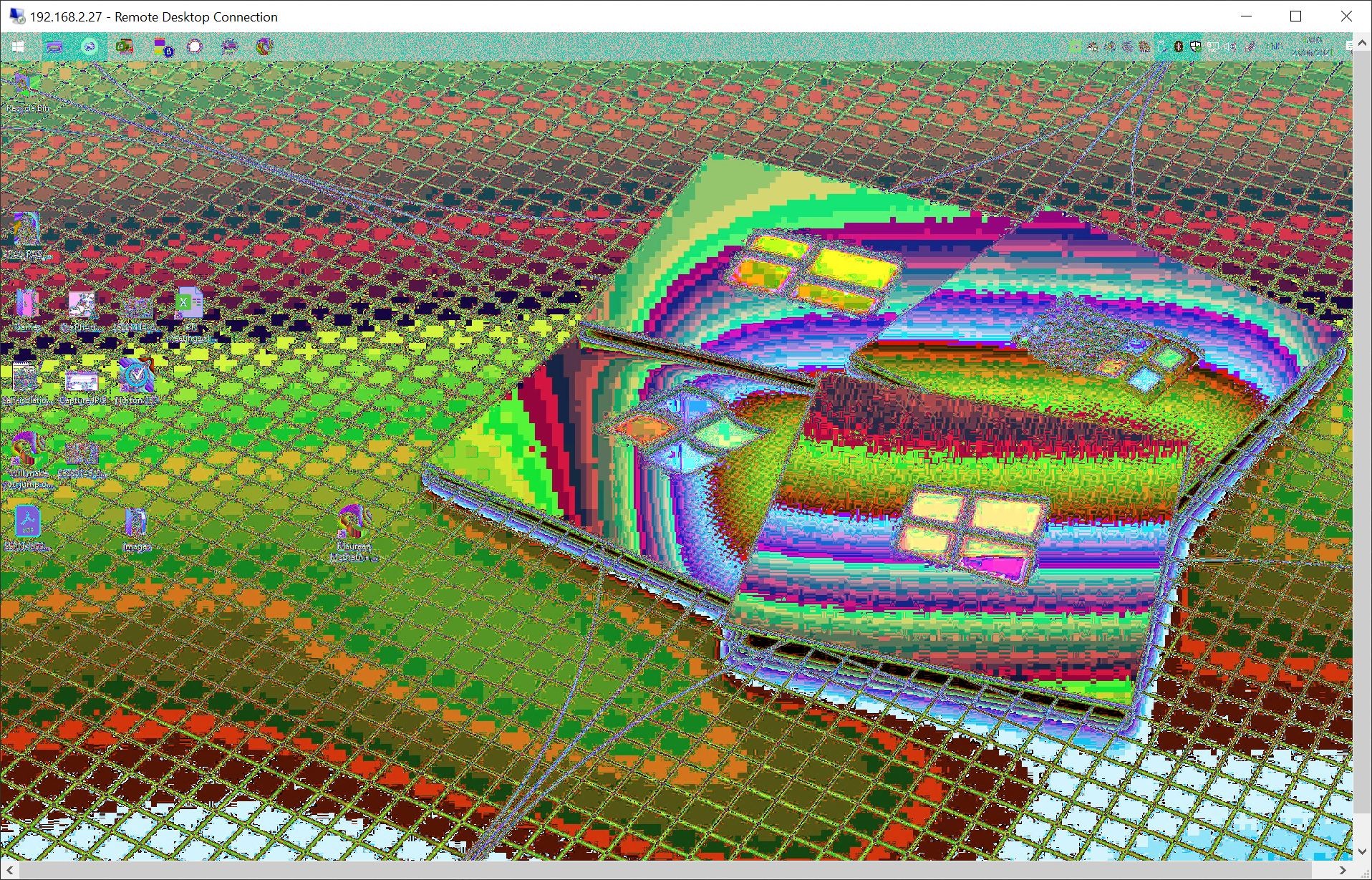


I have restarted the box and have manually installed the NVIDIA driver again.


I am not having much luck finding something like this when searching for a solution.


Any ideas?



Referral links: Quic Broadband (free setup code: R587125ERQ6VE) | Samsung | AliExpress | Wise | Sharesies 


Support Geekzone by subscribing (browse ads-free), or making a one-off or recurring donation through PressPatron.


Create new topic

This is a filtered page: currently showing replies marked as answers. Click here to see full discussion.

freitasm

BDFL - Memuneh
80665 posts

Uber Geek
+1 received by user: 41106

Administrator
ID Verified
Trusted
Geekzone
Lifetime subscriber

  #2733280 23-Jun-2021 15:58
Send private message

Ok, previous drivers working again.


Referral links: Quic Broadband (free setup code: R587125ERQ6VE) | Samsung | AliExpress | Wise | Sharesies 


Support Geekzone by subscribing (browse ads-free), or making a one-off or recurring donation through PressPatron.


Create new topic


Geekzone Live »

Try automatic live updates from Geekzone directly in your browser, without refreshing the page, with Geekzone Live now.


Are you subscribed to our RSS feed? You can download the latest headlines and summaries from our stories directly to your computer or smartphone by using a feed reader.
