Geekzone: technology news, blogs, forums
Guest
Welcome Guest.
You haven't logged in yet. If you don't have an account you can register now.


Meez

111 posts

Master Geek


#171511 21-Apr-2015 10:57
Send private message

A few days ago I deleted a few files I didn't think I needed, one being a Remote Access file.  The next day I got a notice when I logged in, "Failed to connect to a Windows Service."  I used a Restore Point and everything worked for one day then today it happened all over again.  This time I used a later Restore Point and now Google Chrome won't open.  I tried going back into Restore Points but there are none there.  The remote access file was one I had when I worked for Colmar Brunton so I thought it was obsolete.  :(  I am currently downloading updates but I don't know what else to do.  Can anyone help?

Create new topic
robcreid
243 posts

Master Geek
+1 received by user: 86


  #1288392 21-Apr-2015 12:05
Send private message

I had to roll back to a restore point the other day for a different problems to yours.
My Chrome also stopped working.

I downloaded Chrome again and ran the installer and it fixed it.

I suspect chrome had updated since the last restore point was created which is why the rollback killed it.


Meez

111 posts

Master Geek


  #1288399 21-Apr-2015 12:12
Send private message

I did get it open again by going into Program Files, Google, Chrome, Application.  There were two Chromes, one old, one new.  I clicked on the new and it works fine, but this may start all over again tomorrow.  I thought I'd fixed it all then too.

Can anyone help with the "failed to connect" problem?  It's been happening for a few days.

freitasm
BDFL - Memuneh
80652 posts

Uber Geek
+1 received by user: 41045

Administrator
ID Verified
Trusted
Geekzone
Lifetime subscriber

  #1288409 21-Apr-2015 12:16
Send private message

You could disable Remote Settings to start with: press the Windows key and while keeping it pressed push the BREAK key. On the System that opens up you will see "Remote settings" on the left side. Uncheck the box for Remote Desktop. Click OK, close and reboot.

And please do not delete anything on \Windows folder and below...


Referral links: Quic Broadband (free setup code: R587125ERQ6VE) | Samsung | AliExpress | Wise | Sharesies 


Support Geekzone by subscribing (browse ads-free), or making a one-off or recurring donation through PressPatron.



Meez

111 posts

Master Geek


  #1288412 21-Apr-2015 12:19
Send private message

I had a look but it wasn't enabled.

freitasm
BDFL - Memuneh
80652 posts

Uber Geek
+1 received by user: 41045

Administrator
ID Verified
Trusted
Geekzone
Lifetime subscriber

  #1288416 21-Apr-2015 12:28
Send private message

Ok, perhaps look at Event Viewer and see which service is returning this error?


Referral links: Quic Broadband (free setup code: R587125ERQ6VE) | Samsung | AliExpress | Wise | Sharesies 


Support Geekzone by subscribing (browse ads-free), or making a one-off or recurring donation through PressPatron.


timmmay
20858 posts

Uber Geek
+1 received by user: 5350

Trusted
Lifetime subscriber

  #1288428 21-Apr-2015 12:43
Send private message

Can you put the DVD in and do a repair? Alternately just install Windows 10 technical preview, which is far and away better than Vista.


Stream your favourite shows now on Apple TV (affiliate link).
Meez

111 posts

Master Geek


  #1288433 21-Apr-2015 12:52
Send private message

Sorry, I just realised all the games I downloaded yesterday weren't working and had to be uninstalled.  :(

I've got event viewer open but don't know what I'm looking at.

freitasm
BDFL - Memuneh
80652 posts

Uber Geek
+1 received by user: 41045

Administrator
ID Verified
Trusted
Geekzone
Lifetime subscriber

  #1288534 21-Apr-2015 14:37
Send private message

You can do a find for the error message (or just a couple of the words)...


Referral links: Quic Broadband (free setup code: R587125ERQ6VE) | Samsung | AliExpress | Wise | Sharesies 


Support Geekzone by subscribing (browse ads-free), or making a one-off or recurring donation through PressPatron.


MikeB4
MikeB4
18775 posts

Uber Geek
+1 received by user: 12766

ID Verified
Trusted
Subscriber

  #1288542 21-Apr-2015 14:45
Send private message

timmmay: Can you put the DVD in and do a repair? Alternately just install Windows 10 technical preview, which is far and away better than Vista.


installation of pre-release software is not a solution that should be advised.


Here is a crazy notion, lets give peace a chance.


Lias
5655 posts

Uber Geek
+1 received by user: 3978

ID Verified
Trusted
Lifetime subscriber

  #1288873 21-Apr-2015 23:36
Send private message

KiwiNZ:
timmmay: Can you put the DVD in and do a repair? Alternately just install Windows 10 technical preview, which is far and away better than Vista.


installation of pre-release software is not a solution that should be advised.


I dunno, this is Vista we are talking about here ;-P


I'm a geek, a gamer, a dad, a Quic user, and an IT Professional. I have a full rack home lab, size 15 feet, an epic beard and Asperger's. I'm a bit of a Cypherpunk, who believes information wants to be free and the Net interprets censorship as damage and routes around it. If you use my Quic signup you can also use the code R570394EKGIZ8 for free setup. Opinions are my own and not the views of my employer.


1101
3141 posts

Uber Geek
+1 received by user: 1143


  #1289292 22-Apr-2015 13:28
Send private message

Meez: A few days ago I deleted a few files I didn't think I needed, one being a Remote Access file. ......The remote access file was one I had when I worked for Colmar Brunton so I thought it was obsolete. 


What program was it , what file was it you deleted.
There are many programs that enable remote access, VNC, Teamveiwer, RDC, Cisco etc etc

You need to know what service is causing the error, thats not a process described in a forum.
You can try msconfig & disable startups & NON-MICROSOFT services one by one (trial and error)  till you get find the one causing the error message.

Event veiwer: windows logs : look for red & yellow in system & application


Shop on-line at New World now for your groceries (affiliate link).
StephieC
32 posts

Geek
+1 received by user: 2


  #1293973 30-Apr-2015 04:25
Send private message

I agree with some of the above. I reckon Chrome just needs reinstalling. Rollbacks are fine but when something like a browser needs updating so frequently, it's easy for them to stop working at the smallest sign of change - regardless of direction.

Your first mistake was Vista, though!  wink

BlueShift
1692 posts

Uber Geek
+1 received by user: 969


  #1294032 30-Apr-2015 08:49
Send private message

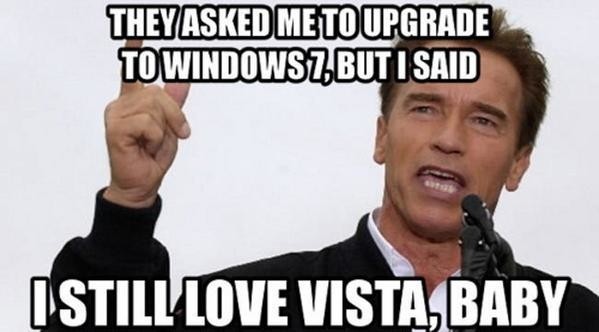
You not the only one that still has Vista:
Click to see full size

Create new topic


Geekzone Live »

Try automatic live updates from Geekzone directly in your browser, without refreshing the page, with Geekzone Live now.


Are you subscribed to our RSS feed? You can download the latest headlines and summaries from our stories directly to your computer or smartphone by using a feed reader.