Geekzone: technology news, blogs, forums
Guest
Welcome Guest.
You haven't logged in yet. If you don't have an account you can register now.


kiwis

837 posts

Ultimate Geek
+1 received by user: 12


#323443 3-Dec-2025 09:20
Send private message

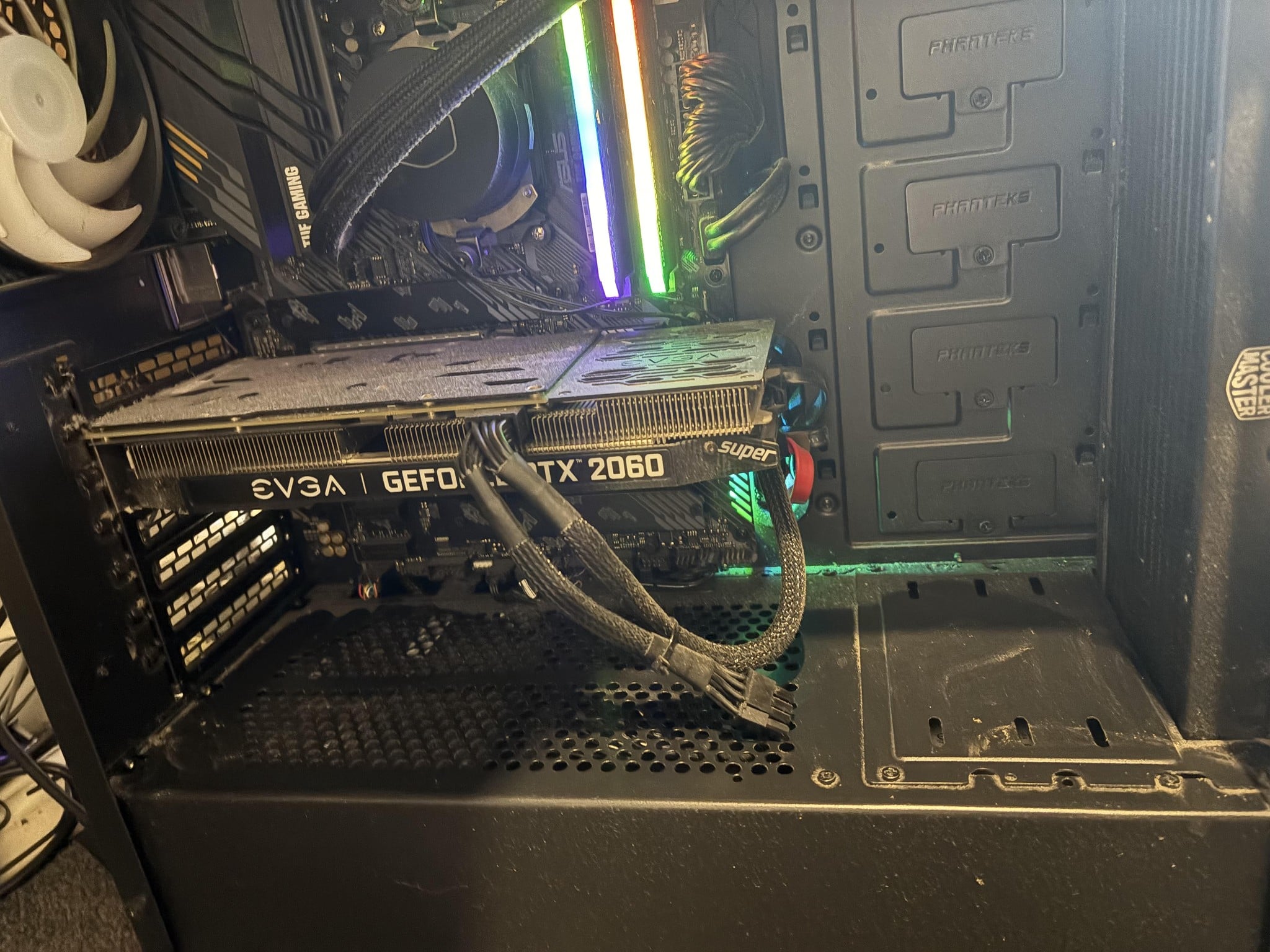
I'm upgrading my 2060 Super to an 9070XT - I'm going to 1x 8pin (I believe) to a 2x 8 pin


looking at my current set up I've got 1x 8 pin, the other cable looks to be a daisy chain which I can't use. I have a NZXT C Series V2 850W Power Supply 80 Plus 1 209.00 Gold - Fully Modular power supply. 


How would I go about getting the second 8 pin connector?


Create new topic

xpd

xpd
Geek of Coastguard
14115 posts

Uber Geek
+1 received by user: 4574

Retired Mod
ID Verified
Trusted
Lifetime subscriber

  #3439712 3-Dec-2025 09:38
Send private message

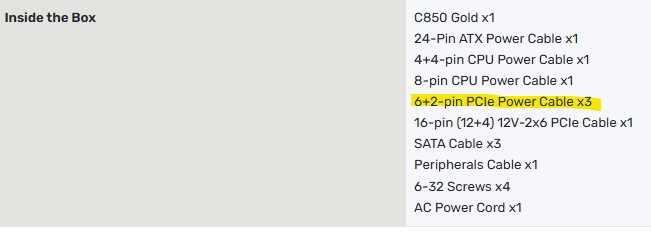
According to the sale sheet, you should have 3x 8PIN connectors supplied.


If you don't have these anymore, you may need to reach out to PB and see if they can supply one.


You can use adaptors, but not recommended.


XPD / Gavin


LinkTree


SpartanVXL
1498 posts

Uber Geek
+1 received by user: 666


  #3439777 3-Dec-2025 13:31
Send private message

Hope you kept the box, ideally you use two cables. Pcie 8pin standard is 150W each, there is nothing wrong with using the daisychain when the psu side can be rated for 300W output (see Corsair website for info).


the pcie slot itself can provide 75W, 9070xt is rated around 304W spiking up to 360W or so. If you do use the daisychain maybe undervolt a little but you will be fine.


MaxineN
Max
2049 posts

Uber Geek
+1 received by user: 1662

ID Verified
Trusted
Subscriber

  #3439779 3-Dec-2025 13:33
Send private message

You can totally use the daisy chain on the other 8pin. There is literally nothing stopping you and it will supply the full 350W.


The only time I'd say don't do this is if you're using a GPU beyond 400W...


Ramblings from a mysterious lady who's into tech. Warning I may often create zingers.


Create new topic


Geekzone Live »

Try automatic live updates from Geekzone directly in your browser, without refreshing the page, with Geekzone Live now.


Are you subscribed to our RSS feed? You can download the latest headlines and summaries from our stories directly to your computer or smartphone by using a feed reader.