Geekzone: technology news, blogs, forums
Guest
Welcome Guest.
You haven't logged in yet. If you don't have an account you can register now.


ANglEAUT

altered-ego
2436 posts

Uber Geek
+1 received by user: 842

Trusted
Lifetime subscriber

#273289 14-Aug-2020 20:59
Send private message

How do I troubleshoot this display issue? I wouldn't even know what to search for.


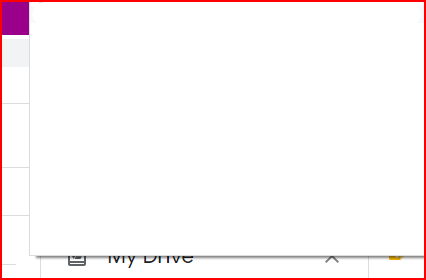
With the window maximised, the Google Chrome menu is blank & higher up than it is supposed to be.


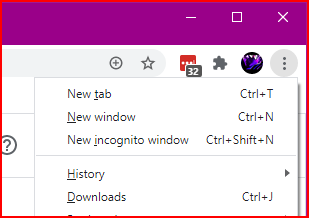
With the window not maximised, the menu displays correctly.


Somebody else had a similar issue. Maximised, all the tabs & the book marks bar had a gigantic white strip displayed instead. Restore the window & you could see all tabs & the bookmarks bar.


Clicking the white area results in no action performed. That means if I tried to click a certain area because I knew what button / tab was supposed to be in that position, nothing happened.



Please keep this GZ community vibrant by contributing in a constructive & respectful manner.


Create new topic

This is a filtered page: currently showing replies marked as answers. Click here to see full discussion.

Oblivian
7345 posts

Uber Geek
+1 received by user: 2117

ID Verified

  #2541354 14-Aug-2020 21:22
Send private message


ANglEAUT

altered-ego
2436 posts

Uber Geek
+1 received by user: 842

Trusted
Lifetime subscriber

  #2544086 18-Aug-2020 23:45
Send private message

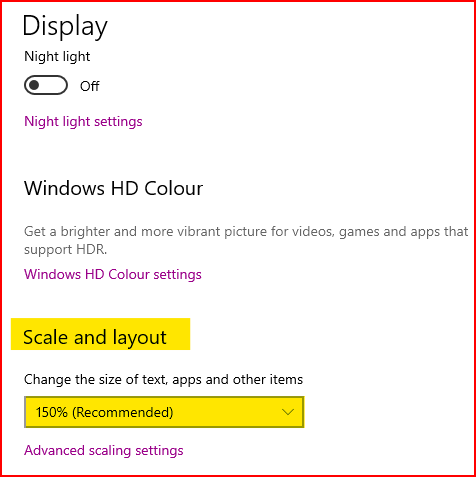
Changing the scaling of your monitor seems to do the trick. You will have to find a scaling that works on your machine. Some report success at 100%, others at 125% & one even at 101%.


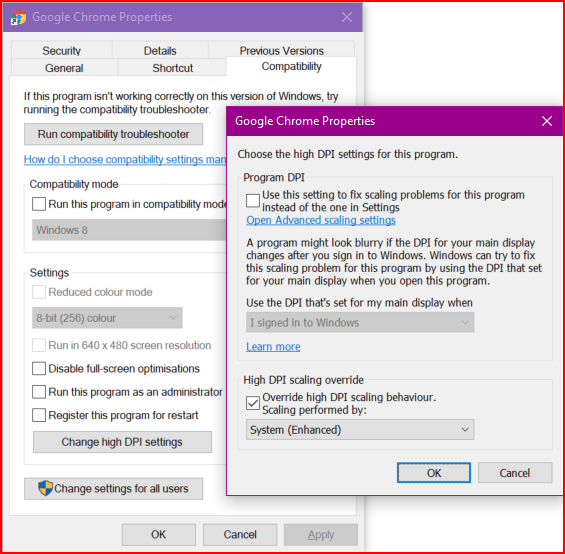
As per Celeste B in this thread, setting the DPI settings under "Compatibility Mode" also resolves the issue.


Please keep this GZ community vibrant by contributing in a constructive & respectful manner.


Create new topic


Geekzone Live »

Try automatic live updates from Geekzone directly in your browser, without refreshing the page, with Geekzone Live now.


Are you subscribed to our RSS feed? You can download the latest headlines and summaries from our stories directly to your computer or smartphone by using a feed reader.