Geekzone: technology news, blogs, forums
Guest
Welcome Guest.
You haven't logged in yet. If you don't have an account you can register now.


aotearoa223

9 posts

Wannabe Geek


#223841 19-Oct-2017 20:43
Send private message

I am wanting to build a computer solely for gaming from computerlounge. Can anyone recommend a good build in the $3200 price range? I am just educating myself on this topic through youtube as we speak.. but your guys input would be much appreciated


Create new topic
timmmay
20858 posts

Uber Geek
+1 received by user: 5350

Trusted
Lifetime subscriber

  #1886450 19-Oct-2017 21:08
Send private message

Prebuilt systems.  The main choice seems to be AMD vs Intel and which graphics card. Intel is a safe bet. m2 SSD would be nice. Most of those configurations are probably pretty decent.


sxz

sxz
761 posts

Ultimate Geek
+1 received by user: 194


  #1886453 19-Oct-2017 21:14
Send private message

Why $3200 specifically?  Setting a budget often means you spend more than you need to.


You can get a great gaming PC for around $2k, and decent ones for $1.5k or less.


gehenna
8667 posts

Uber Geek
+1 received by user: 3883

Moderator
Trusted
Lifetime subscriber

  #1886454 19-Oct-2017 21:16
Send private message

I've been looking into AMD Ryzen processors lately.  They're getting great reviews and huge performance for low(er) cost.  Paired with ATI GPU which AMD owns, it's probably a great match.


aotearoa223

9 posts

Wannabe Geek


  #1886455 19-Oct-2017 21:17
Send private message

I really want a pc where I wont have to upgrade anything over the next couple years.. 3-3.2k mark is what I have available to spend on a PC! I would rather not go with a prebuilt system, I feel like they are fairly overpriced in comparison to building your own!


Batman
Mad Scientist
30012 posts

Uber Geek
+1 received by user: 6217

Trusted
Lifetime subscriber

  #1886465 19-Oct-2017 21:21
Send private message

There's no such thing as "don't have to upgrade for the next 2-3 years".


There is such thing as bang for buck this year, bang for buck next year, bang for buck 3 years later.


Buy what is bang for buck this year.


My definition of bang for buck is right at the very point of vastly diminishing return, according to the law of diminishing return.


networkn
Networkn
32862 posts

Uber Geek
+1 received by user: 15453

ID Verified
Trusted
Lifetime subscriber

  #1886480 19-Oct-2017 21:57
Send private message

For that kinda of money you could easily get a :


I7 8700K or I5 8600K


Great Cooling


Nice Case


At least 16GB Memory


M.2 SSD and Fast Bulk Storage like a WD 4TB Black Drive


Windows 10


Nice Keyboard and Mouse


You didn't state monitor, but I'll assume you want one, and I'd buy a 144hz Gsync 


And a 1080GTX


Shop now on Samsung phones, tablets, TVs and more (affiliate link).
aotearoa223

9 posts

Wannabe Geek


  #1886482 19-Oct-2017 22:02
Send private message

I already have a 144hz monitor. and all peripherals! an i7 8700k with a 1080ti would be the dream, but I doubt thats going to be happening in this budget range.. Im looking into the 8700k with a 1080 or a 7700k with a 1080ti so far!


Batman
Mad Scientist
30012 posts

Uber Geek
+1 received by user: 6217

Trusted
Lifetime subscriber

  #1886483 19-Oct-2017 22:05
Send private message

I would get - 8700k, gpu that works for whatever resolution you 144hz monitor is - so 1080, samsung 960 pro 500gb.


That's me.


TLD

TLD
908 posts

Ultimate Geek
+1 received by user: 263


  #1886492 19-Oct-2017 22:32
Send private message

Tom's Hardware did a Best Gaming Desktops article just last week.  Reverse engineer the builds to see what works.  It's not my thing, but I'm guessing that it would be low core count (because most games do not use multiple cores), high clock speed, stonking GPU, and obviously lots of RGB LEDs and a case with a window in the side panel.


http://www.tomshardware.com/reviews/best-gaming-desktops,5198.html


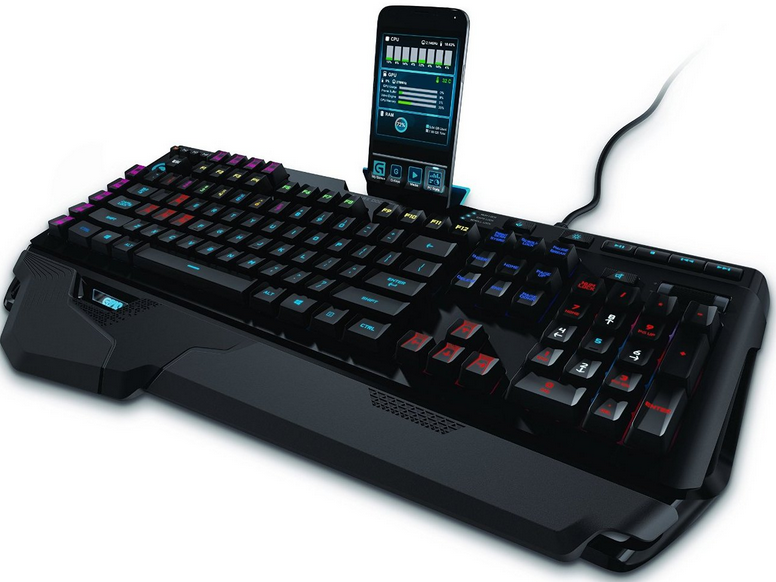
If you don't already have one, then a really decent mouse.  With the sort of fine control you are going to need, then you don't want a mouse that reacts when it feels like it, or sometimes does not react at all.  And while you are at it, a decent keyboard with mechanical keys that you can abuse mercilessly for hours a day without them letting you down.  I love the Logitech Gaming mice and keyboards for image manipulation because they give you such fine control, and you can switch sensitivity from the mouse.  I also use a G-910 keyboard a) for its back lit keys, and b) for its programmable 'G' keys that let you do all sorts of complicated stuff with a single key press.  These are context sensitive, so you can set them up differently for each game.


Logitech also do an ARX control gizmo that lets you put your IOS or Android phone on the back of the keyboard for additional readout.  It looks so cool, I almost wish I played games just so I could use it.


Trevor Dennis
Rapaura (near Blenheim)


Lias
5655 posts

Uber Geek
+1 received by user: 3978

ID Verified
Trusted
Lifetime subscriber

  #1886774 20-Oct-2017 09:54
Send private message

https://nz.pcpartpicker.com/list/6RfdBP


$3269 at CL's current listed prices, but they will price match


I'm a geek, a gamer, a dad, a Quic user, and an IT Professional. I have a full rack home lab, size 15 feet, an epic beard and Asperger's. I'm a bit of a Cypherpunk, who believes information wants to be free and the Net interprets censorship as damage and routes around it. If you use my Quic signup you can also use the code R570394EKGIZ8 for free setup. Opinions are my own and not the views of my employer.


networkn
Networkn
32862 posts

Uber Geek
+1 received by user: 15453

ID Verified
Trusted
Lifetime subscriber

  #1886776 20-Oct-2017 09:55
Send private message

$3200 excluding a monitor is massive money to spend. You'll get a beast machine for that.


Move to New Zealand's best fibre broadband service (affiliate link). Free setup code: R587125ERQ6VE. Note that to use Quic Broadband you must be comfortable with configuring your own router.
networkn
Networkn
32862 posts

Uber Geek
+1 received by user: 15453

ID Verified
Trusted
Lifetime subscriber

  #1886779 20-Oct-2017 09:57
Send private message

Lias:


https://nz.pcpartpicker.com/list/6RfdBP


$3269 at CL's current listed prices, but they will price match


That's a nice build. I agree with almost everything except the memory. Stuff I have read is that 3000-3200 Mhz memory makes a big difference to gaming with Intel's new Platform. Some of the benchmarks were pretty significant relative to the cost difference. 


Platinum PSU is nice. I really like my Seasonic. 


Lias
5655 posts

Uber Geek
+1 received by user: 3978

ID Verified
Trusted
Lifetime subscriber

  #1886803 20-Oct-2017 10:21
Send private message

networkn:


That's a nice build. I agree with almost everything except the memory. Stuff I have read is that 3000-3200 Mhz memory makes a big difference to gaming with Intel's new Platform. Some of the benchmarks were pretty significant relative to the cost difference. 


Platinum PSU is nice. I really like my Seasonic. 


There's a few "tweaks' I'd make to it but that stretch the budget, RAM being one of them, going up to the Asus Strix 1080, and a gruntier AIO than the H55 to really get the most out of OC'ing the 8700k. RAM is probably the most affordable of those, and easily achievable if OP get's CL to pricematch.


I'm a geek, a gamer, a dad, a Quic user, and an IT Professional. I have a full rack home lab, size 15 feet, an epic beard and Asperger's. I'm a bit of a Cypherpunk, who believes information wants to be free and the Net interprets censorship as damage and routes around it. If you use my Quic signup you can also use the code R570394EKGIZ8 for free setup. Opinions are my own and not the views of my employer.


Coil
6614 posts

Uber Geek
+1 received by user: 2153
Inactive user


  #1886825 20-Oct-2017 11:07
Send private message

Coffee Lake I5,
16GB high freq compatible RAM.
Motherboard with a M.2 slot and multiple PCI lanes. 
Definitely a Gold or Platinum Seasonic PSU around 650W.
Wasting money with an AIO water cooler, get a large cooler master or noctua air cooler (Linus did a video proving they are better in almost all applications..)
GTX1080TI or 1080 at a minimum.
256GB M.2 SSD by Samsung.
2-4TB WD Black.


aotearoa223

9 posts

Wannabe Geek


  #1886893 20-Oct-2017 12:42
Send private message

Im going with this build so far.. I already have an SSD/Operating system, 144hz monitor and all peripherals


Case: Corsair crystal x570


PSU: Corsair rmx850x gold


MOBO: Asus strix z370-e GAMING


CPU: I7-8700k


COOLING: Corsair hydro series 110i v2


GPU: Gigabyte AORUS GTX1080ti Extreme edition 11gb


RAM: Corsair VENGANCE LPX 3200mhz 16gb (2x8)


Then I will just add my samsung evo 850 SSD and should be fine!


I did this on the playtech pc builder site for $3233 just waiting for a reply from computer lounge to see what they can come up with, even if they can match this price!


Create new topic


Geekzone Live »

Try automatic live updates from Geekzone directly in your browser, without refreshing the page, with Geekzone Live now.


Are you subscribed to our RSS feed? You can download the latest headlines and summaries from our stories directly to your computer or smartphone by using a feed reader.