Geekzone: technology news, blogs, forums
Guest
Welcome Guest.
You haven't logged in yet. If you don't have an account you can register now.


JohnFlower

51 posts

Master Geek
+1 received by user: 15


#147383 17-Jun-2014 21:53
Send private message

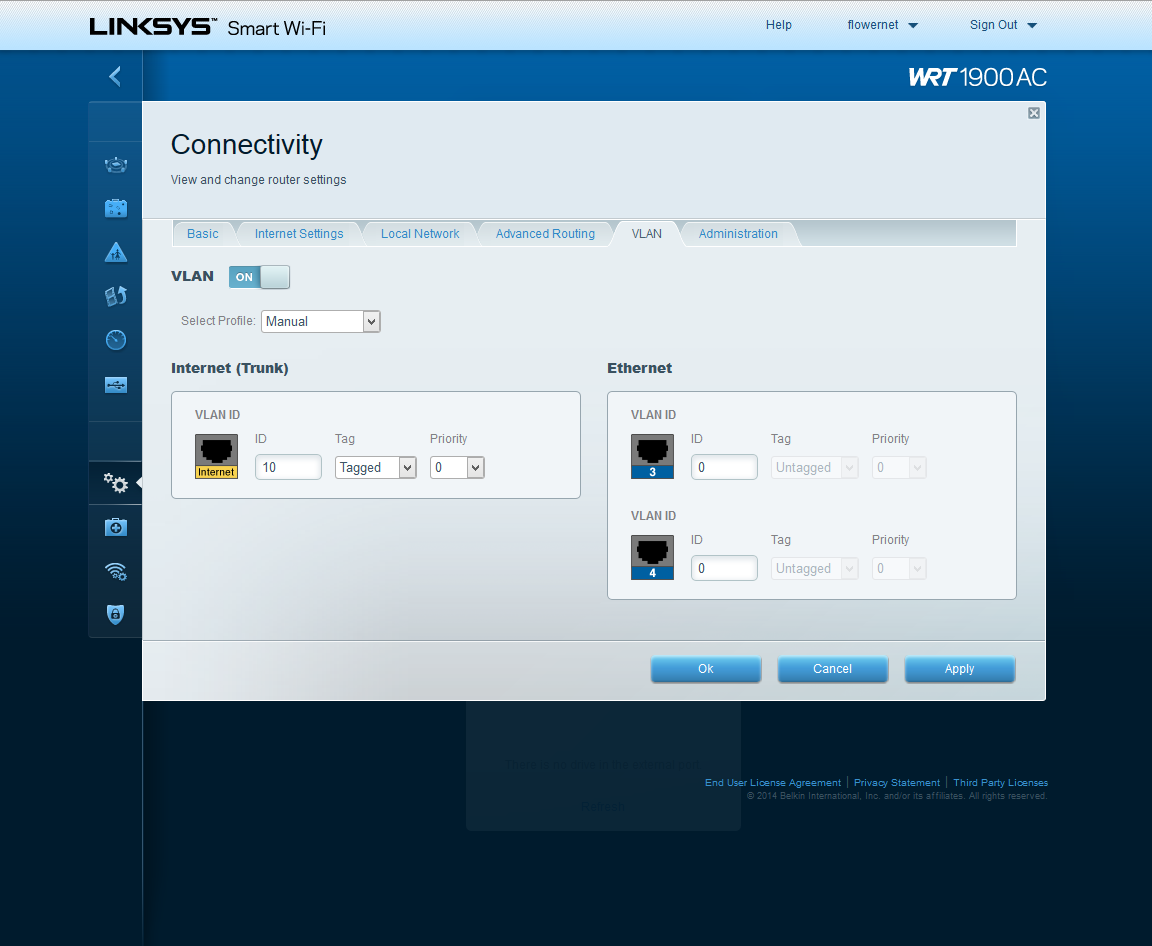
I recently got my hands on a WRT1900AC router. I was expecting to be able to set up VLAN tagging on the WAN port and connect it directly to my Chorus ONT. Turns out I'm either:
a) doing something wrong or
b) it [currently] cant be done.

What I have tried:
After updating the firmware on the WRT1900AC (the firmware it came with did not support VLAN tagging, and a whole bunch of other things), I attempted to connect it directly to the ONT. I tried using the cable that was supplied with my HG630b (the blue one), setting 'Connection Type' to PPPoE with the appropriate settings found on Telecom's website, and then turning on VLAN, setting the correct ID and priority.
I repeated the process with the cable supplied with the WRT1900AC.

Results? The internet light on the WRT1900AC flashes blue continuously. This means there is no internet connection, but the cable is connected. I can connect to the WRT1900AC, but I do not have internet access. Both cables shared this result (surprise!).


Here's some pretty pictures of the options available to me:


And here's how a working, stock (somewhat) HG630b is set up:


Am I wrong to expect things to just happen? Probably. I'm insane for buying such an expensive piece of kit with no prior testing. Hopefully someone can set me straight!

Create new topic

This is a filtered page: currently showing replies marked as answers. Click here to see full discussion.

JohnFlower

51 posts

Master Geek
+1 received by user: 15


  #1068334 18-Jun-2014 12:05
Send private message

I got it working.

As it turns out, I was doing something wrong: I was setting 'Service name' when I shouldn't have. Also note that the cable supplied did not work either. It has no markings, so I cant tell what type of cable it is... I'm currently using the blue cable that came with Telecom's HG630b and everything works great.

Screenshots for future reference:


Create new topic


Geekzone Live »

Try automatic live updates from Geekzone directly in your browser, without refreshing the page, with Geekzone Live now.


Are you subscribed to our RSS feed? You can download the latest headlines and summaries from our stories directly to your computer or smartphone by using a feed reader.