Geekzone: technology news, blogs, forums
Guest
Welcome Guest.
You haven't logged in yet. If you don't have an account you can register now.


BlackrazorNZ

41 posts

Geek
+1 received by user: 24

ID Verified

#306378 17-Jul-2023 18:55
Send private message

Hi all,


My router that I've been using for years, a Mikrotik CRS109, decided to die right as we were moving house. Luckily I have an RB951 that I mainly used as a combo CAP/Switch in the office, but it's a full featured router in its own right so I'm setting it up as an emergency router until my new Unifi one arrives.


However, I'm having a pig of a time getting it to work. Appreciate any assistance offered as to where I might be going wrong.


Setup/Diagnostics so far:


- The Chorus ONT is on, powered, the Optical light is up, and it shows activity on the LAN1 line that the router is connected to. There are no alarm notices or the like.


- I've set the router gateway as 10.10.10.10 with DHCP in the 10.10.10.xx range, and that is working fine, as is connection to the router via Winbox via both ethernet and wifi


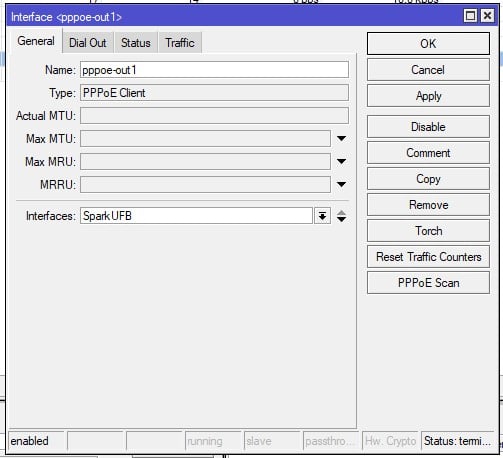
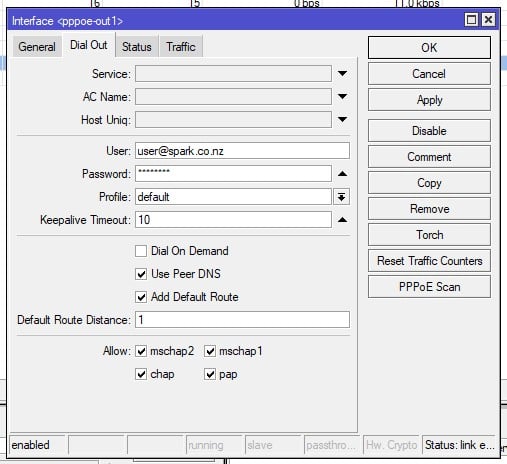
- I have set up the interface list the 'normal' way for a home router/AP, with a bridge, a PPPoE out attached to the VLAN 10 on Ether1
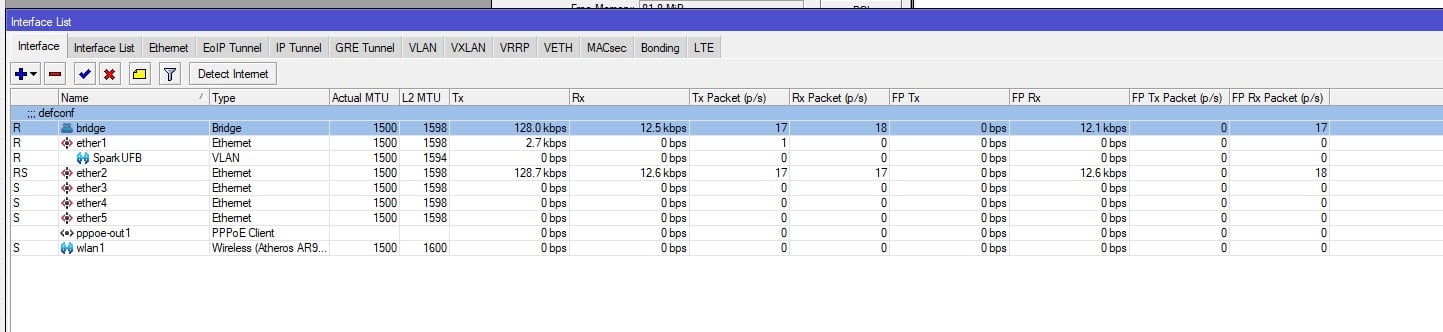
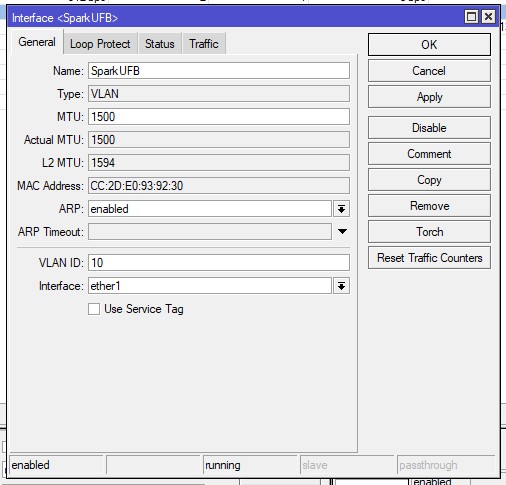


However I cannot get a connection, and in the Log I just get a constant stream of attempts to connect followed by failure to authenticate with peer?
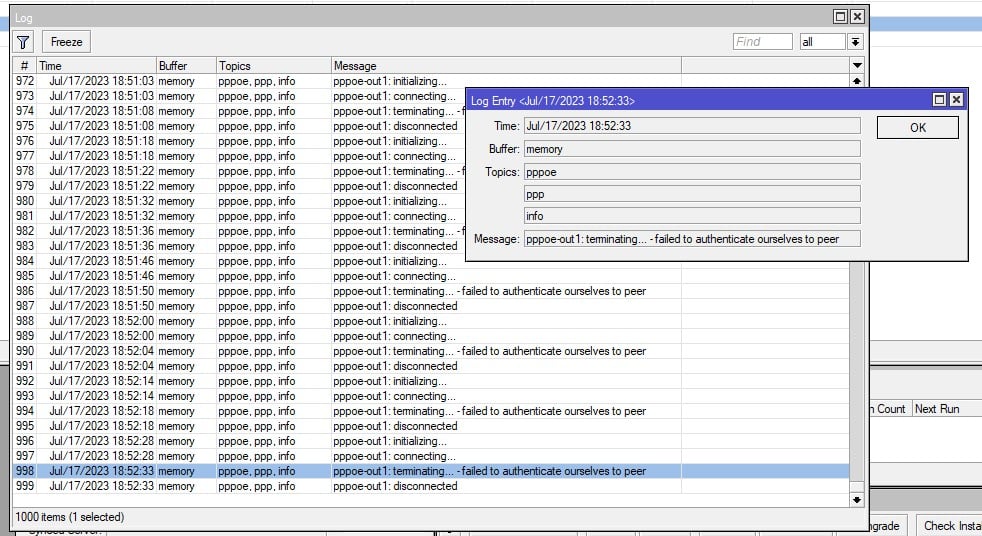


Any idea where to from here?


Really appreciate any help offered.


Thanks!


View this topic in a long page with up to 500 replies per page Create new topic

This is a filtered page: currently showing replies marked as answers. Click here to see full discussion.

BlackrazorNZ

41 posts

Geek
+1 received by user: 24

ID Verified

  #3106677 21-Jul-2023 15:03
Send private message

Got this resolved about 11am today!


Summary (I'll spare you the detail of how many calls and how long I spent on hold to get this sorted) and the steps contain detail as it chronologically occured, NOT when we chronologically found out about it!


  • Moved out of old address (lets call it '#11')
  • Moved to new address (lets call it '#16A') which is a rental physically attached but seperately addressed to a much larger property (lets call it '#16')
  • Move request was loaded.
  • Unbeknown to us, turns out the ONT at #16a is actually coded as being ONT number 2 for #16 (Let's call it '16(a)'), as it was installed before #16a was set up as a seperate address.
  • Spark provisions our connection as a second connection on #16 ONT number 1, rather than the number 2 ONT that is actually in place at #16a
  • Spark leaves internet connection up at #11 and sends us a bill for two parallel internet connections despite us having no active internet.
  • Previous provider connection with Now! Internet remains live on 16(a) ONT.
  • I ring up and lodge an issue. Spark promptly arranges a fibre order, which results in the Now! connection being dropped from the 16(a) ONT
  • A further phone call results in a work order being created to connect fibre to #16a, because at this stage neither party seems aware that ONT 16(a) is a secondary ONT for #16 according to Chorus.
  • Apparently, Chorus start planning for an entirely new fibre install.
  • 2 days pass, no internet.
  • I call up again, and talk with a lovely lady at Spark who figures this all out and has internet live on the ONT 16(a) about 2 hours after I talk with her - Kudos where it's due, she was awesome.
  • Waiting on bill to be sorted out so that I'm not paying for 2 connections I never got/used, and actually pay for the 1 connection I did.

So yeh, a little bit of a comedy of errors, partially by me in not knowing that the ONT wasn't physically ascribed to the actual address, but we got there in the end!


View this topic in a long page with up to 500 replies per page Create new topic


Geekzone Live »

Try automatic live updates from Geekzone directly in your browser, without refreshing the page, with Geekzone Live now.


Are you subscribed to our RSS feed? You can download the latest headlines and summaries from our stories directly to your computer or smartphone by using a feed reader.