#
#
Hey GZ'rs,
As per title, asking (much) more learned folk for guidance please.
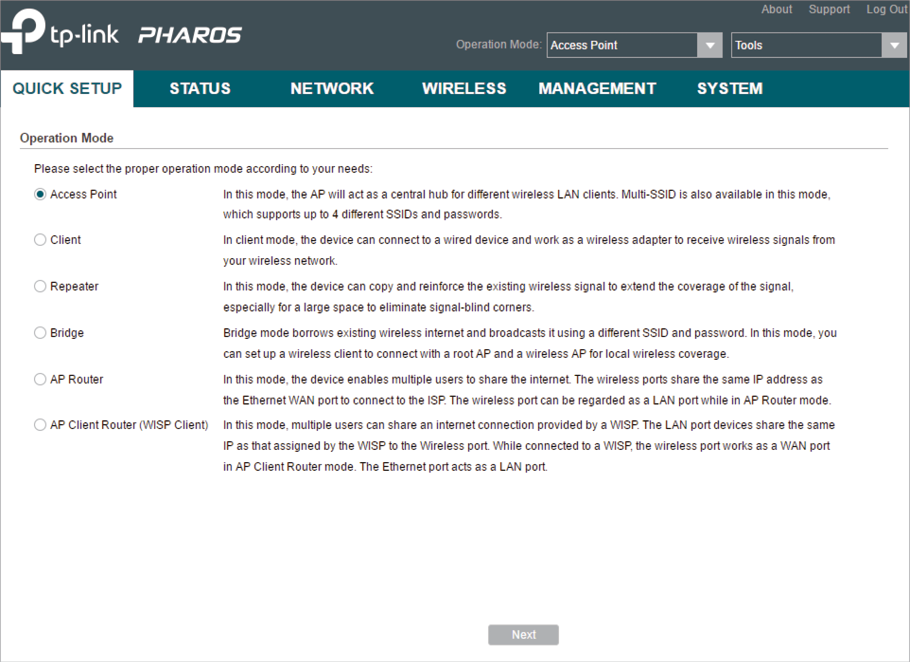
Having difficulty logging into TP-Link Pharos Control 'Centralised Management System' which (should) be on default IP 192.168.0.254 after reset via both CPE710 on roof / POE Injector:
Normal Setup
StarLink
↓
StarLink Router - 192.168.1.1
↓
StarLink Ethernet Adapter
↓
NetGear GS108 GigaBit Switch
↓
Apple 5th Gen. AirPort Time Capsule - 192.168.1.29
↓
TP-Link POE Injector
↓
TP-Link CPE710 - Default 192.168.0.254
Hardwired Direct for Pharos Access
MS Surface Studio TB4 / MacBook Pro TB3 on 192.168.0.10/11 with Wi-Fi OFF
↓
DELL K20A TB4 Dock
↓
POE Injector LAN Port
↓
POE Injector POE Port
↓
Roof Mounted CPE710 / default reset 192.168.0.254
------------------------------------------------------------
Hardwire all CAT 6 or ThunderBolt 4.
Somehow, initial setup, done wirelessly, allowed CPE710 Pharos access via MS Surface Studio, 'Operation Mode' selection, SSID labelling etc and for Netflix to be played, no issue, no buffering in shed 50 odd metres away.
Soon afterward, setup failed, now Pharos can't be accessed via TP-Link POE Injector brick LAN Port cabled to DELL dock and laptops on static IP 192.168.0.10/11 etc... can't PING CPE either on its default IP
There is no second CPE710 in shed acting as client, just the single CPE710 Access Point for the (ever) hopeful (TV, iPhone etc) clients.
CPE610/710 etc suit P2P bridge setups etc but can be used as per the TP-Link online instructions below in 'Repeater' Operation Mode to extend/create a network.
Can anyone please point out how we can access this Pharos please, get Wi-Fi back to the shed?
TIA
----------------
TP-Link CPE Setup Instructions
TP-Link CPE Extender / Repeater Operation Mode Setup