Geekzone: technology news, blogs, forums
Guest
Welcome Guest.
You haven't logged in yet. If you don't have an account you can register now.


Kerans

6 posts

Wannabe Geek
+1 received by user: 1


#318244 30-Dec-2024 09:54
Send private message

Hello! Before I run out and buy a new router...


I've moved into a new rental that has Fibre via an ethernet jack wired from the main house. However the router supplied is old and only gives about 40 - 50 mbps download. When I connect my computer directly via ethernet cable it's ~300 mpbs+.


I have a Smart Modem 3 (via Skinny) from my old place that would be more than capable for the house size, but I can't work out how to make it work as a router only.


Is it possible to get a SM3 working in this scenario, or should I grab a new router?


Any advice much appreciated.


View this topic in a long page with up to 500 replies per page Create new topic

This is a filtered page: currently showing replies marked as answers. Click here to see full discussion.

Spyware
3818 posts

Uber Geek
+1 received by user: 1366

Lifetime subscriber

  #3326145 30-Dec-2024 10:53
Send private message

Most likely problem is that the network coming out of the wall and the Smart Modem's LAN are the same, 192.168.1.0/24, therefore no routing will occur.


Spark Max Fibre using Mikrotik CCR1009-8G-1S-1S+, CRS125-24G-1S, Unifi UAP, U6-Pro, UAP-AC-M-Pro, Apple TV 4K (2022), Apple TV 4K (2017), iPad Air 1st gen, iPad Air 4th gen, iPhone 13, SkyNZ3151 (the white box). If it doesn't move then it's data cabled.


Kerans

6 posts

Wannabe Geek
+1 received by user: 1


  #3327050 2-Jan-2025 16:44
Send private message

@K8Toledo lol nice fine print they have there.


I hope everyone had a good new years!


Changing the IP address seems to be a winner 🥳


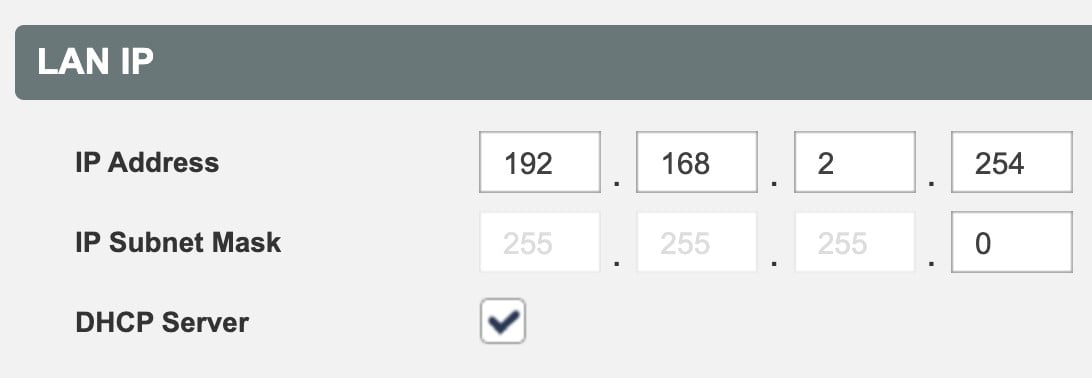
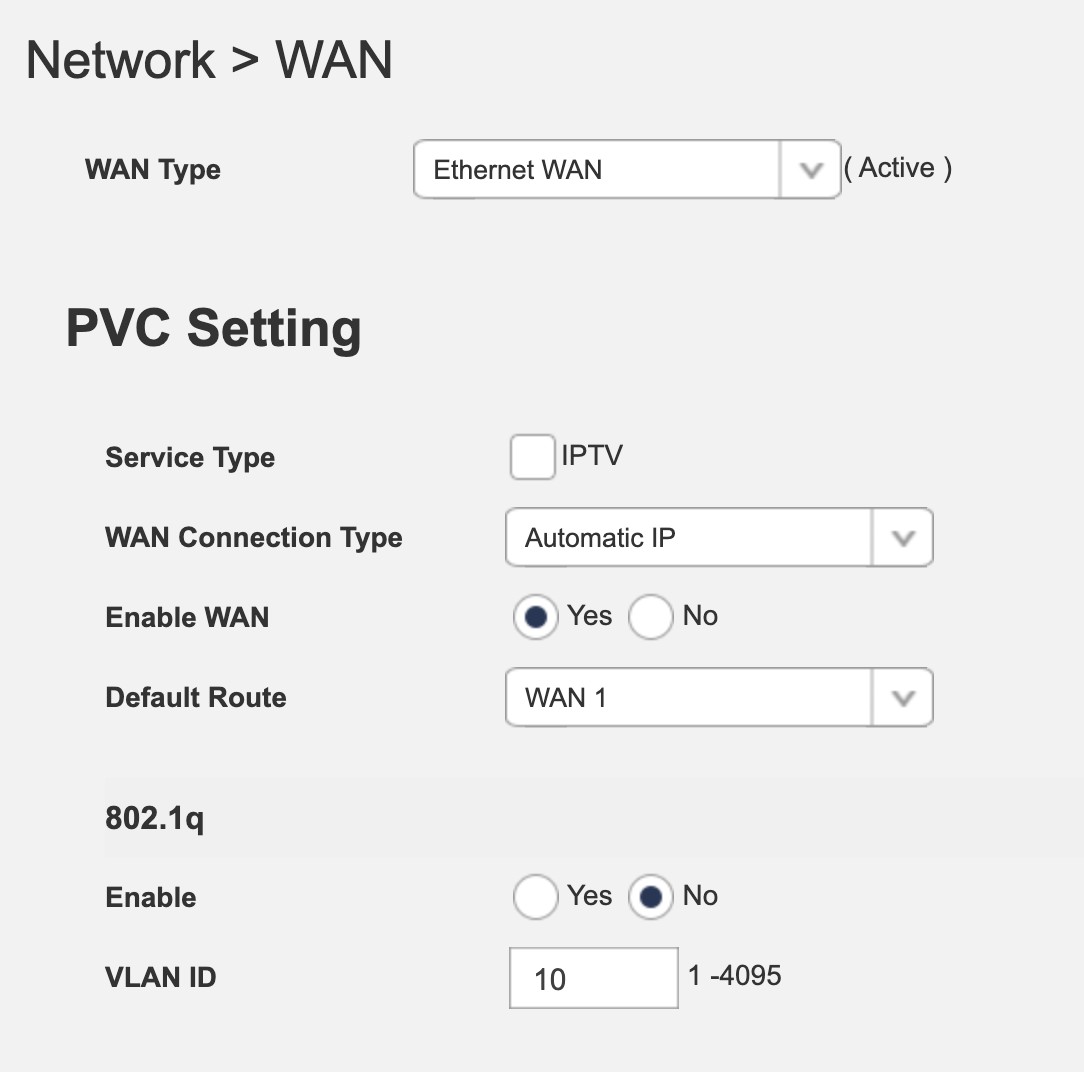
The IP coming from the wall is 192.168.1.254. Changing this to 192.168.2.254 and setting WAN Connection Type to Automatic IP results in great stable internet so far.


I really appreciate the help.


View this topic in a long page with up to 500 replies per page Create new topic


Geekzone Live »

Try automatic live updates from Geekzone directly in your browser, without refreshing the page, with Geekzone Live now.


Are you subscribed to our RSS feed? You can download the latest headlines and summaries from our stories directly to your computer or smartphone by using a feed reader.