Geekzone: technology news, blogs, forums
Guest
Welcome Guest.
You haven't logged in yet. If you don't have an account you can register now.


ice2004

68 posts

Master Geek
+1 received by user: 1


#283995 24-Mar-2021 18:18
Send private message

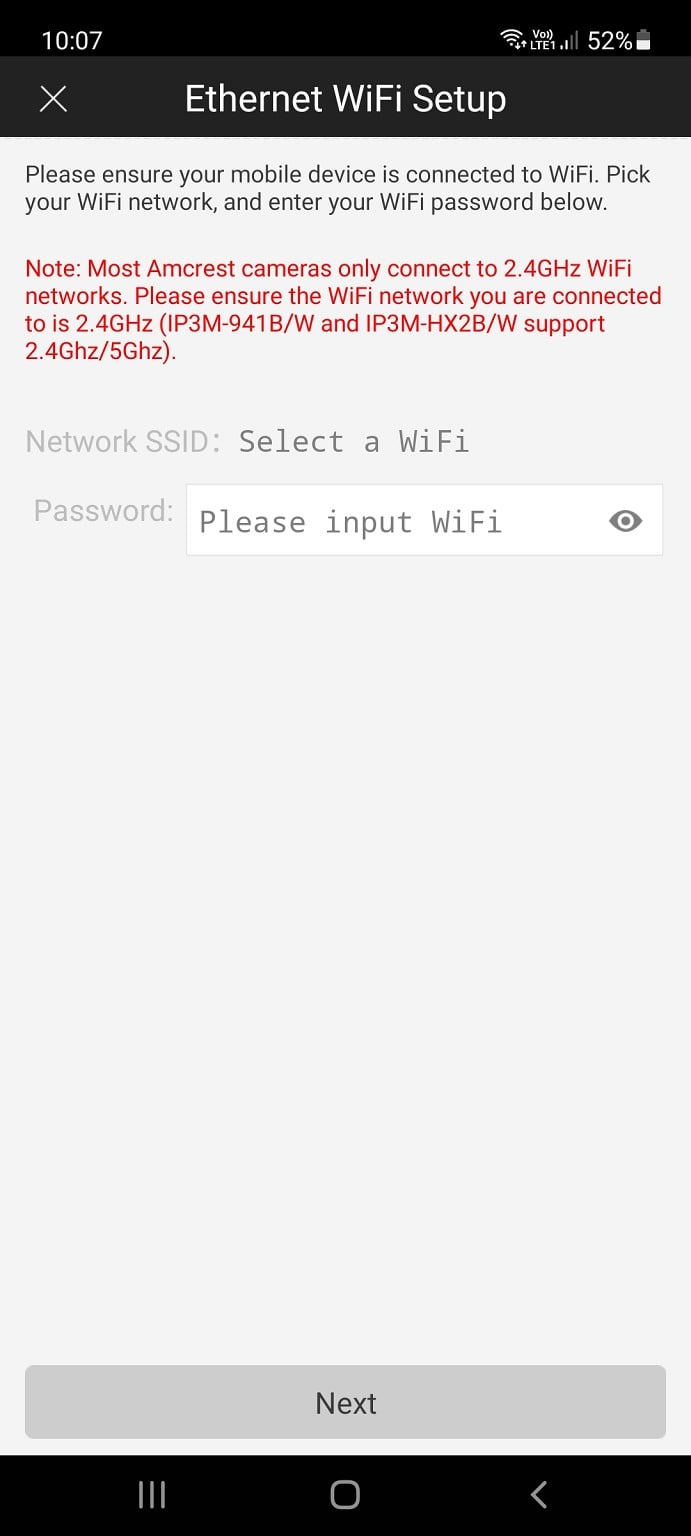
I'm trying to connect wifi camera Amcrest camera to Skinny smart modem Arcadyan VRV9517 but can't connect it, even tried ethernet cable still can't connect. See image below that Amercrest camera should connect to 2.4ghz. So I set up 2.4ghz on the modem still can't connect to 2.4ghz wifi?

I'm able to connect the same camera to my Netgear nighthawk x4s d7800 router


Is there something setting I need to change on the skinny modem?

Create new topic
jbrook3708
34 posts

Geek
+1 received by user: 12

ID Verified

  #2679952 24-Mar-2021 19:36
Send private message

Is your phone connected on 2.4ghz as well?


You can force your phone to connect to 2.4ghz by temporarily disabling 5ghz on your router just while setting your camera up.


ice2004

68 posts

Master Geek
+1 received by user: 1


  #2679996 24-Mar-2021 20:23
Send private message

Yes the phone is also connected to 2.4ghz

I have connected the camera to my own router and it works but not able to connect to skinny smart modem

Create new topic


Geekzone Live »

Try automatic live updates from Geekzone directly in your browser, without refreshing the page, with Geekzone Live now.


Are you subscribed to our RSS feed? You can download the latest headlines and summaries from our stories directly to your computer or smartphone by using a feed reader.