Geekzone: technology news, blogs, forums
Guest
Welcome Guest.
You haven't logged in yet. If you don't have an account you can register now.


YBzSerenity

2 posts

Wannabe Geek


#318542 27-Jan-2025 21:16
Send private message

Hi there, can i get some help

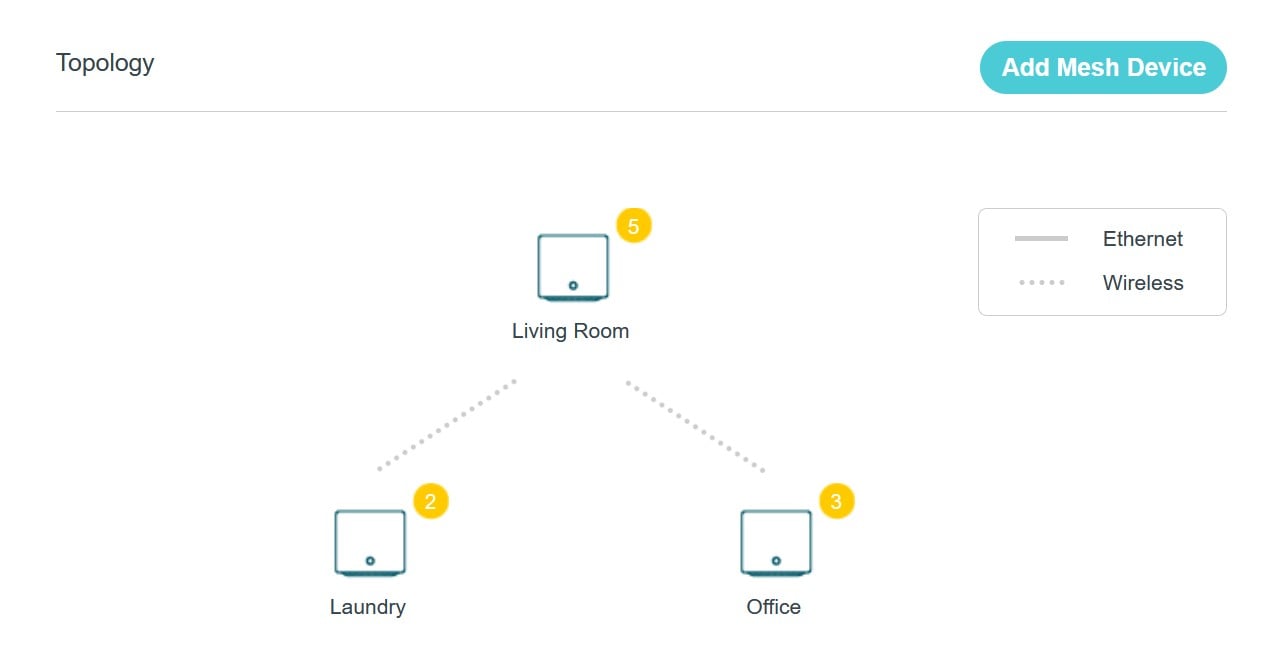
i have the 2Degrees TP-Link HB810 and i brought 2x Tp-Link HX510 AX3000 mesh devices
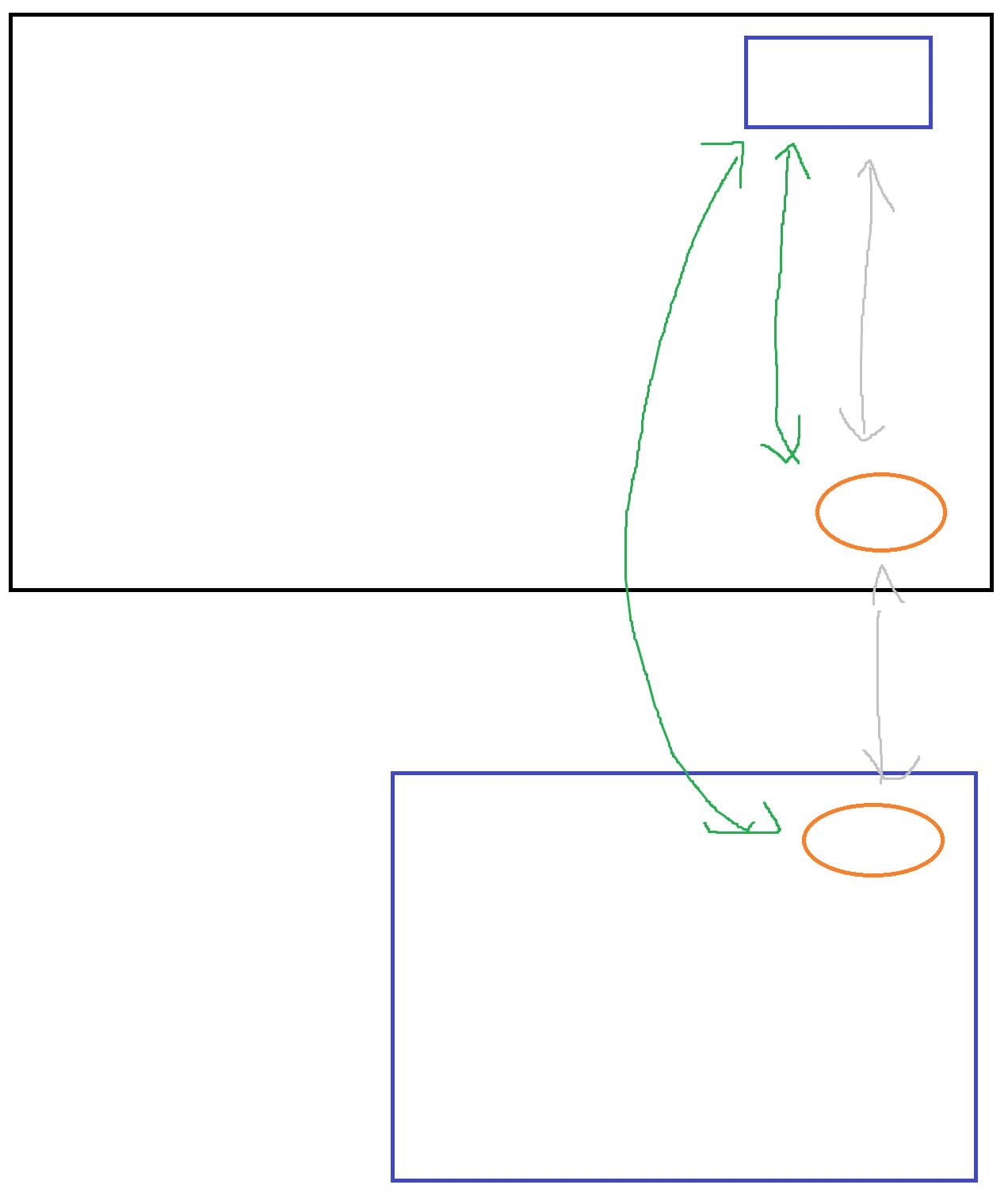
i have a problem where the main router (HB810) is in one corner of the house and i was planning on using the two HX510 AX3000 in a line to get to the Granny Flat


the rectangle is the (HB810)
and the circles are the (HX510)


the Green Arrows is whats currently happening


i want it to be the grey arrows


ive downloaded the AgiNet app but that doesnt let you control the topology 


Create new topic
MaxineN
Max
2049 posts

Uber Geek
+1 received by user: 1662

ID Verified
Trusted
Subscriber

  #3336483 27-Jan-2025 23:33
Send private message

It's not going to back haul to the lesser (and closer) unit unless it thanks it can be better, so your radio conditions must be good enough. Also depends how close it really is to the main unit (and how much power it's pushing, you also probably can't change this).


You're better off doing an Ethernet run. This is the best solution.


Also that back haul could be 2.4 or 5ghz over wireless, but Ethernet would solve the issue.


Also what speeds are you getting? With and without the granny unit?


Ramblings from a mysterious lady who's into tech. Warning I may often create zingers.


Jase2985
13730 posts

Uber Geek
+1 received by user: 6202

ID Verified
Lifetime subscriber

  #3336512 28-Jan-2025 08:57
Send private message

maybe try moving the unit in the granny flat further away so it hopefully drops connection to the main unit and goes to the second one in the house


RunningMan
9184 posts

Uber Geek
+1 received by user: 4834


  #3336547 28-Jan-2025 10:08
Send private message

Why do you want it to go through another radio link? The less the better in terms of latency.


YBzSerenity

2 posts

Wannabe Geek


  #3336563 28-Jan-2025 11:49
Send private message

Hey!

the Router to the HX510 is about 10 meters
then another 10 meters 

the granny flat just doesn't seem to get great connection if its from Point A to point C
hence i wanted it to go point A to B to C

i check the wifi quality and its normally 2.4GHZ in the granny flat because its not working the way i want it to

i tried the Ethernet and it works alot better than WIFI so thanks for that it will solve that problem for gaming
however its not great for some more mobile devices


Create new topic


Geekzone Live »

Try automatic live updates from Geekzone directly in your browser, without refreshing the page, with Geekzone Live now.


Are you subscribed to our RSS feed? You can download the latest headlines and summaries from our stories directly to your computer or smartphone by using a feed reader.