Geekzone: technology news, blogs, forums
Guest
Welcome Guest.
You haven't logged in yet. If you don't have an account you can register now.


peejayw

1913 posts

Uber Geek
+1 received by user: 123


#321521 25-Aug-2025 08:19
Send private message

I have installed the generic HA thermostat which appears under Settings, Devices, Helpers.
I would like to place it in a specific dashboard, is that doable?


Thanks.


 I'm supposed to respect my elders, but it's getting harder and harder for me to find one now.


Create new topic
timmmay
20858 posts

Uber Geek
+1 received by user: 5350

Trusted
Lifetime subscriber

  #3407162 25-Aug-2025 09:45
Send private message

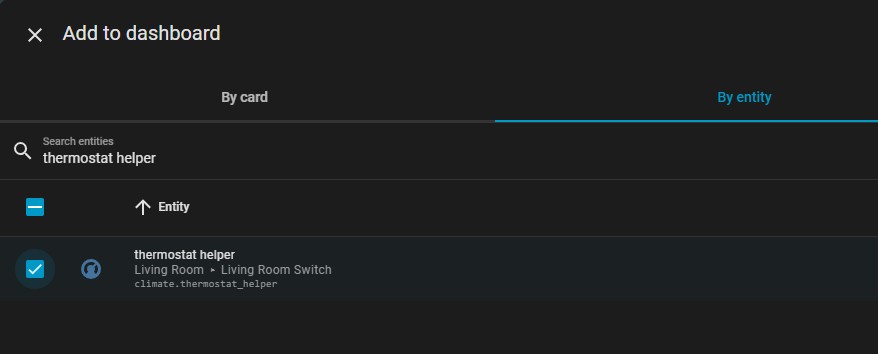
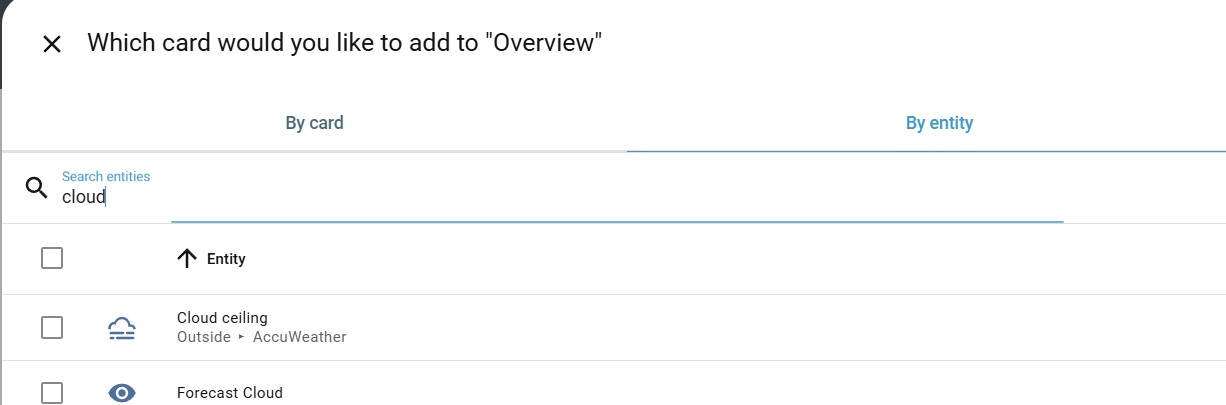
Generally you can put a card showing data on any dashboard. Just go to the dashboard, enter edit mode, and you can add by card type or entity.


bigreddog
236 posts

Master Geek
+1 received by user: 117

Subscriber

  #3407206 25-Aug-2025 11:37
Send private message

Open the dashboard and click Edit, click Add Card, then change tab to add By Entity, find the Helper you have added... result!


Tauranga
Quic Fibre (use R213449EPZJ3R for free setup)


peejayw

1913 posts

Uber Geek
+1 received by user: 123


  #3407210 25-Aug-2025 11:41
Send private message

Thanks guys, have it working now. I was quite surprised, when it came to adding the entity there was no way (that I could see) of searching the very long list needed.


 I'm supposed to respect my elders, but it's getting harder and harder for me to find one now.


timmmay
20858 posts

Uber Geek
+1 received by user: 5350

Trusted
Lifetime subscriber

  #3407314 25-Aug-2025 15:28
Send private message

When you click "add card" you can choose "by card" or "by entity". In both cases you can search for what you need. If you can't see it you may have some kind of blocking going on. Sometimes I find the entity I want in developer tools and copy / paste the name in as it can be easier. Over time it gets easier, there's a steep learning curve with HA.


peejayw

1913 posts

Uber Geek
+1 received by user: 123


  #3407322 25-Aug-2025 15:45
Send private message

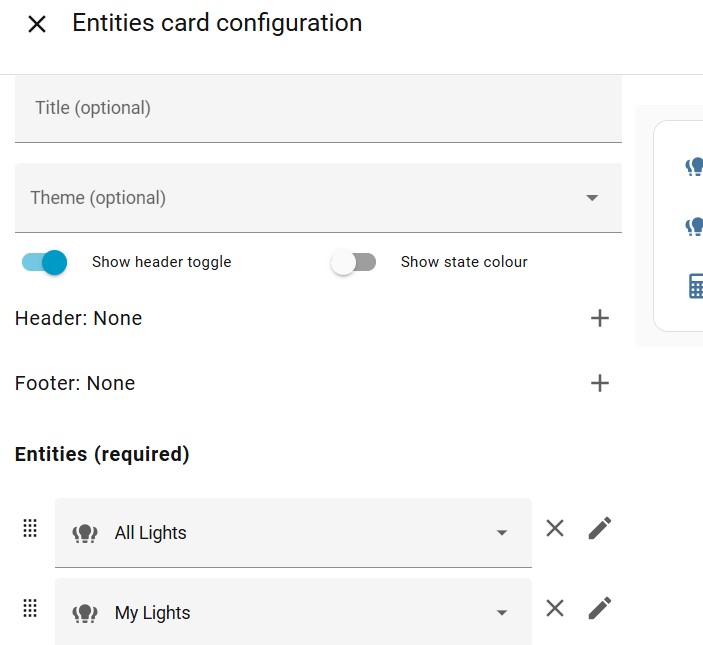
I added an Entities card and when I select entities to add there is no search function. If i choose by entities instead of by card, there is, strange.


 I'm supposed to respect my elders, but it's getting harder and harder for me to find one now.


timmmay
20858 posts

Uber Geek
+1 received by user: 5350

Trusted
Lifetime subscriber

  #3407329 25-Aug-2025 16:04
Send private message

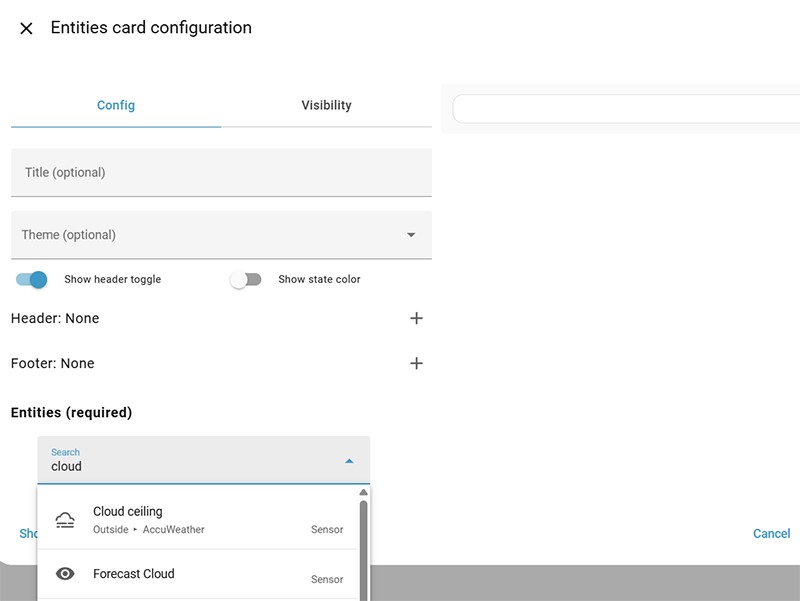
Once I add an entities card there's a field to search for entities for me.


Shop now for Dyson appliances (affiliate link).
peejayw

1913 posts

Uber Geek
+1 received by user: 123


  #3407331 25-Aug-2025 16:13
Send private message

This is what I get...


 I'm supposed to respect my elders, but it's getting harder and harder for me to find one now.


Handle9
11924 posts

Uber Geek
+1 received by user: 9675

Trusted
Lifetime subscriber

  #3407333 25-Aug-2025 16:42
Send private message

peejayw:


This is what I get...


Click the pencil next to All Lights. You will have a text field to start searching as per Timmays screenshot. 


If it’s a thermostat you’d be better to use a thermostat card though. I like the bubble card thermostat but there’s a bit of work getting it set up. 


peejayw

1913 posts

Uber Geek
+1 received by user: 123


  #3407337 25-Aug-2025 17:04
Send private message

That did it thanks.


 I'm supposed to respect my elders, but it's getting harder and harder for me to find one now.


Paul1977
5171 posts

Uber Geek
+1 received by user: 2192


  #3407605 26-Aug-2025 15:04
Send private message

timmmay:


...there's a steep learning curve with HA.


That's an understatement. It's very flexible and powerful, but it certainly isn't intuitive or self-explanatory.


Create new topic


Geekzone Live »

Try automatic live updates from Geekzone directly in your browser, without refreshing the page, with Geekzone Live now.


Are you subscribed to our RSS feed? You can download the latest headlines and summaries from our stories directly to your computer or smartphone by using a feed reader.