Geekzone: technology news, blogs, forums
Guest
Welcome Guest.
You haven't logged in yet. If you don't have an account you can register now.


LifasNZ

2 posts

Wannabe Geek


#97791 20-Feb-2012 18:19
Send private message

Hi guys 

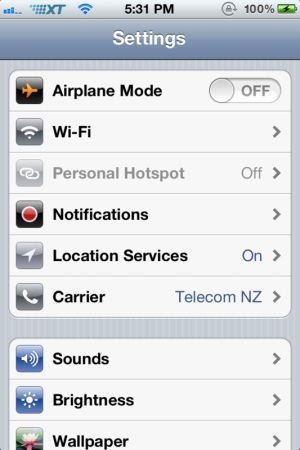
I recently brought a new iPhone and it seemed that I haven't been able to find a Telecom XT Logo. So out of the blue, I decided to make my own. 
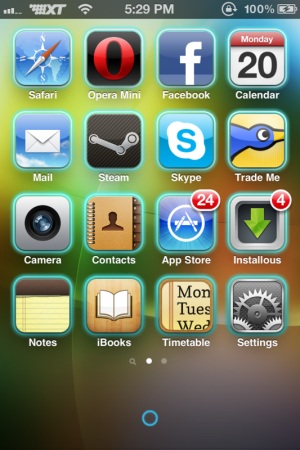


XT Logo: http://www.mediafire.com/download.php?lamxguw3bwdc2dp

Jailbroken iPhone

Cydia (required to install app Zepplin)

iFunbox: to move the folder over on to your iPhone:  http://dl.i-funbox.com/ifunbox_en.zip

Ok, so first this is my first attempt at creating these so excuse the bad photo editing etc :D. 

1st: Install Zepplin.

2nd: Download the zip. Extract to your desktop. [Should come out as a folder called XT Logo]

3rd: Open iFunbox. There will be a index list on your left. Click on Raw File System. Then locate to Library. Scroll down till you get to the Zepplin Folder. 

4th: Open it, then drag the folder [XT Logo] in.

5: Go to settings, under Zepplin click XT Logo and it should be up


Now I've still currently making another Telecom XT logo which I will update soon too. Logos are trademarks of Telecom and this is used for private use.

Cheers Lifas :D

Create new topic
freitasm
BDFL - Memuneh
80646 posts

Uber Geek
+1 received by user: 41024

Administrator
ID Verified
Trusted
Geekzone
Lifetime subscriber

  #584095 20-Feb-2012 18:41
Send private message

Fixed the images for you. No one likes to get forum posts with 4MB of images to download. Please be considerate with others.


Referral links: Quic Broadband (free setup code: R587125ERQ6VE) | Samsung | AliExpress | Wise | Sharesies 


Support Geekzone by subscribing (browse ads-free), or making a one-off or recurring donation through PressPatron.


LifasNZ

2 posts

Wannabe Geek


  #584146 20-Feb-2012 20:10
Send private message

Sorry first time @ posting. Cheers
 

Create new topic


Geekzone Live »

Try automatic live updates from Geekzone directly in your browser, without refreshing the page, with Geekzone Live now.


Are you subscribed to our RSS feed? You can download the latest headlines and summaries from our stories directly to your computer or smartphone by using a feed reader.