


I fully expected to come back and reset the ONT and router and everything would be hunky dory, technology tends to just hate her.
Reseting either the ONT or router sometimes resulted in a small period of internet but usually no longer than a minute.
Before I spend some time on the phone with 2degrees I was wondering if it was possible to determine if the problem is more likely to be a router issue (my problem) or a isp problem. I'm using an "aftermarket" router so I'm not sure 2degrees could be much help if the problem is in my network.
I don't have a spare router handy but I do have these logs (hopefully attached) from my Asus rt-ax82u that seem to show the modem hanging up on me? Are these logs useful at all? Or should I just call 2degrees?
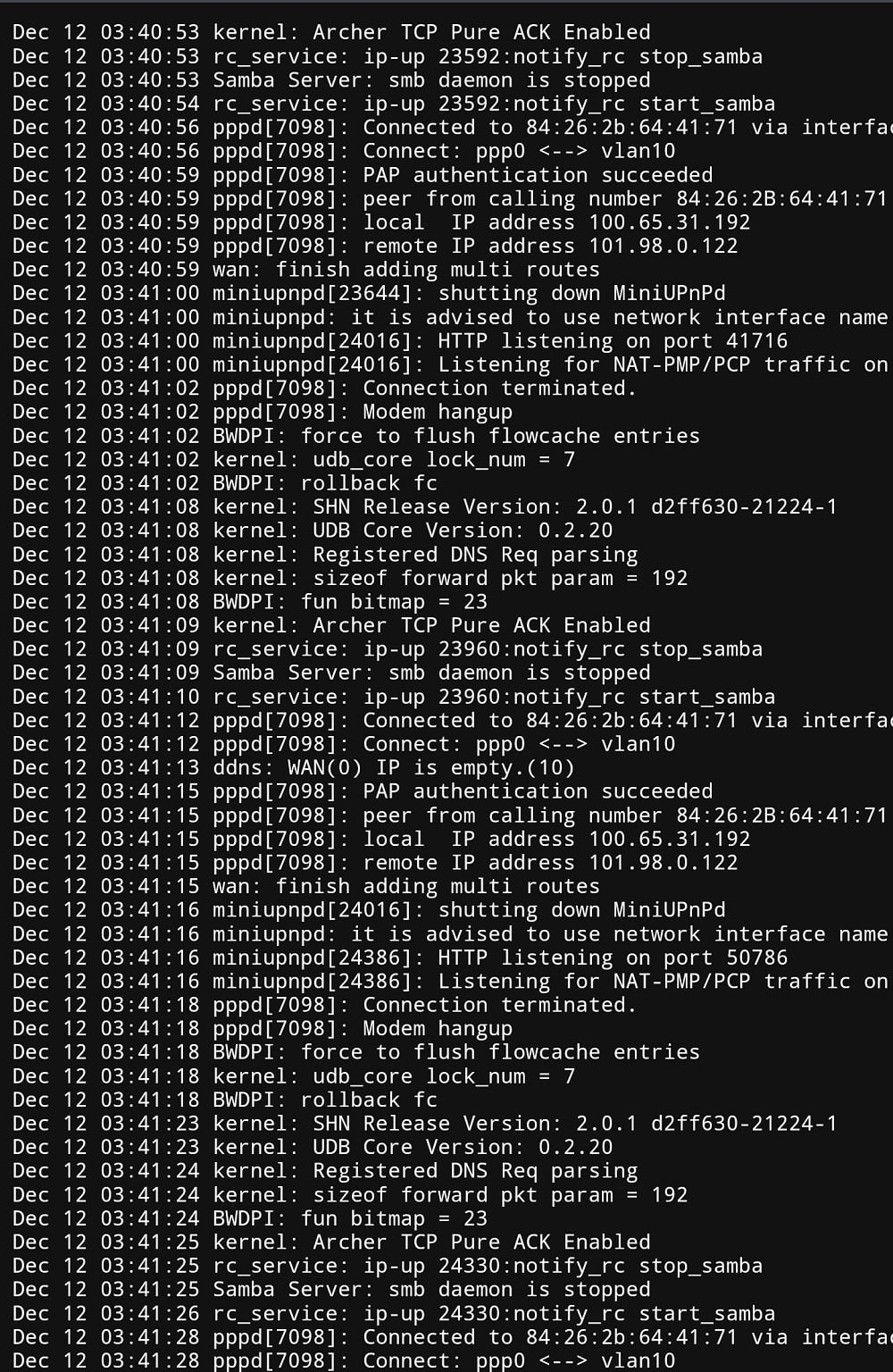
It seems to do this over and over:
12 03:41:02 BWDPI: force to flush flowcache entries
Dec 12 03:41:02 kernel: udb_core lock_num = 7
Dec 12 03:41:02 BWDPI: rollback fc
Dec 12 03:41:08 kernel: SHN Release Version: 2.0.1 d2ff630-21224-1
Dec 12 03:41:08 kernel: UDB Core Version: 0.2.20
Dec 12 03:41:08 kernel: Registered DNS Req parsing
Dec 12 03:41:08 kernel: sizeof forward pkt param = 192
Dec 12 03:41:08 BWDPI: fun bitmap = 23
Dec 12 03:41:09 kernel: Archer TCP Pure ACK Enabled
Dec 12 03:41:09 rc_service: ip-up 23960:notify_rc stop_samba
Dec 12 03:41:09 Samba Server: smb daemon is stopped
Dec 12 03:41:10 rc_service: ip-up 23960:notify_rc start_samba
Dec 12 03:41:12 pppd[7098]: Connected to 84:26:2b:64:41:71 via interface vlan10
Dec 12 03:41:12 pppd[7098]: Connect: ppp0 vlan10
Dec 12 03:41:13 ddns: WAN(0) IP is empty.(10)
Dec 12 03:41:15 pppd[7098]: PAP authentication succeeded
Dec 12 03:41:15 pppd[7098]: peer from calling number 84:26:2B:64:41:71 authorized
Dec 12 03:41:15 pppd[7098]: local IP address 100.65.31.192
Dec 12 03:41:15 pppd[7098]: remote IP address 101.98.0.122
Dec 12 03:41:15 wan: finish adding multi routes
Dec 12 03:41:16 miniupnpd[24016]: shutting down MiniUPnPd
Dec 12 03:41:16 miniupnpd: it is advised to use network interface name instead of 192.168.50.1/255.255.255.0
Dec 12 03:41:16 miniupnpd[24386]: HTTP listening on port 50786
Dec 12 03:41:16 miniupnpd[24386]: Listening for NAT-PMP/PCP traffic on port 5351
Dec 12 03:41:18 pppd[7098]: Connection terminated.
Dec 12 03:41:18 pppd[7098]: Modem hangup



 2degrees
