Geekzone: technology news, blogs, forums
Guest
Welcome Guest.
You haven't logged in yet. If you don't have an account you can register now.


kaczor47

95 posts

Master Geek
+1 received by user: 19


#280984 23-Jan-2021 12:20
Send private message

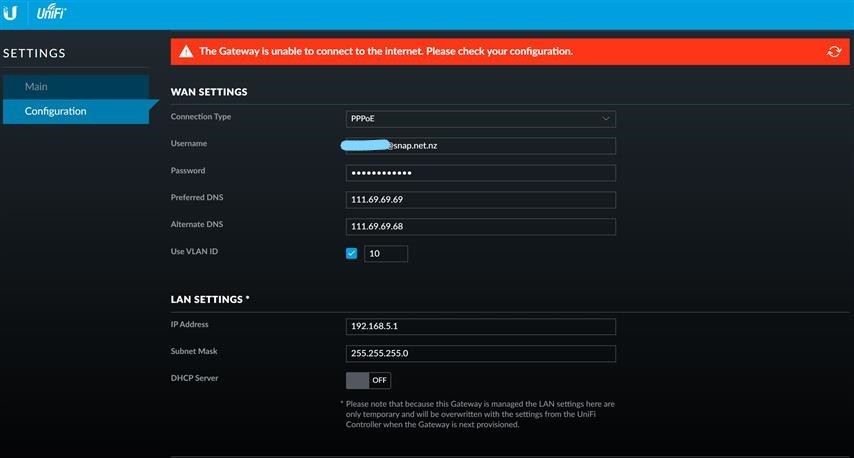
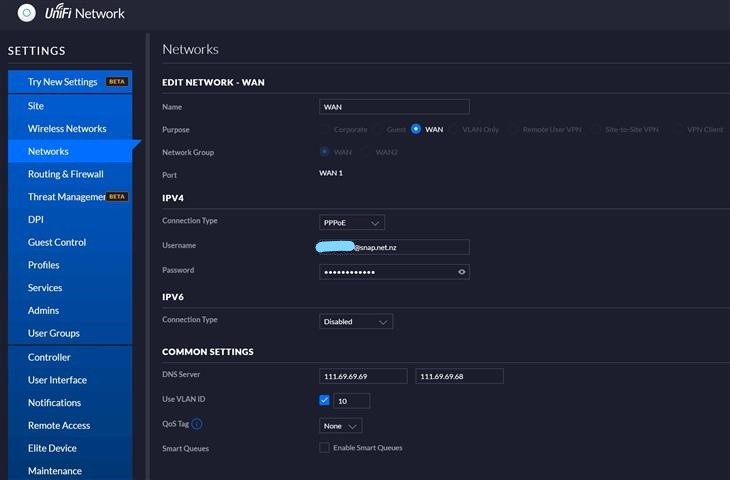
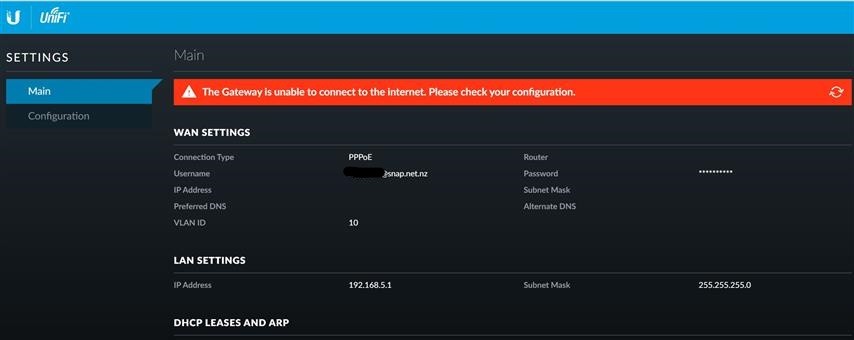
Today is the big day - after 10+ years of Vodafone/TelstraClear I shift to 2D broadband. I got the notification that the switch has happened overnight. I am using my own modem (Ubiquiti USG) and after a much troubleshooting, can't seem to get a connection. 


The friendly support lady at 2D ensured me that all is fine with my fibre line.
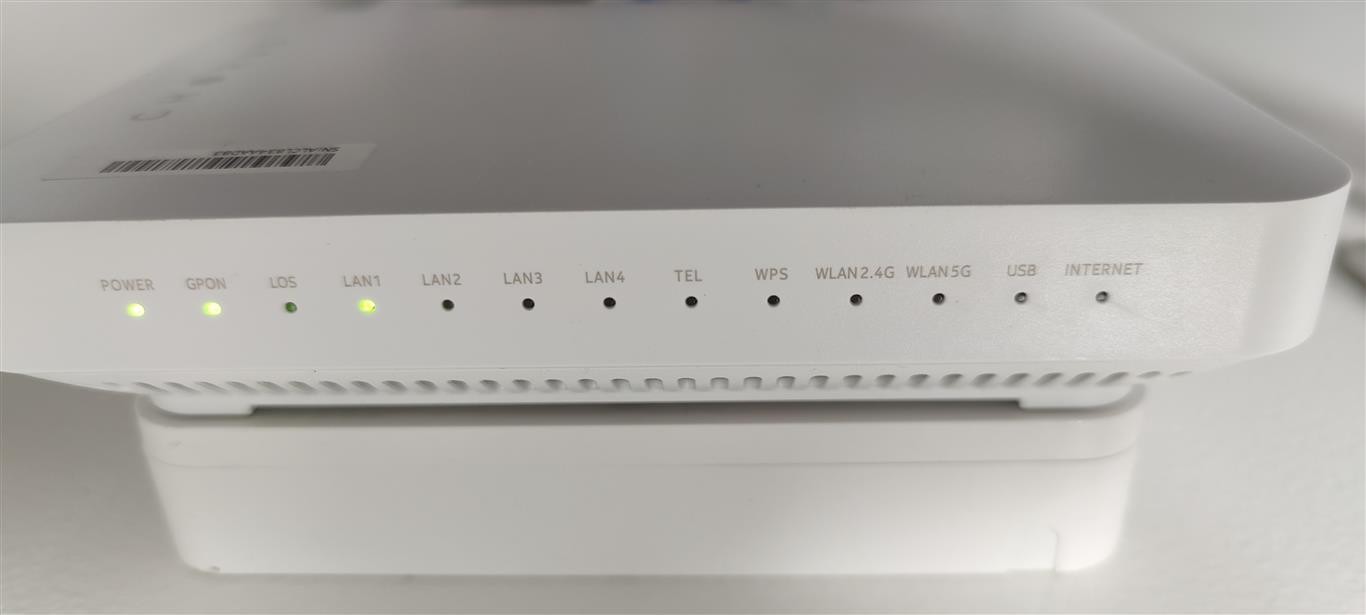


I realise that not having gone with the provided modem I am on my own. Attached are a few screenshots with the settings. 


- I have triple checked my password by logging into the 2D broadband user account site. 


- Note that partway through the troubleshooting process I called 2D and got a static IP - no difference (but I assume I still leave PPPoE as the authentication type)


- Removing the DNS settings makes no difference. Nor does changing to Google DNS or OpenDNS


I wonder if anyone here with Ubiqiti USG could shed some light? 


Thanks in advance!


Filter this topic showing only the reply marked as answer Create new topic
sparkz25
750 posts

Ultimate Geek
+1 received by user: 284
Inactive user


  #2640603 23-Jan-2021 12:33
Send private message

Try dropping the DNS servers and let the USG resolve them itself, also have you done a full reset to rule out any other issues or settings that could be still in the USG?


Ruphus
469 posts

Ultimate Geek
+1 received by user: 181


  #2640607 23-Jan-2021 12:44
Send private message

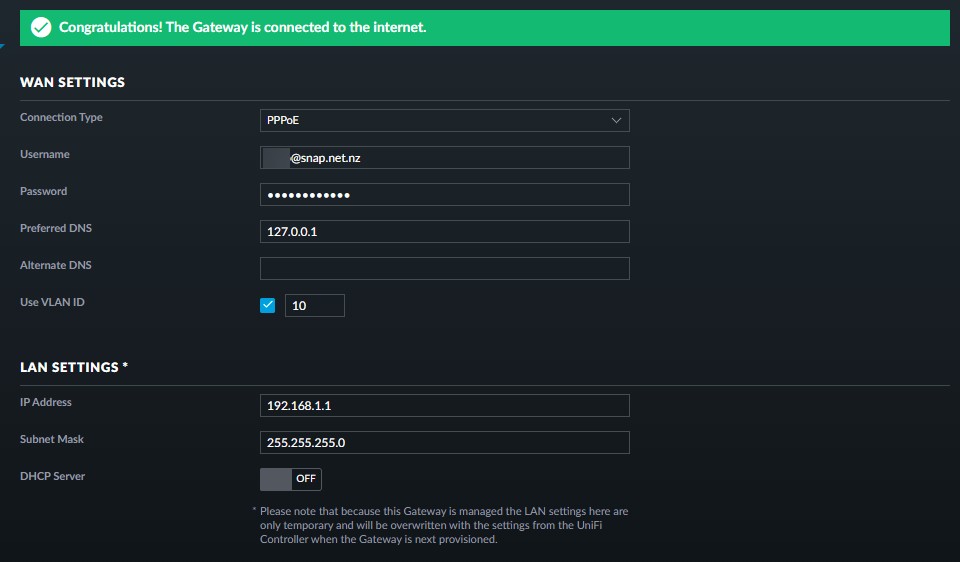
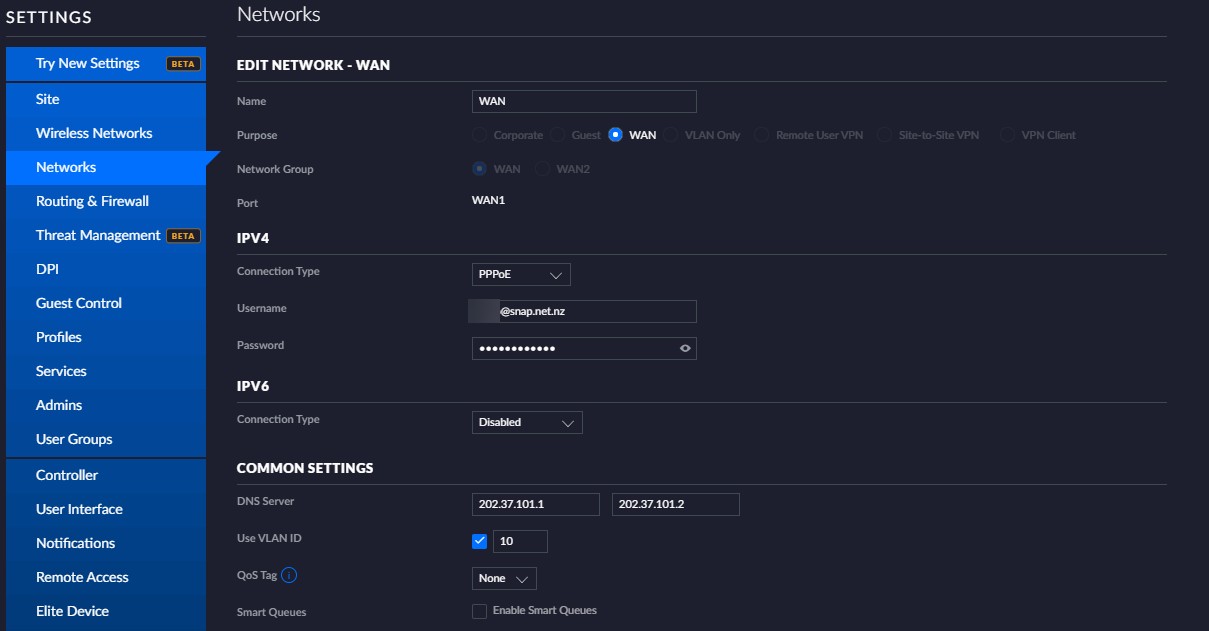
Here's my config.


Ruphus
469 posts

Ultimate Geek
+1 received by user: 181


  #2640608 23-Jan-2021 12:47
Send private message

And I've just update the DNS IP addresses to the new ones.


kaczor47

95 posts

Master Geek
+1 received by user: 19


  #2640619 23-Jan-2021 13:47
Send private message

Great, now I can't get into my Synology NAS which is running the Unifi controller....argh.

Thanks for the suggestions - I'll report back once I get into the controller...

kaczor47

95 posts

Master Geek
+1 received by user: 19


  #2640634 23-Jan-2021 15:26
Send private message

sparkz25:


Try dropping the DNS servers and let the USG resolve them itself, also have you done a full reset to rule out any other issues or settings that could be still in the USG?


No luck. I have restarted the controller, router, ONT, switch, etc. Also no luck with no DNS entered.


I have reproduced the settings from Ruphus - no luck. 


Now - what is the meaning of the rightmost LED on the ONT ('Internet')?


edit: Also, is the authentication still PPPoE for a static IP?


Spyware
3818 posts

Uber Geek
+1 received by user: 1366

Lifetime subscriber

  #2640638 23-Jan-2021 15:50
Send private message

kaczor47:


edit: Also, is the authentication still PPPoE for a static IP?


Yes, your settings are correct.


Spark Max Fibre using Mikrotik CCR1009-8G-1S-1S+, CRS125-24G-1S, Unifi UAP, U6-Pro, UAP-AC-M-Pro, Apple TV 4K (2022), Apple TV 4K (2017), iPad Air 1st gen, iPad Air 4th gen, iPhone 13, SkyNZ3151 (the white box). If it doesn't move then it's data cabled.


Shop now for Lego sets and other gifts (affiliate link).
kaczor47

95 posts

Master Geek
+1 received by user: 19


  #2640651 23-Jan-2021 16:38
Send private message

And we are live! The kind folks at 2D gave me a new static IP and all is well. Thanks to all to assisted here!


Filter this topic showing only the reply marked as answer Create new topic


Geekzone Live »

Try automatic live updates from Geekzone directly in your browser, without refreshing the page, with Geekzone Live now.


Are you subscribed to our RSS feed? You can download the latest headlines and summaries from our stories directly to your computer or smartphone by using a feed reader.