Geekzone: technology news, blogs, forums
Guest
Welcome Guest.
You haven't logged in yet. If you don't have an account you can register now.


psychobattery

8 posts

Wannabe Geek
+1 received by user: 7


#322791 22-Sep-2025 20:37
Send private message

Hi all,


Have cutover today to the 2degrees Hyperfibre 2 plan. Chorus swapped out the ONT and everything is working fine on our old existing router (d-link DIR-882).


However, when I attempted to swap to the new HB810, no dice using the recommended WAN/LAN 10G port to connect to the new ONT (as in no internet via wifi or ethernet).


After a bit of basic troubleshooting with 2degrees support, they got me to switch the ONT connection to the other 10G port on the HB810 (LAN3). This sort of worked, the wifi had internet access at least.


The HB810 admin portal was complaining about a lack of internet and the other ethernet ports had no internet connectivity (either the WAN 10G or the other 2.5G ports). It's set to VLAN 10.


Additional notes: I was migrated from MyRepublic and I saw another post mentioning something about VLAN10 not being configured for migrated customers? I also have a static IP on my plan, or I did.


Any suggestions or am I doomed to jump on a third call with 2degrees to try to get to the bottom of things?


Thanks in advance!


Create new topic
psychobattery

8 posts

Wannabe Geek
+1 received by user: 7


  #3417953 23-Sep-2025 15:53
Send private message

OK, so 2degrees helped me today and got me to change the following settings on the HB810:


  • Unticked VLAN ID (where it was set to 10)


    • This got me some internet access but also DNS issues
  • After the DNS issues, got me to set primary DNS to 1.1.1.1 (cloudflare) and secondary 8.8.8.8 (google) on the HB810.


    • Edit changed these to 2 degrees 111.69.69.69 and 68 after a series of micro-outages, will see if that was the issue.

Everything now seems to be working as expected, though I did ask about the VLAN ID part and didn't get much of an explanation.


Am I now running in a slightly non-standard way?


Any other tips/tricks for best setup options on the HB810? Looks like lots of different ways to run the wireless, though most of the things I care about are hard-wired.


Anyway:


psychobattery

8 posts

Wannabe Geek
+1 received by user: 7


  #3418012 23-Sep-2025 16:39
Send private message

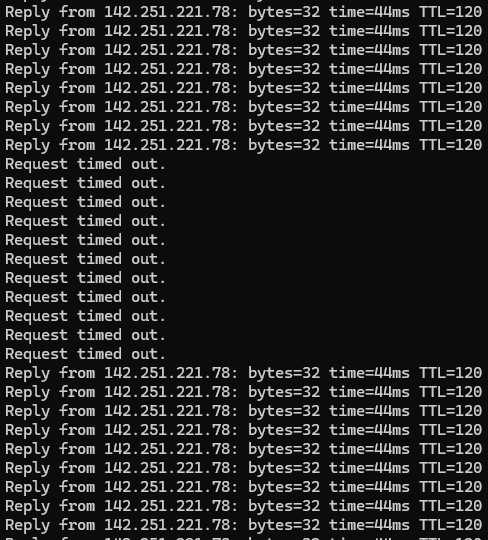
Dang, micro-outages continue, about every 10-20 minutes on average. And wireless much more than micro. Back to support I guess!


psychobattery

8 posts

Wannabe Geek
+1 received by user: 7


  #3419218 27-Sep-2025 11:14
Send private message

Last update, all working after 5 days of calls to 2degrees and a few chorus visits.


Actual things that were done (other than a million resets/factory resets with phone support):


  • Router configured for VLAN 10 when I'd been a MyRepublic migrated customer so initially set as untagged at their side (they changed it at their side to match as 10)


    • Not sure if this actually causes issues or not, but part of the process
  • New Nokia ONT seemed to sporadically drop 10-20 times per day and power cycle and was deemed faulty and replaced by Chorus
  • Replacement Nokia ONT had no internet access via the provided TP-LINK router, despite looking fine to 2degrees and Chorus
  • Nokia ONT replaced a second time (third Nokia ONT)


    • While replacing the ONT, the chorus guy was on the phone to I guess the back-end chorus guy who said the "upstream service template was misconfigured" and seemed pretty baffled as to why this was setup in this way
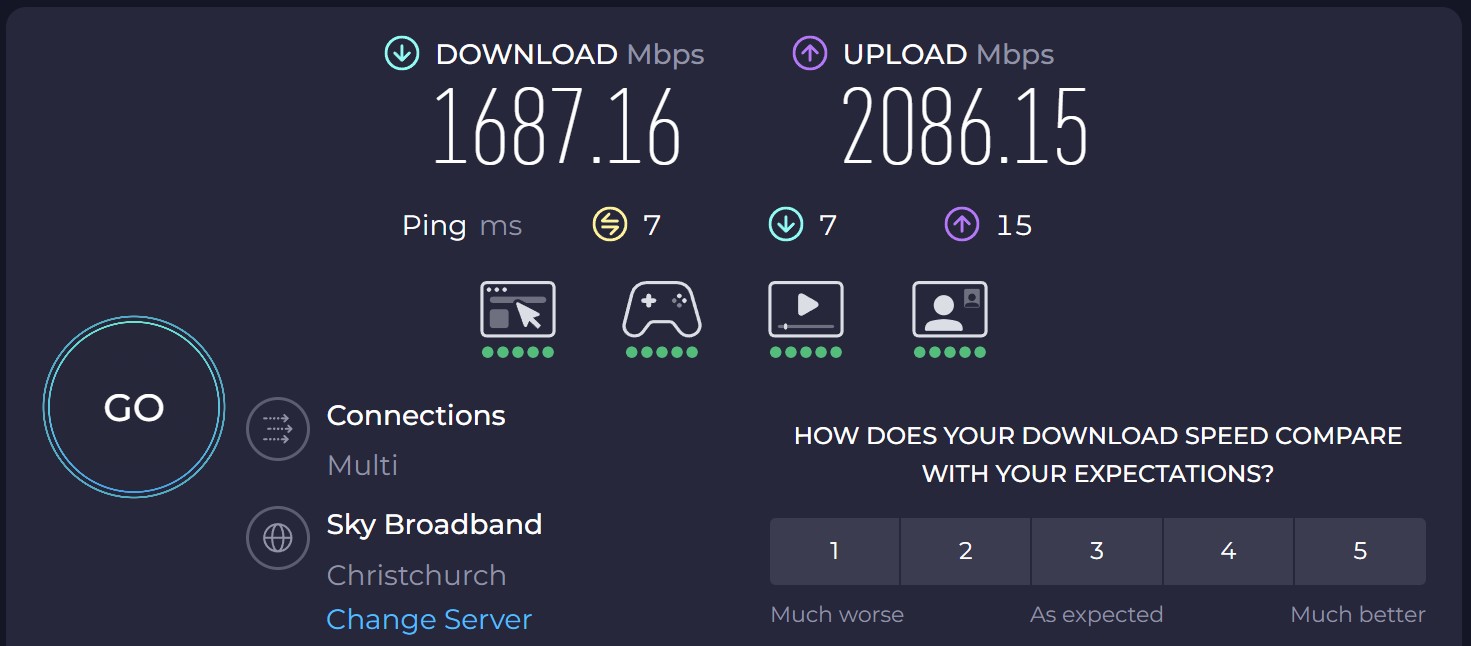
  • After this final replacement and fixing the "upstream service template" everything has been fine, no drops and reasonable 1500-1800Mbps down and 2000Mbps up.

In short, I'm sure I'll forget all about this process in a week or two, but this week has sucked having flakey or no internet :)


Grateful to the chorus people who persisted and figured out the issue, less grateful to the 4th 2degrees support person asking me to swap the ends of the cables between the ONT and the TP-LINK or the one that said my Wifi couldn't possibly work on HyperFibre without Wifi7 devices...


Leaving this for anyone else who has anything close to this issue, though it's possibly pretty rare. The chorus guy did say they've been replacing more faulty Nokia ONTs than previously, though he wasn't sure if this was because more people were on HyperFibre or there were actually more issues with the Nokias than previously.


Cheers for reading along!


Create new topic


Geekzone Live »

Try automatic live updates from Geekzone directly in your browser, without refreshing the page, with Geekzone Live now.


Are you subscribed to our RSS feed? You can download the latest headlines and summaries from our stories directly to your computer or smartphone by using a feed reader.