Geekzone: technology news, blogs, forums
Guest
Welcome Guest.
You haven't logged in yet. If you don't have an account you can register now.


freitasm

BDFL - Memuneh
80655 posts

Uber Geek
+1 received by user: 41053

Administrator
ID Verified
Trusted
Geekzone
Lifetime subscriber

#224176 6-Nov-2017 15:26
Send private message

Regardless of having tapped "Allow" before, and checked the GMail app is set to always run in background, this GMail notification appears every first run after a restart:
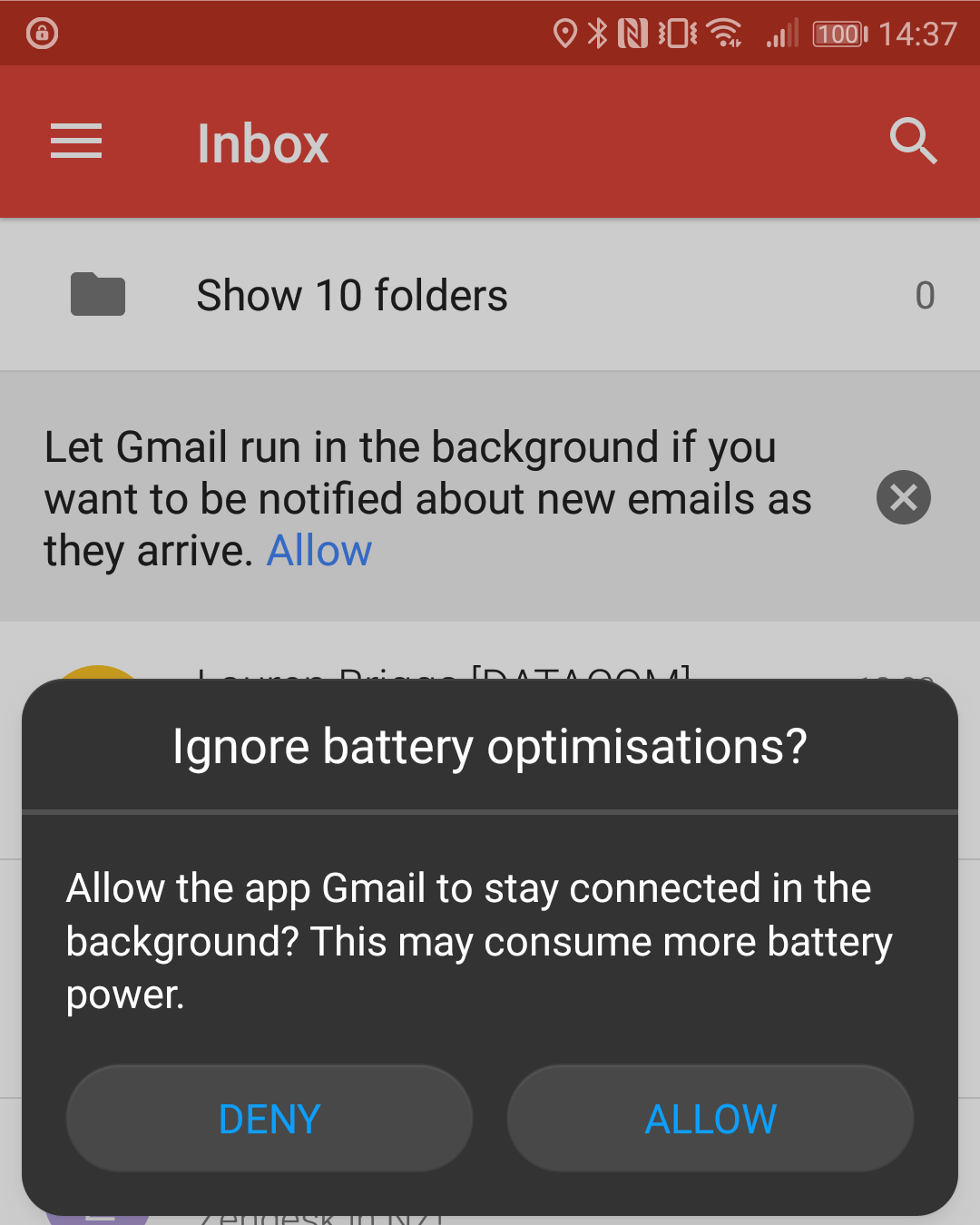


It could be just a GMail bug, but it's damn annoying.


Referral links: Quic Broadband (free setup code: R587125ERQ6VE) | Samsung | AliExpress | Wise | Sharesies 


Support Geekzone by subscribing (browse ads-free), or making a one-off or recurring donation through PressPatron.




Create new topic
nzgeek
619 posts

Ultimate Geek
+1 received by user: 52


  #1896428 6-Nov-2017 21:21
Send private message

Odd. I'm not having the same problem. (Google Pixel with stock firmware)

Try going into Settings > Battery > triple dot menu > Battery optimization and manually setting Gmail to not optimised. That should hopefully get rid of the notification.


freitasm

BDFL - Memuneh
80655 posts

Uber Geek
+1 received by user: 41053

Administrator
ID Verified
Trusted
Geekzone
Lifetime subscriber

  #1896435 6-Nov-2017 21:44
Send private message

Yes, not a stock Android - one of the OEM.


Referral links: Quic Broadband (free setup code: R587125ERQ6VE) | Samsung | AliExpress | Wise | Sharesies 


Support Geekzone by subscribing (browse ads-free), or making a one-off or recurring donation through PressPatron.


nzgeek
619 posts

Ultimate Geek
+1 received by user: 52


  #1896446 6-Nov-2017 22:03
Send private message

It does appear to be a bug.

I turned off optimisation and the Gmail app promoted me to turn it off. It was a similar dialog you yours, but not OEM skinned.


Tapping on Allow did not appear to work. Gmail stopped nagging, but the change did not appear to have taken effect in Settings. I had to change the optimisation setting manually.

Create new topic


Geekzone Live »

Try automatic live updates from Geekzone directly in your browser, without refreshing the page, with Geekzone Live now.


Are you subscribed to our RSS feed? You can download the latest headlines and summaries from our stories directly to your computer or smartphone by using a feed reader.