Hi guys,
Open question are you streaming Netflix in SuperHD.?
1. What device are you using,
2. How is it connected Ethernet or WiFi, HDMI out etc.
3. Do you have any setup advice, what worked what didn't work.
|
|
|
Sometimes I just sit and think. Other times I just sit.
Common sense is not as common as you think.
eracode: I am also interested to see answers to this and hope you won't mind if I add a question.
When watching Netflix on TV (two-year-old Samsung Smart LCD) is there any way I can see the resolution NF is currently playing at?
My understanding is that what NF calls Super HD is actually 1080p - not something greater that might be implied by that term, and their 'HD' is 720p.


Referral links: Quic Broadband (free setup code: R587125ERQ6VE) | Samsung | AliExpress | Wise | Sharesies
Support Geekzone by subscribing (browse ads-free), or making a one-off or recurring donation through PressPatron.
Common sense is not as common as you think.
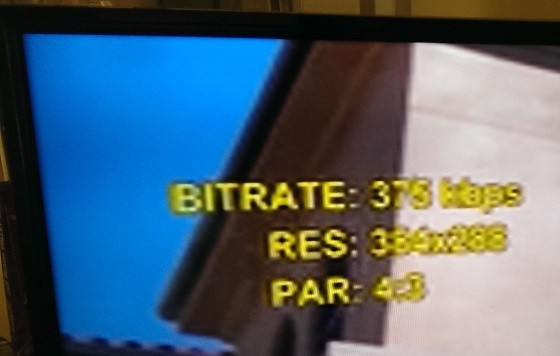
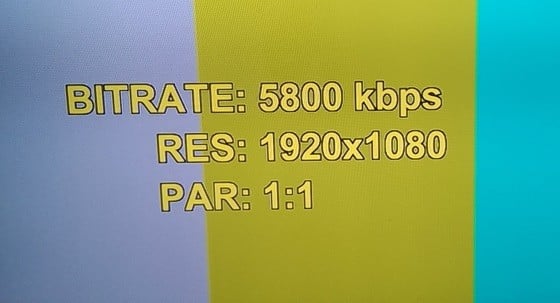
freitasm: I am on Vodafone cable 130Mbps, Amazon Fire TV box, Panasonic 65" 4K UltraHD TV:
Glad it gets better over time.
Referral links: Quic Broadband (free setup code: R587125ERQ6VE) | Samsung | AliExpress | Wise | Sharesies
Support Geekzone by subscribing (browse ads-free), or making a one-off or recurring donation through PressPatron.
vexxxboy: ok just found out you need to download the netflix windows 8 app to get Super HD . off to experiment .
Sometimes I just sit and think. Other times I just sit.
DeepBlueSky: Hi guys,
Open question are you streaming Netflix in SuperHD.?
1. What device are you using,
2. How is it connected Ethernet or WiFi, HDMI out etc.
3. Do you have any setup advice, what worked what didn't work.
geekiegeek:eracode: I am also interested to see answers to this and hope you won't mind if I add a question.
When watching Netflix on TV (two-year-old Samsung Smart LCD) is there any way I can see the resolution NF is currently playing at?
My understanding is that what NF calls Super HD is actually 1080p - not something greater that might be implied by that term, and their 'HD' is 720p.
I believe that SuperHD is 1080p at higher bit rate then standard 1080p.
I use an AppleTV hard wired via Astrill VPN and get SuperHD every time without issue.
fahrenheit: Have two VDSL lines (one naked with Snap and the other with Telecom). Chromecasts for streaming and Unotelly for DNS.
The Snap line comprehensively slaughters the Telecom one when it comes to NF performance. It very quickly ramps up to 4300kbps and within 10-15 seconds, hits and stays at 5800kbps (SuperHD).
The Telecom line takes over a minute to reach 4300kbps and can very briefly peak at 5800kbps before dropping back seconds later.
Ironically, I am currently troubleshooting problems with my line with Snap after a significant drop in download speed and high attenuation and ping. Even under these circumstances, it still obliterates telecom.
I wanted to leverage the telecom account so that I could keep the Snap line within my monthly data cap, but since its NF performance is so sub-par, I just can't sit there watching video dipping into poor bitrates all the time.
NonprayingMantis:
How can you tell? I've tried fiddling with the Apple TV but can't find any way to find out the streaming quality.
Or are you just judging it by eye?
NonprayingMantis:
Why not just switch to snap unlimited and ditch the telecom one altogether? Probably save you quite a bit of money.
|
|
|