Geekzone: technology news, blogs, forums
Guest
Welcome Guest.
You haven't logged in yet. If you don't have an account you can register now.


boosacnoodle

1329 posts

Uber Geek
+1 received by user: 907


#324558 27-Apr-2026 11:20
Send private message

People using Spark's 5G Wireless Broadband at home, how is it? What's the speed like?


If you have the Nokia gateway, are you able to put it in bridge mode? Are there any other weird restrictions?


Create new topic
boosacnoodle

1329 posts

Uber Geek
+1 received by user: 907


  #3487135 3-May-2026 17:52
Send private message quote this post

Thought I would give it a try. These are my immediate thoughts.


Physical connectivity


  • Despite Spark's 5G network being capable of speeds well over a gigabit, the gateway is equipped with just 2x 1 Gbps LAN ports - neither of which feature 2.5/10 Gbps support. If you have a solid 5G connection nearby, it is likely that you will be leaving at least some speed on the table. But it's likely that almost any user won't end up noticing anyway as 1 Gbps 5G speeds are roughly inline with fibre.
  • It is not immediately clear why Spark made the decision to not supply a gateway with 2.5 Gbps support as it appears at least some of the FastMile series do appear to support 2.5G internationally. Almost certainly this was a choice made to save cost.
  • There is also a third Ethernet port labelled as LAN/WAN but I was not able to get this port to do anything. While this is not a major concern for me as I will be operating my own separate UniFi network independently, it may be frustrating for households who do not have their own network switches.


Pricing


  • One NZ, 2degrees - and even Skinny (Spark's own in-house brand) - all provide their FWA modem for either free or a very low cost. Spark does not and, while IFP is available, the device will end up costing you around $199.
  • A large part of the reason I moved to Spark from my previous $89 1000/500 Mbps fibre plan was the promotion to save $20 a month while getting Netflix included for free. This makes the effective cost to me per month somewhere around $30. For unlimited 5G, this seems like very sharp pricing to me.


Software


  • Seemingly every other change requires the gateway to restart. Okay, that perhaps not super abnormal. That is until you realise that it takes around 5 minutes to boot up each time. During boot, you will have no internet connectivity. Need to make multiple changes that each need a reboot? That 5 minute wait starts to add up quickly.
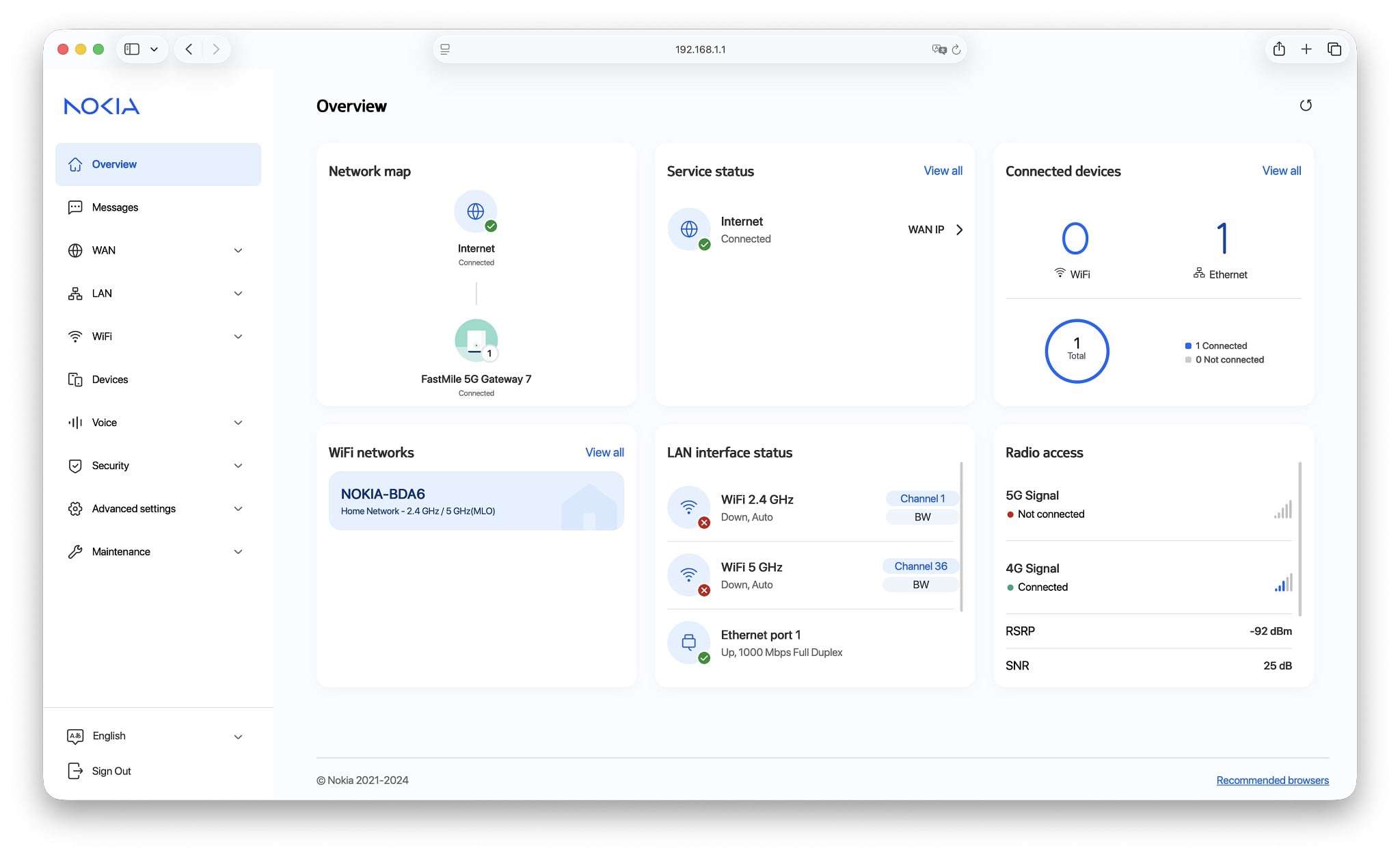
  • This is made even worse by the fact that the web UI errors out frequently and just goes completely unresponsive. Checking the HTTP responses, the gateway is giving 500 Internal Server Errors for seemingly no apparent reason. You will be pressing the refresh button often to get what you need done.
  • Further compounding the software issues, changing the default IP address from 192.168.1.1 to literally anything else causes 4G carrier aggregation and any form of 5G to stop working. This one took me a few days to work out. It's not yet clear if Spark or Nokia are working on a fix for this or how I might even begin to explain that issue to the help-desk.
  • TR-069 is enabled which presumably gives Spark some level of remote management. There is no ability to turn this off as it is restricted to superadmins and I was unable to immediately locate the superadmin credentials.


Wi-Fi connectivity


  • The Wi-Fi looks good on paper at an astonishing 5764.7 Mbps link speed! But... it does not connect on my iPhone 17 Pro - the loading icon just always spins around, without ever giving an error message. Because of this issue, I was not able to test the Wi-Fi. It is possible that in very good 5G coverage you may be able to get over 1 Gbps internet speeds over Wi-Fi (but not over Ethernet).
  • It is not possible to enable 5 GHz Wi-Fi without also enabling 2.4 GHz. It is not clear why this is. If 2.4 GHz is unusable near you, having to enable 2.4 GHz will definitely cause some frustration as your devices may decide to fall back to it.
  • Enabling either Wi-Fi radio enabled, the gateway is always transmitting a mesh signal. This wastes Wi-Fi airtime with additional broadcasts as it will happen even when you have no other Nokia mesh devices paired or nearby.

IP addressing


  • Spark FWA, like almost all FWA in NZ, uses CG-NAT. This makes sense if support for IPv6 was available - but it's not (as far as I am aware, it's not available on any NZ MNO).
  • If you want to host any services with FWA, you are out of luck. And while you can request a Static IP, this is an additional $15/month on all consumer plans. It is included, on request, with most - but not all - business plans. As I do not have a Static IP, I have not been able to test the port forwarding / DMZ capabilities of the gateway but it does appear to have at least some level of support for this.
  • Bridge mode is - kind of - supported and can be enabled by going to WAN > WAN services > Cellular > broadband (Access Point Name), then change Work mode from Router Mode to Bridge Mode. This will cause your external IP to be assigned to the device connected to your Ethernet port. This is mostly pointless, however, as it will almost certainly be a CG-NAT IP (10.x.x.x-range) which is not reachable from the internet.
  •  
5G connectivity


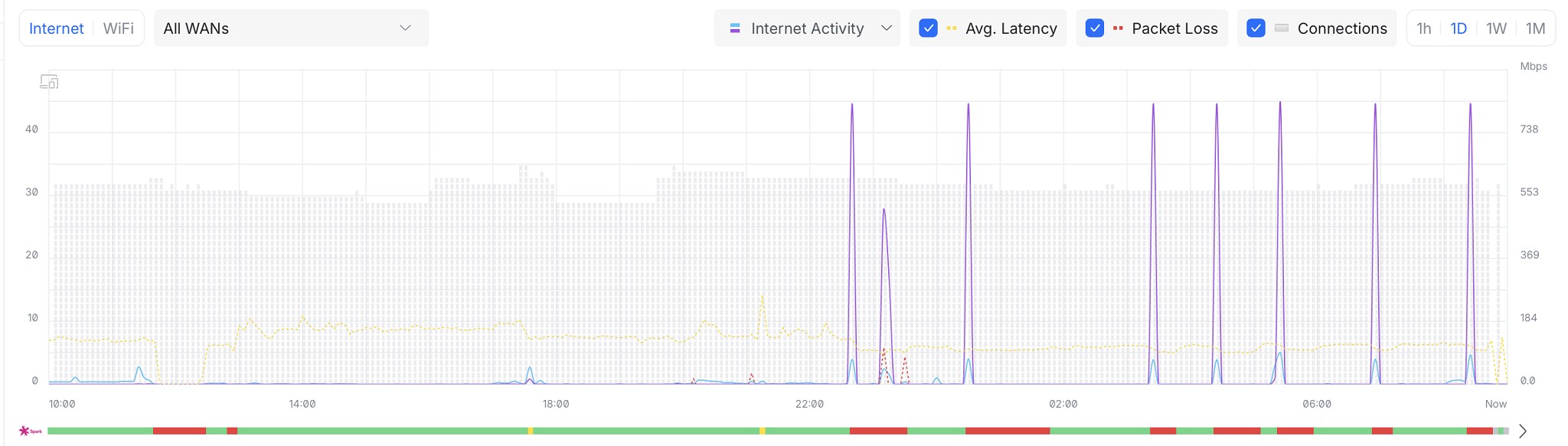
  • When download/upload on the 5G connection is high, the latency spikes and this can sometimes go quite high. I think this is expected but it's worthwhile remembering that this is fairly difficult to do on fibre - at least on 1000/500 Mbps plans.
  • Occasionally I have had latency spikes while not under any load on my own connection (presumably due to some network congestion in the local area). Latency might go from around 20 ms baseline to 60 ms and even sometimes just over 100 ms.
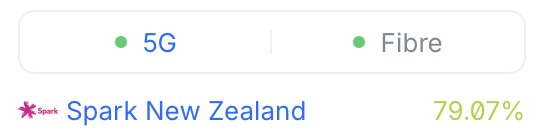
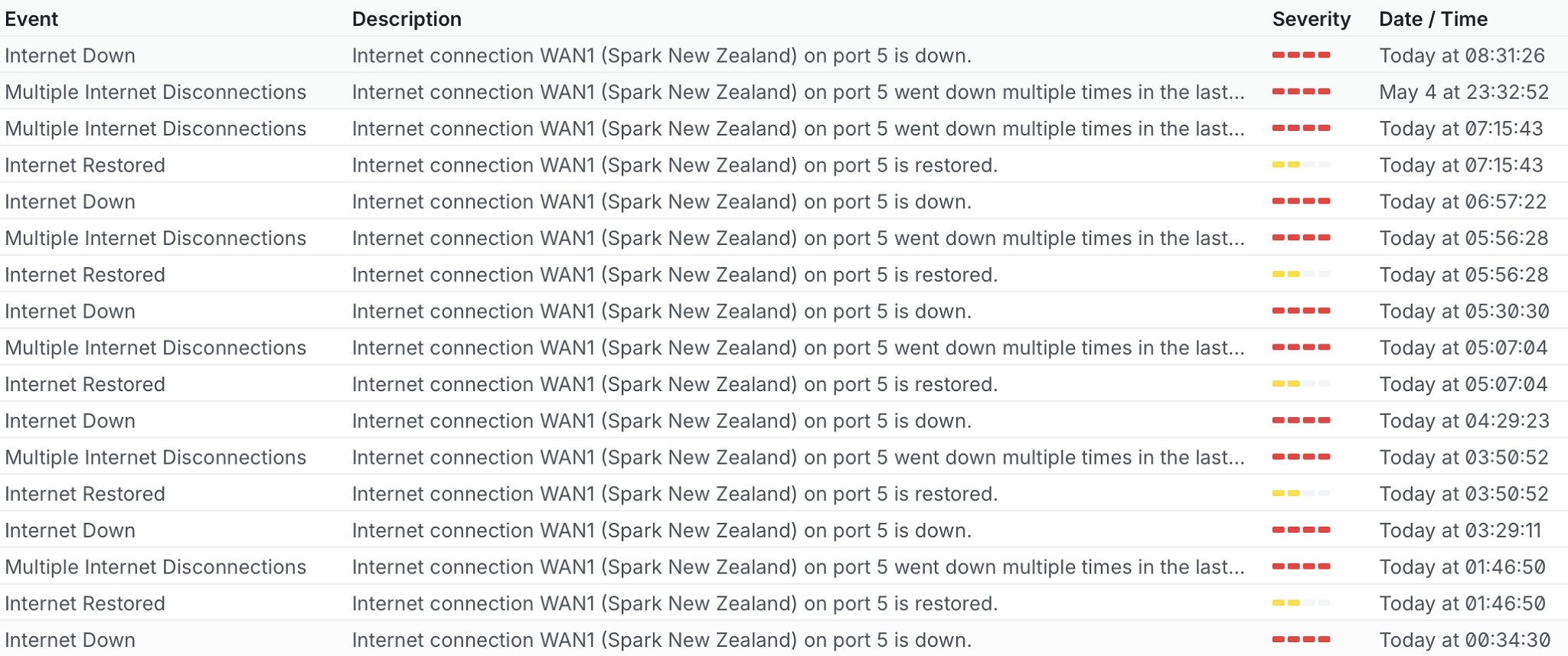
  • I have had the connection drop randomly once or twice. I was not able to deduce from the logs whether this was a fault of the device or of the network, though I have not observed any hard limits (like the connection dropping every 24 hours).
  • Loading a webpage for the first time can go slow initially then speed up. From what I have observed, the network appears to start off at a very low speed then ramps up quite quickly. This may be a quirk of the gateway camping on 4G then moving up to 5G when under load but I can't say for certain. This phenomenon is not seen on fibre but appears to be a "feature" of cellular networks.
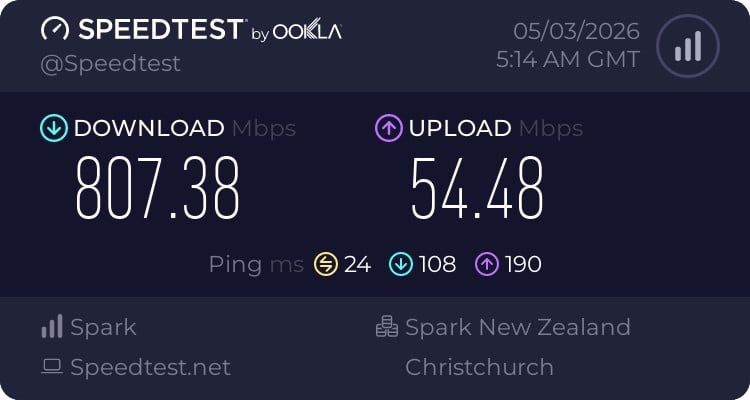
  • Speeds are generally consistent at around 800 Mbps down and 50 Mbps up. I have not observed any random slow downs, even at peak times. Latency also appears to be generally stable.
  • 4G mostly camps on b7, with b1, b3 and b28 being used for carrier aggregation as secondary cell 1, 2 & 3 respectively. 5G is non-standalone (NSA) using n78 (carrier aggregation on 5G is unavailable).


Lastly, the all important speedtest:


So, am I happy with this, having used exclusively fibre (originally 200/20 then 200/200 then 1000/500) for the past decade or so?


Generally, yes. The Spark 5G network is very solid. Even when I was having the 5G glitch where the device fell back to only 4G, I didn't even really notice as I was still getting around 200 Mbps download.


The hardware itself appears solid but it's the software that ultimately lets it down. This was something of a surprise for me at least with it being Nokia.


And while the rest of my network is UniFi and I'd have liked to have picked-up a UniFi 5G Max, the prices for them domestically are frankly crazy ($1000+) for what's inside (the radio chipset appears to be inferior to even that of the $199 Nokia).


Create new topic


Geekzone Live »

Try automatic live updates from Geekzone directly in your browser, without refreshing the page, with Geekzone Live now.


Are you subscribed to our RSS feed? You can download the latest headlines and summaries from our stories directly to your computer or smartphone by using a feed reader.