Geekzone: technology news, blogs, forums
Guest
Welcome Guest.
You haven't logged in yet. If you don't have an account you can register now.


peejayw

1913 posts

Uber Geek
+1 received by user: 123


#280269 5-Dec-2020 09:44
Send private message

I have a NUC with an SSD that is running Ubuntu server. I need to reinstall the server software via usb stick but when I go into the bios settings there does not seem to be an option to boot from usb.


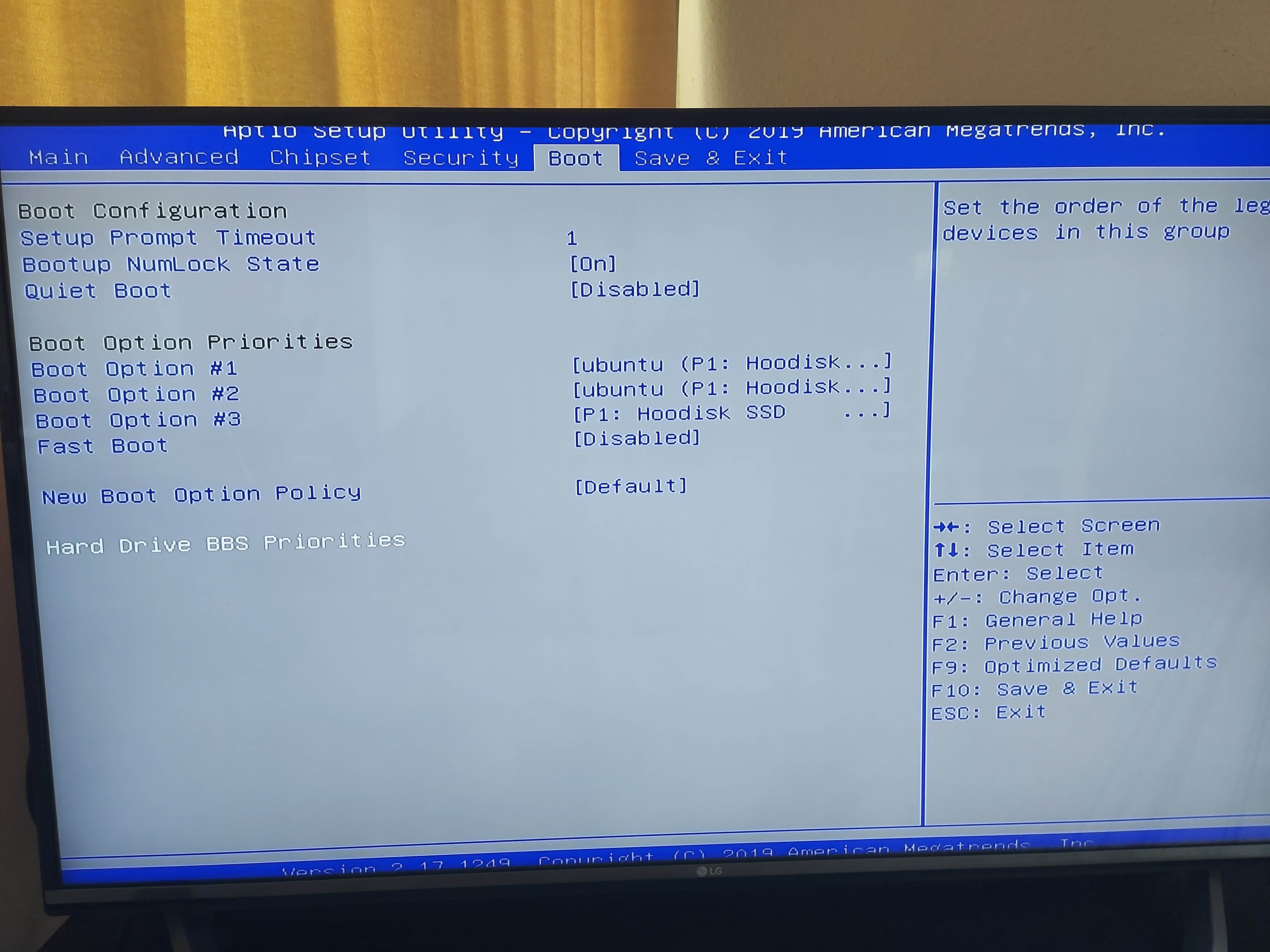
Currently under Boot Option Priorities I see the following....


Boot Option #1      Ubuntu (P1: Hoodisk...


Boot Option #2      Ubuntu (P1: Hoodisk...


Boot Option #3      P1: Hoodisk SSD


Fast Boot               Disabled


The options for each boot option are   P1: Hoodisk SSD


                                                       Ubuntu (P1: Hoodisk SSD)


                                                       Ubuntu (P1: Hoodisk SSD)


                                                       Disabled


I dont see anything that lets me set USB boot as priority.


Any suggestions?


Thanks.


 I'm supposed to respect my elders, but it's getting harder and harder for me to find one now.


View this topic in a long page with up to 500 replies per page Create new topic
 1 | 2

gzt

gzt
18875 posts

Uber Geek
+1 received by user: 7999

Lifetime subscriber

  #2616576 5-Dec-2020 10:40
Send private message

Don't know. I recall one example - USB had to be plugged in and bootable to show in EFI.


nitrotech
1285 posts

Uber Geek
+1 received by user: 168


  #2616579 5-Dec-2020 10:50
Send private message

Spent a bit of time on an old NUC a couple of weeks ago - same issue - you have to enable it manually by putting a tick in usb as a boot option but it's not under the boot options page, it's buried somewhere in the bios can't remember exactly where but not where you'd expect it to be. Once enabled USB then shows as a bootable device. Unfortunately the device is now back with the client otherwise I'd point you to exactly the right place.


MurrayM
2506 posts

Uber Geek
+1 received by user: 744

ID Verified
Trusted
Lifetime subscriber

  #2617303 7-Dec-2020 09:52
Send private message

I think you can just plug the USB stick in and while the NUC is booting up hit F10 to get to the boot options and you should be able to select the USB stick (assuming it's been set up as a valid boot device).


peejayw

1913 posts

Uber Geek
+1 received by user: 123


  #2617309 7-Dec-2020 09:55
Send private message

The USB stick has been set as bootable and I can access the boot options with F11 but there is no option to set USB as first boot, at least not that I can see.


 I'm supposed to respect my elders, but it's getting harder and harder for me to find one now.


MurrayM
2506 posts

Uber Geek
+1 received by user: 744

ID Verified
Trusted
Lifetime subscriber

  #2617577 7-Dec-2020 14:49
Send private message

peejayw:


The USB stick has been set as bootable and I can access the boot options with F11 but there is no option to set USB as first boot, at least not that I can see.


Hmm, that's pretty weird, I'm sure that's how I installed Linux on my NUC.


Apparently there are two different kinds of NUC BIOS's: Aptio V BIOS Core and Visual BIOS Core. I have the Visual one. See here for how to tell the difference. I'm pretty sure I found a BIOS manual for my model on the Intel website, maybe you could try looking there for a manual for your model?


peejayw

1913 posts

Uber Geek
+1 received by user: 123


  #2617586 7-Dec-2020 14:55
Send private message

Mine is American Megatrends.


 I'm supposed to respect my elders, but it's getting harder and harder for me to find one now.


Move to New Zealand's best fibre broadband service (affiliate link). Free setup code: R587125ERQ6VE. Note that to use Quic Broadband you must be comfortable with configuring your own router.
chevrolux
4962 posts

Uber Geek
+1 received by user: 2638
Inactive user


  #2617600 7-Dec-2020 15:13
Send private message

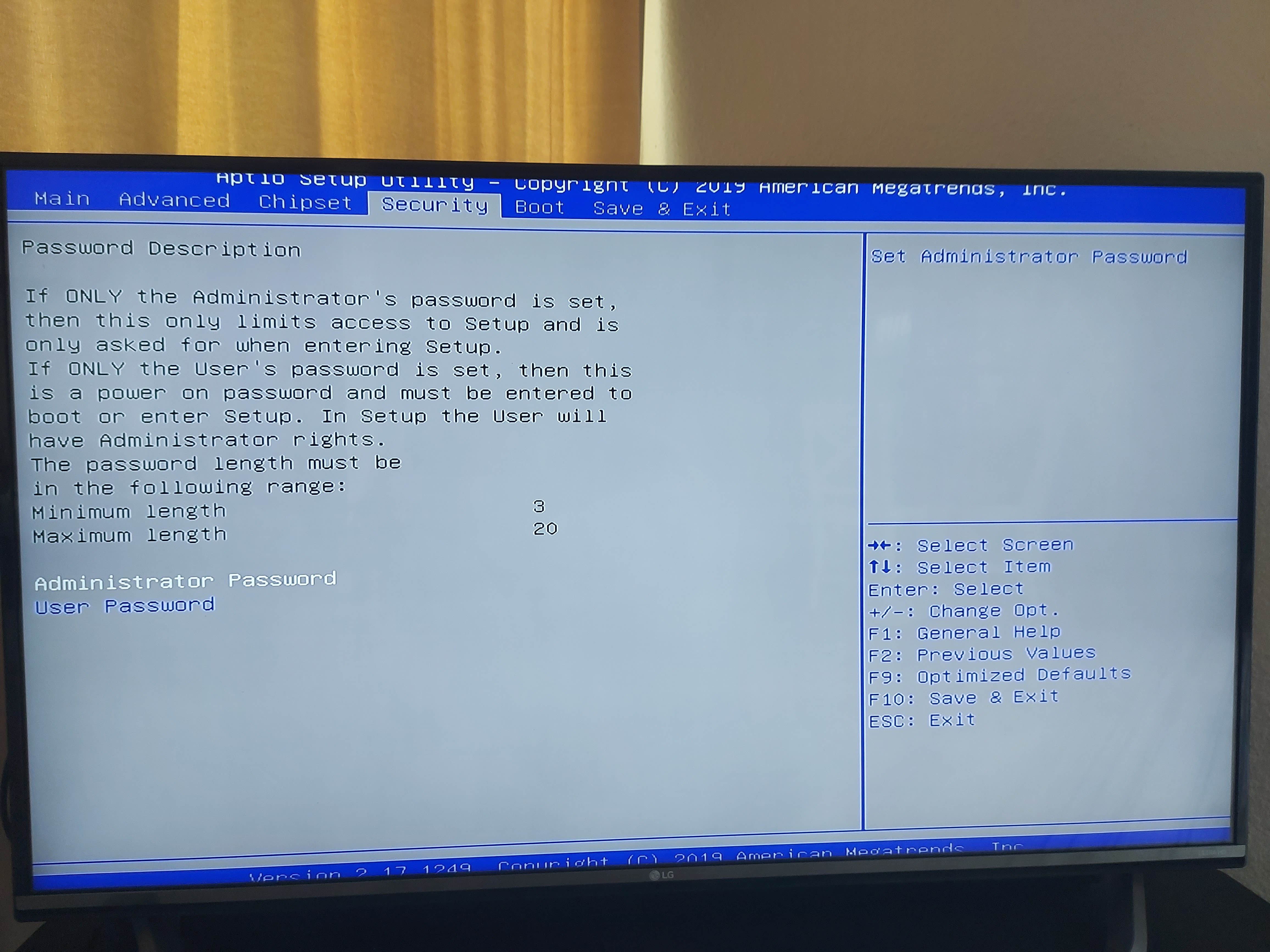
Is Secure Boot enabled? From memory that stops you booting from "unauthenticated" sources.

peejayw

1913 posts

Uber Geek
+1 received by user: 123


  #2617616 7-Dec-2020 15:28
Send private message

I will hook it up again and check that one, thanks.


 I'm supposed to respect my elders, but it's getting harder and harder for me to find one now.


peejayw

1913 posts

Uber Geek
+1 received by user: 123


  #2619422 10-Dec-2020 13:31
Send private message

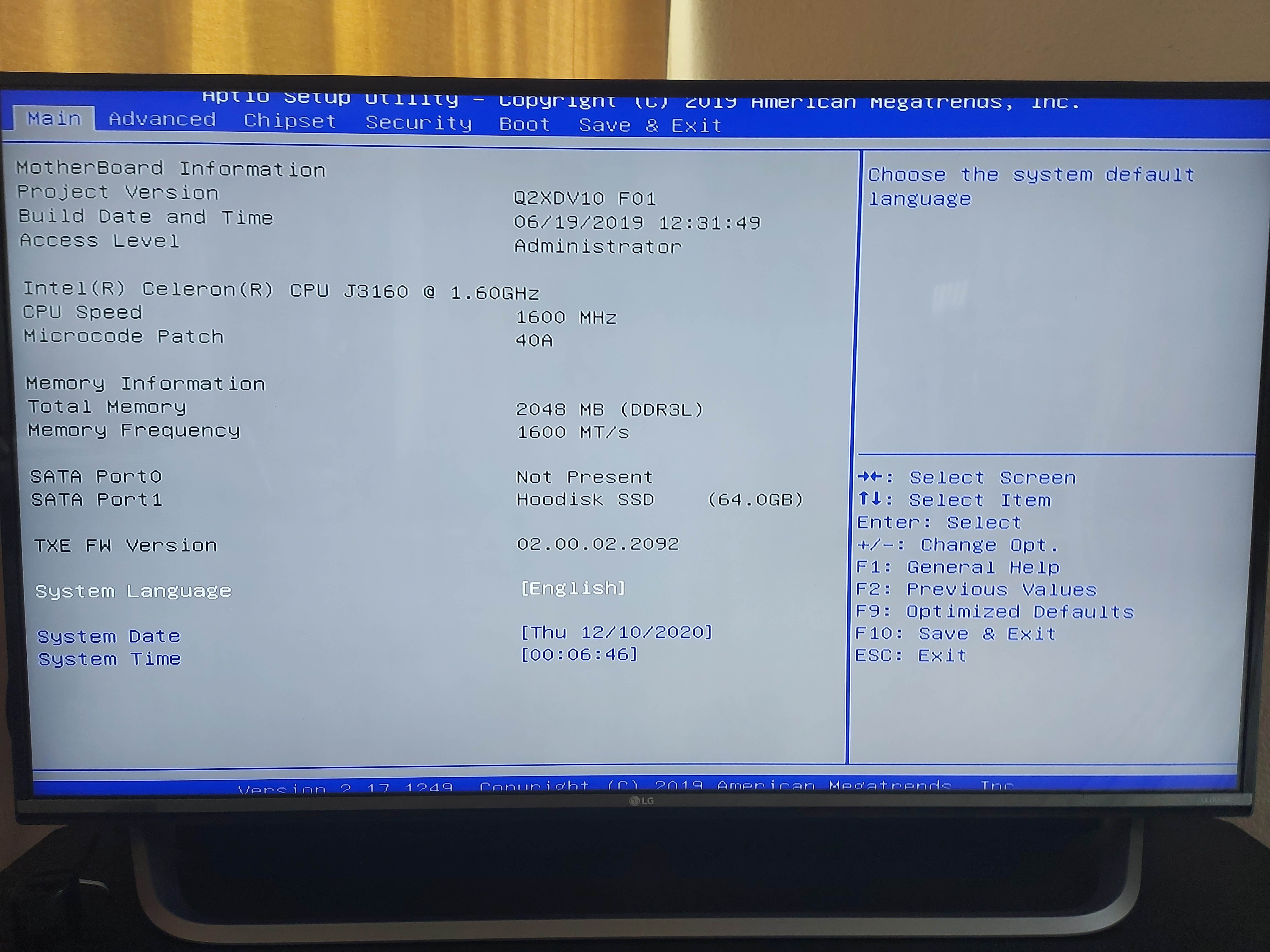
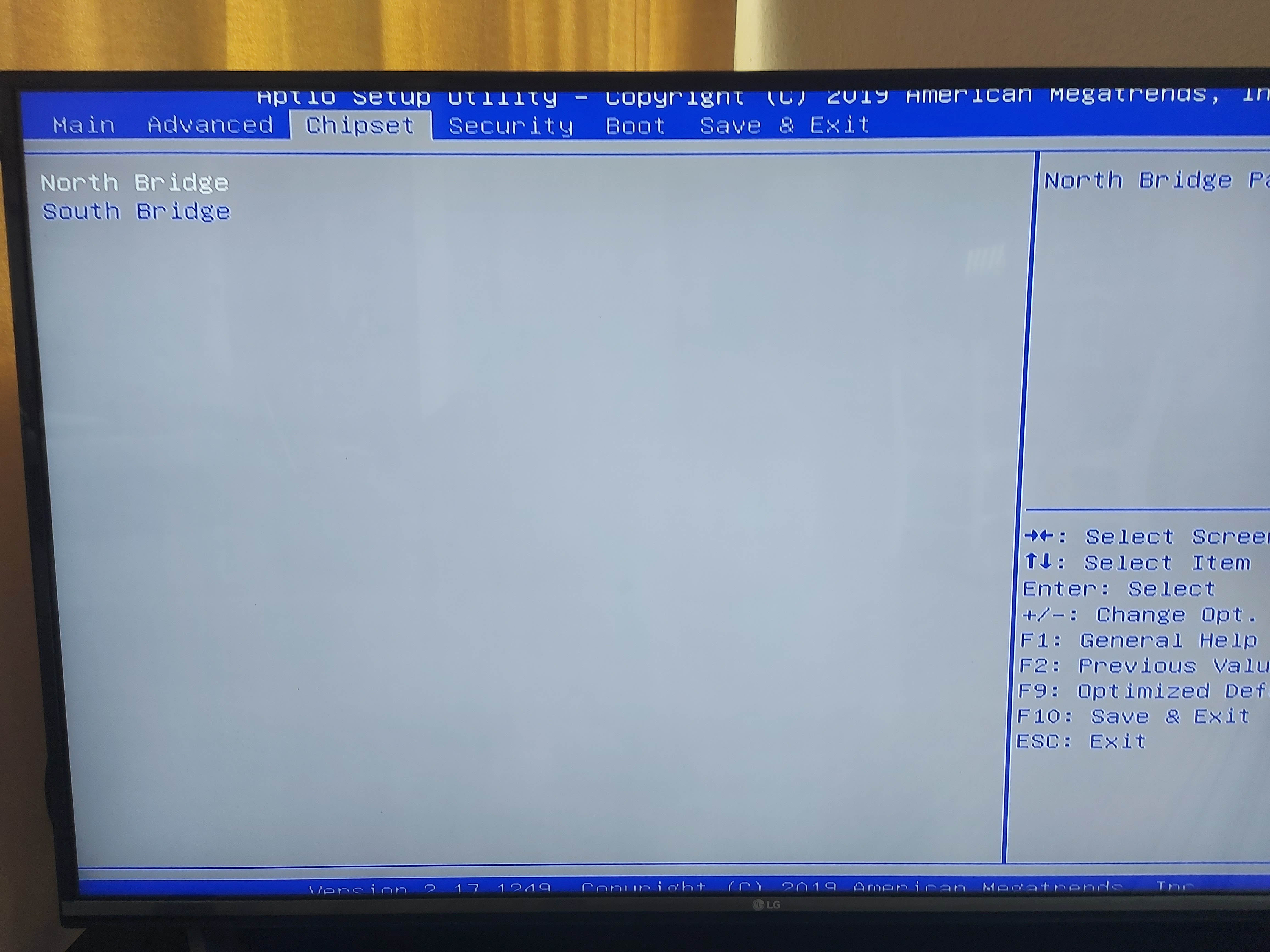
Posting some shots of the various bios screens in case it jogs someones memory as to where the USB boot option might be hiding. Thanks.


 I'm supposed to respect my elders, but it's getting harder and harder for me to find one now.


tchart
2398 posts

Uber Geek
+1 received by user: 579

ID Verified
Trusted

  #2619476 10-Dec-2020 14:12
Send private message

I had a similar issue on my new Asus laptop (2020 model). I wanted to do a clean install of Windows 10 (sans bloatware). 


Anyway, the a Windows 10 bootable USB wouldnt work no matter what. I tried altering CSM, secure boot but nothing worked.


I ended up finding a random tech video on Youtube which actually worked.


To save you watching the video the fix was to use Win USB to prep the USB drive and then it worked. It was a real W.T.F. moment.


https://www.winusb.net/


^ BTW it just allows you to have several distros (windows or Linux) on a USB but for some reason it worked on my laptop.


peejayw

1913 posts

Uber Geek
+1 received by user: 123


  #2619479 10-Dec-2020 14:13
Send private message

OK, will have a go, thanks.


 I'm supposed to respect my elders, but it's getting harder and harder for me to find one now.


Shop now on AliExpress (affiliate link).
peejayw

1913 posts

Uber Geek
+1 received by user: 123


  #2619498 10-Dec-2020 14:44
Send private message

Well drew a blank there. I downloaded and installed Winusb v3.7.0.1 but it does not detect any of my usb drives. Windows detects them just fine.


 I'm supposed to respect my elders, but it's getting harder and harder for me to find one now.


jonb
1799 posts

Uber Geek
+1 received by user: 545

Trusted

  #2619549 10-Dec-2020 16:41
Send private message

My Lenovo would only detect USB to boot from when it was Fat32, not NTFS, worth a try.


tchart
2398 posts

Uber Geek
+1 received by user: 579

ID Verified
Trusted

  #2619556 10-Dec-2020 17:17
Send private message

peejayw:


Well drew a blank there. I downloaded and installed Winusb v3.7.0.1 but it does not detect any of my usb drives. Windows detects them just fine.


Does winusb not detect them? Or the bios?


peejayw

1913 posts

Uber Geek
+1 received by user: 123


  #2619601 10-Dec-2020 18:32
Send private message

Winusb does not detect a usb drive.


 I'm supposed to respect my elders, but it's getting harder and harder for me to find one now.


 1 | 2
View this topic in a long page with up to 500 replies per page Create new topic


Geekzone Live »

Try automatic live updates from Geekzone directly in your browser, without refreshing the page, with Geekzone Live now.


Are you subscribed to our RSS feed? You can download the latest headlines and summaries from our stories directly to your computer or smartphone by using a feed reader.