Geekzone: technology news, blogs, forums
Guest
Welcome Guest.
You haven't logged in yet. If you don't have an account you can register now.


ClockWatcher

12 posts

Geek


#321553 28-Aug-2025 16:29
Send private message

Hi all,


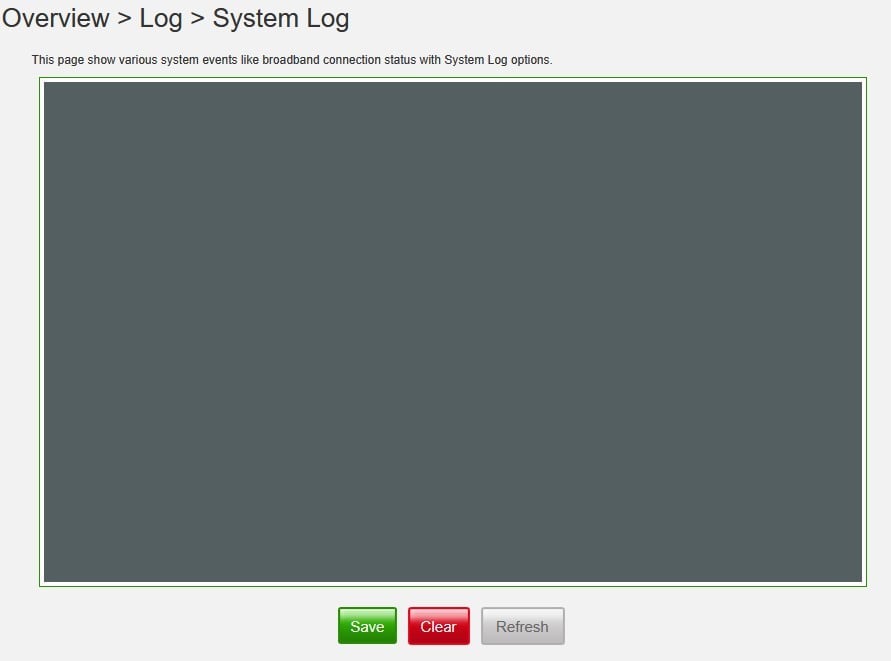
This has been going on a while but is a relatively new issue, I can't remember exactly when it started. My spark smart modem no longer shows any system logs. When I navigate from Overview > Log > System Log I still get the "Retrieving system log, this make take several minutes." popup but am always met with a blank log screen. This was not always the case and as far as I am aware I've not made any changes that would cause this. It occurs with Firefox, Edge, and Chrome so I don't believe it is a browser issue. I've attached a screenshot of what it looks like.


The model details are,


Model Name:


VRV9517


Firmware Version:


v6.00.26 build01


Anyone have any ideas? It is making it painful to troubleshoot other issues.


Cheers


Create new topic
cbrpilot
964 posts

Ultimate Geek
+1 received by user: 555

Trusted
Spark NZ

  #3408206 28-Aug-2025 17:31
Send private message

Hi ClockWatcher, I don't have any official suggestions, only unofficial ones that are my own personal opinion.


With the symptoms you are experiencing I do just wonder if the log files on the device are just too big to display right now. 


If I were you I'd try Clearing the log from that page and see if it makes a difference.  I'm sure you've already tried this, but I have to suggest it: restart the modem.


If all that fails I think the next step may be to reset the device back to factory defaults.  If the SM1 is anything like the SM3 I am using, then you can save your configuration, then factory reset, and then reload your configuration from the GUI so you don't lose any customisations.  To be on the safe side I'd screenshot any customisations before doing a factory reset just in case the config restore doesn't work.


Dave.


My views are my own, and may not necessarily represent those of my employer.


ClockWatcher

12 posts

Geek


  #3408227 28-Aug-2025 18:51
Send private message

cbrpilot:


Hi ClockWatcher, I don't have any official suggestions, only unofficial ones that are my own personal opinion.


With the symptoms you are experiencing I do just wonder if the log files on the device are just too big to display right now. 


If I were you I'd try Clearing the log from that page and see if it makes a difference.  I'm sure you've already tried this, but I have to suggest it: restart the modem.


If all that fails I think the next step may be to reset the device back to factory defaults.  If the SM1 is anything like the SM3 I am using, then you can save your configuration, then factory reset, and then reload your configuration from the GUI so you don't lose any customisations.  To be on the safe side I'd screenshot any customisations before doing a factory reset just in case the config restore doesn't work.


Dave.


Hi Dave, I've tried clearing them as well as restarting a few times. I'm yet to factory reset but only because I am a couple of hours drive away from the modem and I don't trust the setup to come back up properly for my remote access. In regard to the size of the logs, they did seem to overwrite on reboot previously, but I don't know enough about the inner workings of the device to comment fully on that.


snj

snj
310 posts

Ultimate Geek
+1 received by user: 224


  #3408231 28-Aug-2025 19:53
Send private message

Try checking the Developer Tools console (Ctrl+Shift+I on Edge and I think Chrome; or Right click page -> Inspect for Edge/Chrome/Firefox), just in case that it's doing something like trying to load the logs into an iframe or something like that which is now getting blocked.


shk292
2918 posts

Uber Geek
+1 received by user: 2040

Lifetime subscriber

  #3408463 29-Aug-2025 10:14
Send private message

I’ve never been able to see the system logs on the SM1, using a variety of devices and browsers. I’ve tried restarting the router but not manually clearing the logs.


 This is a frustrating fault because it makes it impossible to troubleshoot the intermittent disconnections I get. So, watching with interest


Spot01
1 post

Wannabe Geek


  #3420971 3-Oct-2025 13:27
Send private message

Exact same issue here. Fibre service drops every now and then, usually in the morning. I want to see the logs to see if I can help diagnose the issue but both the system log and diagnotics are broken. 


I see in another thread that someone with similar drop out issues eventually resolved their drop outs by getting the ONT replaced. So I'm trying to get Spark to get Chorus to check the ONT logs. no idea if they'll do that or how long it will take...


Create new topic


Geekzone Live »

Try automatic live updates from Geekzone directly in your browser, without refreshing the page, with Geekzone Live now.


Are you subscribed to our RSS feed? You can download the latest headlines and summaries from our stories directly to your computer or smartphone by using a feed reader.
