Geekzone: technology news, blogs, forums
Guest
Welcome Guest.
You haven't logged in yet. If you don't have an account you can register now.


Mikek

112 posts

Master Geek
+1 received by user: 42


#312223 27-Mar-2024 19:11
Send private message

Anyone else able to see this packet loss when targeting these ip's on the vocus network ?


Target IP's 45.76.73.177   / 45.77.84.45 


Culprit  - be1000.bdr01.akl03.akl.nz.vocus.network  - 175.45.102.237


Create new topic
ratbag359
25 posts

Geek
+1 received by user: 3


  #3211901 28-Mar-2024 16:00
Send private message

Seems ok for me.


Talkiet
4819 posts

Uber Geek
+1 received by user: 3934

Trusted

  #3211918 28-Mar-2024 16:51
Send private message

Have a look at the hop AFTER the hop you suspect. Check how many sent and received packets there.


If the hop you suspect of losing packets is BEFORE the next one, and the next one is able to respond to 100% of packets - what does that tell us about be1000.bdr01.akl03?


Cheers - N


Please note all comments are from my own brain and don't necessarily represent the position or opinions of my employer, previous employers, colleagues, friends or pets.


Mikek

112 posts

Master Geek
+1 received by user: 42


  #3211938 28-Mar-2024 18:43
Send private message

That's not always the case I know if the last hop is having packet loss then its not a icmp packet being blocked, This is a game server and the server is telling us with the in game stats we have packet loss and its noticeable


 with players glitching around, with two people on Vocus having the same issue and two people not on vocus having no packet loss with no issues at the same time, 


Here is two traces carried out 30 seconds part on the same internal network same PC 30 seconds part, look at the end hop. 


Ratbag you need to run it longer at times its ok for a min or two with no loss, try again longer and see what you get ?


ratbag359
25 posts

Geek
+1 received by user: 3


  #3211954 28-Mar-2024 20:57
Send private message

Talkiet:


Have a look at the hop AFTER the hop you suspect. Check how many sent and received packets there.


If the hop you suspect of losing packets is BEFORE the next one, and the next one is able to respond to 100% of packets - what does that tell us about be1000.bdr01.akl03?


Cheers - N


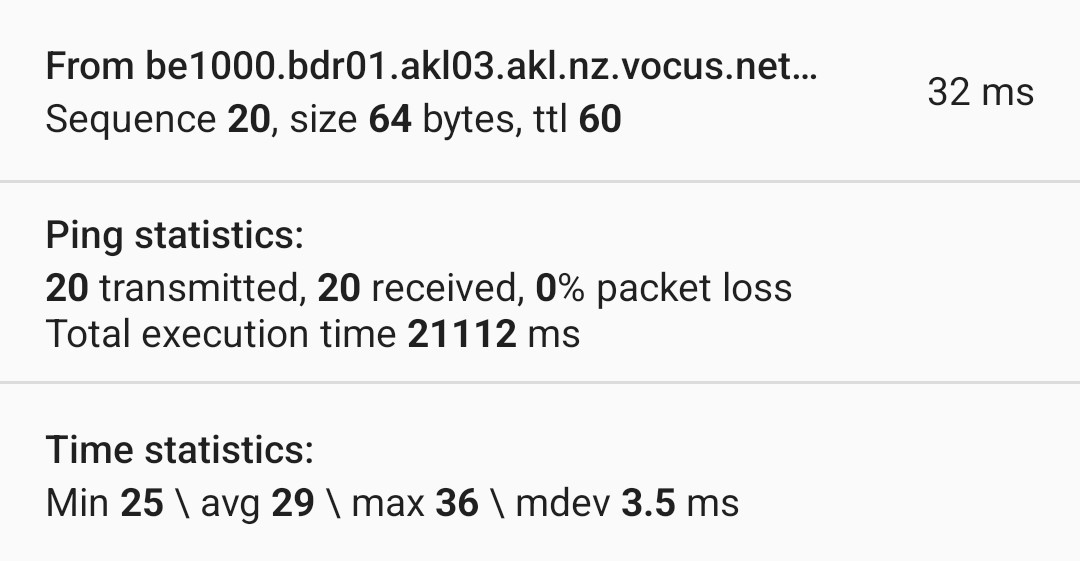
To me it seems the connection is fine. As for your question if previous hop =100/100 and next hop 100/100 no dropped packets and my extended pings confirm this.


Ping statistics for 45.77.84.45:
    Packets: Sent = 6725, Received = 6725, Lost = 0 (0% loss),
Approximate round trip times in milli-seconds:
    Minimum = 154ms, Maximum = 408ms, Average = 154ms


Ping statistics for 45.76.73.177:
    Packets: Sent = 6764, Received = 6764, Lost = 0 (0% loss),
Approximate round trip times in milli-seconds:
    Minimum = 154ms, Maximum = 407ms, Average = 155ms

I would look at the CPU usage and HDD usage of the host also some game engines will lag other players if one person has a bad connection.  


Create new topic


Geekzone Live »

Try automatic live updates from Geekzone directly in your browser, without refreshing the page, with Geekzone Live now.


Are you subscribed to our RSS feed? You can download the latest headlines and summaries from our stories directly to your computer or smartphone by using a feed reader.