


 ID Verified
If anyone else, like me, signed up for the new white Sky box and found it less than reliable, here is the factory reset procedure.
Note: I need to do this every so often after running apps, last night it was Amazon Prime. After you exit an app, the box asks you to scan a QR code that isn't there; after a hard reboot, it appears briefly and then gives a contact Sky error message. As this seems to happen when the Sky helpdesk is at home, and just before something important, this might just help someone out.
WARNING - This will wipe all your recordings and sign you out of all apps
Procedure.
1. Unplug the Sky box
2. Locate the push button on the side of the unit. (see picture below)
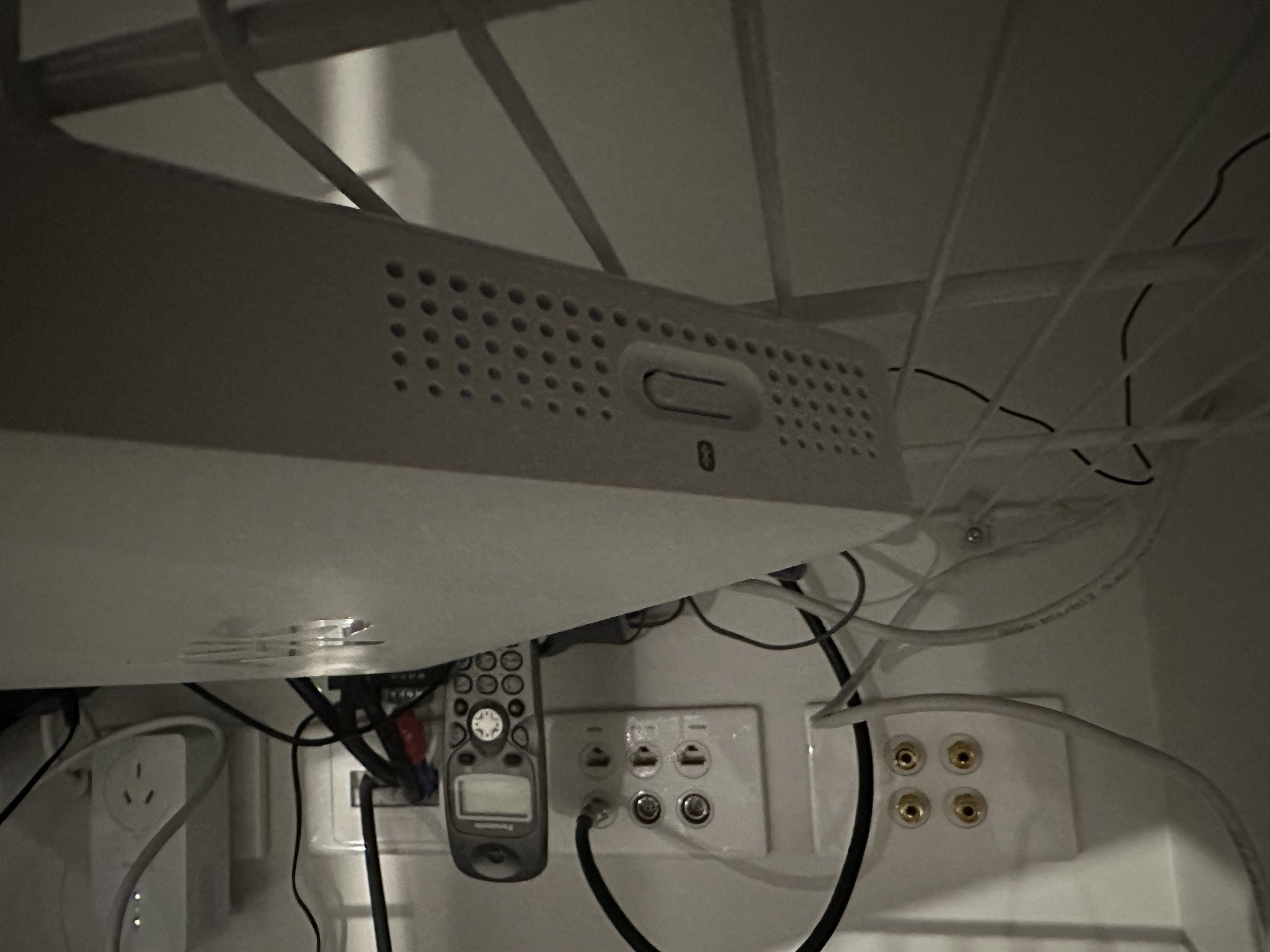
3. Push and hold this button, and then plug the box back in.
4. If you got it right you should have a menu appear on the screen.
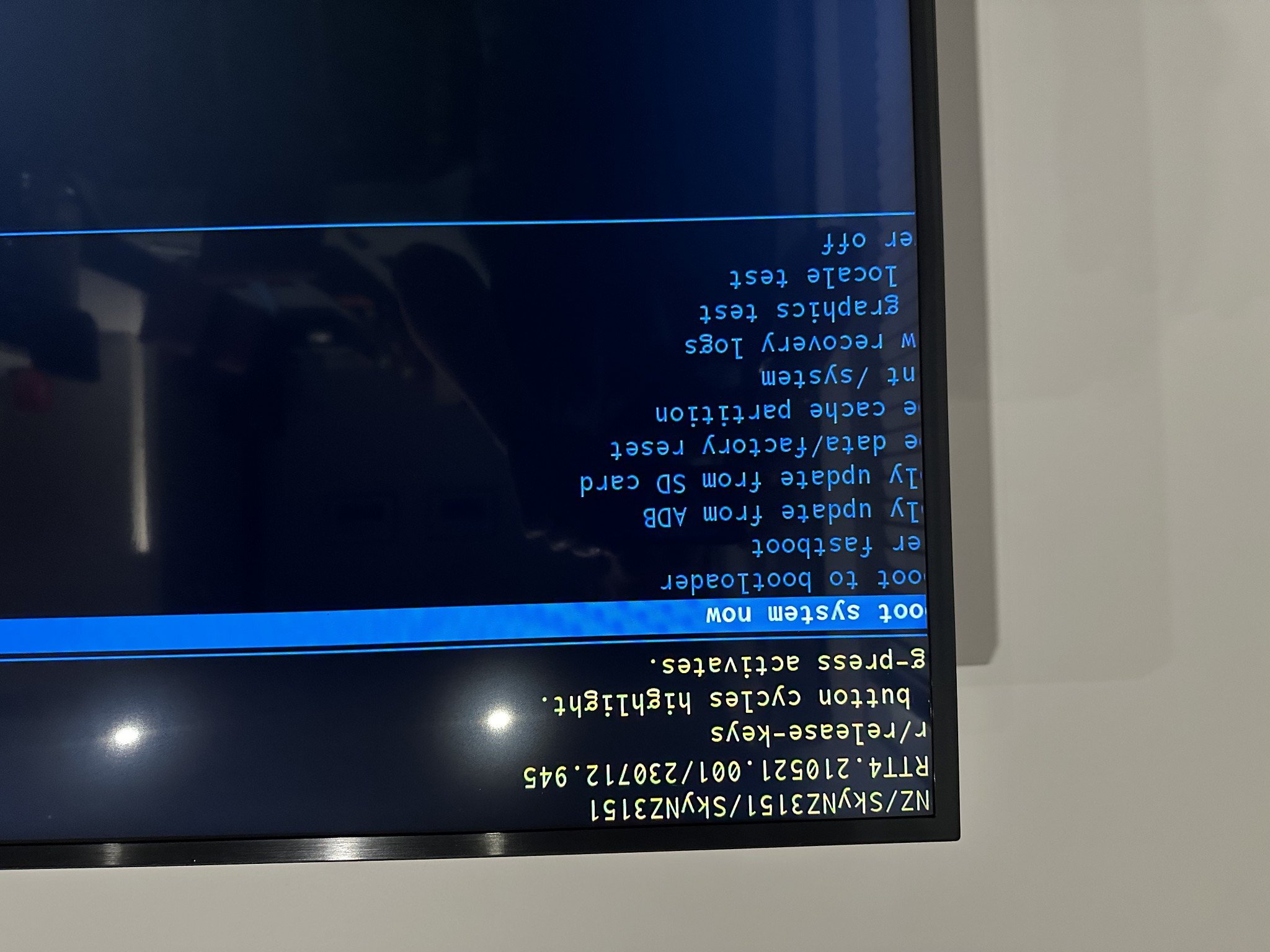
5. Use the remote to scroll down to factory reset, and push the OK centre button.

6. Confirm the reset.
7. After this is complete, you'll need to select the first option from the main menu which will boot the Sky Box.
This might just help someone struggling.



 Trusted
